
GICT knowledge base
OpenClaw vs AutoGPT vs LangChain vs n8n: Choosing an AI Workflow
Published
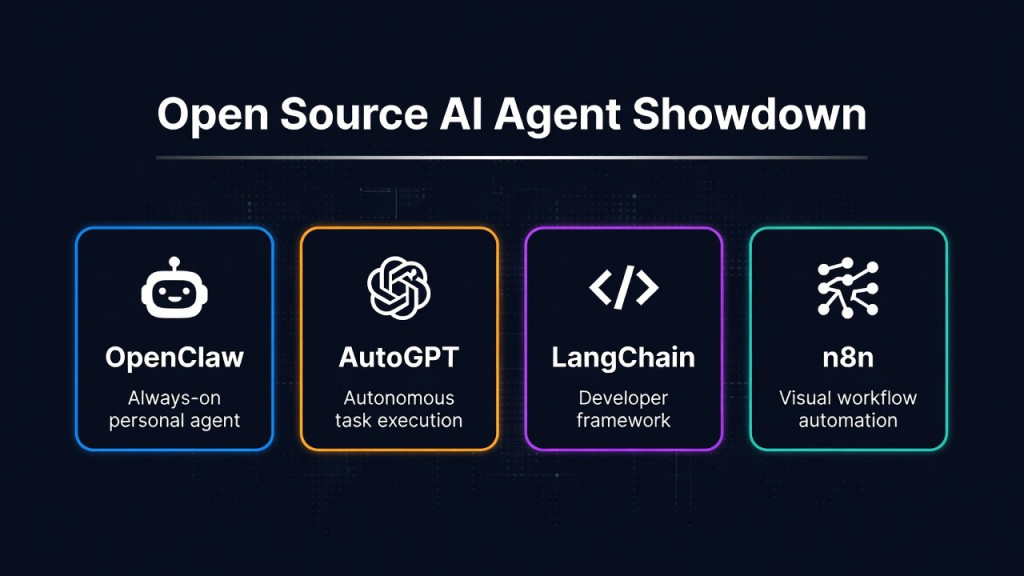
OpenClaw, AutoGPT, LangChain, and n8n address different parts of AI-assisted automation. They are not interchangeable products, and a single ranking does not explain which one fits a hosting workload. Start with the interface you need, the work you want automated, and who will maintain it.
This is a documentation-based comparison, not a hands-on performance benchmark. Product capabilities and licensing can change; consult the linked project documentation before deployment.
Choose by the kind of application
| Project | Useful starting point | What you still own |
|---|---|---|
| OpenClaw | An assistant accessed through messaging channels or a gateway interface. | Channel access, agent permissions, model configuration, and server maintenance. |
| AutoGPT | Agents and workflows assembled in the AutoGPT platform. | Workflow design, integrations, deployment, and validation of results. |
| LangChain | A custom AI application built in code. | Application logic, interface, deployment, tests, and operational controls. |
| n8n | Trigger-based workflows connecting business applications, with AI steps where useful. | Credentials, workflow error handling, application state, and self-hosted operations. |
OpenClaw: a gateway for an interactive assistant
OpenClaw connects supported messaging channels to agents through a self-hosted gateway. It is worth evaluating when the desired interface is a conversation, such as asking for a summary of a server report. Its official documentation describes channel connections, tools, and session capabilities.
The important deployment question is who can reach the assistant and what it may do. A private assistant that reads a sanitized log is a different security proposition from one that can execute shell commands. Start with a dedicated account and minimal access. Do not treat a shared gateway as isolation between mutually untrusted customers.
AutoGPT: design an agent workflow
The current AutoGPT platform provides tools for building agents as workflows with connected operations. Evaluate its platform documentation against the process you actually want to automate, rather than assuming it behaves like an early autonomous-loop demo.
For example, a draft-report workflow needs explicit inputs, allowed sources, a review step, and a failure path. Decide what should happen if an integration times out or returns incomplete data. Confirm the requirements and licensing of the specific AutoGPT components you plan to run in its official repository.
LangChain: build the application in code
LangChain supplies configurable agent-building primitives and integrations. It is a fit to investigate when you need a custom application rather than a ready-made messaging assistant or workflow UI. The LangChain overview distinguishes its agent harness from related projects such as LangGraph.
This choice assumes someone will write and maintain the software. A support application, for example, still needs authentication, authorization, a data-access policy, a user interface, and tests. A framework does not supply your business rules automatically. Prefer a simpler implementation when a fixed API call or script already solves the problem.
n8n: connect services with explicit workflow steps
n8n is useful to evaluate when work starts from an event or schedule and proceeds through integrations: receive a form, validate fields, request a classification, and prepare a ticket. AI can be one step rather than the controller of the entire process. Review the self-hosting documentation for deployment and edition differences.
n8n’s source availability should not be confused with unrestricted permission for every commercial use. Check its license terms, particularly if you intend to offer n8n itself to customers. Likewise, review the license for each other project and component rather than calling all four identically licensed open-source products.
Self-hosting does not automatically keep prompts local
In all four approaches, the location of the application is separate from the location of the model. If a workflow calls an external model API, the configured request is sent to that provider. Messaging services, connected applications, and optional tracing systems may introduce additional destinations.
Before processing confidential data, map the complete flow: input channel, application, model, tools, logs, and backups. A local database or a VPS-hosted interface is not proof of end-to-end local processing. The same distinction applies to costs: an external API can still charge for usage and enforce rate limits.
Run a small acceptance test before choosing
Use one representative task and the same non-sensitive test inputs for each serious candidate. The following checklist is a suggested evaluation method, not a report of benchmarks performed for this article.
- Define success: write down the required output and which actions must never happen automatically.
- Check permissions: prove that the application cannot access an unrelated file, service, or customer account.
- Exercise failure cases: test a timeout, missing input, an invalid response, and instructions embedded in untrusted content.
- Measure the whole workload: record memory, storage growth, response time, external API usage, and operator effort.
- Test recovery: restart the application, restore a backup in a separate environment, and revoke a test credential.
Keep evidence of the results and select the simplest system that meets them. If the chosen application needs an always-on host, size the VPS around that measured workload. For connecting a compatible AI client specifically to GICTServer account tools, consult the GICTServer MCP server guide.
Related guides
How to Secure the Ollama API with Nginx
Protect a private Ollama API with Nginx authentication and restricted routes. Verify allowed requests, denied management calls and direct-port isolation.
AIHow to Set Up an LLM Gateway with LiteLLM
Configure a LiteLLM gateway with private administration, virtual keys and model restrictions. Test allowed requests and understand budget limitations.
AIHow to Self-Host Karakeep with AI Tagging on a VPS
Self-host Karakeep with local Ollama tagging. Restrict first-user setup, disable public registration and verify collection, search and suggested tags.
AIHow to Categorize Support Tickets with a Local AI Model
Suggest support-ticket categories from a CSV using a CPU-only AI model. Keep inference local, preserve ticket IDs, and review uncertain classifications.