
GICT knowledge base
How to Categorize Support Tickets with a Local AI Model
Published
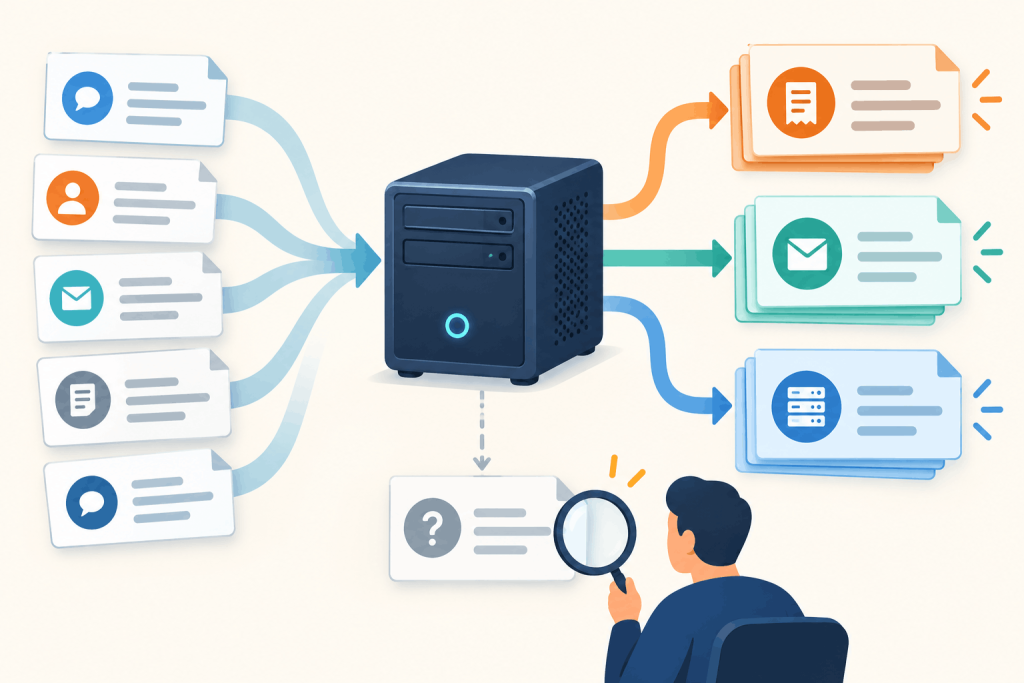
A support queue mixes payment questions, bounced messages, and broken websites. A local classifier can suggest a category for each ticket before a person reviews it. The ticket text does not need to be sent to a hosted AI service.
This guide uses a small English-language model on CPU, reads a CSV, and writes a separate file of suggestions. It does not connect to a helpdesk or route tickets automatically. On a two-vCPU TeamCompute VM, the script processed 24 synthetic tickets in 6.05 seconds and matched all 18 predetermined labels for clear cases. The six ambiguous or out-of-scope cases show why a successful run is not permission to route tickets automatically.
Choose a CPU environment
Use Ubuntu 24.04, Python 3.12, sudo access for package installation, and an ordinary user account for the remaining steps. A GPU is not required. If you do not already have a VPS, an GICTServer VPS is a starting point for shared or recurring processing. Start with two vCPUs and 4 GB RAM for this small example, then measure your own ticket lengths and volume. This is a sizing recommendation, not an exact minimum or a benchmark of GICTServer hardware.
The model, cross-encoder/nli-MiniLM2-L6-H768, compares each ticket with a description of each category. This is zero-shot classification: it does not require training on your ticket history. It also does not mean the model understands your routing rules. Its model card declares Apache 2.0 licensing and English natural-language-inference training, not a guarantee of helpdesk accuracy.
Commands prefixed with $ run in your terminal. Do not copy the $ itself. Package and model downloads need Internet access; classification will use the downloaded files.
$ sudo apt-get update
$ sudo apt-get install -y python3-venv python3-pip
$ mkdir -p ~/ticket-demo
$ cd ~/ticket-demo
$ python3 -m venv .venv
$ source .venv/bin/activate
$ python -m pip install 'torch==2.8.0' --index-url https://download.pytorch.org/whl/cpu
$ python -m pip install 'transformers==4.57.6'
$ python -m pip check
Installing the CPU build of PyTorch first avoids downloading GPU runtime packages for a CPU-only task. The virtual environment keeps these dependencies separate from system Python.
Download a fixed model revision
Create ~/ticket-demo/download-model.py with these contents:
from huggingface_hub import snapshot_download

snapshot_download(
    "cross-encoder/nli-MiniLM2-L6-H768",
    revision="b95119ce93d3e065de6214e38cd4a97b0f2f2c6d",
    local_dir="model",
    allow_patterns=["*.json", "merges.txt", "vocab.json",
                    "model.safetensors", "README.md"],
)
$ python download-model.pyThe pinned revision makes the model files repeatable. The download selects the safetensors weights and tokenizer files rather than every alternative backend in the repository. The tested model directory occupied about 316 MiB. Keep the entire model directory together. You do not need a Hugging Face account or an inference API key for this public model.
Prepare a small ticket CSV
Create ~/ticket-demo/tickets.csv as UTF-8 text:
id,text
t1,My credit card was charged twice for the same monthly invoice.
t2,Messages sent to my mailbox bounce with an SMTP 550 error.
t3,The website returns HTTP 502 whenever a visitor opens the homepage.
Use exactly the id,text header. Quote a field if it contains commas or line breaks. Each ticket needs a unique ID and nonblank text. Keep the source export unchanged and use synthetic tickets until the workflow behaves as expected.
This example offers three categories: billing and payments, email delivery, and website and server problems. They are suggestions for this demonstration, not a complete support taxonomy. A password-reset question or vague complaint may fit none of them.
Classify the tickets
Create ~/ticket-demo/classify.py with these contents:
import csv
import sys
from pathlib import Path

import torch
from transformers import pipeline

torch.set_num_threads(2)
source, destination = map(Path, sys.argv[1:3])
with source.open(newline="", encoding="utf-8-sig") as f:
    reader = csv.DictReader(f)
    if reader.fieldnames != ["id", "text"]:
        raise SystemExit("Expected CSV columns: id,text")
    rows = list(reader)
if not rows or len(rows) > 100:
    raise SystemExit("Use between 1 and 100 tickets per file")
if any(set(r) != {"id", "text"} or not r["id"] or
       not r["text"] or not r["text"].strip() for r in rows):
    raise SystemExit("Every row needs an ID and nonblank text")
if len({r["id"] for r in rows}) != len(rows):
    raise SystemExit("Ticket IDs must be unique")

labels = ["billing and payments", "email delivery",
          "website and server problems"]
classifier = pipeline("zero-shot-classification", model="model",
                      tokenizer="model", device=-1)
results = []
for row in rows:
    if len(classifier.tokenizer.encode(row["text"])) > 400:
        raise SystemExit("Ticket too long: " + row["id"])
    result = classifier(row["text"], candidate_labels=labels,
                        hypothesis_template="This support ticket is about {}.",
                        multi_label=False)
    score = result["scores"][0]
    margin = score - result["scores"][1]
    results.append({"id": row["id"],
                    "suggested_category": result["labels"][0],
                    "score": f"{score:.3f}",
                    "margin": f"{margin:.3f}",
                    "review_priority": "check_first" if score < 0.70 or
                    margin < 0.20 else "standard_review"})
with destination.open("x", newline="", encoding="utf-8") as f:
    writer = csv.DictWriter(f, fieldnames=list(results[0]))
    writer.writeheader()
    writer.writerows(results)
print(f"Wrote {len(results)} suggestions to {destination}")
The script uses two CPU threads and accepts at most 100 rows per invocation. It checks each ticket against a conservative 400-token input limit so a long thread is not silently cut down by the pipeline. Tokens are model units, not words. Split lengthy conversations into reviewed summaries before classification; do not discard the original thread.
The destination is opened in exclusive-create mode: an existing output file is not overwritten. Source text is not copied into the result file, but the ticket ID lets you join a suggestion back to the original. Model scores and the gap between the first two labels are included for review.
$ export HF_HUB_OFFLINE=1
$ export TRANSFORMERS_OFFLINE=1
$ python classify.py tickets.csv suggestions.csv
$ cat suggestions.csv
id,suggested_category,score,margin,review_priority
t1,billing and payments,0.883,0.814,standard_review
t2,email delivery,0.691,0.518,check_first
t3,website and server problems,0.449,0.142,check_firstThe three IDs survived unchanged. The first ticket received a strong billing suggestion; the other two still matched their intended categories but were marked check_first. A review flag is not the same as an incorrect prediction.
The top score is relative to the candidate labels with multi_label=False. It is not the probability that the ticket is correctly categorized. Adding or rewording labels can change both rankings and scores. The check_first cutoffs are illustrative rules, not calibrated thresholds. Every row still needs review, including standard_review rows.
For a new SSH session, return to the project and reactivate the environment before processing another export:
$ cd ~/ticket-demo
$ source .venv/bin/activate
$ export HF_HUB_OFFLINE=1
$ export TRANSFORMERS_OFFLINE=1
$ python classify.py tickets.csv suggestions-fresh.csv
Evaluate before using real tickets
Write expected labels before looking at predictions. Keep them outside the input CSV. Include obvious examples, multi-topic tickets, and requests outside the proposed categories. Compare ticket IDs and row counts as well as the categories: a missing row is not a successful classification.
The accompanying examples include evaluation.csv. To repeat the larger run, copy it into ~/ticket-demo, then use a new output filename:
$ python classify.py evaluation.csv evaluation-replay.csvThe supplied evaluation files contain 18 clear examples and six ambiguous or out-of-scope cases. The latter should be reviewed separately rather than squeezed into an accuracy percentage. A classifier given three labels always chooses among those labels; a high score cannot prove that one actually applies.
The measured run used 527156 KiB (about 515 MiB) peak process memory. It includes Python startup and model loading with downloads already complete, not a persistent service’s throughput. The VM had 3 GB allocated RAM; the 4 GB recommendation leaves additional headroom. No GPU was present or used.
| Test ticket | Actual suggestion | What to notice |
|---|---|---|
| Payment failed; website suspended | Billing, score 0.520 | Both billing and hosting are relevant; marked check_first. |
| Refund requested because emails fail | Email, score 0.747 | A multi-topic case received standard_review, not a priority flag. |
| Tomorrow’s weather forecast | Billing, score 0.442 | None of the labels fits, yet the model still chose one. |
The 18/18 result is a small synthetic-set result, not a production accuracy estimate. The labels, template, and review cutoffs were fixed before the first run and were not tuned to these results. Five of the six ambiguous/out-of-scope cases were marked check_first; one was not.
Review the actual text alongside the suggestions. A ticket requesting a refund because mail stopped working combines billing and email delivery. Your support policy, not a model score, determines who should handle it. Test representative, authorized historical tickets before choosing thresholds or adding automatic actions. Keep evaluation examples separate from examples used to adjust labels.
Fix input and model problems
- Missing columns, blank text, or repeated IDs: fix the export. The script stops rather than silently dropping a row.
- Long tickets: shorten a copy with human review. The 400-token check is deliberate; raising it without checking the model limit risks truncation.
- Existing destination: choose a new result filename. An overwrite error does not mean the model failed to classify.
- Missing model files offline: complete
download-model.pywhile connected, then retain the model directory. Offline inference is not offline installation. - Confident but wrong suggestions: examine the label definitions and the source ticket. Lowering a score threshold cannot detect every out-of-scope request.
When manual triage is the better choice
For a handful of tickets each week, installing a model and maintaining a script may cost more effort than reading the queue. Explicit rules can also be better for exact invoice IDs, known error codes, or mandatory routing policies. A generic NLI model is not trained on your service catalog.
A CPU VPS is useful when you already have a recurring batch and want local inference. More labels and longer tickets mean more comparisons. Do not rent a GPU solely because this workflow uses AI; benchmark a representative batch first. Local processing avoids a hosted inference endpoint, but the files on the server still need appropriate access controls.
The result is a reviewable CSV of category suggestions with preserved IDs. This CPU test processed 24 short tickets in 6.05 seconds; longer real conversations need their own measurements. Treat it as a triage aid, not a replacement for reading the ticket or an instruction to change a customer account.
Related guides
How to Secure the Ollama API with Nginx
Protect a private Ollama API with Nginx authentication and restricted routes. Verify allowed requests, denied management calls and direct-port isolation.
AIHow to Set Up an LLM Gateway with LiteLLM
Configure a LiteLLM gateway with private administration, virtual keys and model restrictions. Test allowed requests and understand budget limitations.
AIHow to Self-Host Karakeep with AI Tagging on a VPS
Self-host Karakeep with local Ollama tagging. Restrict first-user setup, disable public registration and verify collection, search and suggested tags.
AISelf-hosted OCR on Your VPS: Extracting Text from Images with Tesseract
Extract text from images on your own server with Tesseract OCR, free and CPU-only. Install it, run OCR, and boost accuracy with image preprocessing.