
GICT knowledge base
Set static IP and adding additional IP in Windows
Published
First off login to http://my.GICTServer.net and go to the managmenet section of the windows VPS.
You will see the ip address of the vps. Scrolling below you can see the netmask and gateway addresses.
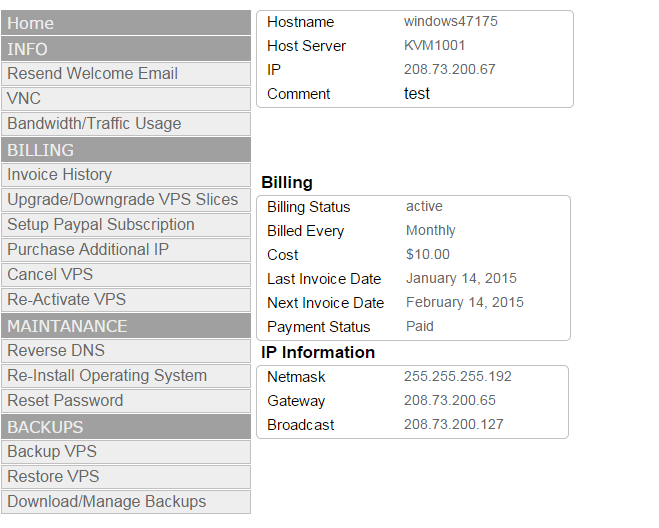
Log into your windows VPS using the VNC viewer option. This will allow you to make changes to your VPS network settings without being disconnected.
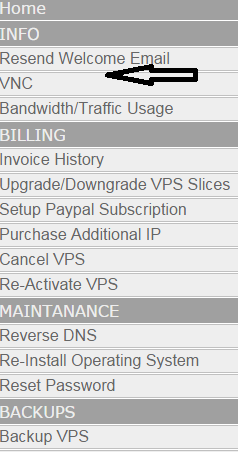
Click on VNC.
- It will open up this page. Click on Click to connect to desktop with HTML5 VNC.

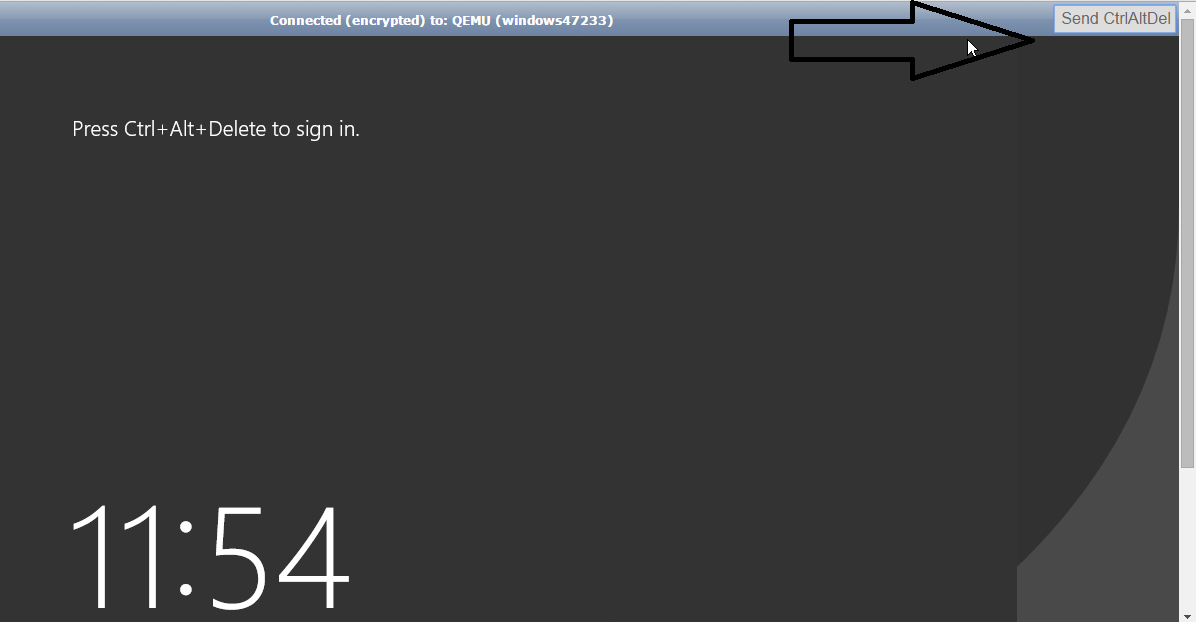
- If it’s the first time you are connecting then it will ask you set up a password. I have already set the password. Click on the top that says Send CtrlAltDel
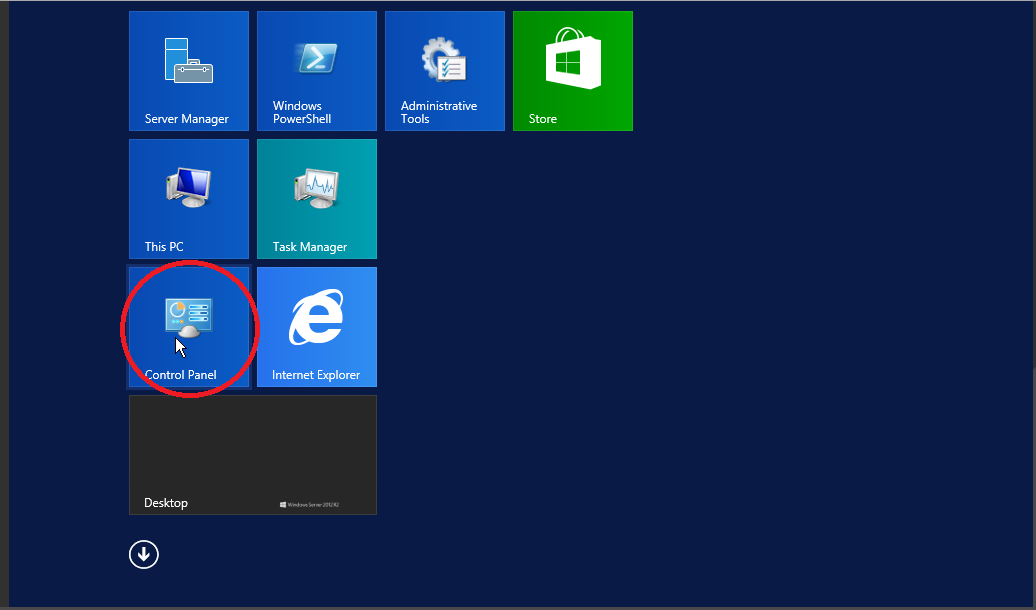
- Select Control Panel
- Go to network and internet
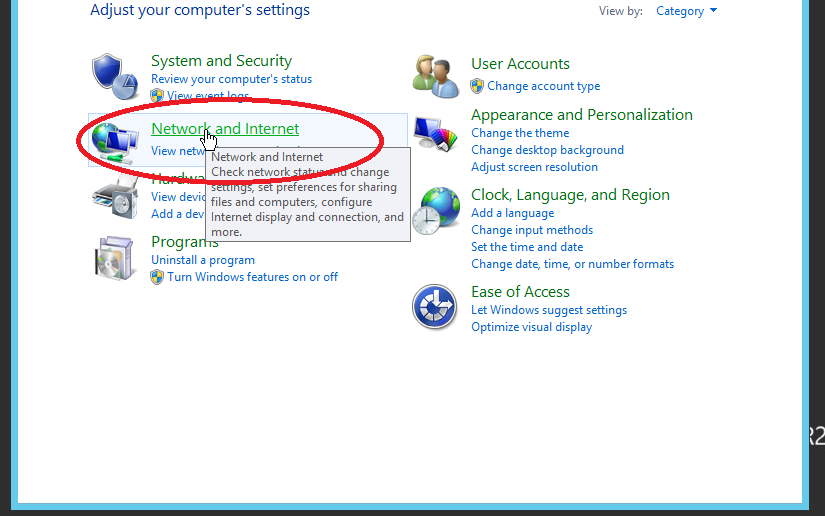
- Click on view network stats
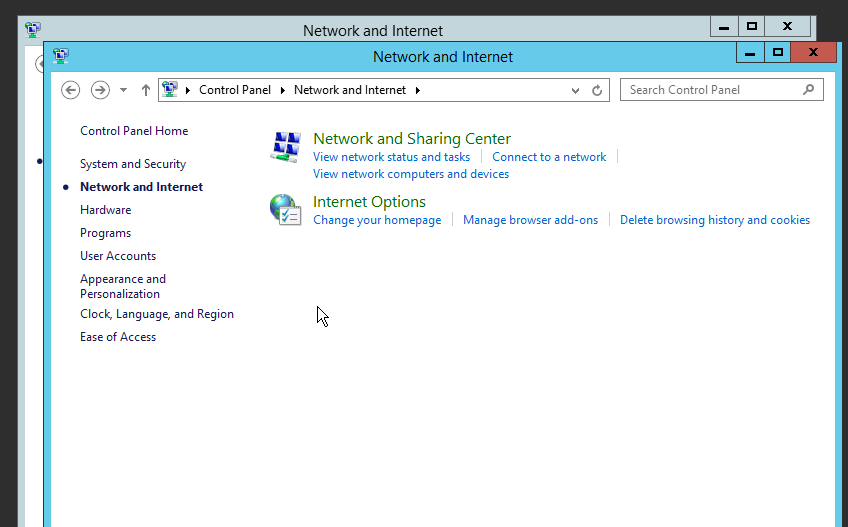
- Click on change adapter settings.
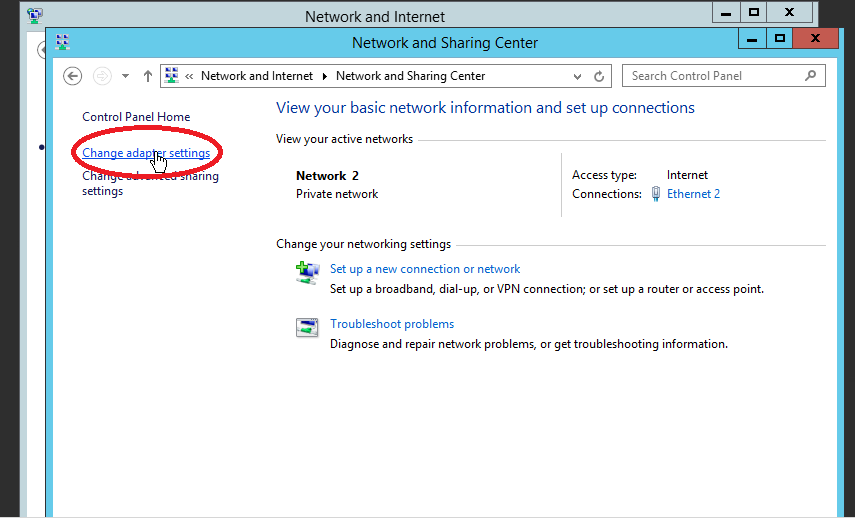
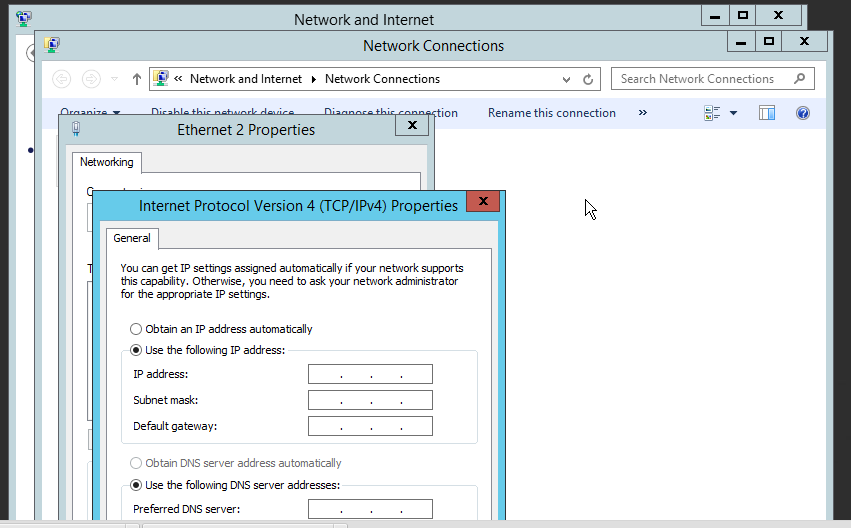
- On the new page that opens up right click on Ethernet 2 and select properties.
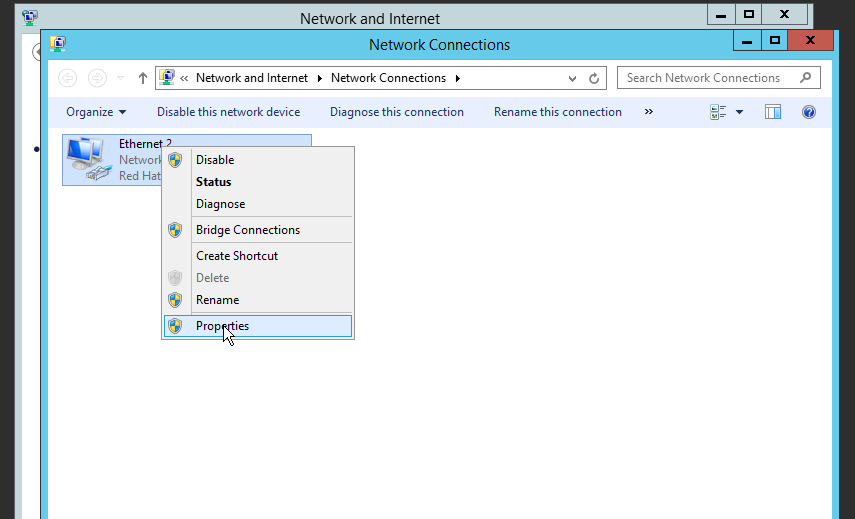
- Copy paste the ip addresses from vps dashboard
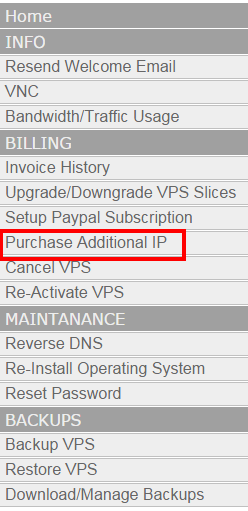
- Click on Advanced at the bottom right to set up another ip address. To set additional IP addresses first you need to purchase one. It comes at $1/month.
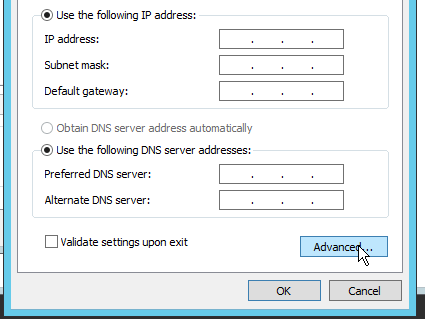
- Click on advanced at the bottom left to add new ip
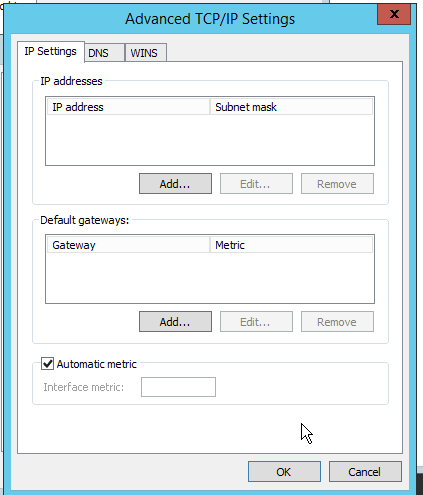
Then click on “add” and enter your new ip address with the netmask of 255.255.255.255
Related guides
Optimizing MetaTrader on Your GICTServer VPS
Optimizing MetaTrader on Your GICTServer VPS Running MetaTrader 4 or 5 (MT4/MT5) on a Virtual Private Server (VPS) is the gold standard for traders who need 24/7 uptime...
WindowsUnderstanding the db_owner Role in Plesk Windows Hosting
If you have ever managed a database on a Windows-based hosting plan using Plesk, you might have noticed that your database user doesn’t always start with "full"...
WindowsHyper-V Windows VPS: Password Security & Reset Policies
When you provision a Windows VPS (Hyper-V) with GICTServer, you are granted full Administrator access.
WindowsChange RDP port on Windows server
How do you Change the RDP port on a Windows server? Remote Desktop Protocol is a secure network protocol developed by Microsoft that provides a user interface with good...