
GICT knowledge base
Mailbox Conversion in WHM
Published
Mailbox Conversion in WHM
MDBox is the most promising and demanding feature in the latest cPanel and it is the most appealing feature. There is a huge benefit of converting from Maildir to MDBox.
Both Maildir and MDBox are the storage formats used by the mail application on the cPanel server. There are lots of differences, but the most important one is that email stored with Maildir uses a simple 1-to-1 format, while MDBox uses a many-to-1 format. For the simple cPanel user it makes no difference at all, but for large account it is really important. Compressing one mail and to be stored in a single file will lower inode usage as well as the disk space usage.
Meantime we can migrate, transfer account by taking the backup can be done in a small fraction of time.
Mail operations do not go offline during conversion. How long conversation takes will depend on the number of accounts and amount of email, but on a typical shared server, it’s complete in well under an hour.
Main advantage of MDBox over maildir are listed below.
Reduces inode usages.
Improves performance
Great for accounts with large amounts of emails.
Steps to convert mailbox via WHM
1) Login to WHM.
2) Click the button “Email”.
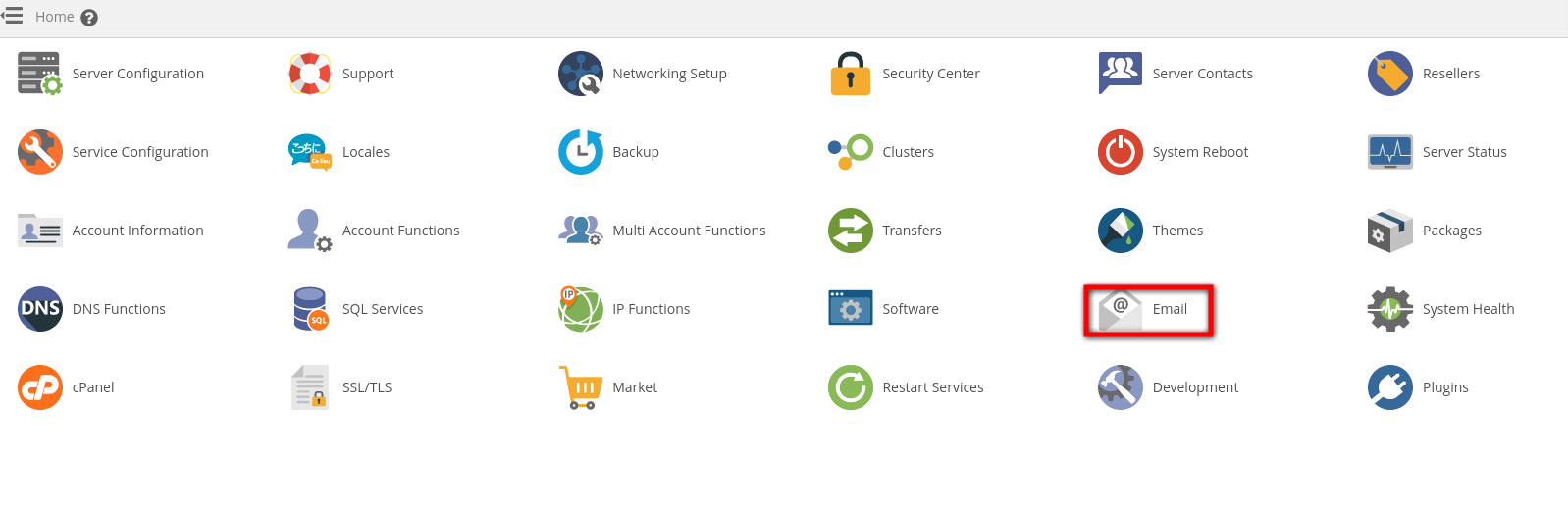
3) Then click on “Mailbox conversion”.

4) Select the format to convert mailboxes and click the button “Next”.
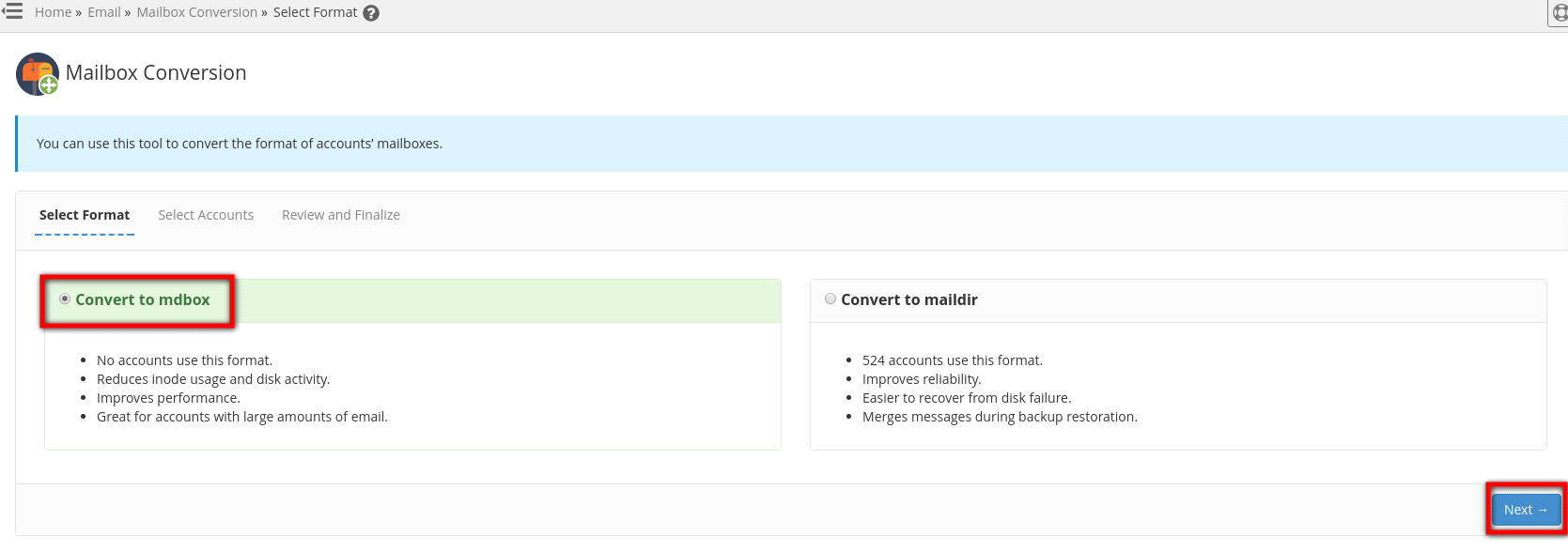
5) Select the checkboxes for the accounts to convert and click on “Next”.
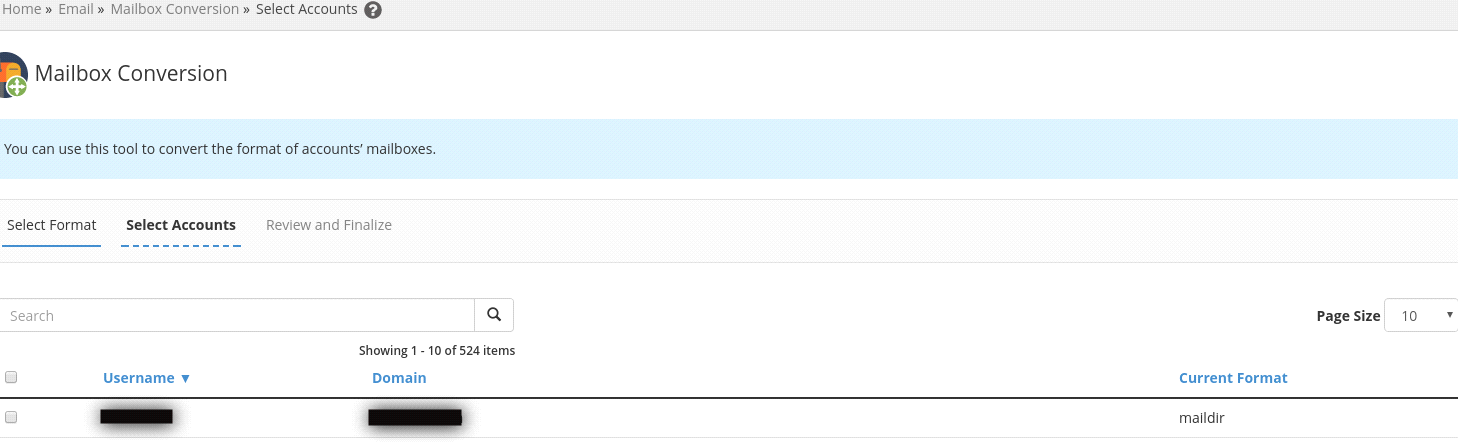
6) Click the button “Convert” to convert the mailboxes for the selected accounts.
Related guides
How to Test Application Emails with Mailpit
Capture staging emails with Mailpit over a private connection. Inspect message formats and attachments without confusing capture with real delivery.
EmailHow to Test SMTP Login and TLS with swaks
Diagnose SMTP connectivity, TLS and authentication with swaks. Protect credentials and distinguish server acceptance from recipient delivery.
EmailResolving: This message was classified as rSPAM and may not be delivered
Resolve GICTServer rSPAM rejections using the SMTP code and MailBaby rule details. Check authentication, security and false positives through support.
EmailHow to Check SPF, DKIM and DMARC Using Message Evidence
Diagnose email authentication using real message identities and selectors, DNS answers and alignment instead of guessed records or delivery assumptions.