Patient administration
Registration, medical records, referrals, appointments and patient-facing access across visits.

GICT HEALTH TECHNOLOGY
GICT HOSPITAL INFORMATION MANAGEMENT SYSTEM
GICTHIMS brings patient, clinical and administrative workflows into one configurable information system—planned around your facility, teams and operating context.
AI-assisted insights can be scoped as part of a deployment. Clinical decisions remain with qualified care teams.
Hospital management software for Uganda and East Africa
GICTHIMS is designed for hospitals, clinics, pharmacies and diagnostic centres looking to connect patient administration with everyday facility operations. Plan outpatient (OPD) and inpatient (IPD) care, appointments, records, pharmacy stock, billing and diagnostic workflows in one implementation conversation.
For healthcare providers in Kampala and across Uganda and East Africa, begin with the processes that matter most. GICT Technologies Africa can scope modules, integrations, migration, staff training and support around the facility’s needs.
A flexible capability map
Modules are selected and configured during discovery. Availability, integrations and rollout scope are confirmed for each implementation.
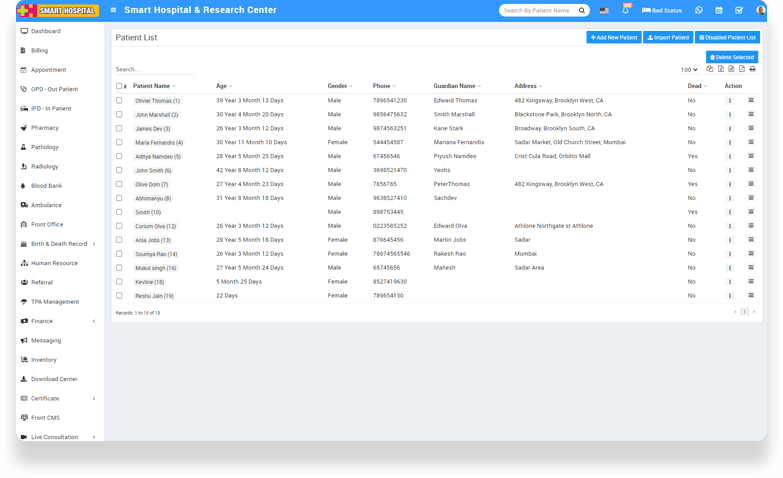
Registration, medical records, referrals, appointments and patient-facing access across visits.
Queues, consultations, care notes, prescriptions and follow-up for day patients.
Admissions, ward and bed status, transfers, nursing workflows and discharge coordination.
Casualty intake, triage priority, urgent care notes and handover into OPD or IPD.
Antenatal visits, labour and delivery records, postnatal care and newborn registration.
Critical-care beds, continuous notes, monitoring workflows and step-down transfers.
Theatre scheduling, procedure notes, consent and peri-operative coordination.
Test requests, sample tracking, results review and pathology report delivery.
Imaging requests, reporting workflows and radiology result delivery.
Dispensing, medicine catalogue, stock movement, reorder visibility and inventory controls.
Donor records, component stock, cross-match and issue to clinical teams.
Dispatch, vehicle records, receiving-facility handover and external referrals.
Dental, ophthalmology, ENT, physiotherapy, dermatology and other department clinics.
Charge capture, invoices, receipts, insurance and third-party payer workflows.
Staff profiles, attendance, leave, duty roster, payroll inputs and role access.
General stores, consumables, equipment records and facility asset tracking.
Visitors, reception, complaints, certificates, notices and patient self-service access.
Operational dashboards, AI-assisted summaries, audit trails, settings and module controls.
Feature catalogue
This catalogue describes workflows to scope and configure. The exact features available in a GICTHIMS deployment are confirmed during discovery.
How it works
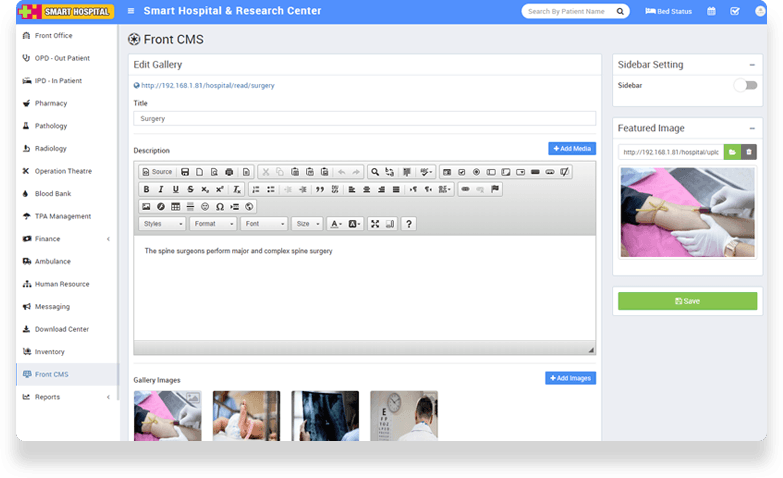
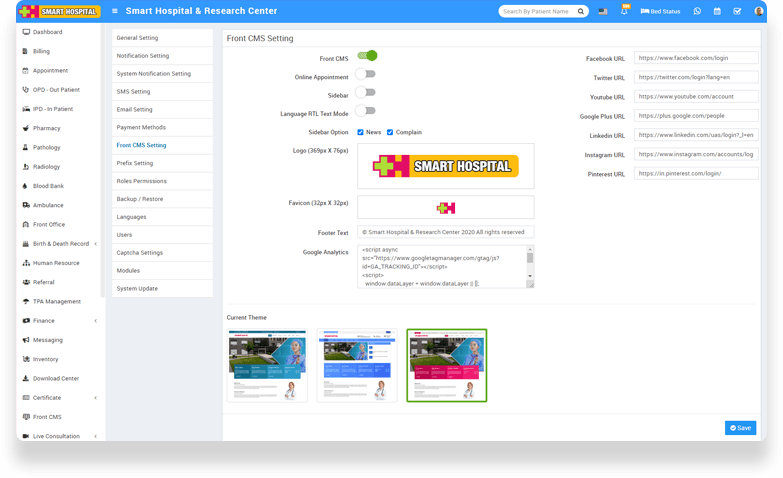
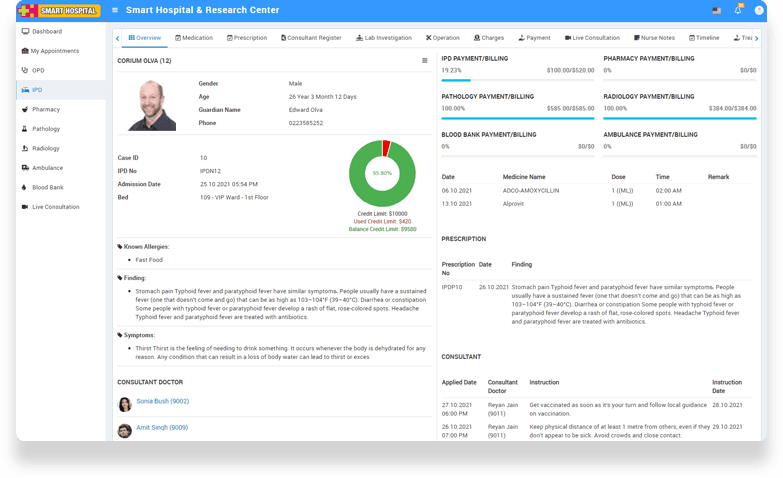
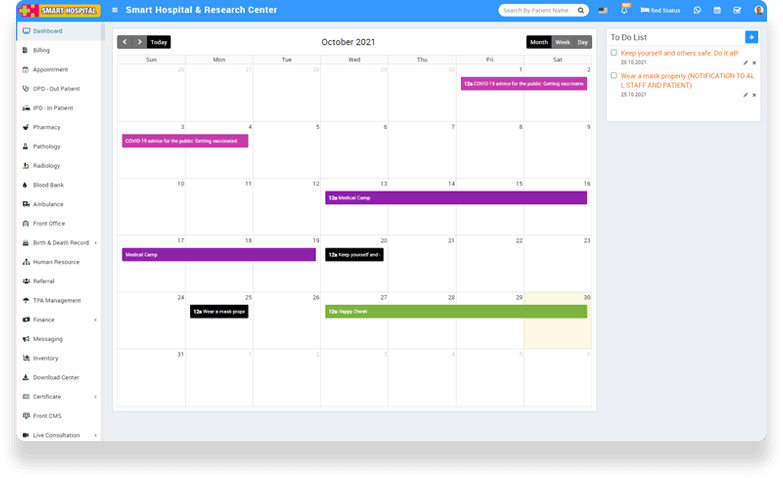
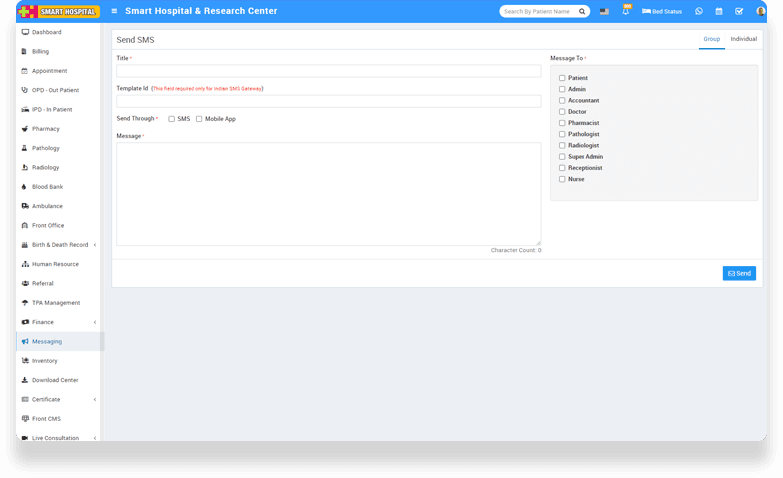
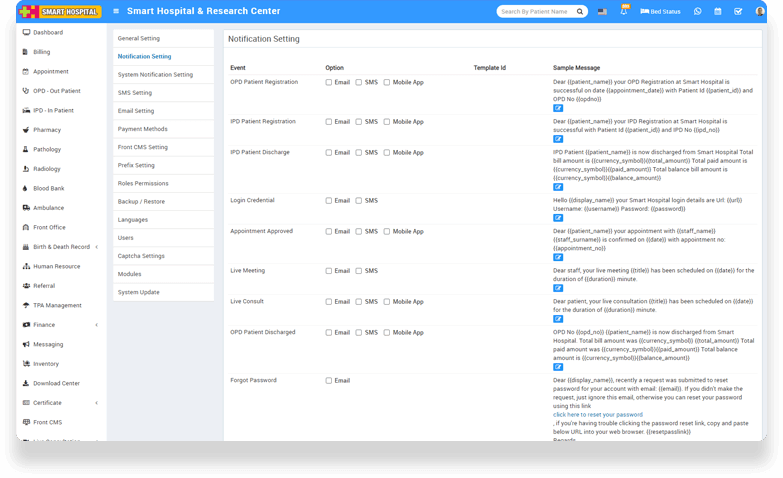
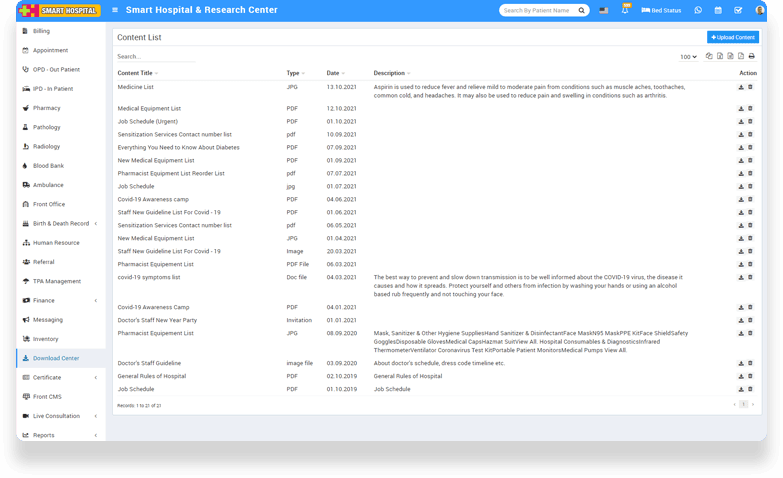
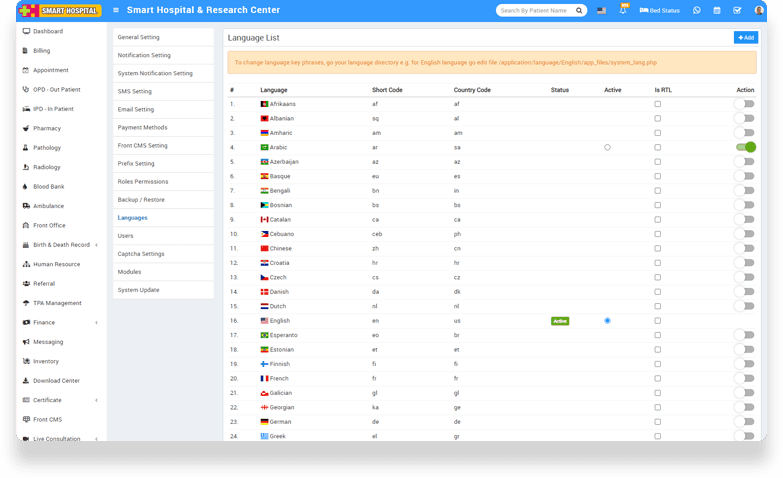
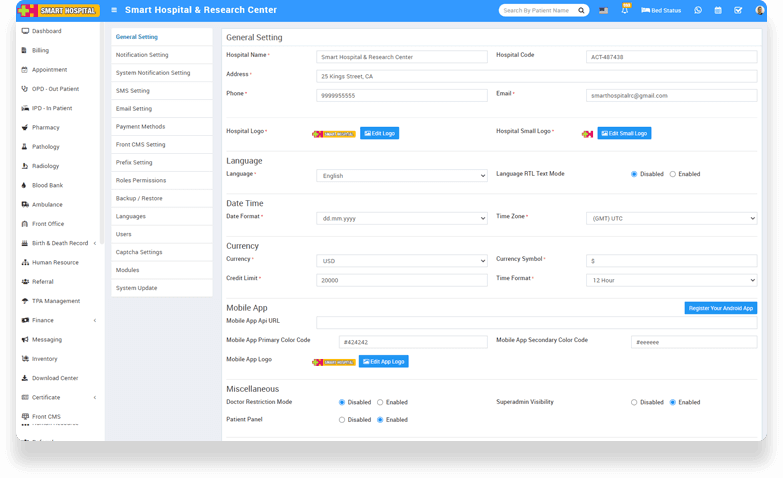
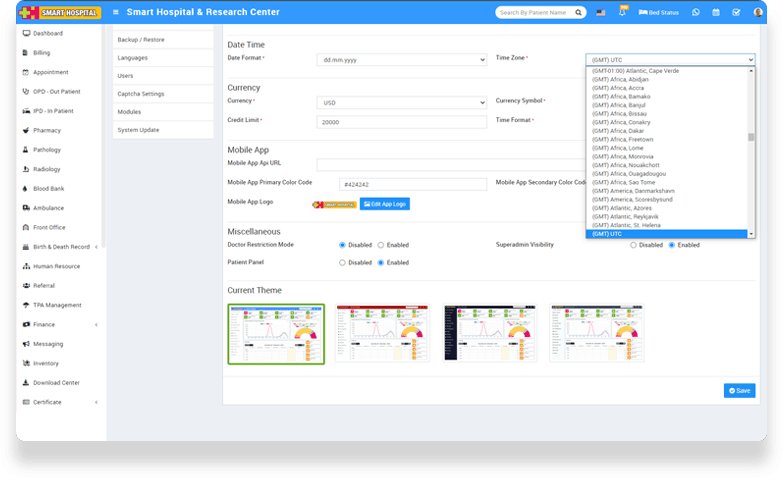
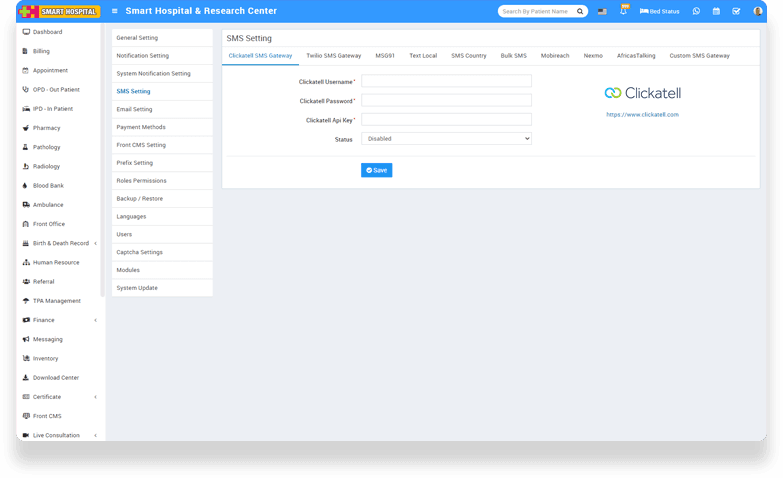
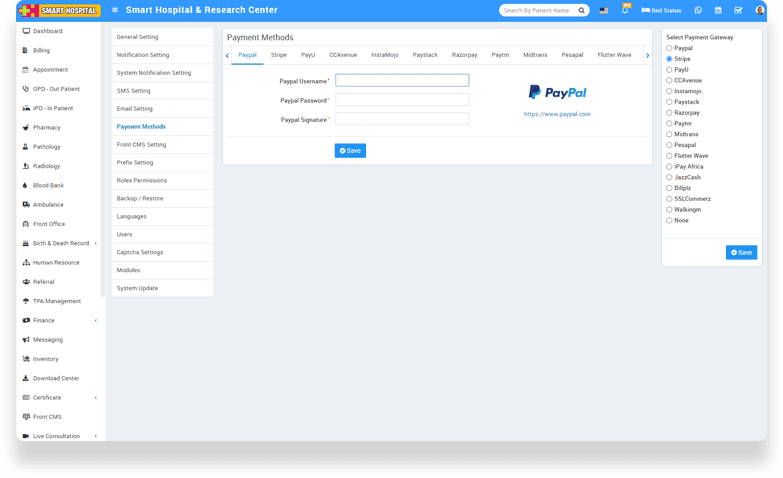
These visual examples show how individual hospital workflows can be organized. Screens below are from Smart Hospital by QDOCS and are shown as references. GICTHIMS interface, modules and integrations are agreed for each implementation.
Connect admission, care notes, medication, investigations, charges and discharge around the same inpatient record.
Reference screen: Smart Hospital ↗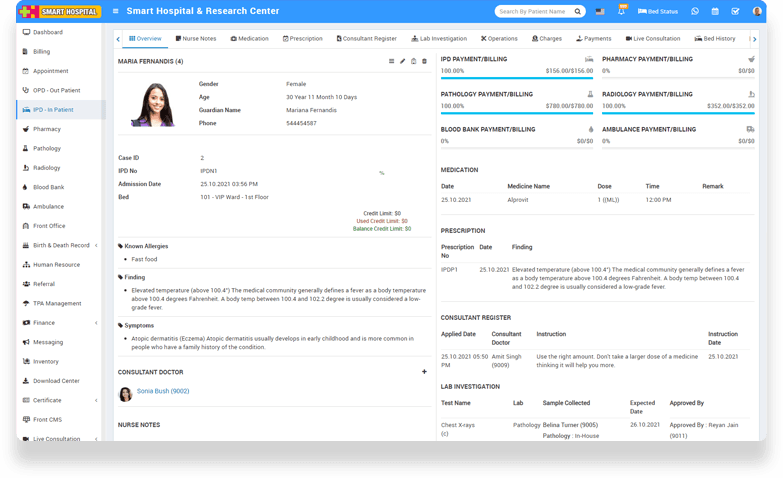
Give outpatient teams a view of visits, findings, treatment history and the next step in care.
Reference screen: Smart Hospital ↗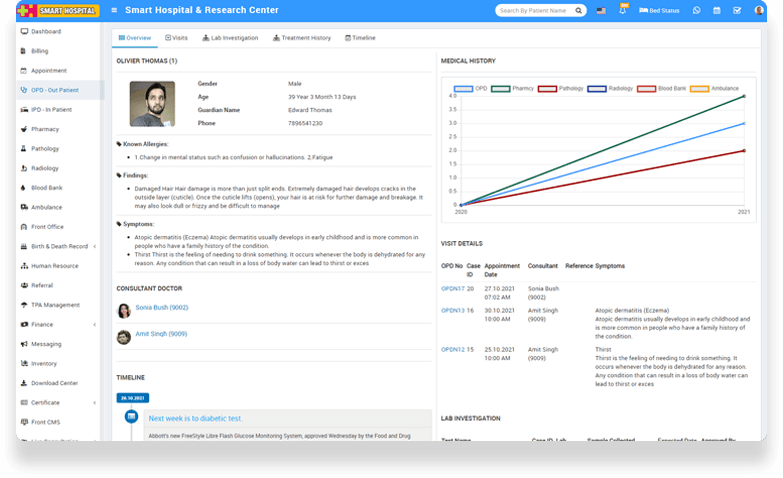
Coordinate bookings made online or at the front desk with clinician schedules and patient records.
Reference screen: Smart Hospital ↗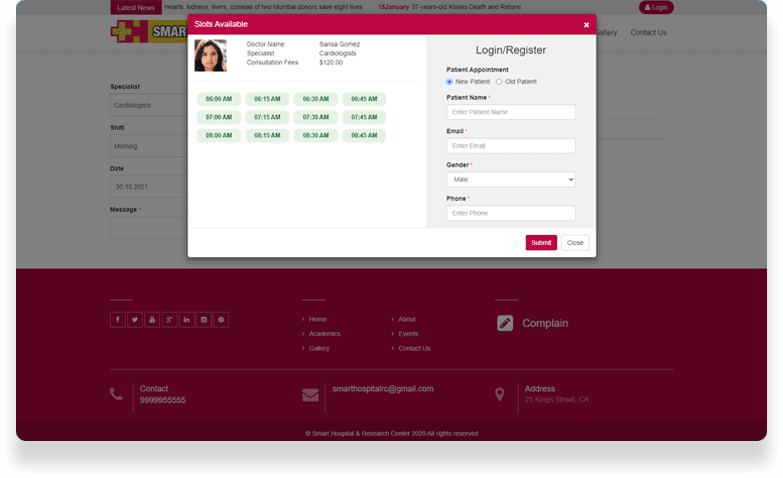
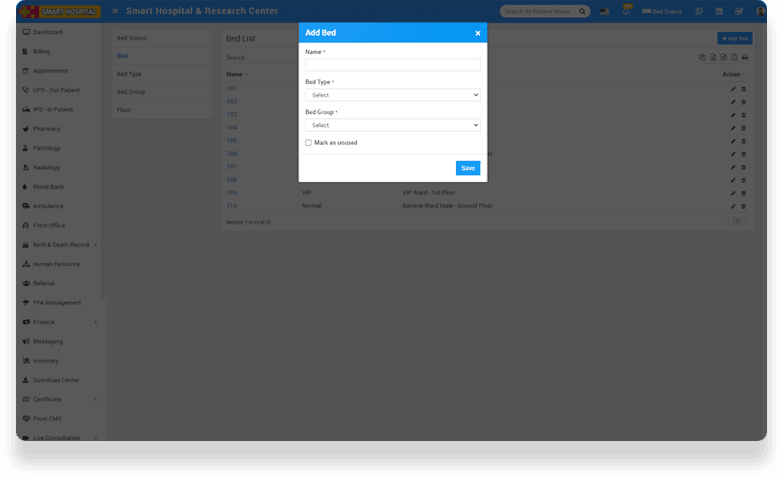
See capacity and bed status visually so admissions and transfers can be coordinated.
Reference screen: Smart Hospital ↗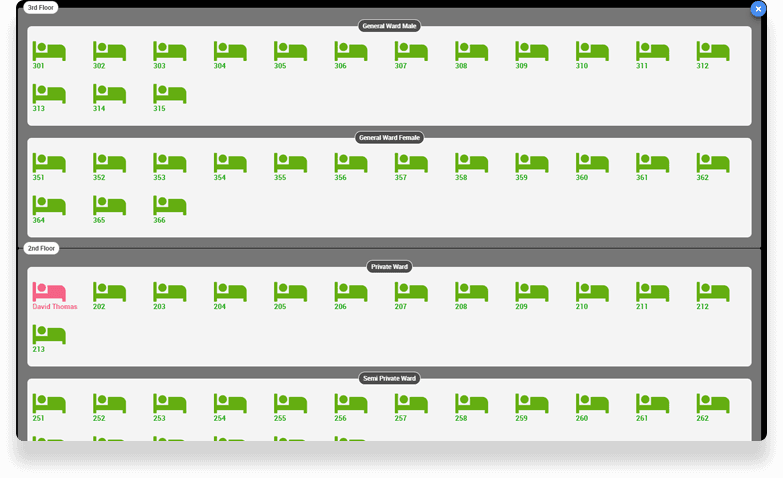
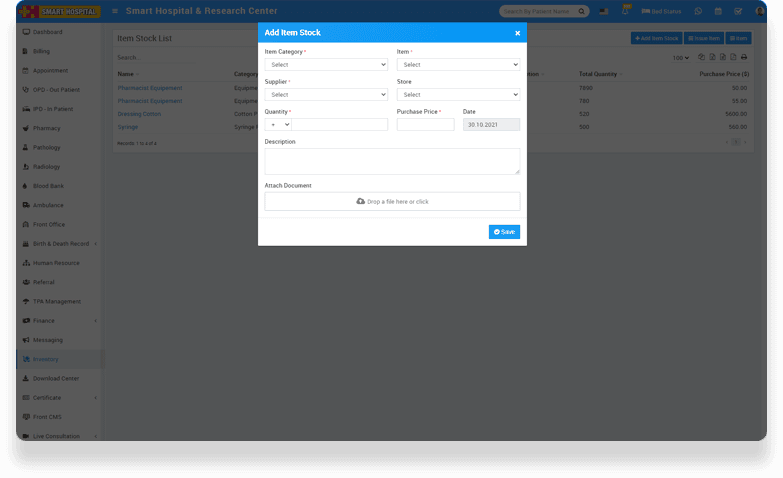
Track medicine catalogue, quantities, dispensing and charges in one operational flow.
Reference screen: Smart Hospital ↗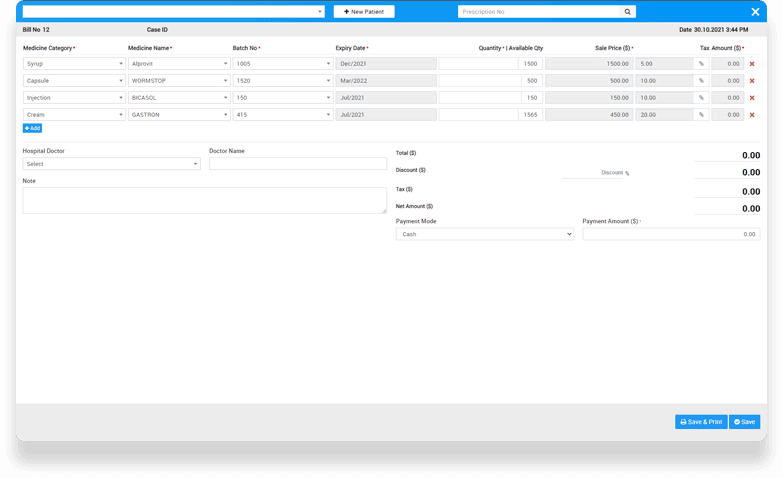
Move pathology and radiology requests through collection, review and report delivery.
Reference screen: Smart Hospital ↗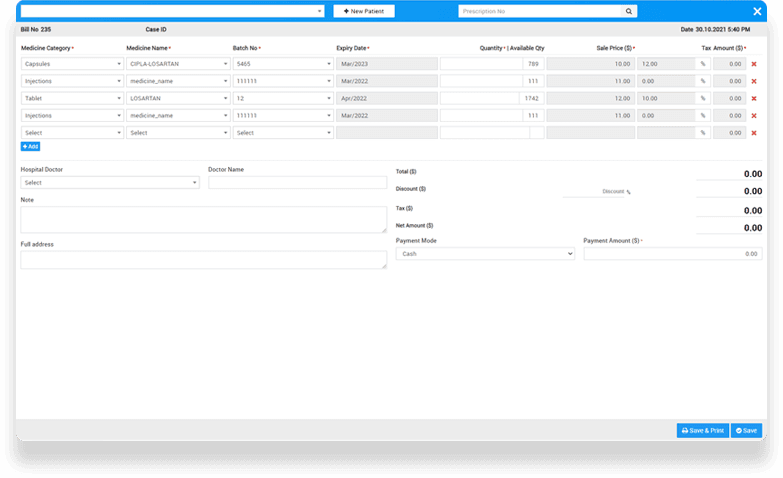
Organize procedure details, schedules and supporting records for clinical teams.
Reference screen: Smart Hospital ↗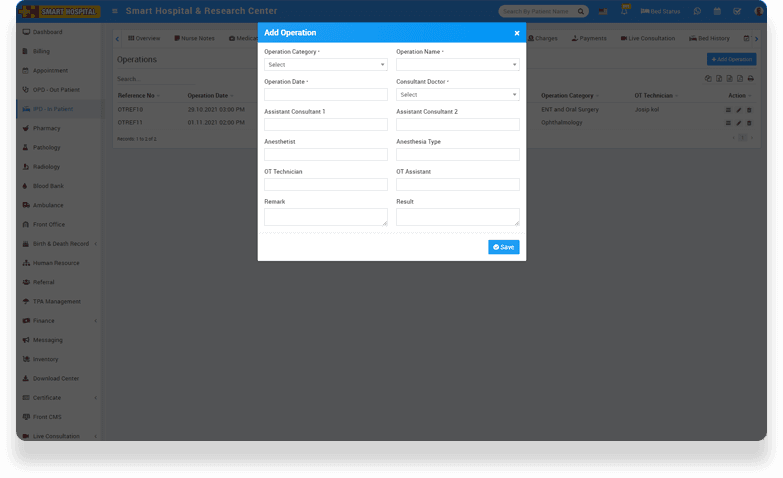
Keep donor records, available stock and blood issue activity visible to authorized staff.
Reference screen: Smart Hospital ↗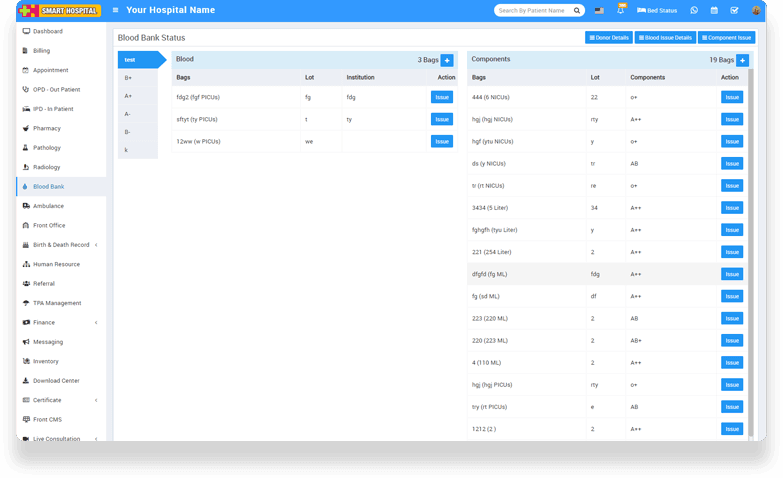
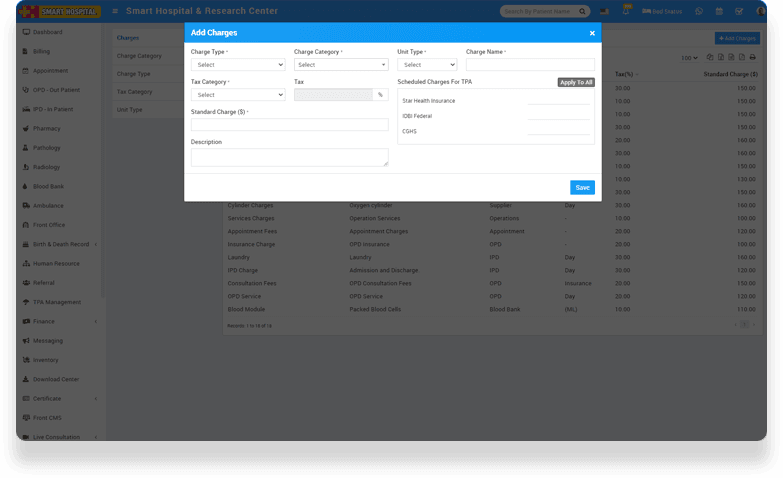
Plan payer records and charge rules alongside patient billing workflows.
Reference screen: Smart Hospital ↗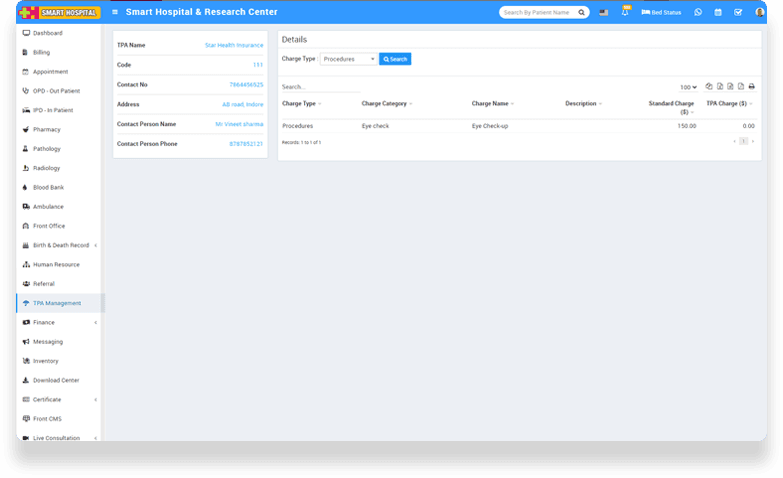
Record vehicles, dispatch calls and the information needed by receiving teams.
Reference screen: Smart Hospital ↗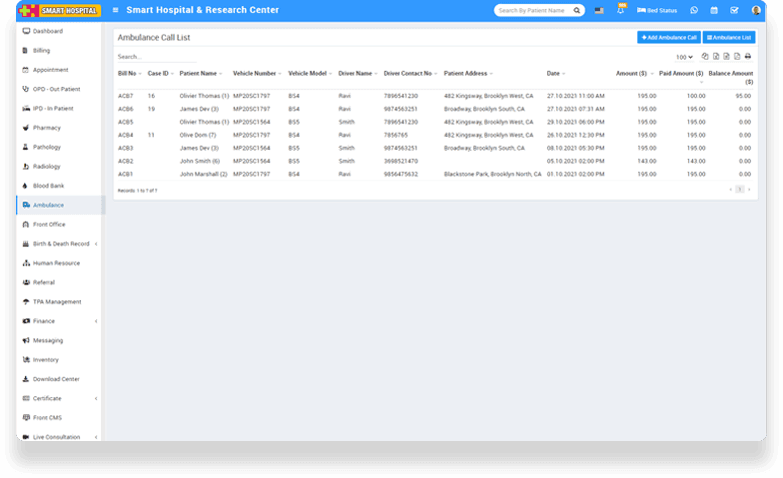
Bring visitor, telephone, postal and complaint records into a structured service desk workflow.
Reference screen: Smart Hospital ↗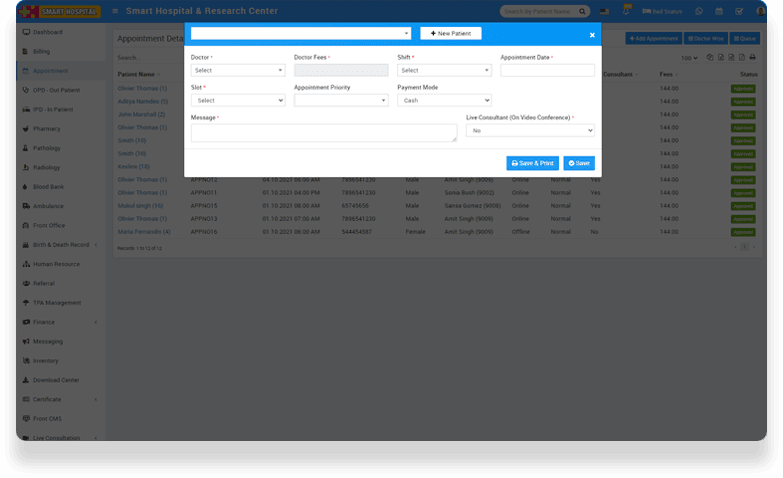
Let patients review appointments and relevant outpatient or inpatient information through a scoped portal.
Reference screen: Smart Hospital ↗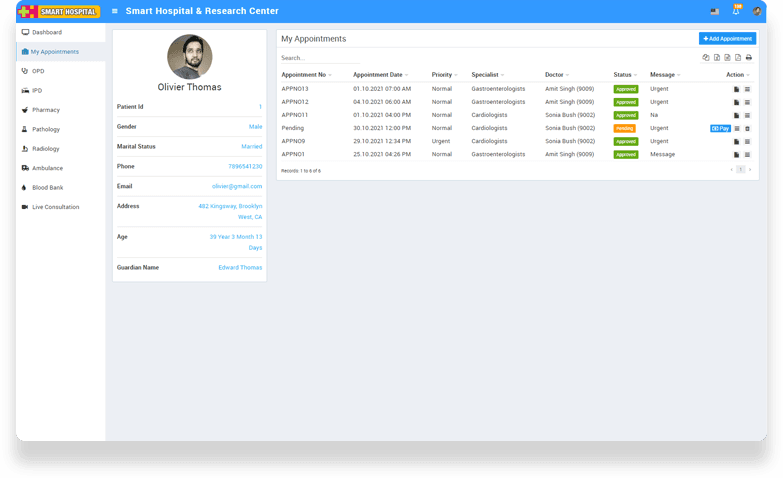
Bring clinical and operational measures together for review, export and improvement planning.
Reference screen: Smart Hospital ↗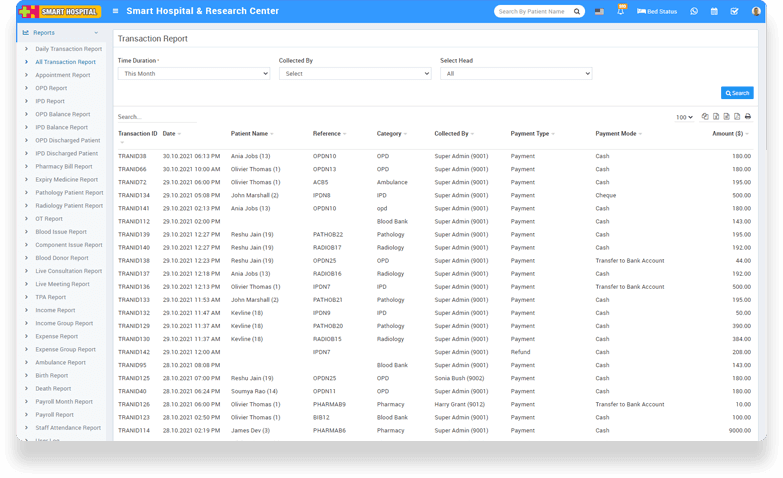
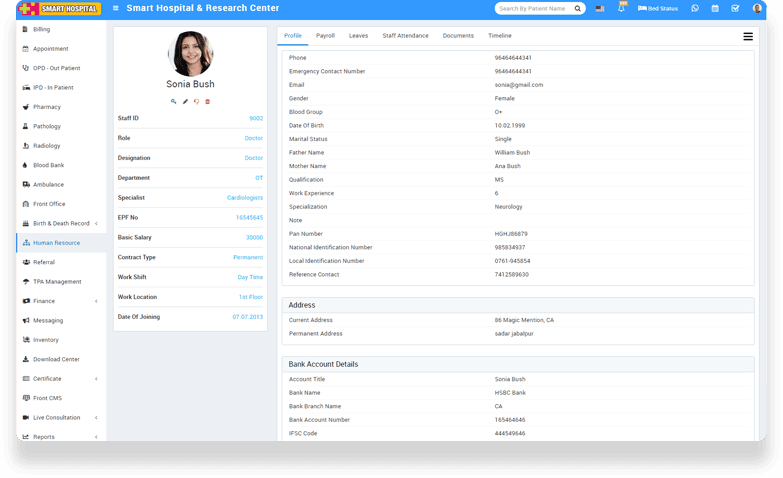
Define what each staff role can see and do across departments and modules.
Reference screen: Smart Hospital ↗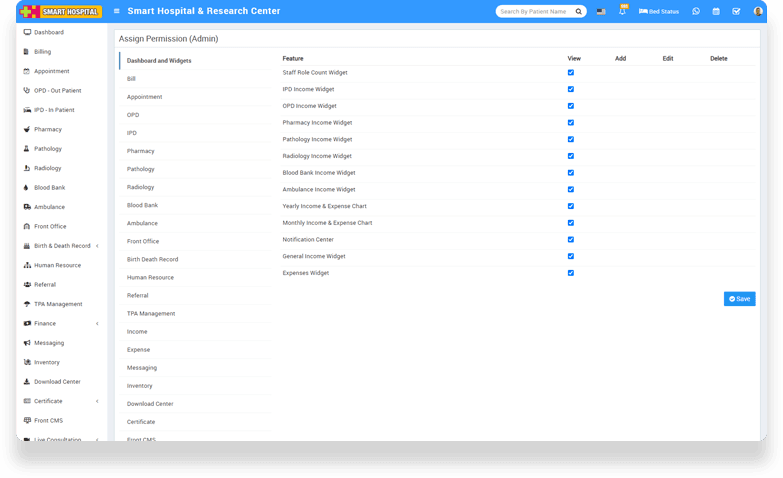
Include backup, restore and recovery responsibilities in the deployment plan.
Reference screen: Smart Hospital ↗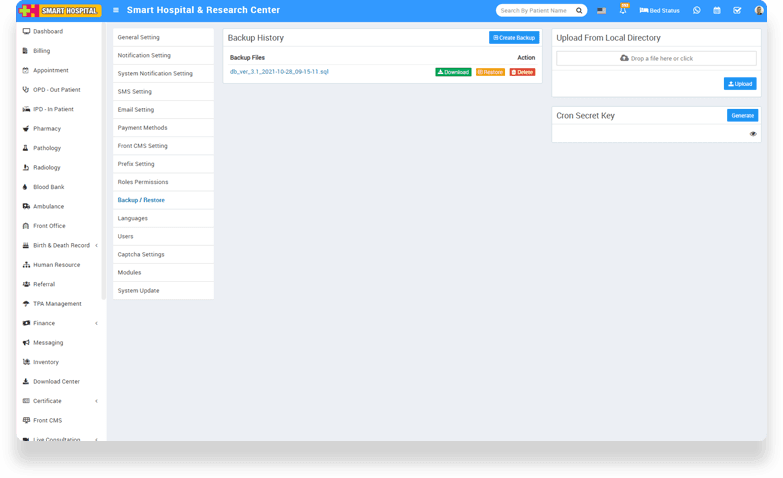
Enable the workflows a facility needs and expand the system in stages.
Reference screen: Smart Hospital ↗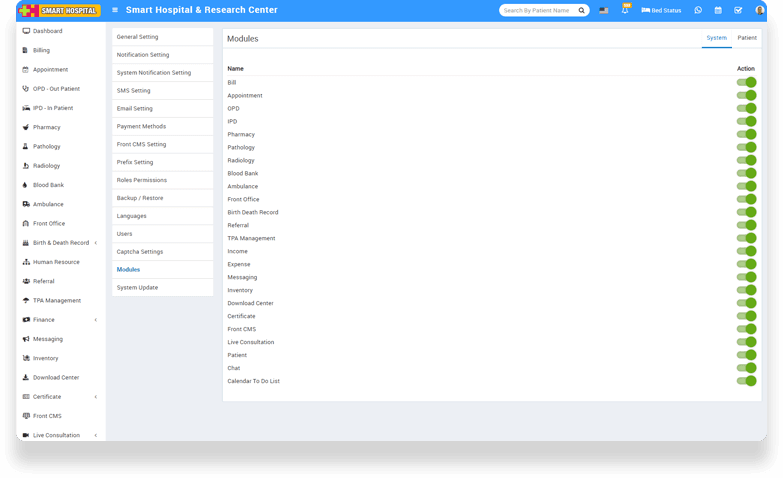
How an implementation takes shape
Begin with the realities of your facility, then agree what should be configured, connected and launched first.
Map how patients, clinicians and administrators work today. Identify hand-offs, paper records, bottlenecks and the systems that must connect.
Agree modules, roles, facility structure, terminology, reports, integrations and rollout boundaries for your organization.
Plan data migration, access controls, training, backups, network requirements and a staged launch with accountable owners.
Review adoption and operational feedback after launch. Prioritize refinements against agreed service and governance needs.
AI-ASSISTED, WITH HUMAN OVERSIGHT
AI features are optional and scoped to approved data, clear purposes and accountable review. GICTHIMS is not presented as an autonomous diagnostic or treatment system.
Discuss an AI use case ↗Any AI deployment requires a separate review of privacy, data residency, access, validation, human oversight and applicable health-sector requirements.
Designed for your operating context
Facilities differ in scale, connectivity, equipment, data policy and care pathways. We establish those constraints before proposing an architecture or launch schedule.
Departments, locations, staff responsibilities and access boundaries.
Existing records, laboratory or imaging systems, finance tools and exchange needs.
Infrastructure, connectivity, backups, recovery objectives and support ownership.
Role-based onboarding, pilot groups, feedback routes and launch readiness.
Explore a live reference
Try the sample-data demo hosted by Smart Hospital by QDOCS. Each button opens the matching demo entry point. GICTHIMS modules and screens are scoped for each implementation.
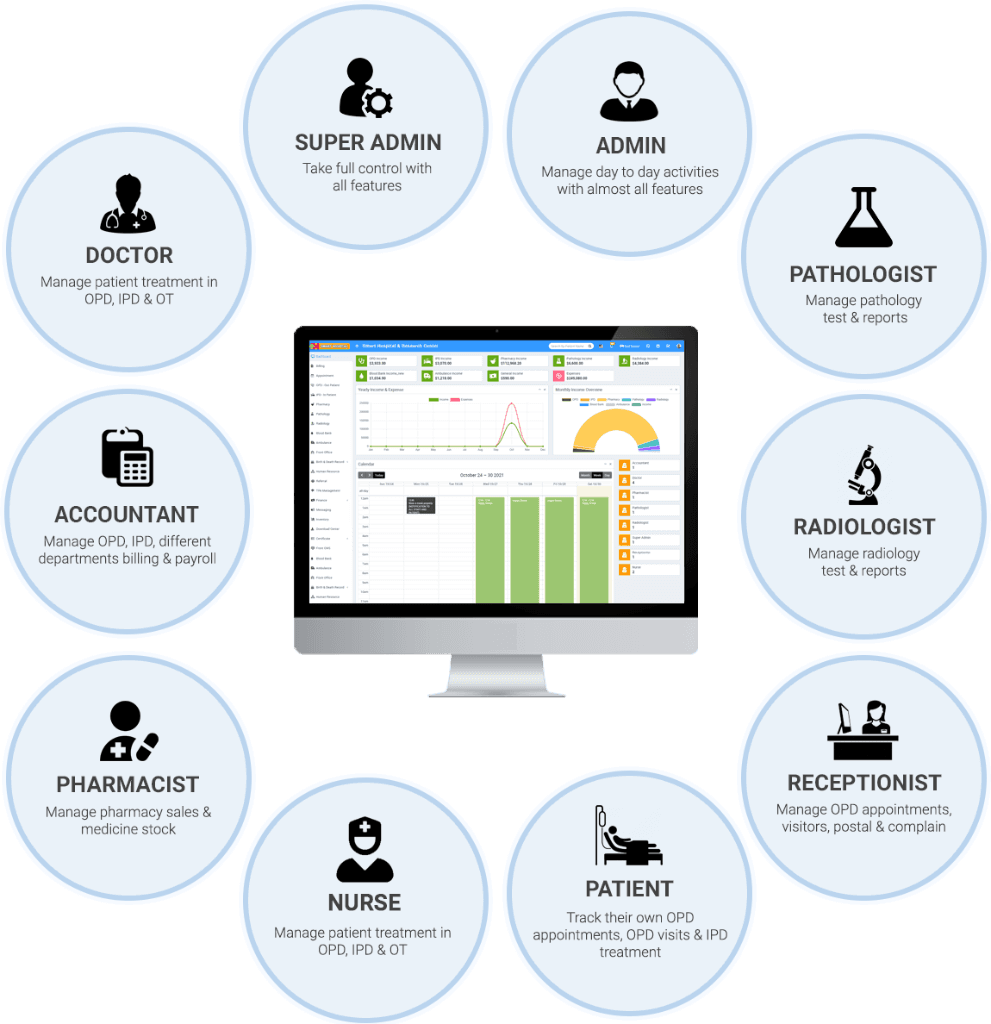
Staff roles open the shared staff login; patient and front site use their own entry points. Credentials appear on the Smart Hospital demo screens.
External Smart Hospital demo with sample data.
Questions to settle early
This page presents a configurable product direction. The available modules, deployment model and delivery timeline are confirmed after technical discovery.
No. Proposed AI capabilities support operational or information tasks and require human oversight. Diagnosis, triage and treatment remain with qualified professionals.
Integration feasibility depends on the systems, interfaces, data rights and security requirements involved. We assess these during discovery.
Data migration is scoped separately, with source review, mapping, validation, access controls and an agreed rollback approach before any production transfer.
Contact us to discuss a guided session. A live sandbox is offered only when one is available and approved for demonstration.