
GICT knowledge base
How to Cancel VPS Hosted on InteServer?
Published
At any time, you can cancel your VPS directly through our https://my.GICTServer.net portal. If you have lost your client portal password, click on the forget password option in the my.GICTServer.net login page.
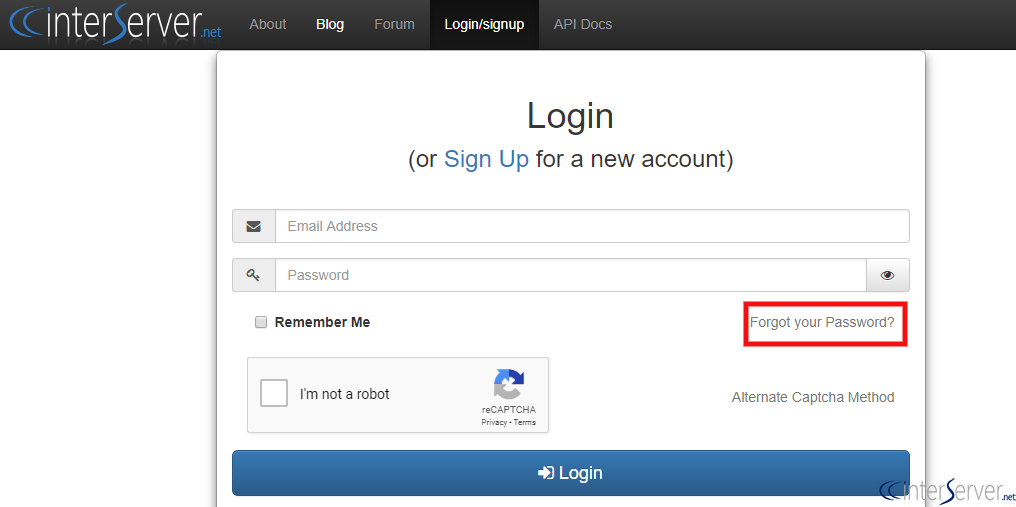
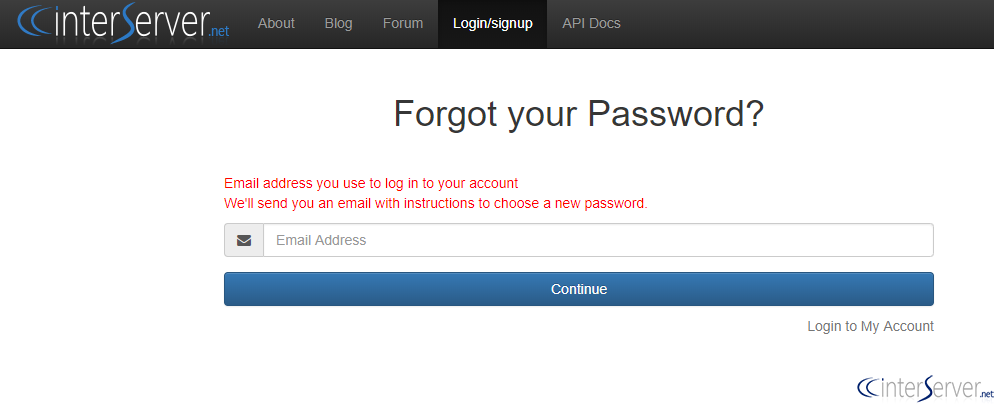
Please follow the below given steps to cancel your VPS server.
1) Login to your GICTServer client portal with your registered email address and password. : https://my.GICTServer.net/login.php
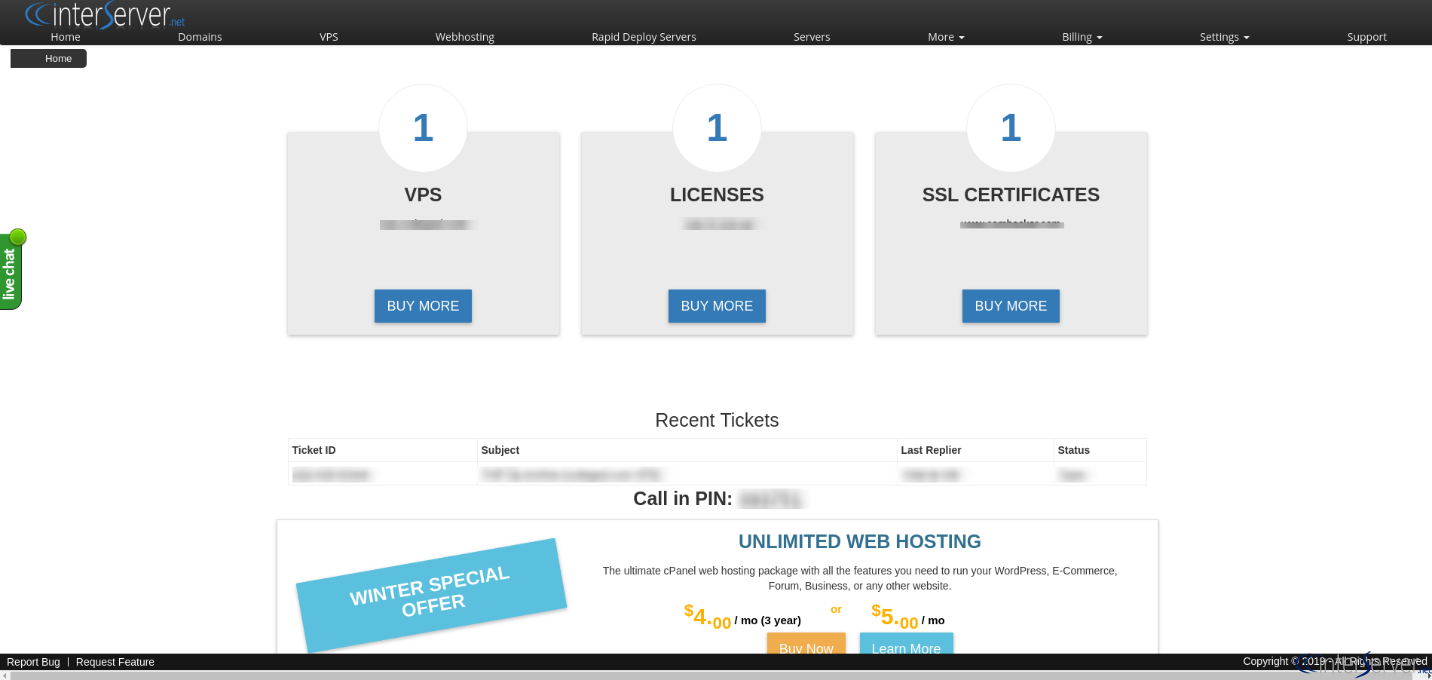
2) Select the VPS (which you want to cancel) in the list of VPS from the home page
3) On the VPS information page click on the ‘Cancel VPS’ button under the ‘Billing’ section.
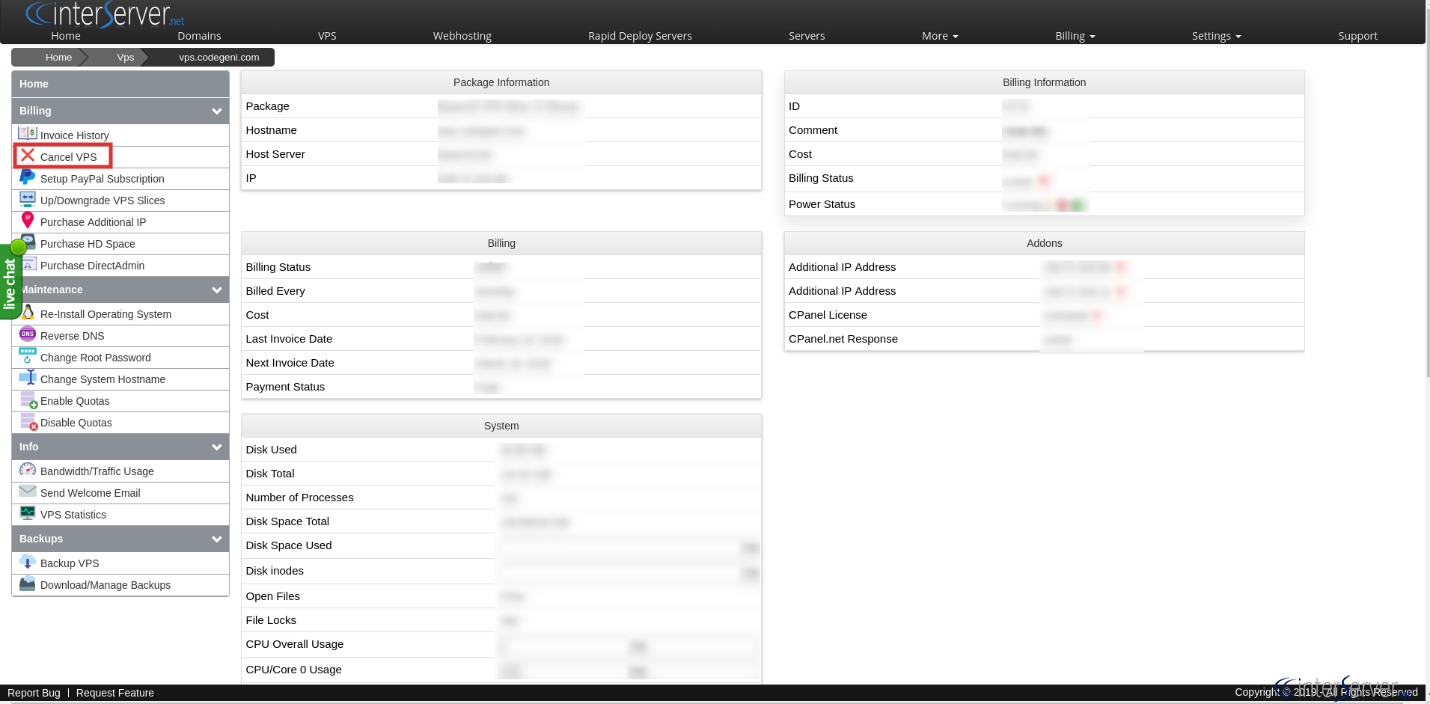
Cancellation will be immediate and the VPS will shut down within 5 minutes.
In most cases, a VPS can be reactivated up to 30 days after cancellation with the data intact.
You can also submit a cancelation request via email and the e-mail must contain the following details:
The IP address / Domain name associated with the service.
One of the following forms of payment for verification purposes:
Last invoice ID and amount
Last 4 digits of the credit card on file
Last PayPal / Google Wallet Transaction ID
You may also refer our following tutorial for this: https://www.GICTServer.net/tips/kb/how-do-i-cancel-my-account/
If you need any further help, please do reach our support department.
Related guides
Billing Refunds Availability
GICTServer Refunds: A Clear Guide for Our Customers Whether you’re just joining the GICTServer family or you’ve been hosting with us for years, we know that clarity is...
InterServer BillingPayment methods
GICTServer accepts a wide variety of payment methods to make paying for your hosting as easy as possible.
InterServer BillingHow do I cancel my account?
Hello, Virtual Hosting, Mailbaby, Storage packages, and Licensing services can typically be canceled directly from your end.
InterServer BillingHow do I update my billing information?
For Dedicated Server Clients: Billing information can be updated through https://GICTServer.net/cms.