
GICT knowledge base
Core Web Vitals in 2026: A Practical Fix Guide for Site Owners
Published
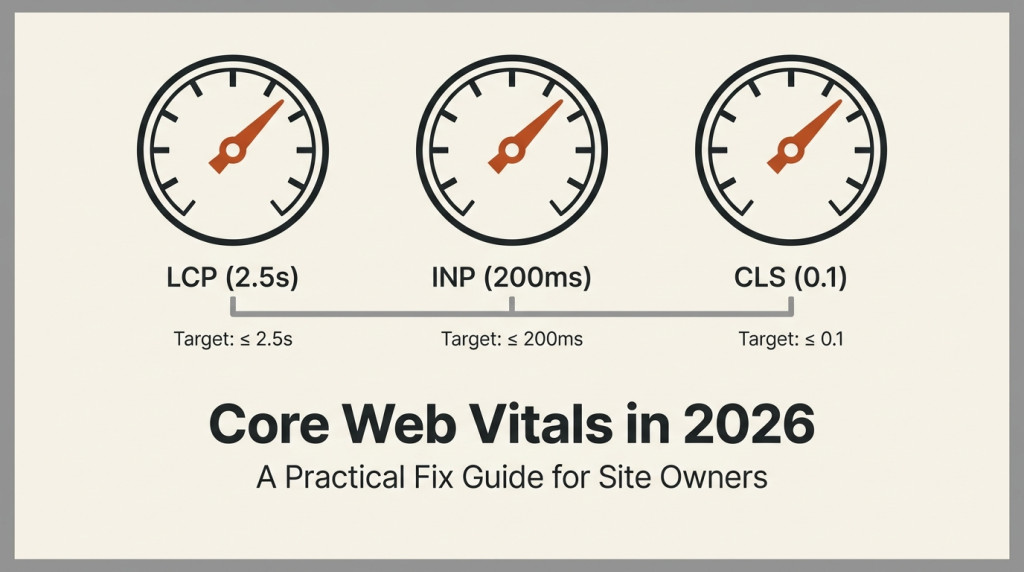
Google keeps telling you your Core Web Vitals are bad. You stare at the report. “LCP: 4.2s, needs improvement. INP: 380ms, needs improvement. CLS: 0.18, needs improvement.” Three red bars. No clear path forward.
This guide is the practical fix-it plan. Each metric, what actually causes the problem, and what you can do today without rewriting your site.
By the end you will know which lever to pull for each of the three numbers, and which ones you can ignore.
What Core Web Vitals Actually Measure
Google uses three real-user metrics to score your site. All three are measured at the 75th percentile of real users, not synthetic tests.
LCP (Largest Contentful Paint). How fast the biggest visible element loads. Should be under 2.5 seconds.
INP (Interaction to Next Paint). How fast the page responds when a user clicks, taps, or types. Should be under 200 milliseconds.
CLS (Cumulative Layout Shift). How much the page layout jumps around while loading. Should be under 0.1.
These are real-user numbers from the Chrome User Experience Report. They affect your Google ranking. They are also real user experience metrics that matter independent of SEO.
Let us fix each one.
Fixing LCP (Largest Contentful Paint)
LCP is almost always about one of four things.
1. Slow server response time (TTFB). If your server takes 800 ms to start sending HTML, you cannot hit 2.5s LCP. No amount of client-side optimization saves you.
Fixes:
- Use a CDN. Cloudflare, Fastly, BunnyCDN, any of them. Cuts TTFB by 100-400 ms for distant users.
- Cache HTML where possible. Full-page caching at the edge for anonymous traffic.
- Upgrade your hosting. A slow VPS or shared hosting means slow TTFB. Look for hosts with NVMe storage and modern PHP runtimes.
- Use HTTP/2 or HTTP/3 (see other guide). Multiplexing and faster handshakes help.
2. Render-blocking resources. CSS files and JavaScript files that the browser must download and parse before showing the page. The more you have, the slower LCP.
Fixes:
- Inline critical CSS. The CSS needed for above-the-fold content goes directly in the HTML.
- Defer non-critical JavaScript. Use
deferorasyncattributes on script tags. - Remove unused CSS. Most sites have CSS they do not need. PurgeCSS or similar tools strip it.
- Combine CSS files. One big CSS file is faster than five small ones (mostly).
3. Slow image loading. The LCP element is often a hero image. If that image loads slowly, LCP suffers.
Fixes:
- Use modern formats (WebP, AVIF). 30-50 percent smaller than JPEG/PNG at the same quality.
- Set explicit width and height. Lets the browser reserve space and avoid CLS too.
- Use responsive images (
srcset). Serve smaller images to mobile devices. - Lazy-load below-the-fold images. Not the LCP image – that one loads eagerly.
- Preload the LCP image.
<link rel="preload" as="image" href="...">.
4. Client-side rendering. Sites that build the page in JavaScript after the initial HTML loads have fundamentally slower LCP than server-rendered sites.
Fixes:
- Server-side render (SSR) the initial content.
- Use static site generation (SSG) where possible. Pre-built HTML loads instantly.
- Stream HTML with React Server Components, Astro, or similar.
- For SPAs that cannot SSR, use a skeleton loader so users see something fast.
Most LCP problems are #1 or #3. Fix those and you usually hit the target.
Fixing INP (Interaction to Next Paint)
INP replaced FID (First Input Delay) in 2024. It is stricter – it measures every interaction during the page lifetime, not just the first one.
INP problems come from the main thread being busy when the user interacts.
1. Long-running JavaScript tasks. A script that runs for 500 ms blocks all interaction during that time. Common in sites with heavy analytics, ad networks, or chat widgets.
Fixes:
- Break long tasks into smaller ones. Use
requestIdleCallbackorsetTimeoutto yield to the browser. - Move work to Web Workers. Off-main-thread for CPU-intensive things.
- Debounce or throttle expensive handlers. Search inputs, scroll handlers.
- Audit your third-party scripts. Most INP problems come from external scripts.
2. Heavy event handlers. Click handlers that do too much, scroll handlers that fire too often, key handlers that block.
Fixes:
- Profile with Chrome DevTools Performance tab. Find the slow handler.
- Optimize the handler. Cache DOM lookups, avoid layout thrashing.
- Use event delegation instead of binding to many elements.
- For animations, use
transformandopacity– they run on the compositor thread, not the main thread.
3. Layout thrashing. Reading and writing layout properties in a loop forces the browser to recalculate styles repeatedly. Slow and INP-killing.
Fixes:
- Batch DOM reads, then batch DOM writes.
- Use
requestAnimationFrameto schedule layout work. - Avoid forced synchronous layouts (
element.offsetTopetc.) inside loops.
4. Third-party scripts. Tag managers, ad networks, chat widgets, analytics. These are the most common cause of bad INP on otherwise-fast sites.
Fixes:
- Audit every script. Remove any you do not actively use.
- Load non-critical scripts after page load. Use
deferor load them on user interaction. - Use
Partytownto run third-party scripts in a Web Worker. - Set budgets for scripts. Limit the total JavaScript size you will accept from third parties.
If you fix only one thing, audit your third-party scripts. That is where most INP problems hide.
Fixing CLS (Cumulative Layout Shift)
CLS happens when something on the page moves after it has been visible. It is jarring. It causes misclicks. Google hates it.
1. Images without dimensions. Browser does not know how big the image is until it loads. Reserves no space. Image loads, pushes content down. CLS.
Fixes:
- Always set
widthandheightattributes on<img>tags. - Or set
aspect-ratioin CSS. - For responsive images, the
width/heightshould match the aspect ratio, not the actual size.
2. Ads and embeds. Ads load with no reserved space. When they finally load, content shifts. Embeds (YouTube, iframes) do the same.
Fixes:
- Reserve space for ads. Set min-height on the ad slot.
- Reserve space for embeds. Use
aspect-ratioor fixed dimensions on the iframe container. - Do not insert content above existing content. Append, do not prepend.
3. Web fonts. Browser renders text in fallback font, then swaps to web font when it loads. Different metrics, different layout. Shift.
Fixes:
- Use
font-display: optionalif the font is not critical. - Use
font-display: swapwithsize-adjustto match fallback metrics. - Preload critical web fonts.
<link rel="preload" as="font" ...>. - Self-host fonts. Third-party font CDNs add latency.
4. Dynamic content. Anything injected by JavaScript after page load can cause shifts. Banners, cookie notices, chat widgets.
Fixes:
- Reserve space for dynamic UI elements with CSS before they load.
- Use
transformfor animations instead of changing layout properties. - Avoid injecting content above existing content unless you have reserved space.
Most CLS problems are #1 or #2. Add explicit dimensions to images and reserve space for ads/embeds. That fixes 80 percent of cases.
What to Measure (And What to Ignore)
You have probably heard of Lighthouse, PageSpeed Insights, WebPageTest, CrUX, and a dozen other tools. Here is what each is good for.
Lighthouse (in Chrome DevTools). Synthetic test from your machine. Good for development. Bad for understanding real users.
PageSpeed Insights. Combines Lighthouse synthetic data with CrUX real-user data. Best starting point for any audit.
WebPageTest. Detailed waterfall charts, video capture, multiple locations. Best for deep debugging. The “film strip” view shows what the user sees at each moment.
Chrome User Experience Report (CrUX). Real-user data, public. Search “CrUX” in Google Search Console to see your site’s data. This is what Google uses for ranking.
Search Console Core Web Vitals report. Real-user data for your specific site. The one that matters for SEO.
Your own Real User Monitoring (RUM). If you have a JS analytics tool, instrument it to send LCP, INP, CLS to your backend. Most accurate.
The only number that affects your Google ranking is CrUX. Optimize for that, not for Lighthouse scores. A perfect 100 on Lighthouse with bad CrUX means you are optimizing the wrong thing.
Common Misconceptions
“I need a perfect score.” No. You need the 75th percentile of real users to be in the “Good” threshold. Some bad experiences are okay if the median is good.
“Smaller is always better.” A 50 KB JavaScript bundle that takes 200 ms to parse is worse than a 200 KB bundle that takes 50 ms. Total size is not the only metric.
“Plugins and themes slow things down.” Sometimes. Often the real problem is images or third-party scripts. Do not blame the plugin without measuring.
“AMP will fix it.” AMP is largely deprecated for general use. It helped in 2017, hurts in 2026. Do not migrate to AMP for Core Web Vitals.
“I need to switch hosts.” Sometimes, but usually the problem is the application, not the host. A poorly-configured site on a $200/month host will lose to a well-configured site on a $5/month host.
What to Fix First (Priority Order)
If you have limited time, do them in this order.
1. Add a CDN. One change, biggest impact for distant users. Cloudflare free tier is enough for most sites.
2. Set explicit image dimensions. A few hours of work. Eliminates most CLS. Helps LCP too.
3. Defer non-critical JavaScript. Tag managers, chat widgets, analytics. Add defer or load on interaction. Often halves INP.
4. Convert hero images to WebP/AVIF. 30-50 percent size reduction. Massive LCP improvement.
5. Inline critical CSS. Removes render-blocking. Faster LCP.
6. Audit third-party scripts. Remove anything you do not use. Loads of INP improvements here.
That order handles roughly 80 percent of Core Web Vitals issues. The remaining 20 percent are usually application-level problems that require developer work.
Conclusion
Core Web Vitals are not mysterious. Each metric maps to specific, fixable problems. LCP is server + image speed. INP is JavaScript heaviness. CLS is missing dimensions on images and embeds.
The fix is usually one of six things: CDN, image optimization, deferred scripts, removed third-party scripts, inlined critical CSS, or reserved space for dynamic content. None of these are exotic. All are well-documented.
The trick is to optimize for real-user data (CrUX), not synthetic tests (Lighthouse). Real users are on real networks with real devices. That is who Google measures, and that is who you should optimize for.
You do not need a redesign. You need to do the basics correctly. Most sites can move from “needs improvement” to “good” with a few focused days of work.
The web is faster than it was five years ago. The bar is higher. But the tools to clear it are also better. Use them.
Related guides
How to Self-Host DocuSeal for Document Signing
Self-host DocuSeal with private administrator setup, PostgreSQL and HTTPS. Test signing, understand email data flows and create consistent backups.
Self HostedHow to Self-Host Docmost with Docker on Ubuntu 24.04
Install Docmost with Docker, PostgreSQL and Redis. Set up a private workspace and verify editing, live updates and attachment retrieval.
Self HostedHow to Remove Image Backgrounds Locally with rembg
Remove image backgrounds locally with rembg. Preserve originals, check PNG transparency and inspect cutout quality on both light and dark backgrounds.
Self HostedHow to Translate Text Offline with Argos Translate
Translate plain text locally with Argos Translate. Install a language pair, prepare caches, verify offline operation and review translation quality.