
GICT knowledge base
What is www and public_html directory in my folder?
Published
The public_html directory is the folder to place in web-readable files. This means that public_html is the folder where you put all website files which you want to appear when someone types your main domain. Files placed below the public_html folder will not be visible on the web. The www folder is what is called a symlink. This points to the public_html folder and generally is used as a shorthand is cgi scripts for the path. Instead of using the path /home/yourusername/public_html you can use /home/yourusername/www. The www directory is simply a symbolic link to the public_html directory. So anything you place in either directory will be identical when viewed from the other directory on the server. One is usually set up as an alias for the other meaning that it doesn’t matter which of the two you use because they both point to the same folder.
public_html folder
The public_html folder is the web root for your primary domain name. when someone types your domain name into their browser, whatever is in your public_html directory is what will be shown to them. We can explain this using an example: If you have a default filename like index.html or default.html inside your public_html folder, then when someone call your domain name it will display that page. If you don’t have any default file in your public_html directory, then a list of files in the public_html folder will be shown. You can create addon domains and sub domains in your account and if you have added an addon domain called myaddon.com then it will use the subfolder similar to /public_html/myaddon.com/or if you are added a sub domain called mysubdomain.com then it will use the subfolder similar to /public_html/mysubdomain.com/
In Shared hosting accounts, you will get only one cPanel account, which is why all addon domains are subfolders of the public_html folder. If you do not want the additional domains to be subfolders of the public_html, then go with the reseller, VPS or dedicated hosting is a better solution since you can put each domain in its own cPanel to keep it separate from other domains.
How to access the public_html folder?
You can access your public_html folder from your cPanel interface. Please follow the below given steps to know about how to access your public_html folder from your cPanel account.
1) Login to your cPanel account.
2) Navigate to Files >> File Manager.
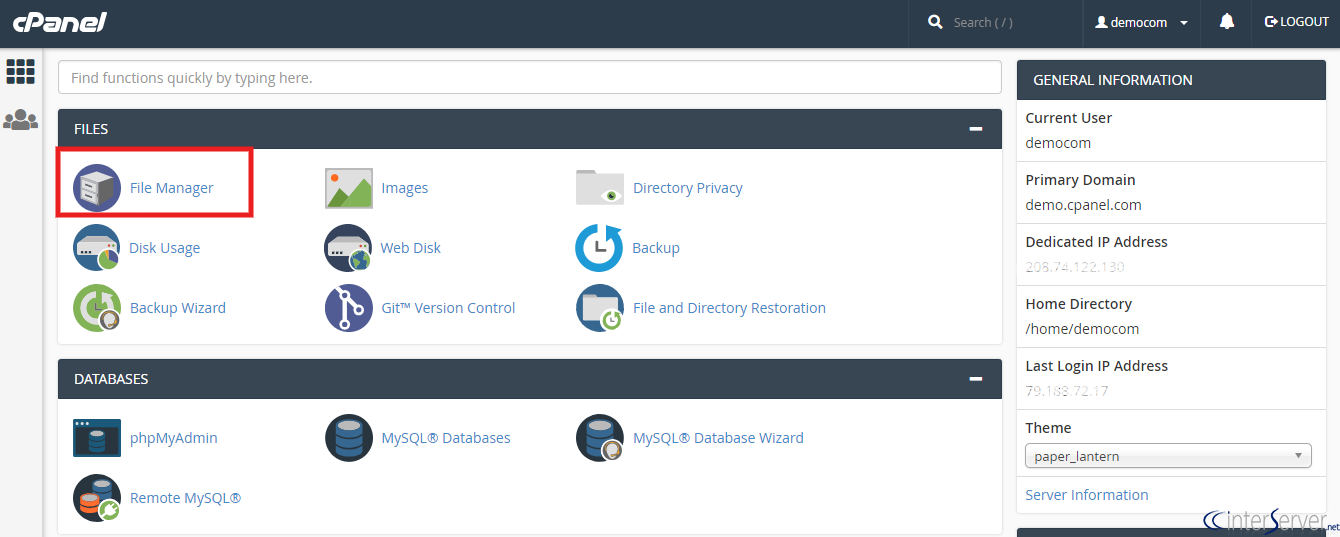
3) You can see the public_html folder on your File Manager page.
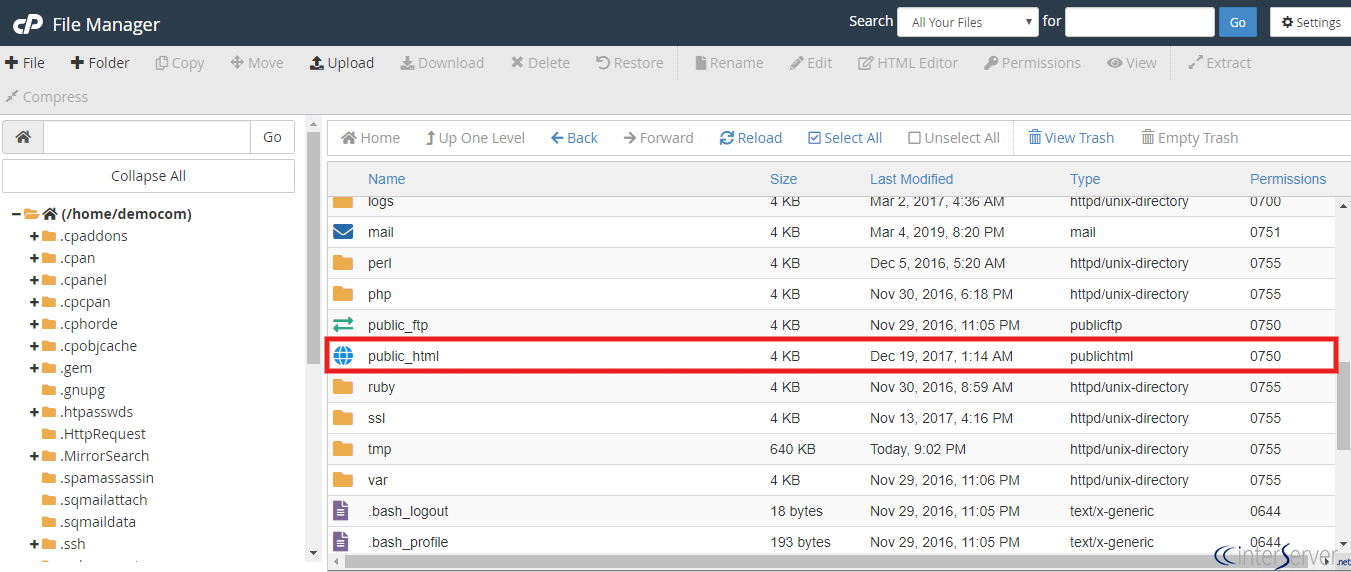
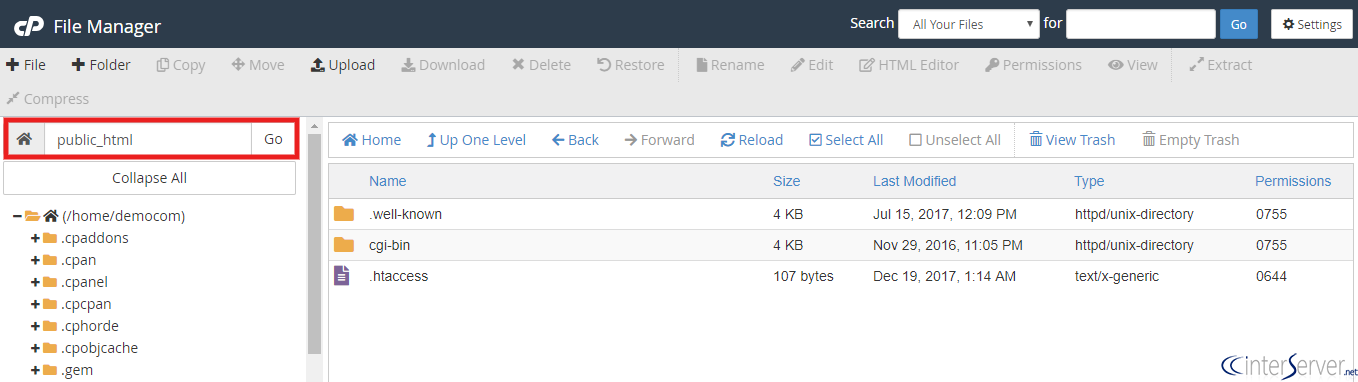
The public_html folder should always have 0750 permissions. All folders inside the public_html folder should have 0755 permissions. All files inside the public_html folder should have 0644 permissions.
If you need any further help, please do reach our support department.
Related guides
What Good Hosting Support Actually Looks Like
What good hosting support looks like in 2026: quick first response, real engineers, public status pages, transparent postmortems, and how to test support quality before...
Account Basics7 Common Hosting Mistakes Beginners Make (And How to Avoid Them)
7 common hosting mistakes beginners make in 2026: no backups, ignored updates, bad host choice, weak passwords, single point of failure, no staging. With fixes for each.
Account BasicsWhat Is Uptime (And Why 99.9% Isn’t Always 99.9%)
What uptime really means in 2026: the math behind 99.9%, why providers' promises diverge from reality, how to measure real uptime with external monitoring, and what SLA...
Account BasicsHow to Check a Hosting Provider’s Reputation Before You Buy
How to check a hosting provider's reputation in 2026: the five reliable sources, how to spot fake reviews, communities to actually read, red flags, green flags, and a...