
GICT knowledge base
Transfer Websites from Parallels Plesk to cPanel
Published
Transfer Websites from Parallels Plesk to cPanel
Plesk and cPanel are the most used control panel on hosting industry, but for Linux based hosting the most common control panel would be always cPanel and Plesk is mainly used in Windows based hosting. As we know, to host PHP, MySQL based websites, I would recommend cPanel hosting which comes with our Standard Hosting package. If you want to transfer your website from old Plesk panel to your cPanel server, there is a friendly interface for cPanel is available through which we can easily transfer the website over to your new cPanel server. The cross-platform migration means Windows to Linux is not possible via this feature. Let’s discuss the steps to transfer your website from your Parallels Plesk server to cPanel server.
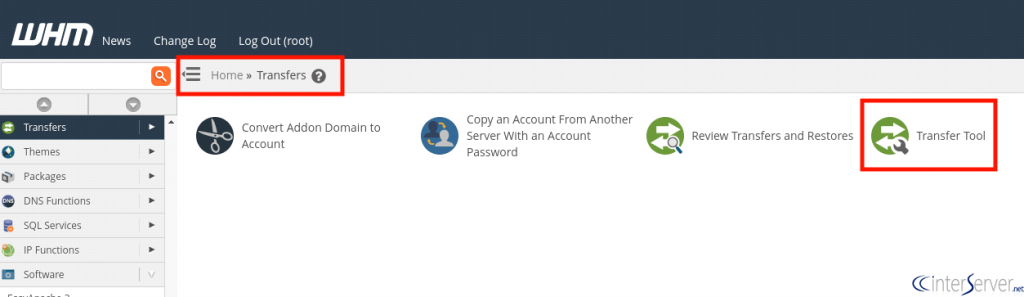
1) Login to your new WHM interface as root user and select “Transfers” and then click on “Transfer tool”.
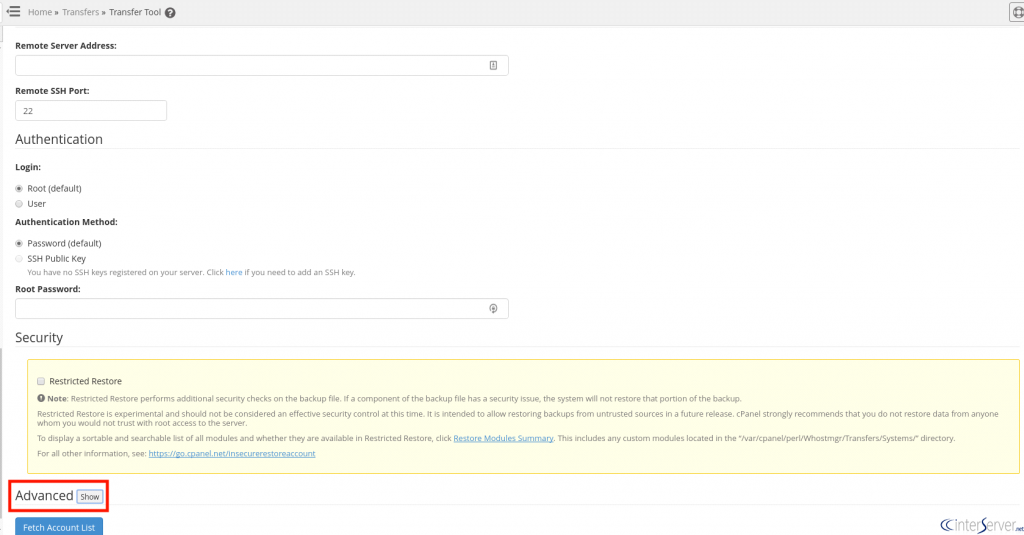
2) Fill out the mentioned information on the new window. We need to add remote server IP address on “Remote Server Address:” field and provide the SSH port of your remote server and select the “Authentication method” as root (If you have root access to the old server), otherwise select User and provide the user login information in the corresponding columns.
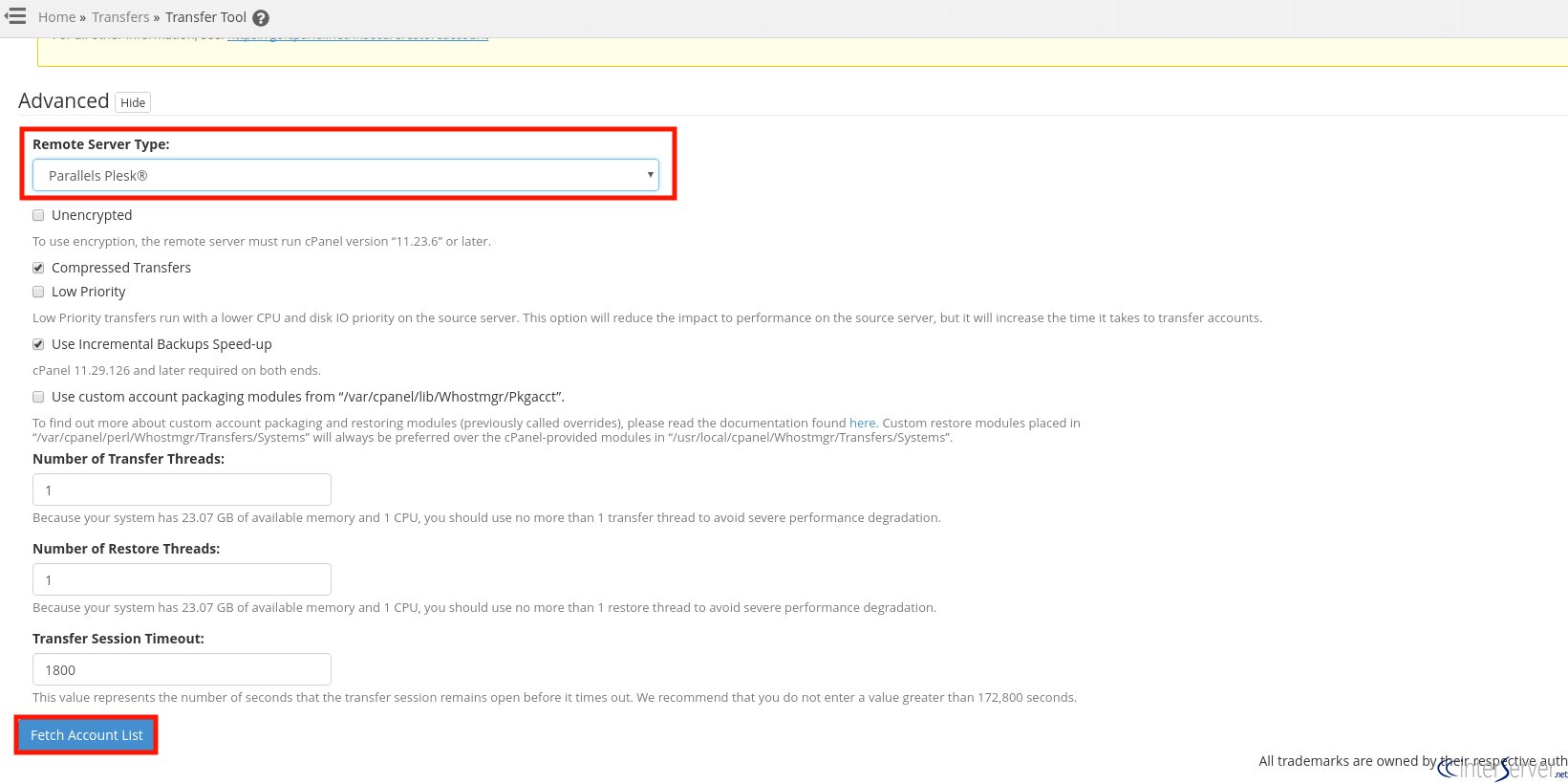
3) Once fill the above login details to your remote server, scroll down and click on “Advanced” tab. Now you will see more options, from those, select the “Remote Server Type” as “Parallels Plesk” and then uncheck “Unencrypted” option and “Use Incremental Backups Speed-up”. Then give appropriate values for the Number of Transfer threads and restore threads as the cPanel will provide the details. Once done, click on “Fetch Account List” this will open new interface.
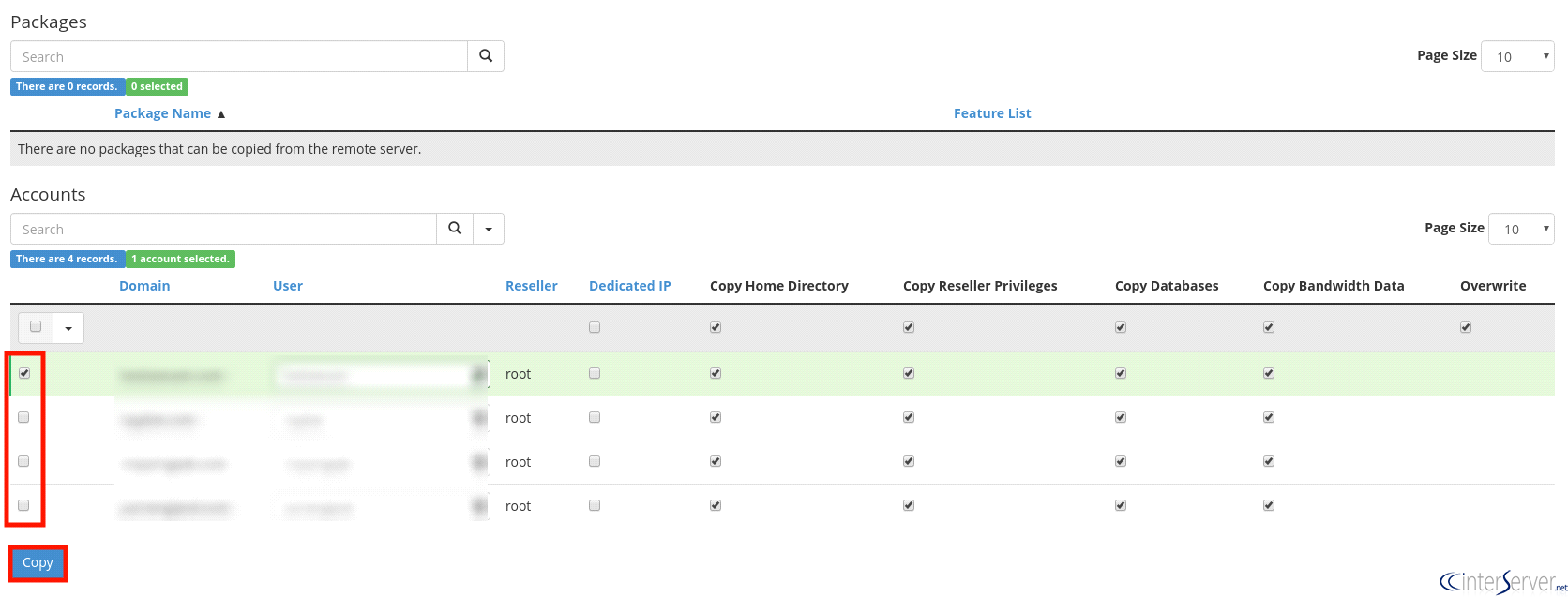
4) From this new interface select the account lists that you wish to move to your new server and continue by clicking “Copy” button. This will open the Account Transfer interface. You can view the progress on this window at any time, and you will get a successfully copied message once the transfer is completed.
If you need any further help please do reach our support department.
Related guides
cPanel and Plesk notice: Awstats,. Webalizer and Analog stats are being removed
Important Update: cPanel and Plesk Phasing Out Legacy Statistics Tools If you regularly check your website traffic through your hosting control panel, we have an...
PleskUnderstanding the db_owner Role in Plesk Windows Hosting
If you have ever managed a database on a Windows-based hosting plan using Plesk, you might have noticed that your database user doesn’t always start with "full"...
PleskUsing Nmcli to Set a Static IP (Replacing DHCP) on AlmaLinux (RHEL Based) – Recommended for control panel systems
If you have been managing servers for a while, you probably remember the days when control panels like cPanel and Plesk absolutely hated NetworkManager.
PleskEmail Management in Plesk
In this article we are going to discuss about Email management in Plesk control panel.