
GICT knowledge base
Openlitespeed Installation: Directadmin
Published
Openlitespeed is the open source webserver provided by LiteSpeed Web Server Enterprise. It’s frequently used only for individual sites that don’t change often. This is because OpenLiteSpeed requires a restart to load any new .htaccess file. So if you often see ‘OpenLiteSpeed is functioning normally‘ error after creating new domain/subdomain etc, restarting the ‘Litespeed’ service via ‘Dashboard >> Show Services’ will solve the issue. In spite of above, you will get tons of following features:
- Optimized commercial mod_security engine
- Apache-compatible rewrite rules
- High concurrent connection capacity and unlimited worker processes
- Built-in page caching
- WordPress Brute Force Attacks Protection and Anti-DDoS connection
- Cache Plugin Support for CMS like WordPress, Joomla etc
- Node JS, Python/Django, Ruby/Rails app server support
Now, we will discuss about the Openlitespeed Installation in Directadmin:
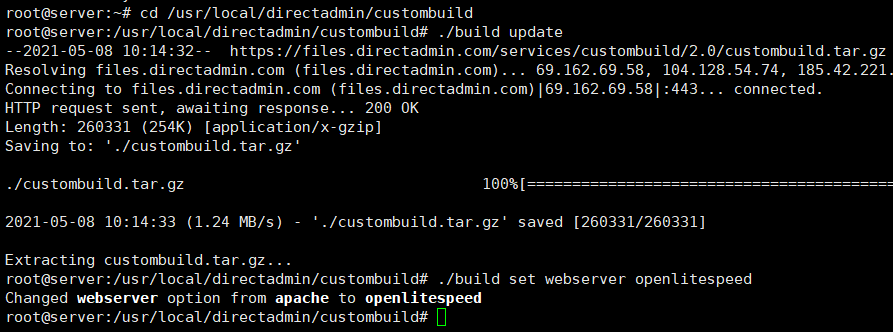
1. Login as ‘root’ (ssh root@ip_address) to server via Putty or Xshell and change current directory to ‘Custom Build’
# cd /usr/local/directadmin/custombuild
2. Then run update and change the webserver from apache to openlitespeed
# ./build update
# ./build set webserver openlitespeed
3. Now, we’ve to disable the ‘mod_ruid2’. Using mod_ruid2 with Litespeed can cause permissions-related issues
#./build set mod_ruid2 no
4. For Litespeed, php_mode must be set to lsphp. This should be done for all php mode
# ./build set php1_mode lsphp
# ./build set php2_mode lsphp
# ./build set php3_mode lsphp
# ./build set php4_mode lsphp

5. Now we can install/build the openlitespeed
# ./build openlitespeed
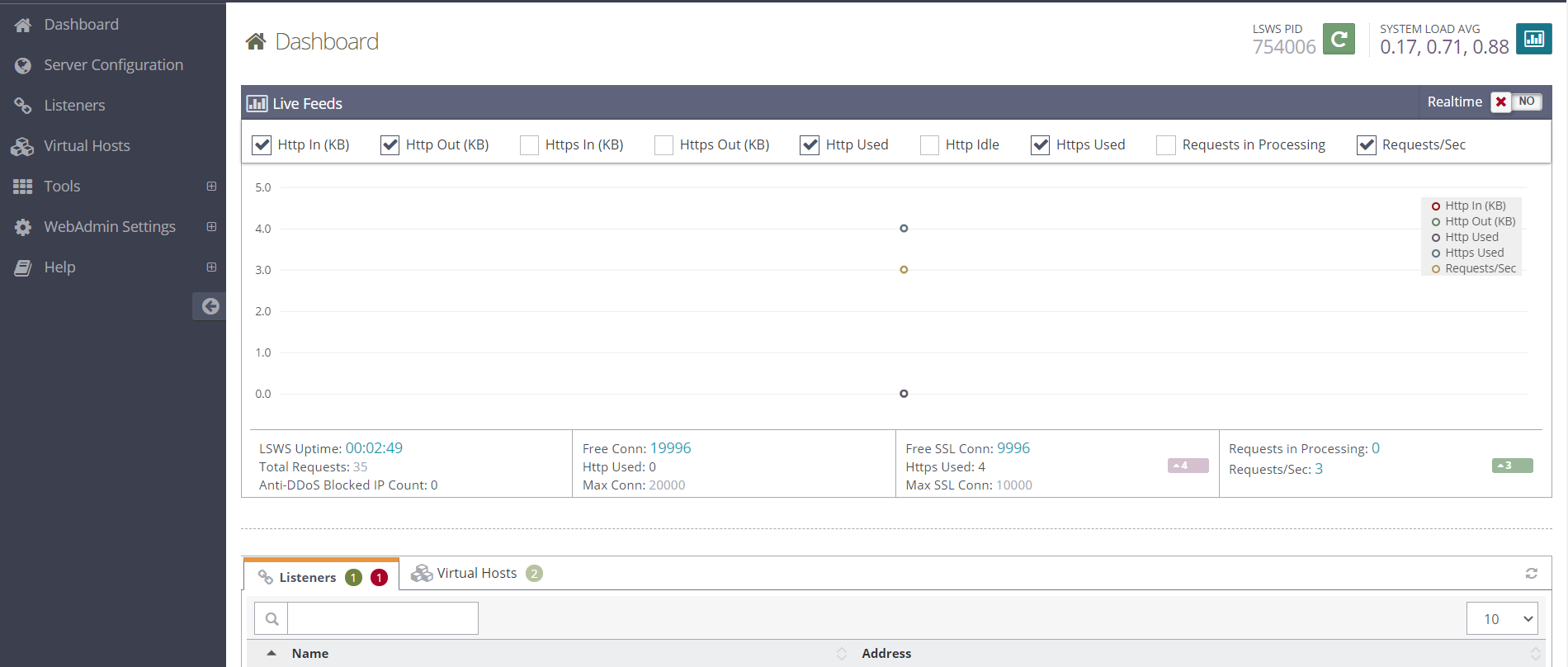
Once installation is done, you will get login details of the console. URL will be like https://ip_address:7080/login.php.You can now easily tweak the webserver settings.
6. Recompiling the PHP to use LiteSpeed is the last and final step. This process will take bit time
# ./build php n
# ./build rewrite_confs
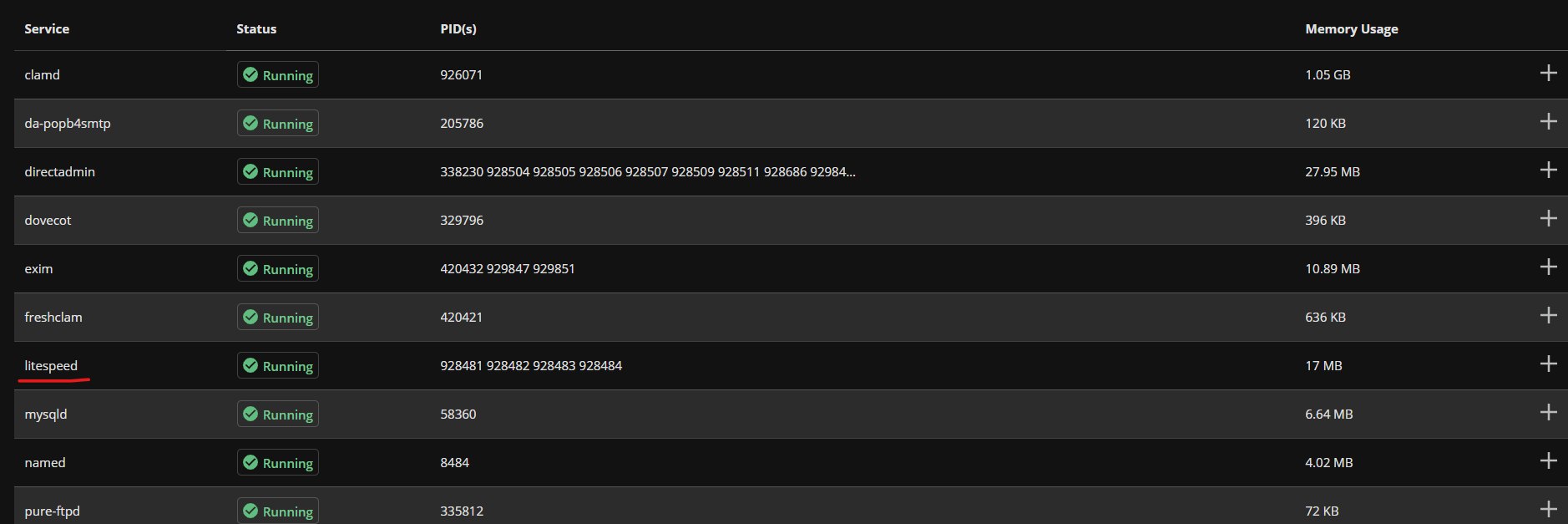
To verify everything went perfectly, you can see the Dashboard >> Show Services, where ‘Litespeed’ is showing ‘running’ (instead of httpd).
Feel free to contact our Live Chat support from https://www.GICTServer.net/ if you’re having any issues. Our support team will be able to assist you with any service you have ordered through us.
Related guides
Host Additional Domains on an Eligible GICTServer Account
Check your hosting limits, choose a separate site or alias and use cPanel or DirectAdmin with deliberate DNS, content and certificate verification.
DirectAdminDirectadmin Legacy Downgrade errors
Understanding the DirectAdmin "Legacy Downgrade" Error If you are managing a server with DirectAdmin and suddenly find your control panel inaccessible, you may be facing...
DirectAdminDirectAdmin Storage Bandwidth Calculation
Understanding DirectAdmin Bandwidth and Storage Limits DirectAdmin storage manages specific bandwidth and disk space limits for your account.
DirectAdminDirectadmin Legacy Licenses
The State of DirectAdmin Licenses: Legacy vs. Unified In the past directadmin offered two code bases: Standard and Propack with additional features.