
GICT knowledge base
Manage Reseller’s IP Delegation in cPanel
Published
IP delegation determines which IP addresses a “reseller account” may dedicate to an owned account. Dedicated IP addresses are commonly used for users who don’t wish to share an IP address and for websites that host SSL content. The Manage Reseller’s IP Delegation interface in WHM allows you to control and manage a reseller’s access to the IP addresses on the server.
A user does not require a dedicated IP address to host SSL content. However, web browsers that do not support SNI (Server Name Indicator will let you host multiple SSL certificates on single IP address) may see a security warning when they connect to an SSL website that is not the “primary” SSL website on its IP address. Only a user who has a dedicated IP address can designate an SSL website as the “primary” website on its IP address. Microsoft® Internet Explorer™ on Windows XP™ is the most widely used web browser that does not support SNI.
In this tutorial, we are going to discuss about how to Manage reseller’s IP Delegation.
1) Login to your WHM.
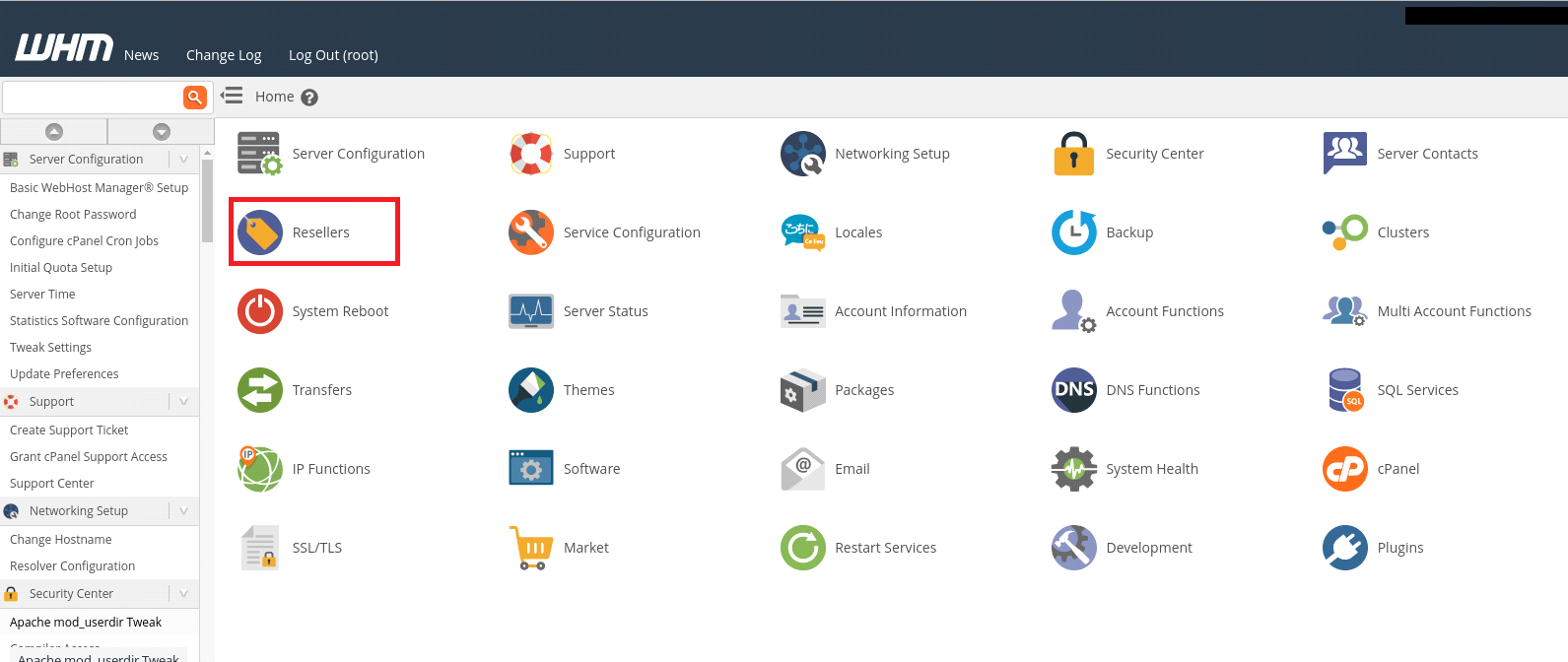
2) Go to the option “Resellers” from the home page.
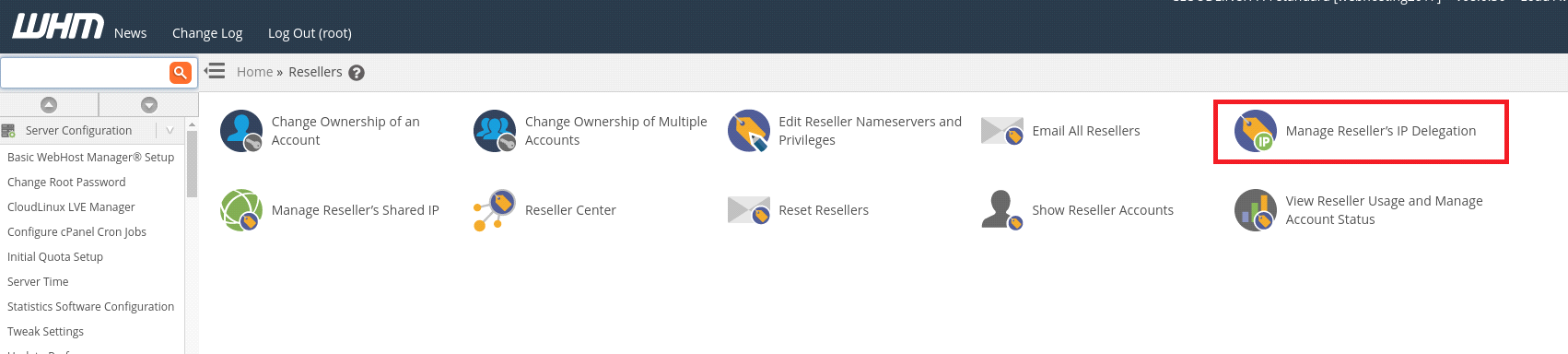
3) Now select the option “Manage Reseller’s IP Delegation”.
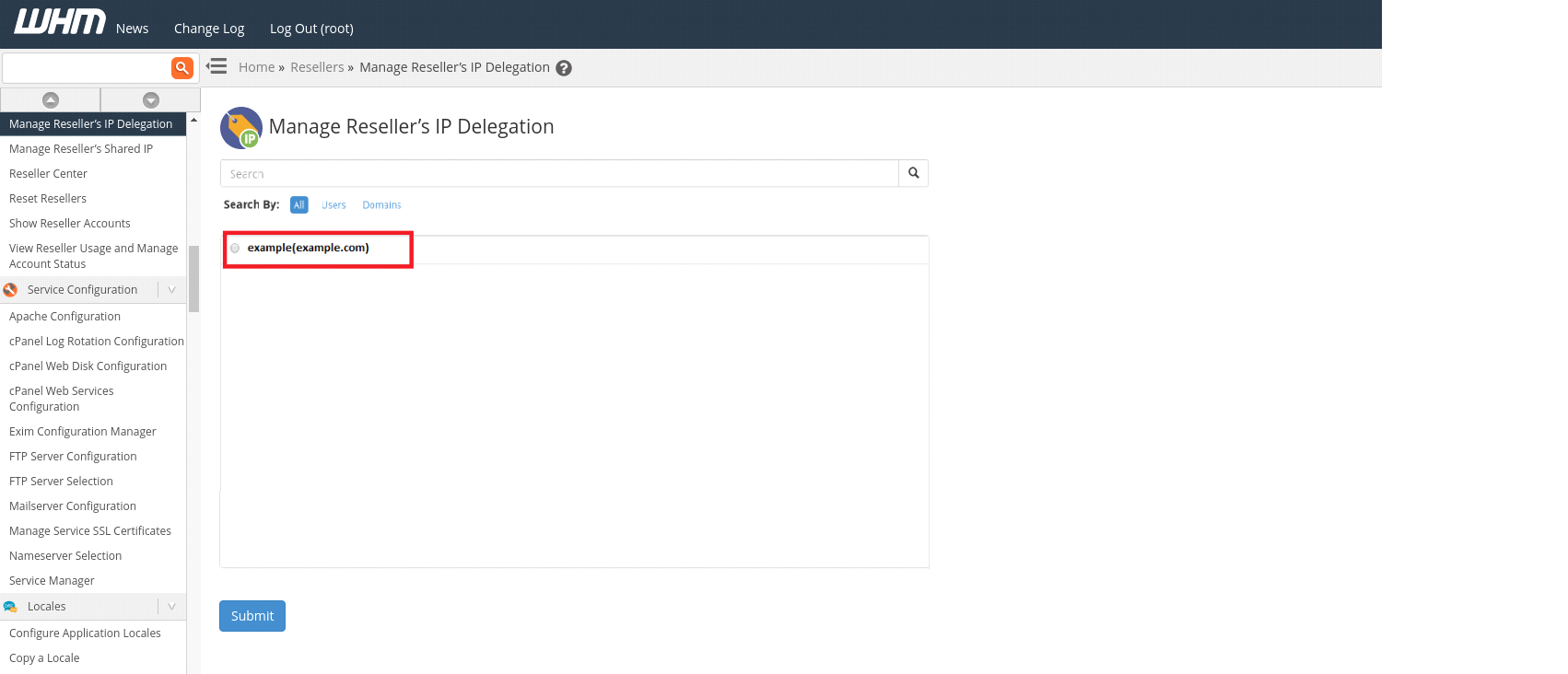
4) Select the reseller account which you want to set IP delegation and click “Submit” button to continue. On the next page, you will see two options called “Open Delegation” and “Restricted Delegation”. You can either choose Open Delegation or Restricted Delegation as per your requirements.
Open Delegation
The Open Delegation option in WHM permits a reseller access to all of the available IP addresses on the server which means this option allows a “reseller account” to dedicate any available IP address to an owned account.
The Open Delegation option is enabled for all the resellers by default.
5) If you want to choose “Open Delegation”, then click the checkbox next to the option.
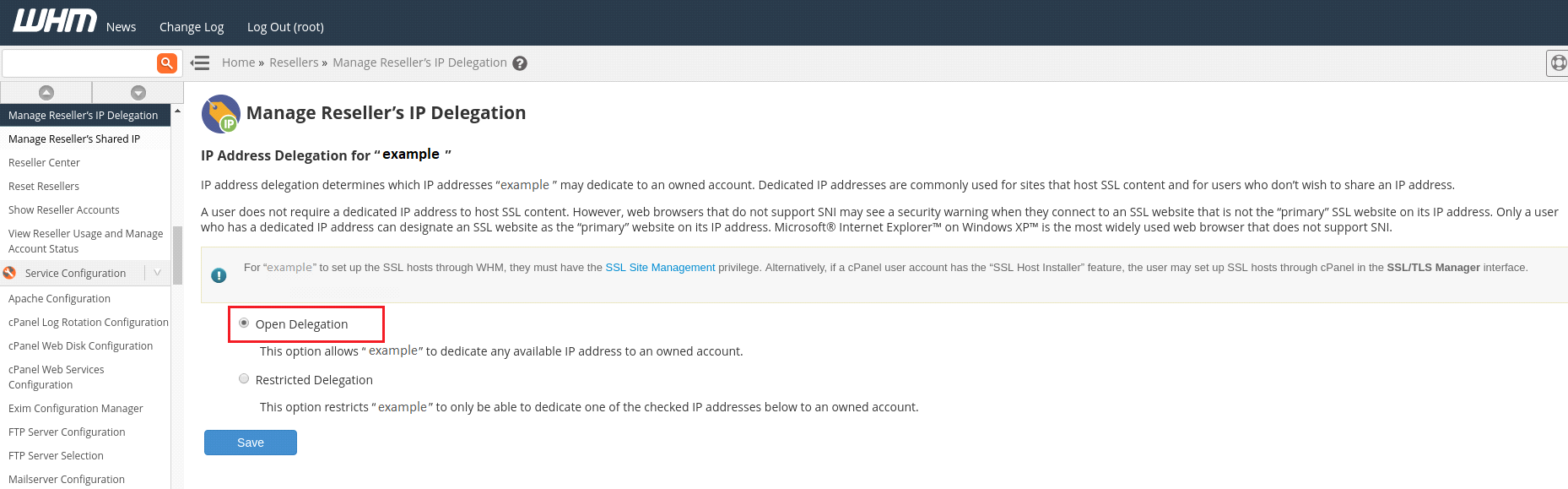
6) Click on “Save” button to update the changes.
If the function succeeds, the following message will appear. Here we are using example as a user.
“The reseller “example” now has access to any free IPs on the server.”
Restricted Delegation
The Restricted Delegation option restricts a reseller account to specific IP addresses on the server which means this option restricts a reseller account to only be able to dedicate one of the checked IP addresses below to an owned account. When a reseller has restricted access to certain IP addresses, the selected IP addresses are delegated to that reseller.
7) If you want to enable “Restricted Delegation” option, then do the steps 1 to 4 which we have mentioned above and then click the checkbox next to the Restricted Delegation option.
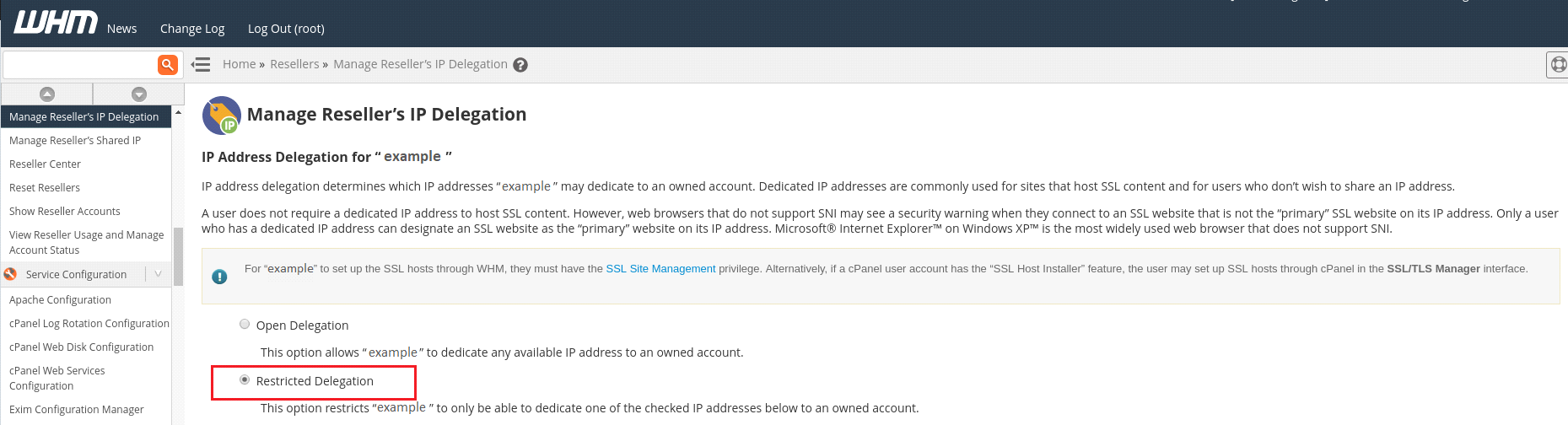
8) Click on “Save” to update the changes.
Related guides
Host Additional Domains on an Eligible GICTServer Account
Check your hosting limits, choose a separate site or alias and use cPanel or DirectAdmin with deliberate DNS, content and certificate verification.
cPanelHardening Your cPanel Server: Beyond the Basics After CVE-2026-41940
Security is a moving target. With the recent discovery of CVE-2026-41940, it has become clear that just having a firewall isn't enough anymore.
cPanelcPanel and Plesk notice: Awstats,. Webalizer and Analog stats are being removed
Important Update: cPanel and Plesk Phasing Out Legacy Statistics Tools If you regularly check your website traffic through your hosting control panel, we have an...
cPanelThe dangers of shared licenses (in other words unofficial/cracked licenses)
Why Cracked cPanel Licenses Aren’t Worth the Risk: A Guide for GICTServer Customers When you’re managing a server, every dollar counts.