
GICT knowledge base
Installing Webuzo on a fresh CentOS7
Published
Webuzo is a solitary client control board/Application Director which permit clients to convey mainstream web applications like WordPress, Joomla and Drupal and so forth with a single click. No System Administrator level skills are required to introduce such applications. You need to concentrate on utilizing the application as opposed to keeping up that application and is similar to cPanel. Webuzo is perfect for use in enterprises, small to medium business situations and just about 240 web applications are supported by Webuzo. It is reasonable for web engineers to use alongside web applications, framework applications like MongoDB, Apache, NGINX, Java and so forth. In this article, we can discuss about how to install Webuzo on a CentOS7 server.
Installation steps
1) Login to your server as a root user. You can use the following command to login your server.
$ ssh root@ipaddress
Note: Please change the ipadress with your server IP address.
2) Execute the following command to ensure that your system is up to date.
$ yum -y update
3) Enter the following command to get the Webuzo installer.
$ wget -N http://files.webuzo.com/install.sh
4) Once the download has been completed, make the script executable using the ‘chmod’ command.
$ chmod 755 install.sh
5) Now we need to install Webuzo on your server. Execute the following command for installing Webuzo.
$ ./install.sh
Wait for the process to complete and the installer will provide further instructions to get started with your Webuzo Control Panel.
After the Webuzo has been installed you can access the Webuzo end-user panel using the following URL:
http://IP-ADDR:2002/ or https://IP-ADDR:2003
Please change the IP-ADDR with your server IP address. The Username and Password will be the same as you mentioned during the Initial Setup.
The Webuzo End-user panel should look like the following:
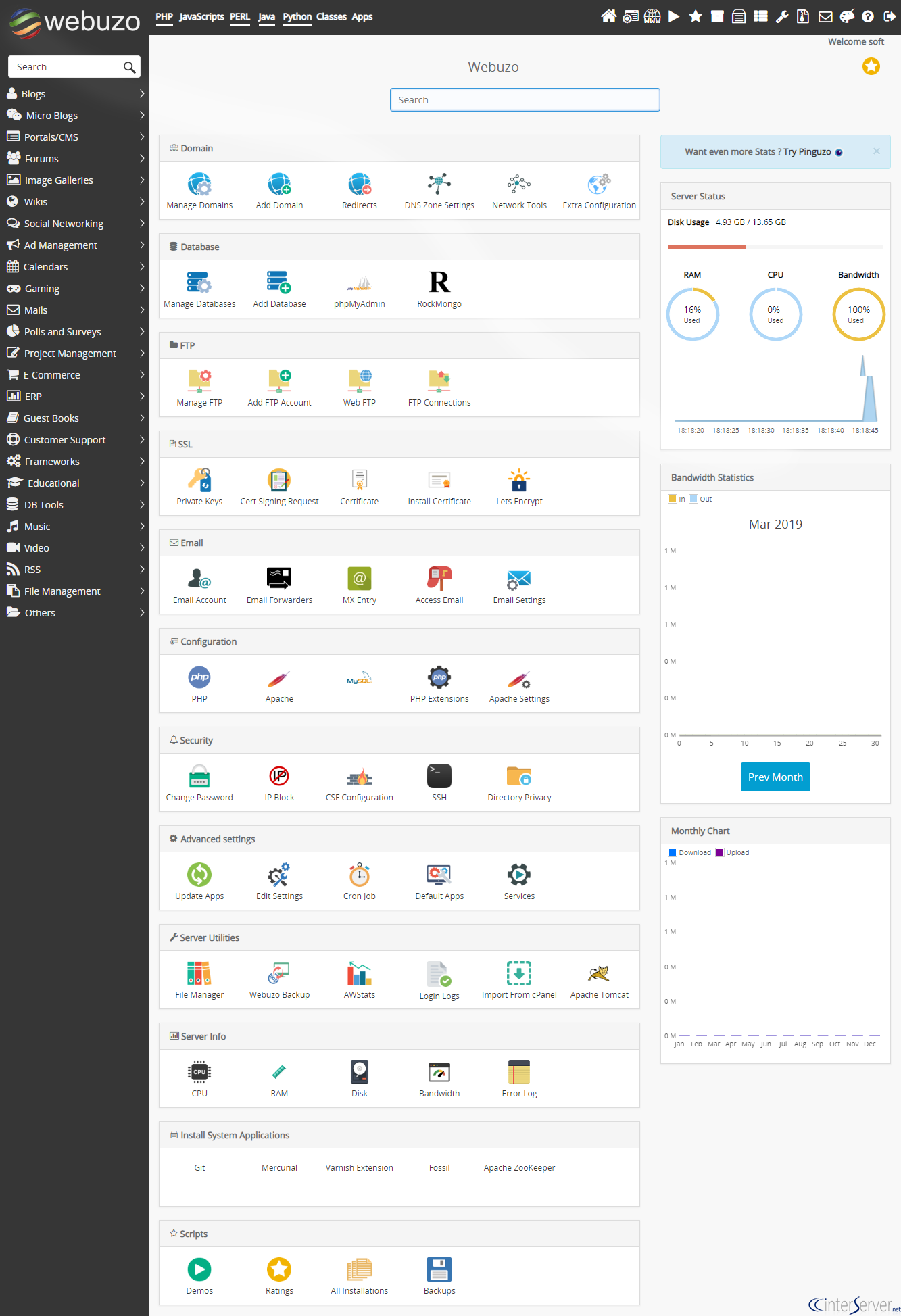
You can refer our following kb to know more about Webuzo and its initial setup: https://www.GICTServer.net/tips/kb/access-breadbasket-begin-initial-setup/
If you need any further help, please do reach our support department.
Related guides
Webuzo on a VPS
How to Get Started with Webuzo: Free Single-User Licensing on Your VPS Managing your own Virtual Private Server (VPS) doesn't have to be a headache.
Webuzo/BreadbasketInstall Webuzo on Ubuntu
In this tutorial, we can check how to Install Webuzo on Ubuntu. Webuzo is a free, single-user control panel that helps to deploy web applications like
Webuzo/BreadbasketWebuzo fails with Account creation on ACMEv1 is disabled
The error Account creation on ACMEv1 is disabled will be fixed in the next release of webuzo. Until then the acme.sh script can be manually updated via github.
Webuzo/BreadbasketHow to Install WordPress on Webuzo?
WordPress is a free and open-source content management system (CMS) based on PHP & MySQL. Let's discuss how to install WordPress