
GICT knowledge base
Install YetiForce using Softaculous in cPanel
Published
In this tutorial we can learn how to install YetiForce using Softaculous in cPanel.
YetiForce is an advanced CRM (Customer Relationship Management) class system that helps with customer relations.
Installing YetiForce from softaculous
The installation of YetiForce is similar to the one in other systems, e.g. Joomla, WordPress, SugarCRM.
1) Login to your cPanel interface.
2) Go to the section ‘Softaculous Apps Installer’.

3) Click the icon “YETIFORCE”.

4) Click the option ‘Install’.
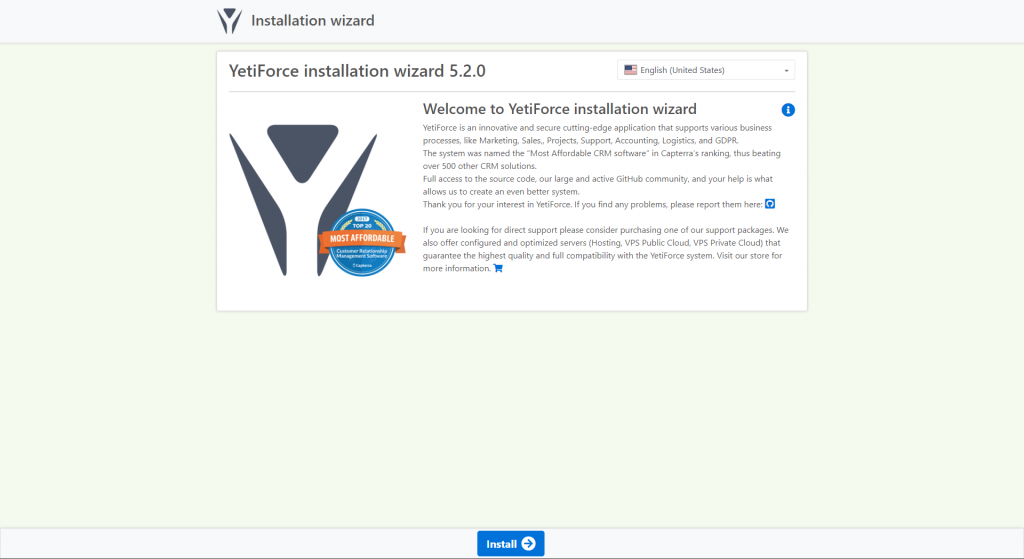
5) Then you will get the message that the software was installed successfully.
Install YetiForce CRM on Ubuntu
1) YetiForce requires a few additional PHP modules.
# apt-get install php7.0-mysql php7.0-curl php7.0-json php7.0-cgi php7.0 libapache2-mod-php7.0 php7.0-mcrypt php7.0-gd php7.0-imap php7.0-ldap php7.0-xml php7.0-dom php7.0-zip -y
2) Download the YetiForce CRM zip.
# wget https://github.com/YetiForceCompany/YetiForceCRM/archive/3.1.0.zip
3) Unzip the package.
# unzip 3.1.0.zip -d /var/www/html/
4) Move file.
mv /var/www/html/YetiForceCRM-3.1.0 /var/www/html/yetiforce
5) Change the ownership of the folder.
chown -R www-data. /var/www/html/yetiforce
6) YetiForce CRM requires to create a database and a user that can modify it.
mysql -u root -p
CREATE DATABASE yetiforce;
GRANT ALL PRIVILEGES ON yetiforce.* TO ‘yetiforceuser’@’localhost’ IDENTIFIED BY ‘yetiforcepassword’;
FLUSH PRIVILEGES;
Exit
7) Restart the apache and mysql services.
systemctl restart apache2.service
systemctl restart mysql.service
If you need any further assistance please contact our support department.
Related guides
Install WordPress on DirectAdmin Using softaculous Application Installer
Login to https://my.GICTServer.net using the email address and password that you have used during the time of signup. Click on Login to DirectAdmin. scroll down.
SoftaculousHow to install WordPress multi-site using cPanel softaculous
GICTServer guide | WordPress multisite | Softaculous WordPress installation | Multisite installation using cPanel GICTServer Tips
SoftaculousHow to Install Softaculous on CWP
In this tutorial, we are going to discuss on how to install Softaculous on CWP control Panel, please refer the following steps on how to proceed with the
SoftaculousSoftaculous Staging Environment
Softaculous Staging Environment. The staging environment is a must require feature now a day, as this will help in making changes to a production