
GICT knowledge base
How to Install Softaculous on CWP
Published
CWP is an open-source CentOS Linux web hosting control panel that is specially developed for easy management of the Linux server. And the Softaculous is the best script installer in the market. It allows you to install hundreds of different kind of content management systems and scripts.
Usually, these scripts and CMSes require a different kind of configuration and it can be a hectic process to install the desired script or CMS on the system based on user’s demand. But Softaculous makes it easier to install any kind of script or content management system on your server.
Install Softaculous in CWP Control Panel
In this tutorial, we are going to discuss on how to install Softaculous on CWP control Panel, please refer the following steps t proceed with the process.
1) Login to your CWP control panel using the following link. If you are not logged in, log in using your username and password.
http://your server IP address:2031
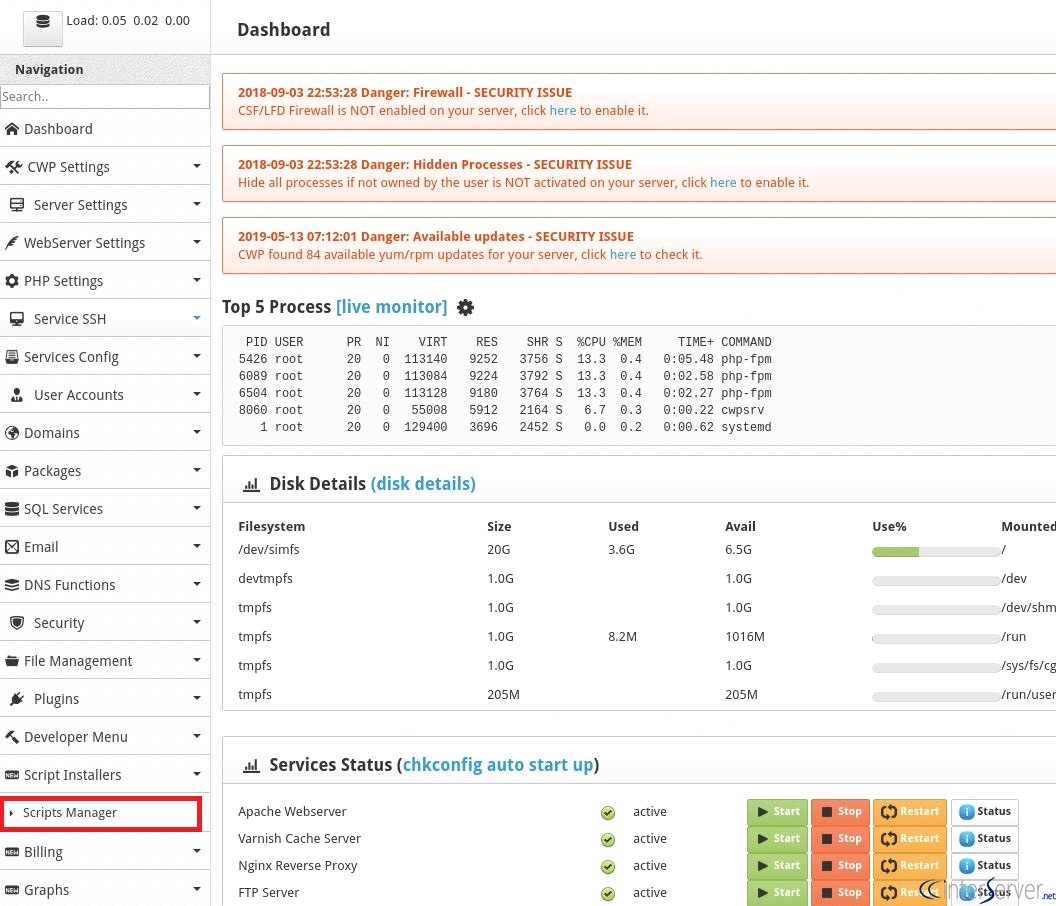
2) On the “Navigation” menu go to “Script Installers” and click on “Scripts Manager”.
3) Once you have clicked the “Scripts Manager”, a new page would appear. On this page, you can install the Softaculous with just a single click on the “Install Softaculous” button.
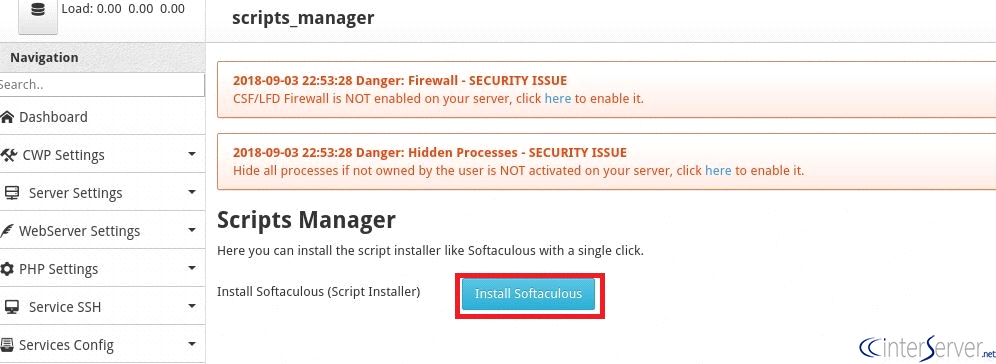
4) You have now installed Softaculous on the server. You can also uninstall it in the future by going to Scripts Installer>> Scripts Manager>> Click on “Uninstall Softaculous”.

5) Since you have installed the Softaculous, you can configure its general settings in Scripts Installer>> Scripts Manager>> Softaculous. The Softaculous is now available in each of the user panels. You will have to log in to your user control panel using the following link.
https://{enter_your_server IP}:2083
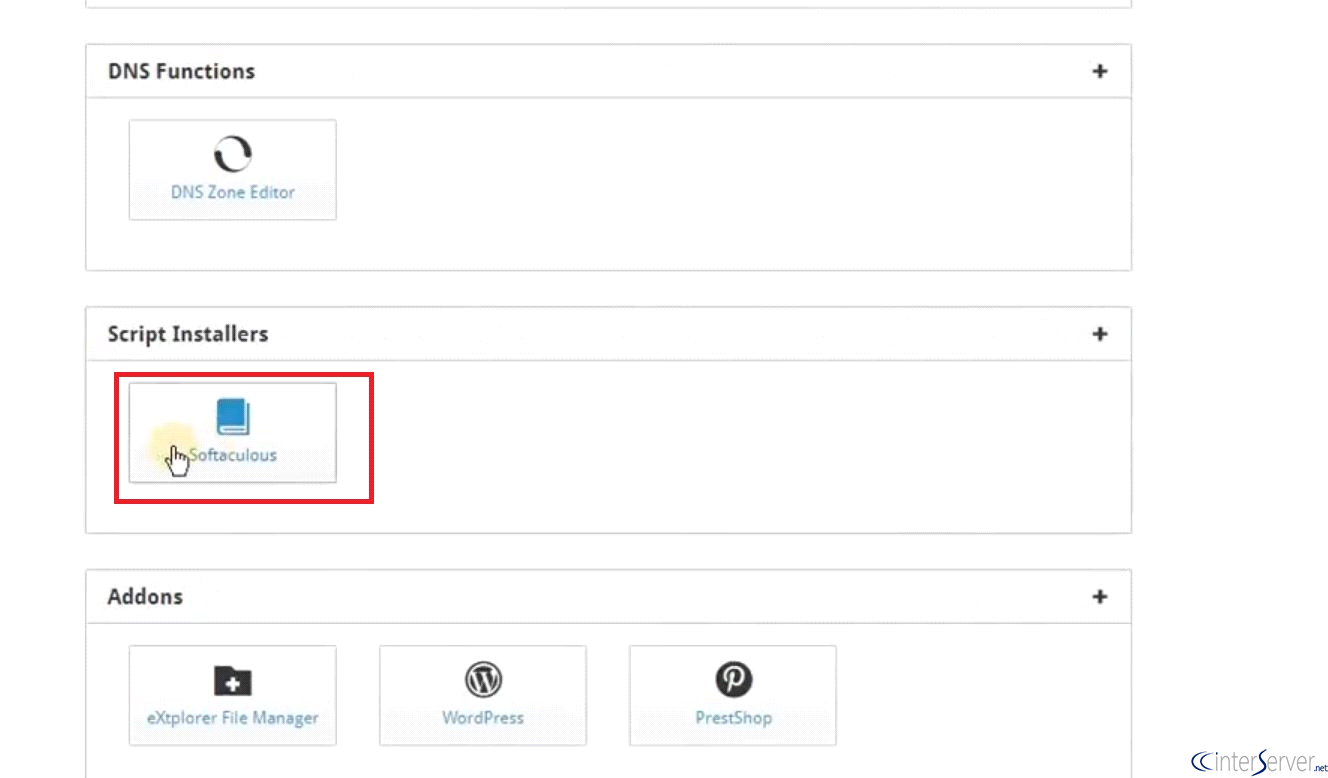
6) You can access the Softaculous app installer from -> CWP Home>> Scripts installer>> Softaculous. As shown in the following image.
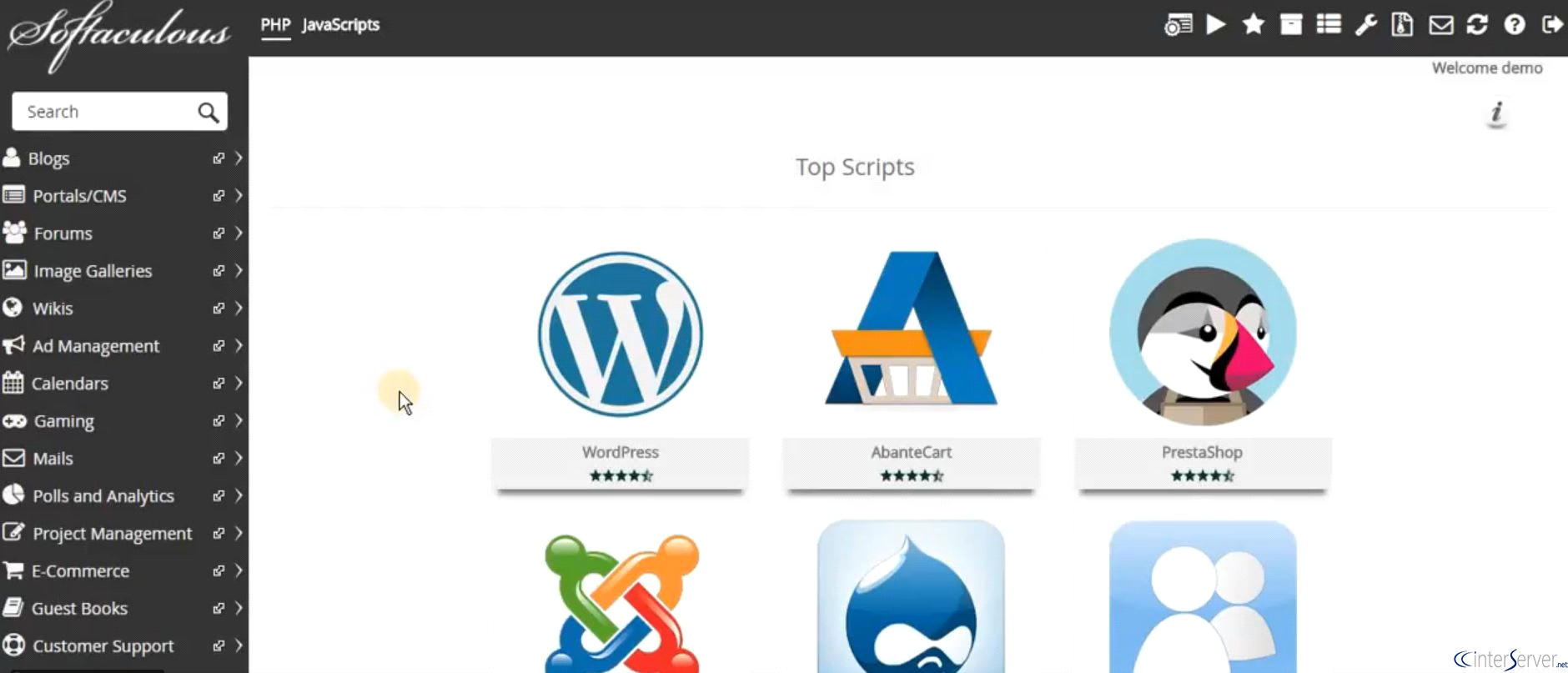
7) You have now successfully logged into the Softaculous app installer. You can install any script available in Softaculous.
If you are facing any issue following this tutorial, please let us know in the comment section given below.
Related guides
Install WordPress on DirectAdmin Using softaculous Application Installer
Login to https://my.GICTServer.net using the email address and password that you have used during the time of signup. Click on Login to DirectAdmin. scroll down.
SoftaculousHow to install WordPress multi-site using cPanel softaculous
GICTServer guide | WordPress multisite | Softaculous WordPress installation | Multisite installation using cPanel GICTServer Tips
SoftaculousSoftaculous Staging Environment
Softaculous Staging Environment. The staging environment is a must require feature now a day, as this will help in making changes to a production
SoftaculousSoftaculous Installation in Plesk
Softaculous Installation in Plesk. Softaculous is a 3rd party auto installer for different control panels such as Plesk, Direct admin, and cPanel, which