
GICT knowledge base
Install WordPress on DirectAdmin Using Installatron
Published
WordPress is a very powerful content management system (CMS) available for free. We can use WordPress to make local business websites or personal blogs or any other kind of custom website too. WordPress uses PHP as a programming language and MySQL as a database management system. We can install plugins in WordPress to add extra functionality to our website. We can also use WordPress themes to change the design and look of our website.
WordPress is very easy to install and you can create a website in WordPress even if you don’t have any technical knowledge. Here are some advantages that you get with WordPress.
Advantages of using WordPress:
- Mobile responsiveness: As the internet is now easily accessible on mobile phones, we have to make sure that our valuable users can access the website from their mobile phones. Thousands of WordPress themes are mobile responsive, meaning they change how a page is displayed depending on the device the user is using.
- Versatile: WordPress site can help to highlight your brand and share it. WordPress developers constantly create new themes and plugins. As WordPress is an open-source content management system, developers can create new plugins and themes that allow us to customize our website even more. For example, the Contact Form 7 plugin will help you create contact forms on your WordPress website.
- Easy to use: Even if you are not a technical person, you can easily create a website with WordPress. WordPress site can be edited from anywhere. You can write a blog post from your phone and run updates from your home computer. WordPress interface is user-friendly.
WordPress installation on DirectAdmin using Installatron.
In this short tutorial, we will demonstrate how to install WordPress on the DirectAdmin control panel. It is very easy to install WordPress if your DirectAdmin comes with Installatron. It is a one-click web application installer that enables photo galleries, forums, shops, and other top web applications to be instantly installed on your desired domain name.
So, here are the steps to follow if you want to install WordPress on DirectAdmin using Installatron.
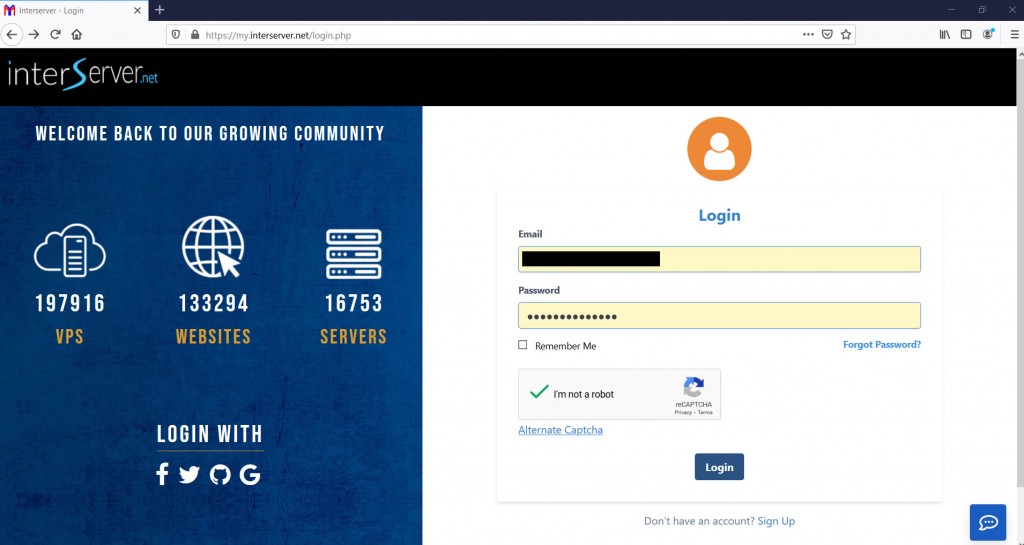
1) Login to https://my.GICTServer.net using the email address and password which you have used during the time of signup.
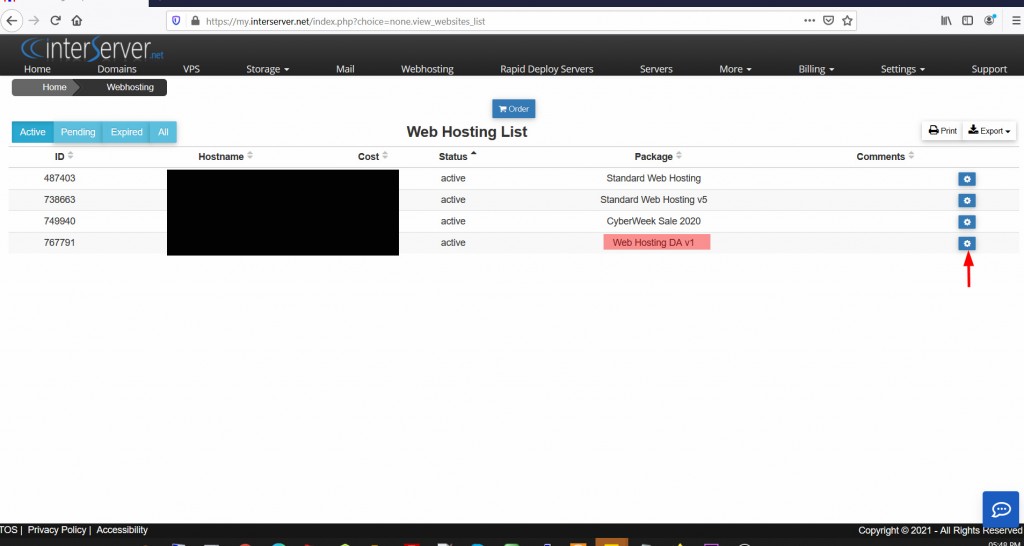
2) Under webhosting select the Web Hosting Direct Admin.
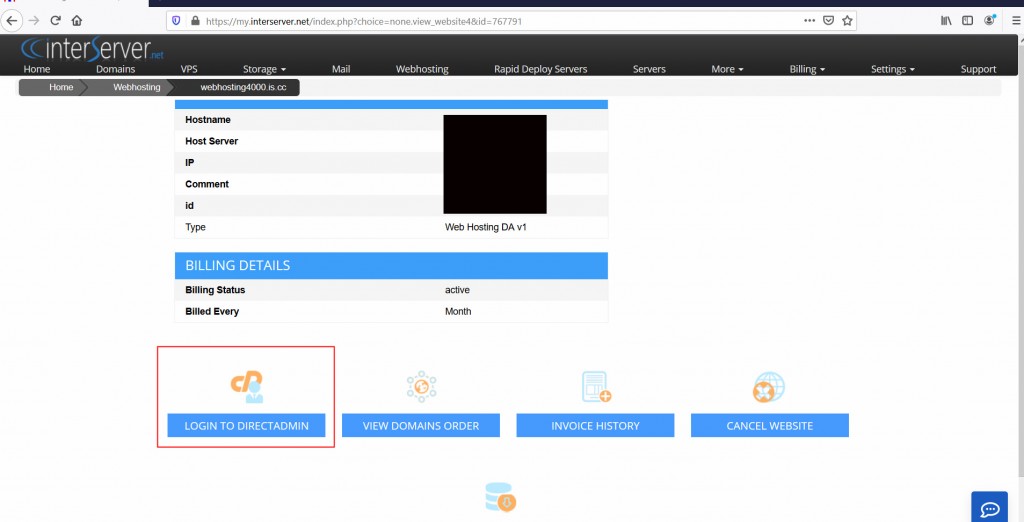
3) Click on Login to DirectAdmin.
4)Hover the mouse on Extra Features and click on Installatron Application Installer.
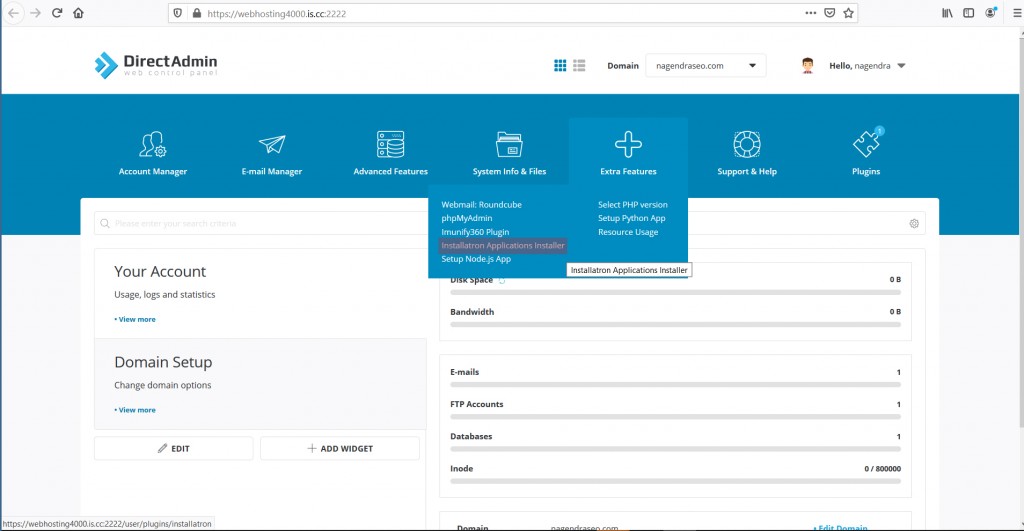
5) It will redirect to the Installatron page.
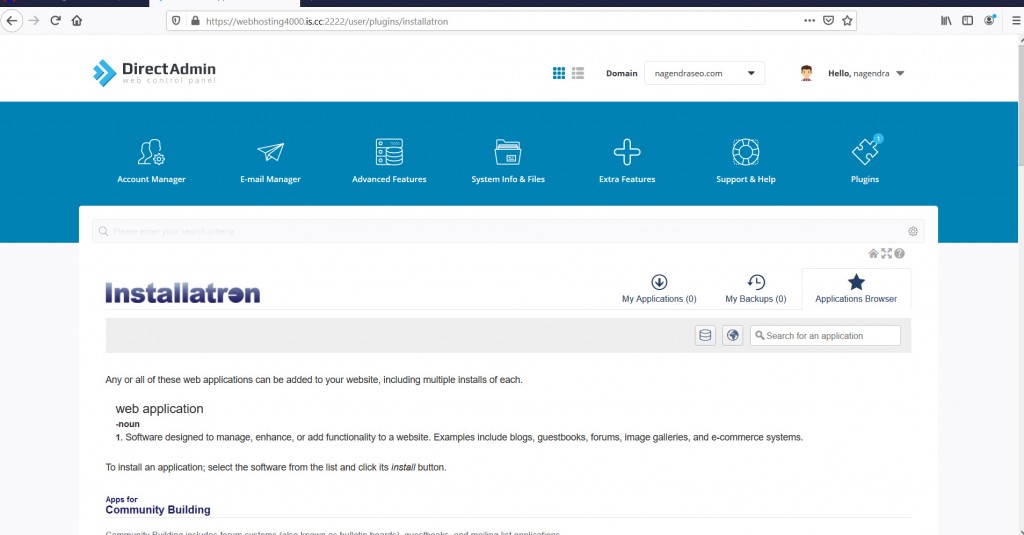
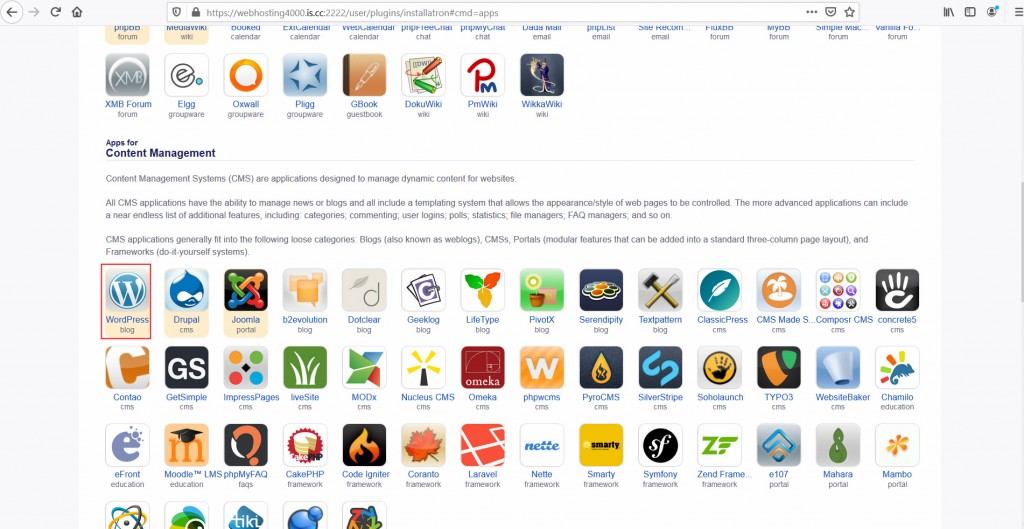
6)Under Content Management click on WordPress.
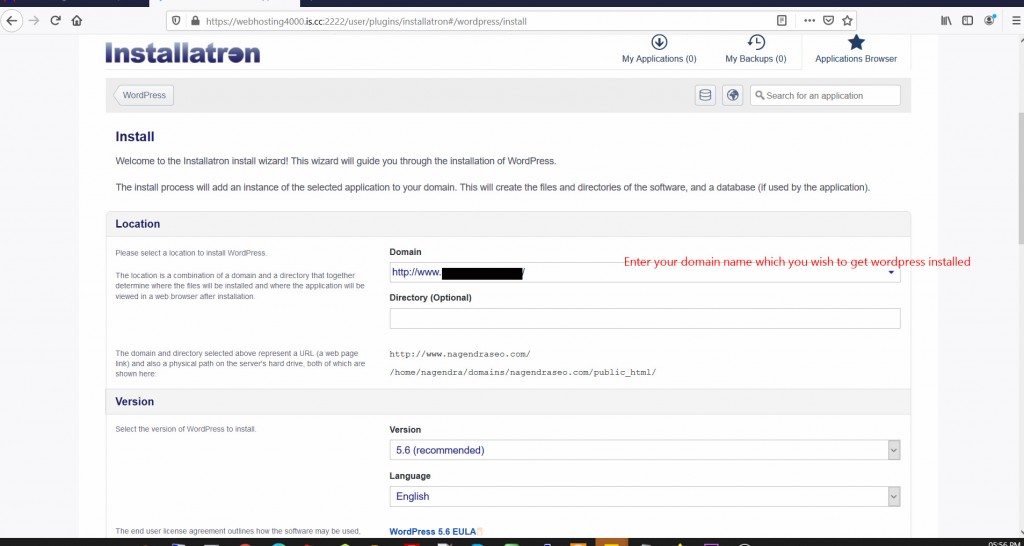
7)Enter domain name which you wish to get WordPress installed.
7)Enter the Administrator user name, password and email address.
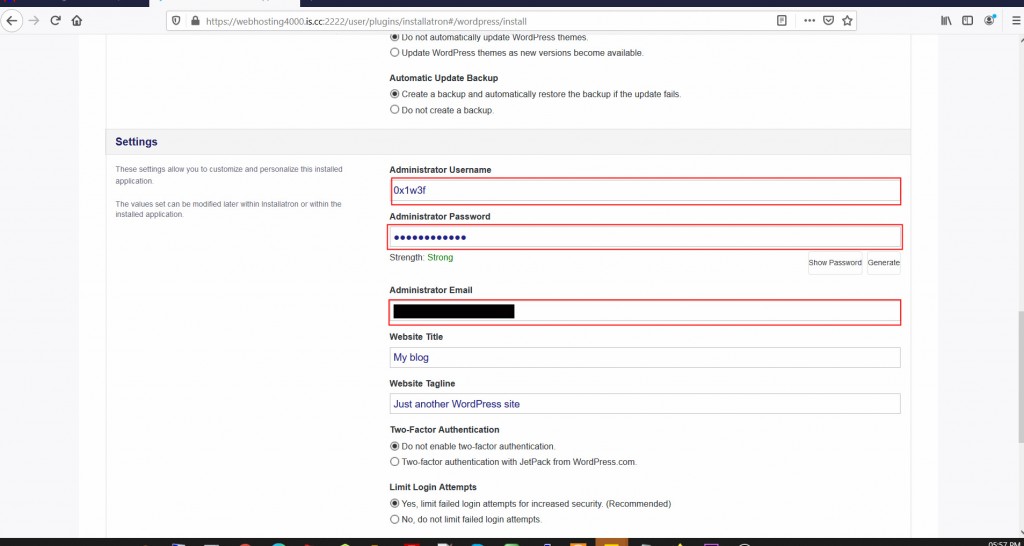
8)Now scroll down and click on Install.
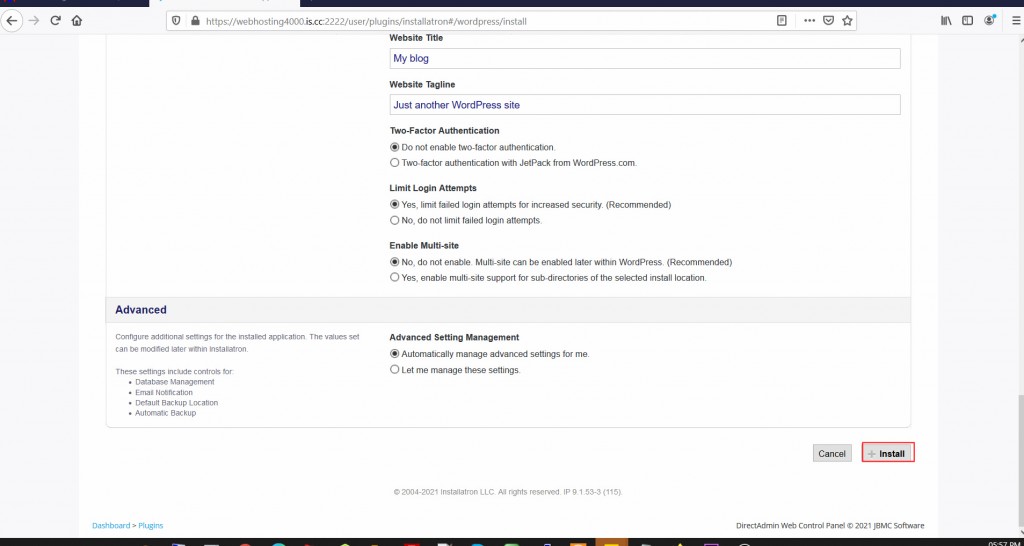
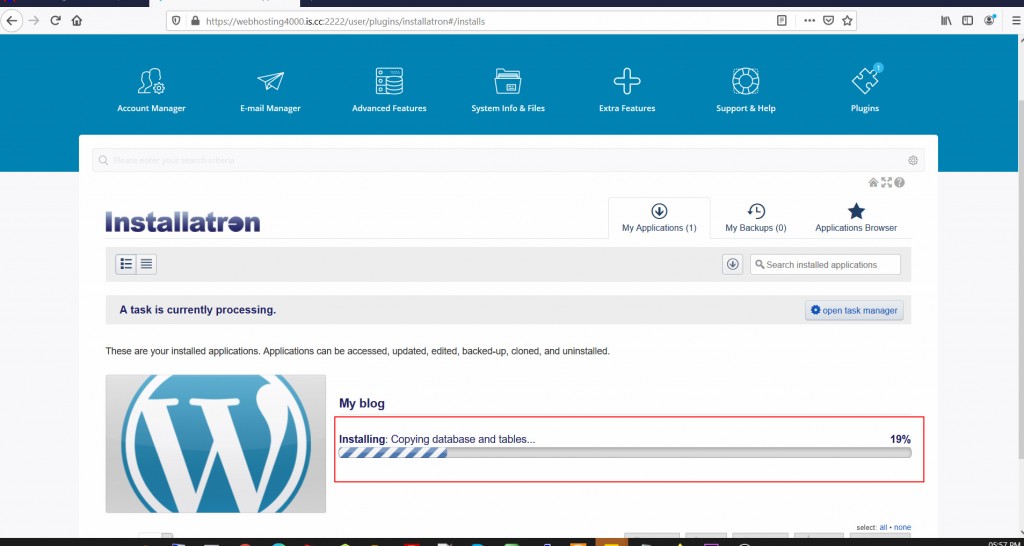
9)WordPress is getting installed. It might take a few seconds for WordPress to install properly. Once done, you can access the admin section of your WordPress site for customization.
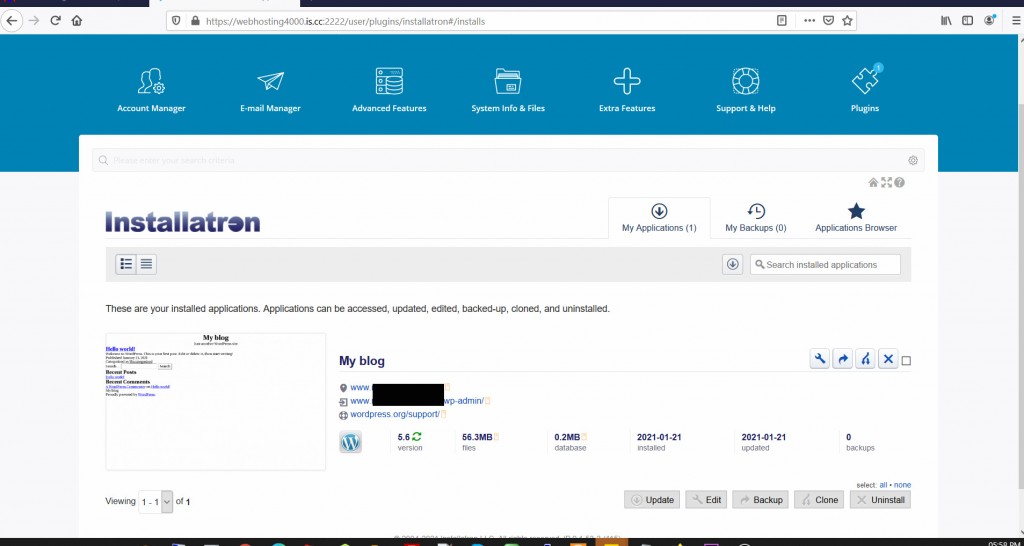
10) WordPress has been successfully installed.
If you need any further help, please do reach our support department. You can also use the comment section given below to get help directly from us.
Related guides
Host Additional Domains on an Eligible GICTServer Account
Check your hosting limits, choose a separate site or alias and use cPanel or DirectAdmin with deliberate DNS, content and certificate verification.
DirectAdminDirectadmin Legacy Downgrade errors
Understanding the DirectAdmin "Legacy Downgrade" Error If you are managing a server with DirectAdmin and suddenly find your control panel inaccessible, you may be facing...
DirectAdminDirectAdmin Storage Bandwidth Calculation
Understanding DirectAdmin Bandwidth and Storage Limits DirectAdmin storage manages specific bandwidth and disk space limits for your account.
DirectAdminDirectadmin Legacy Licenses
The State of DirectAdmin Licenses: Legacy vs. Unified In the past directadmin offered two code bases: Standard and Propack with additional features.