
GICT knowledge base
Install updates for modules in Drupal
Published
Drupal, a web content management tool allows users to create a customized website, it is flexible and reliable. But more than that Drupal allows you to work with other add-ons. You can use single or many modules to integrate Drupal with different tools. Drupal supports thousands of add-ons and modules. This add-on creating better and better itself, that why Drupal also provides a feature for install updates automatically and manually.
This day to day updates is very important because this update will give you new features and more reliability to Drupal. Drupal supports automatic updates but you can set it manually too. Now let’s see how you can check and update your modules in Drupal.
Install Updates for Modules in Drupal
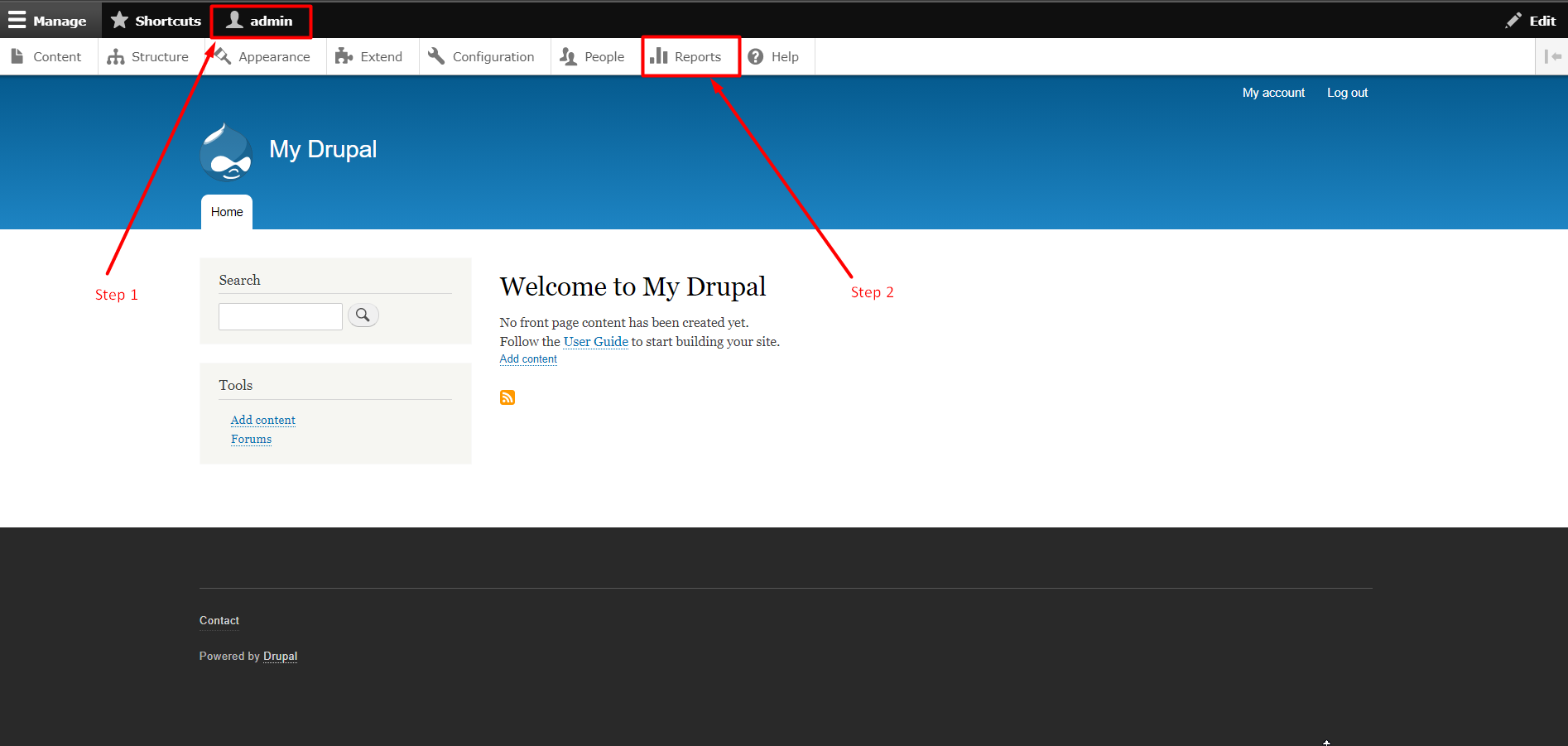
Step 1: Log in to the Drupal Admin panel with your Username and Password.
Step 2: Click on the Reports tab Which is available in Tab Section.
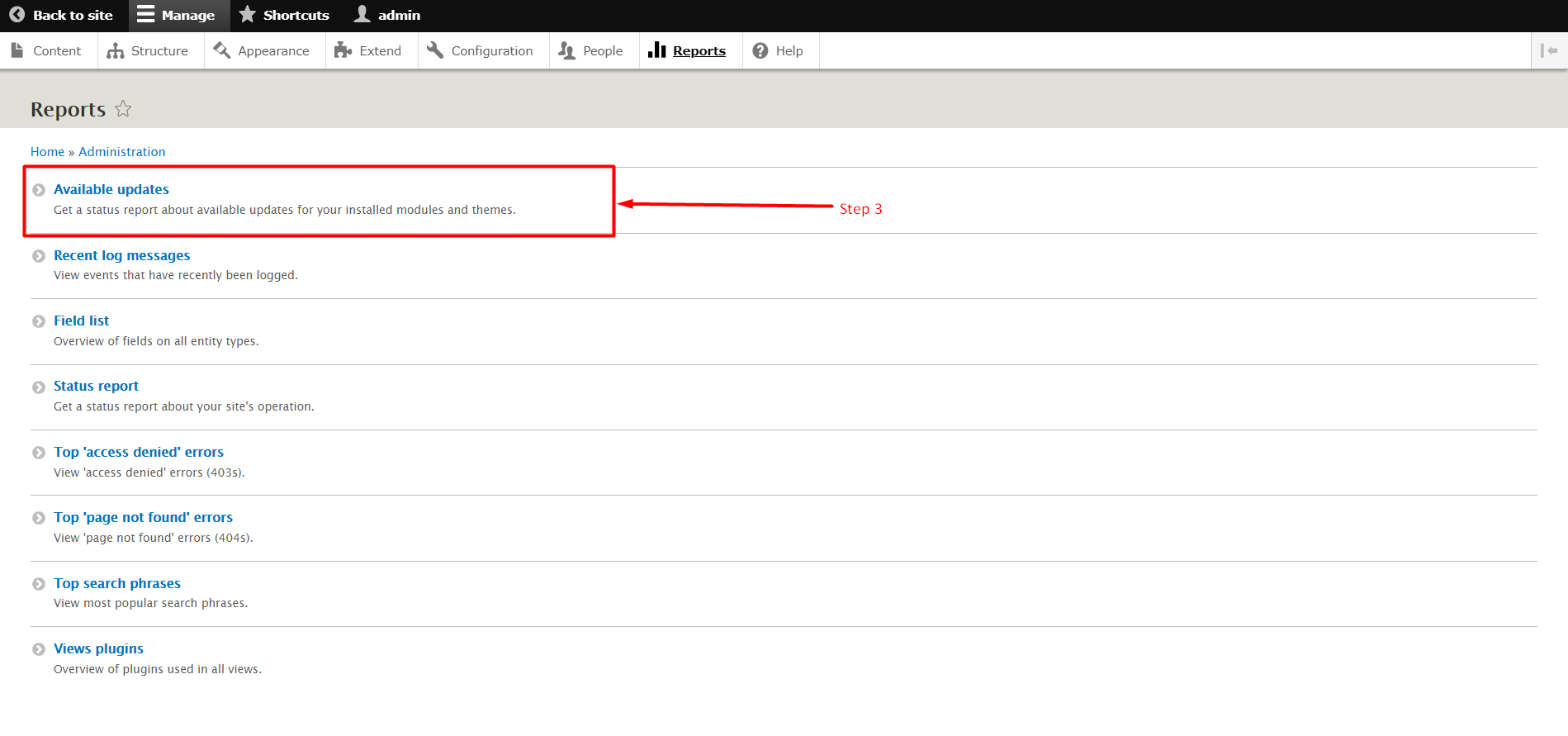
Step 3: Now Click on the section Available Updates.
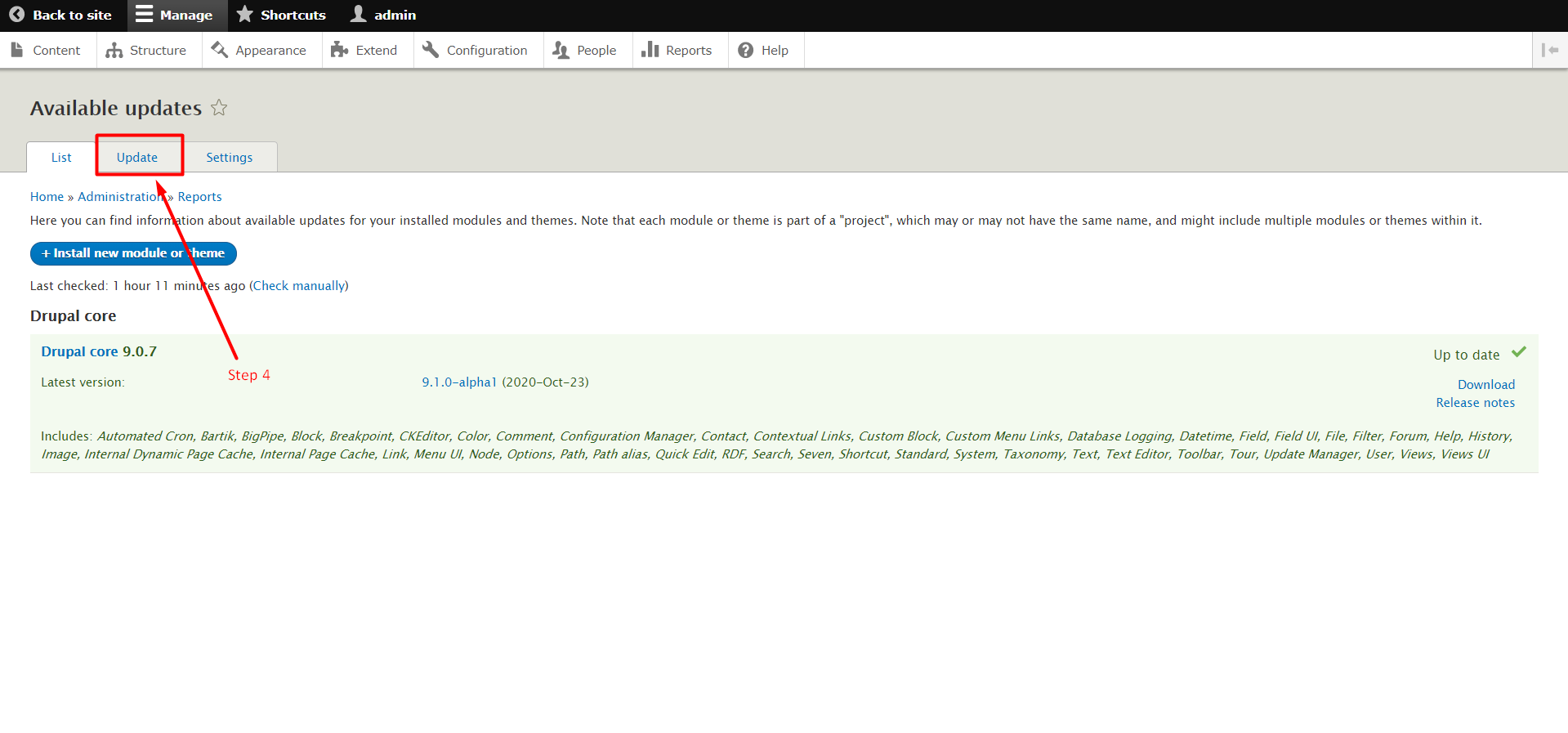
Step 4: Now click on the Updates tab in the tab section.
Step 5: If any updates will available for your modules then the update list will show here as a list. You just have to select the updates and press the Download and Install Button to install updates.
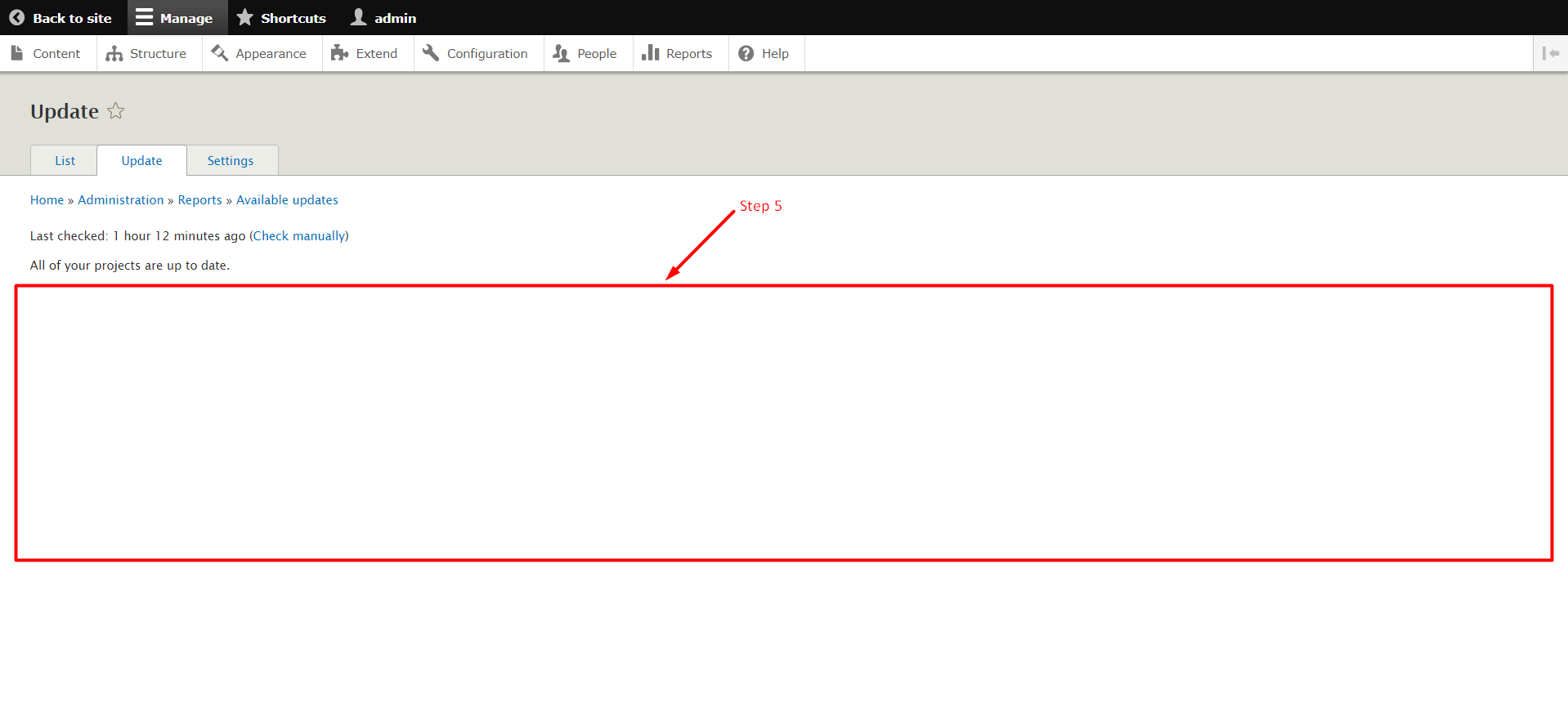
Note: When your updates download and install successfully, A Green Coloured Section will show up on the screen.
So, this is how you can update the modules in Drupal. It is very important to regularly update the modules as they come with bug fixes and new features. We hope this tutorial was helpful for you. If you have any questions regarding updates, please let us know in the comment section given below.
Related guides
Create a Contact Webform Using Drupal 8 Webform Module
In this knowledgebase, you learn the steps to create a contact form using the Drupal 8 Webform Modules. The Webform module in Drupal 8 is a flexible
DrupalHow to Block IP Address in Drupal
In this documentation, we can check how to block IP address in Drupal. 1) Login to Drupal admin panel. 2) Click on the tab ‘Configuration’. 3) Go to the sec
DrupalHow to Add Content Type in Drupal
In this documentation, we can check how to add content type in Drupal. 1) Login to Drupal admin panel. 2) Go to the tab ‘Structure’. 3) Click on the option
DrupalDate and Time Settings in Drupal
In this documentation, we can check how to set the date and time in Drupal. 1) Login to Drupal admin panel. 2) Click on the tab ‘Configuration’. 3) Go to th