
GICT knowledge base
Date and Time Settings in Drupal
Published
Drupal is one of the most popular content management system. It is an open-source project that allows you to customise the system as per your requirements. In most cases, you do not have to change the code of the system to update basic settings.
Drupal allows us to update many minor settings directly from the admin panel. As there are many different date and time formats in different parts of this world, Drupal provides us an option to update the date and time settings. In this tutorial, I will show you How to change Date and Time settings in Drupal.
To Change Date and Time settings in Drupal
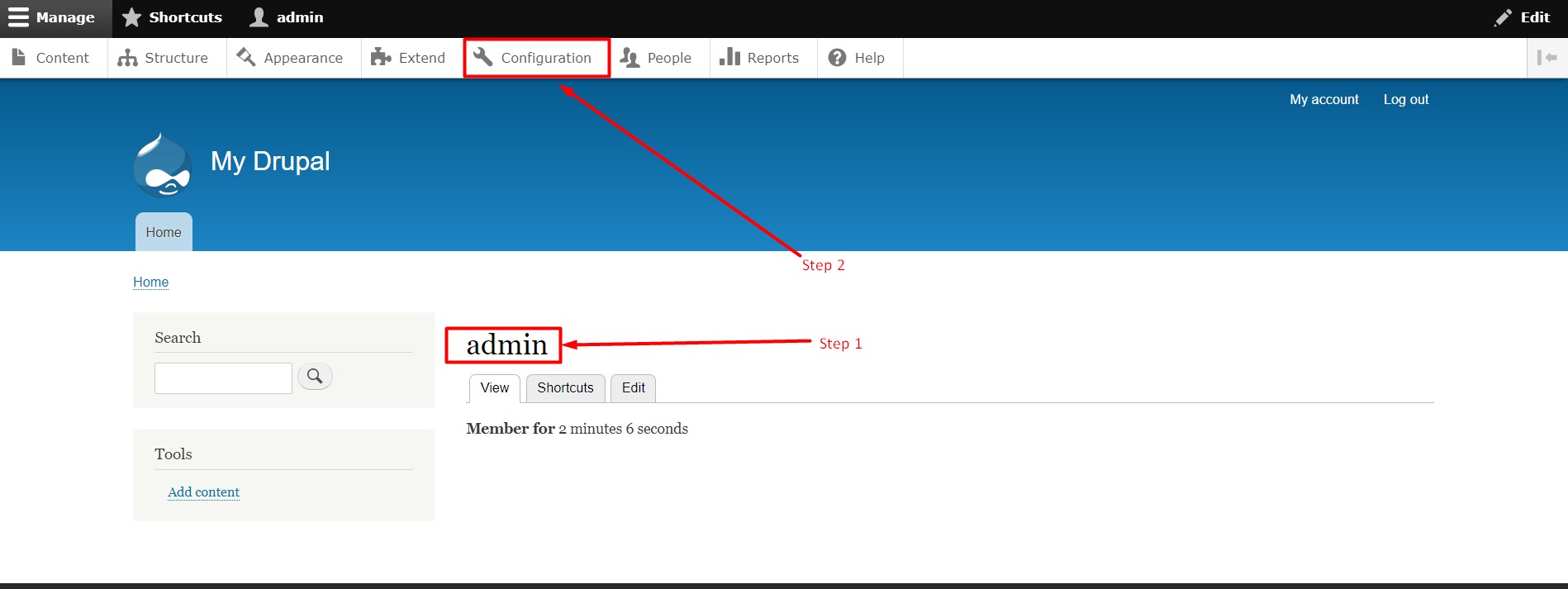
Step 1: Login to Drupal admin panel.
Step 2: Click on the tab ‘Configuration’.
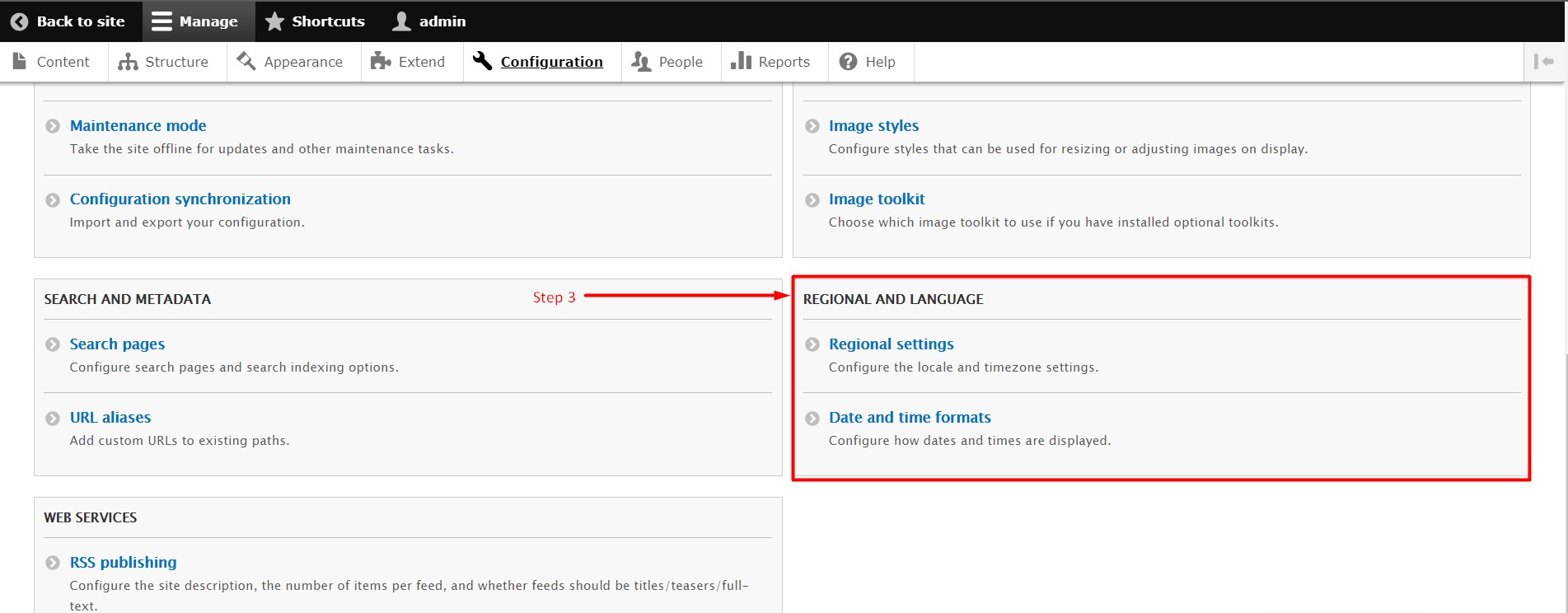
Step 3: Scroll Down & Go to the section ‘Regional and Language’.
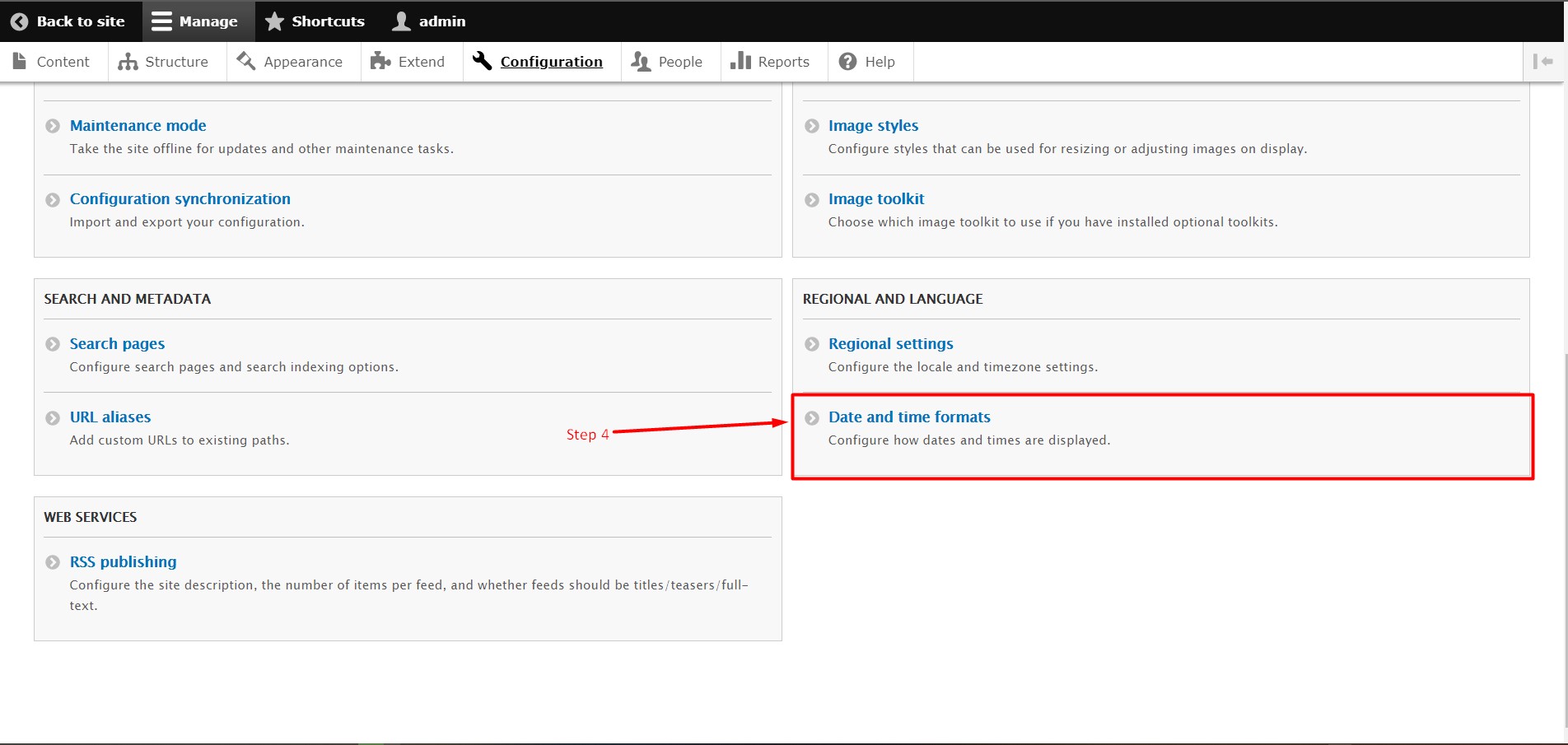
Step 4: Select the section ‘Date and Time’.
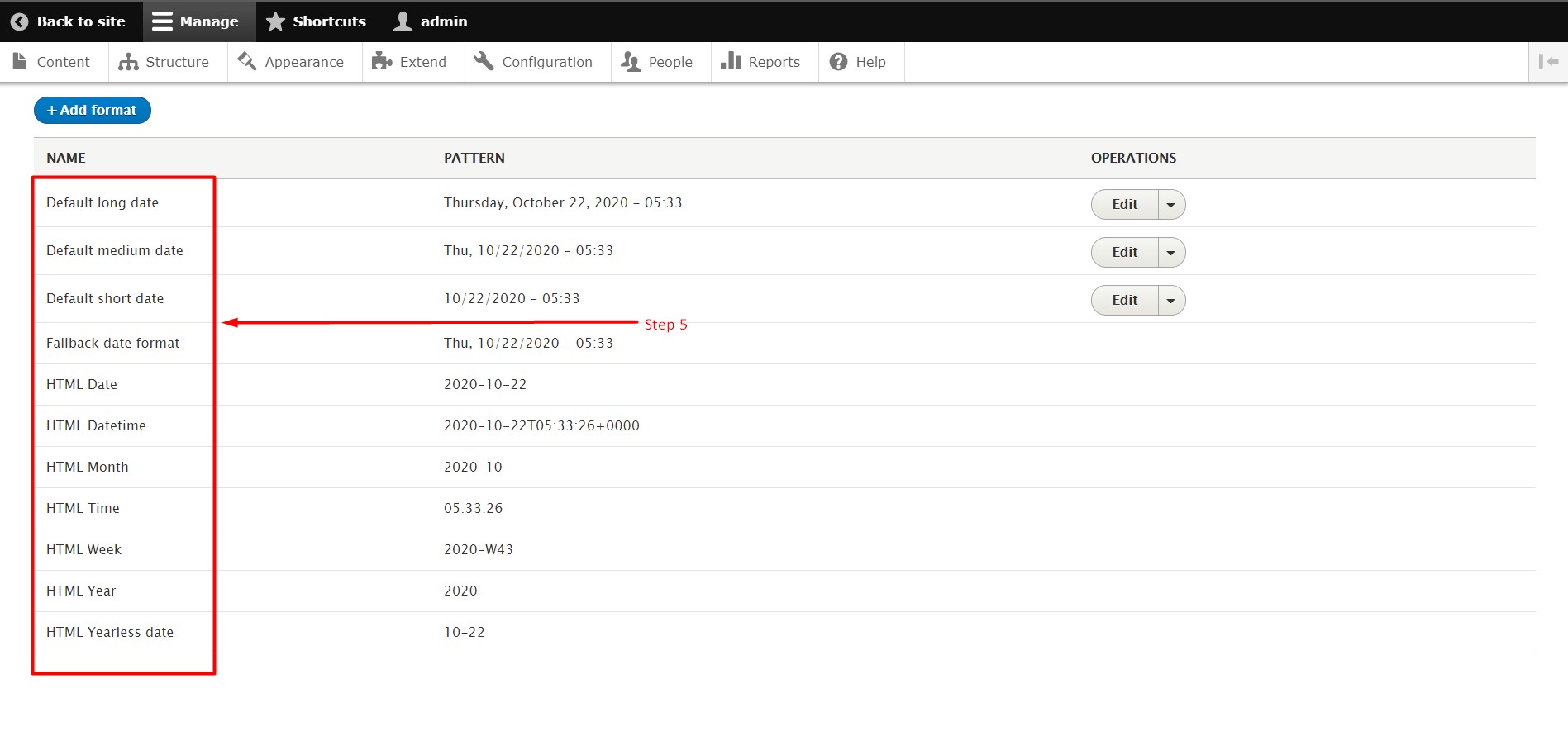
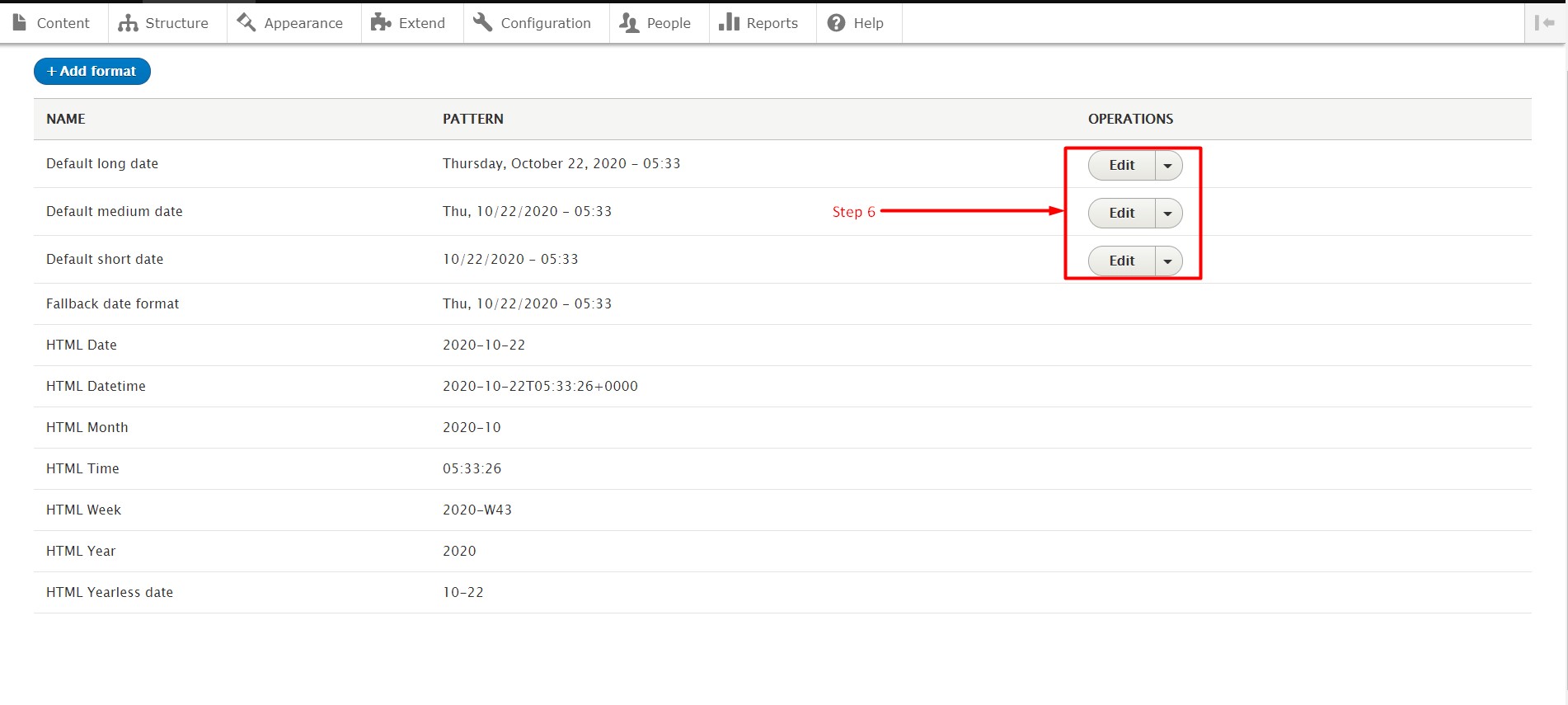
Step 5: Select the format.
Note: There are many formats built in Drupal. You can just select one as per your requirement OR you can ‘EDIT’ existing format as per your requirement.
Step 6: To ‘EDIT’ the format Click on EDIT from Left-sided Dropdown List.
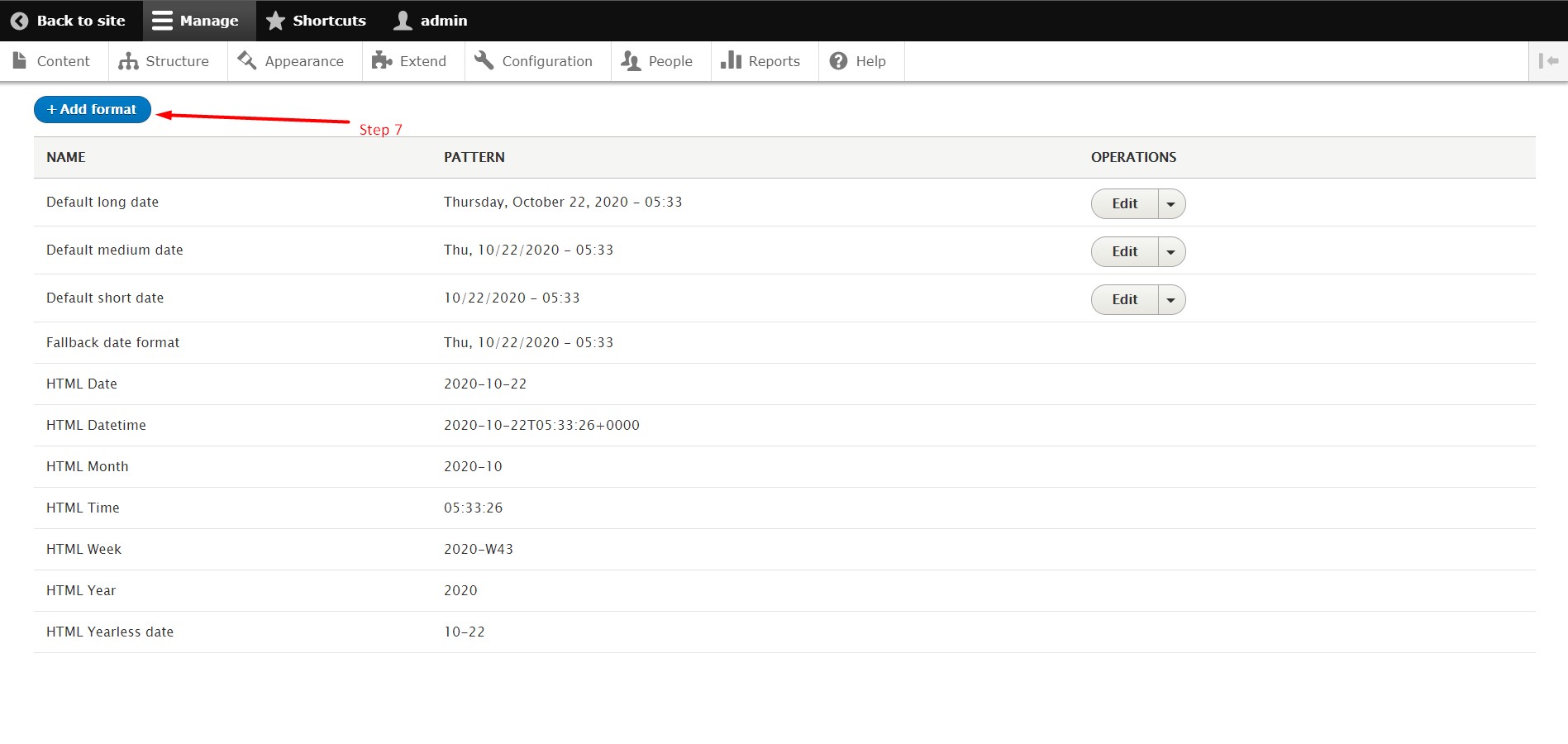
Step 7: When you want to add new ‘DATE’ & ‘TIME’ Format Click On ‘+ Add Format’.
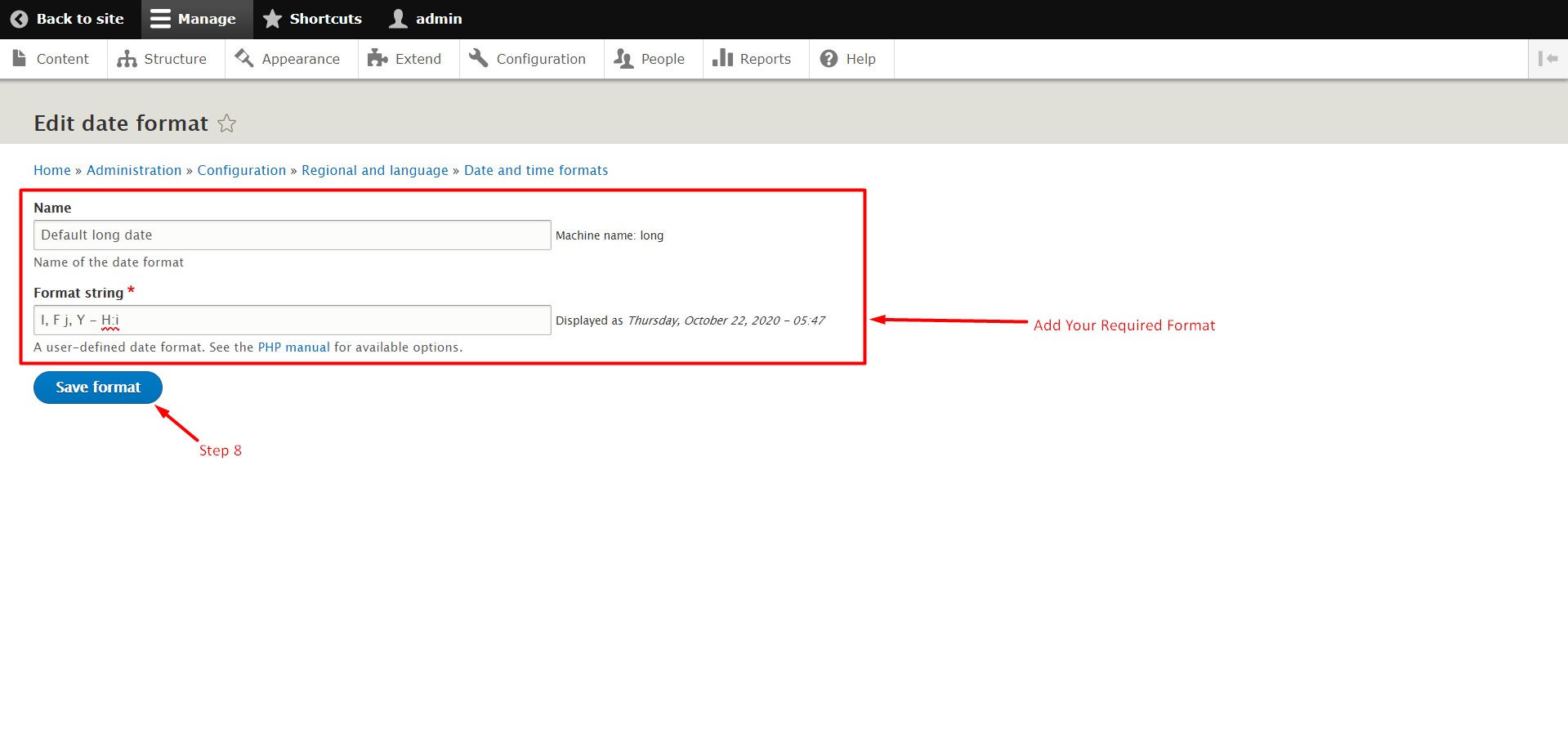
Step 8: ‘EDIT’ OR ‘ADD’ the fields & Click the button ‘Save Configuration’.
So, with these few easy steps you can change or customise ‘Date’ & ‘Time’ format in Drupal. We hope this tutorial was helpful for you. If you have any questions regarding this topic, please let us know in the comment section given below. If you are an active GICTServer customer, please contact our awesome support staff!
Related guides
Create a Contact Webform Using Drupal 8 Webform Module
In this knowledgebase, you learn the steps to create a contact form using the Drupal 8 Webform Modules. The Webform module in Drupal 8 is a flexible
DrupalHow to Block IP Address in Drupal
In this documentation, we can check how to block IP address in Drupal. 1) Login to Drupal admin panel. 2) Click on the tab ‘Configuration’. 3) Go to the sec
DrupalHow to Add Content Type in Drupal
In this documentation, we can check how to add content type in Drupal. 1) Login to Drupal admin panel. 2) Go to the tab ‘Structure’. 3) Click on the option
DrupalHow to Configure RSS Publishing in Drupal
In this documentation, we can check how to configure RSS publishing in Drupal. 1) Login to Drupal admin panel. 2) Click on the tab ‘Configuration’. 3) Go to