
GICT knowledge base
Install ProFTPD in Webmin
Published
Install ProFTPD in Webmin
Webmin
Webmin is a web-based interface for administration for Unix using any web browsers, we can perform most of the function which we are performing from CLI. The latest available version of Webmin is 1.881
FTP
FTP stands for file transfer protocol, it is designed to allow client programs to read, write and delete files on a remote server, regardless of the operating system that the server is running. Essentially, it is a file sharing protocol.
Install ProFTPD
1) Login to Webmin Panel.
2) Click on the option “Webmin” on the right-hand side menu.
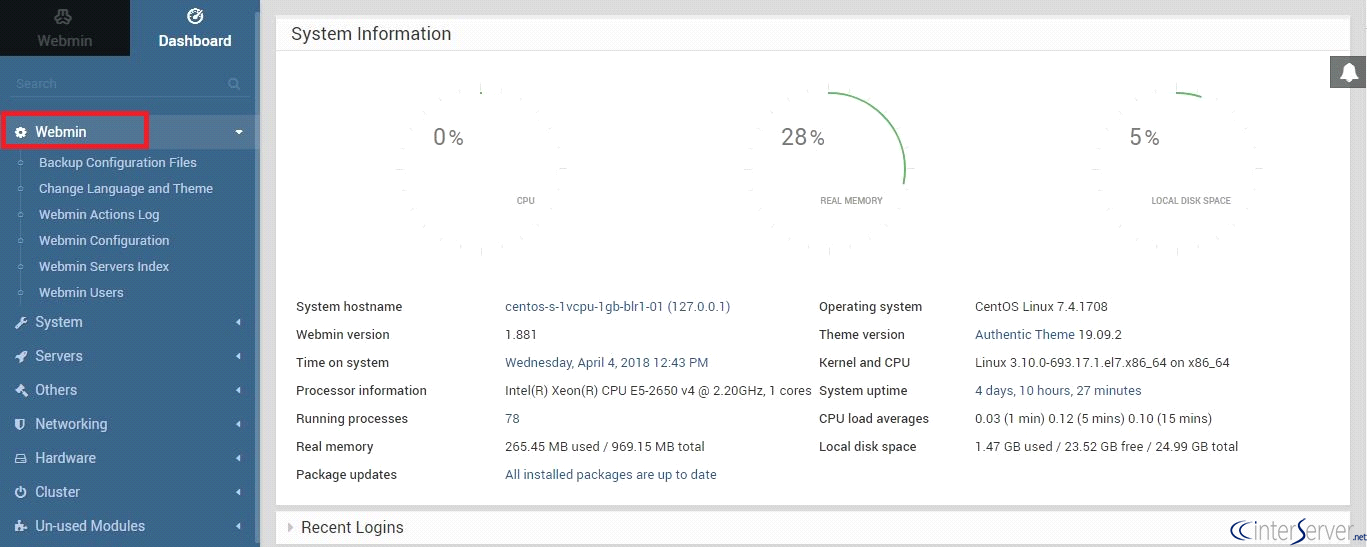
3) Select the option “Webmin Configuration” under the “Webmin” section.
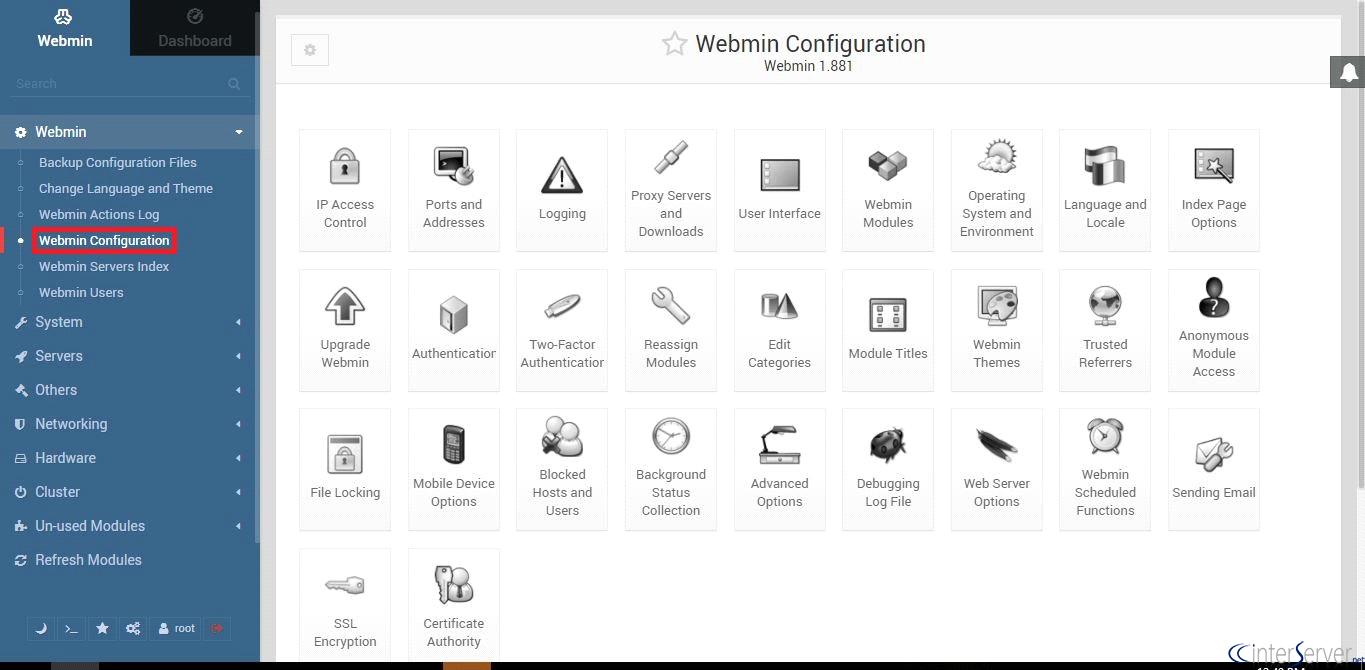
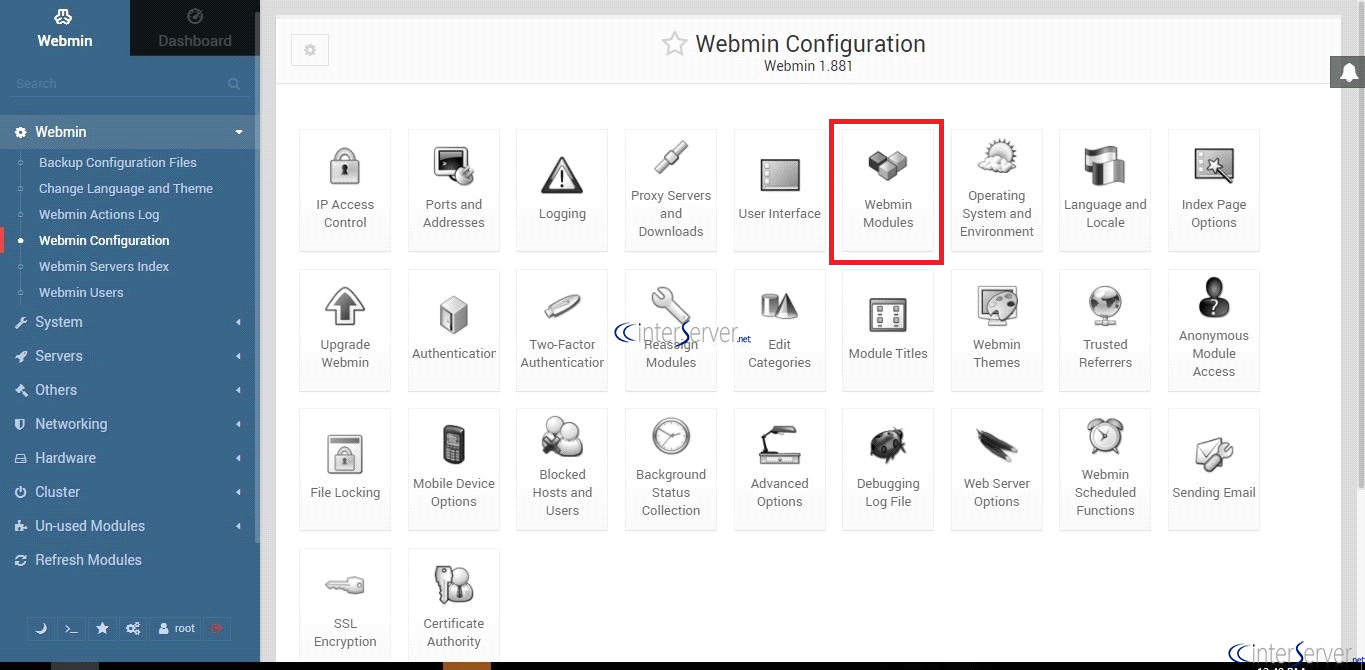
4) Select the “Webmin Modules” option under the section “Webmin Configuration”.
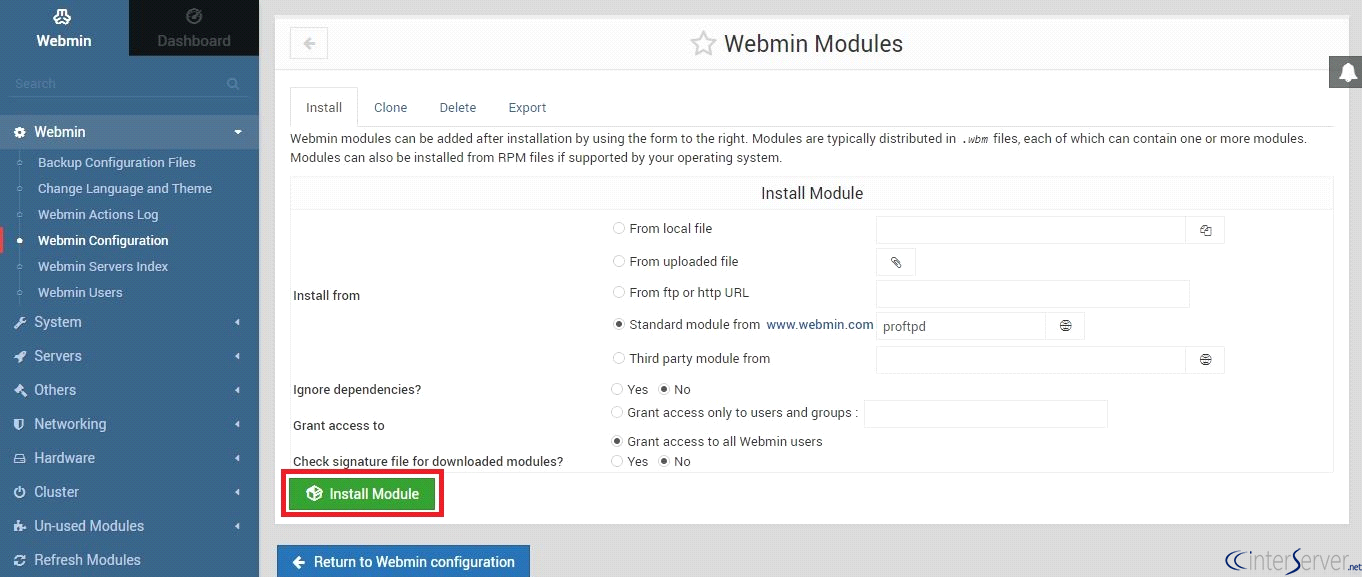
5) An installation menu will appear. Select the option “Standard modules from www.webmin.com”.
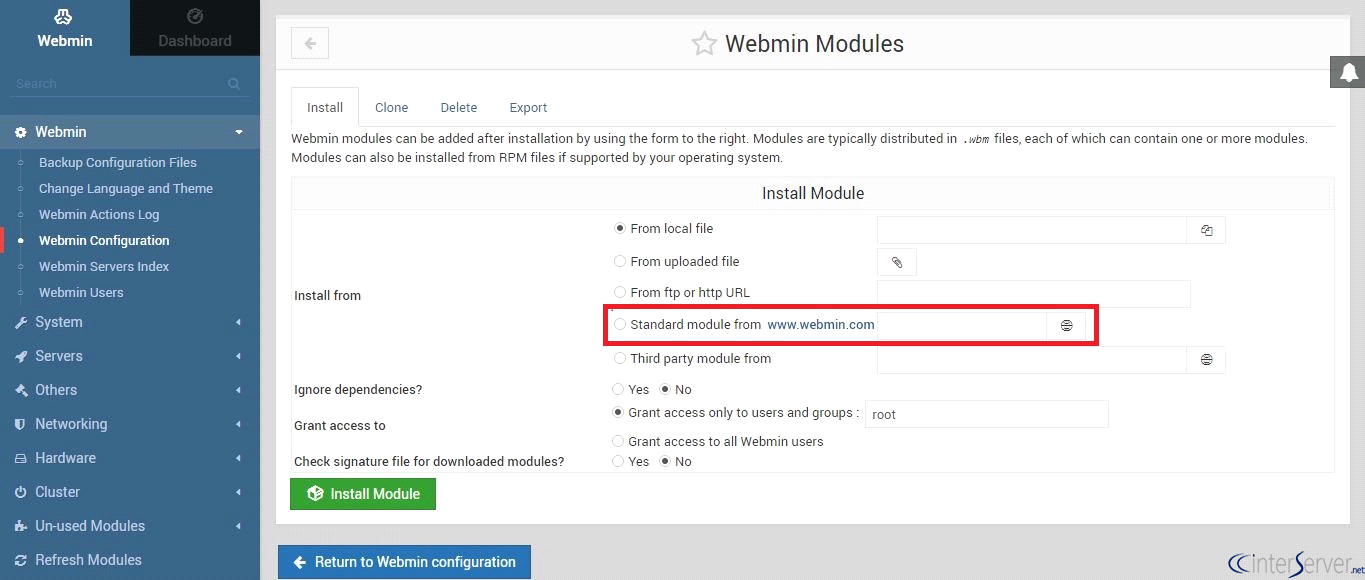
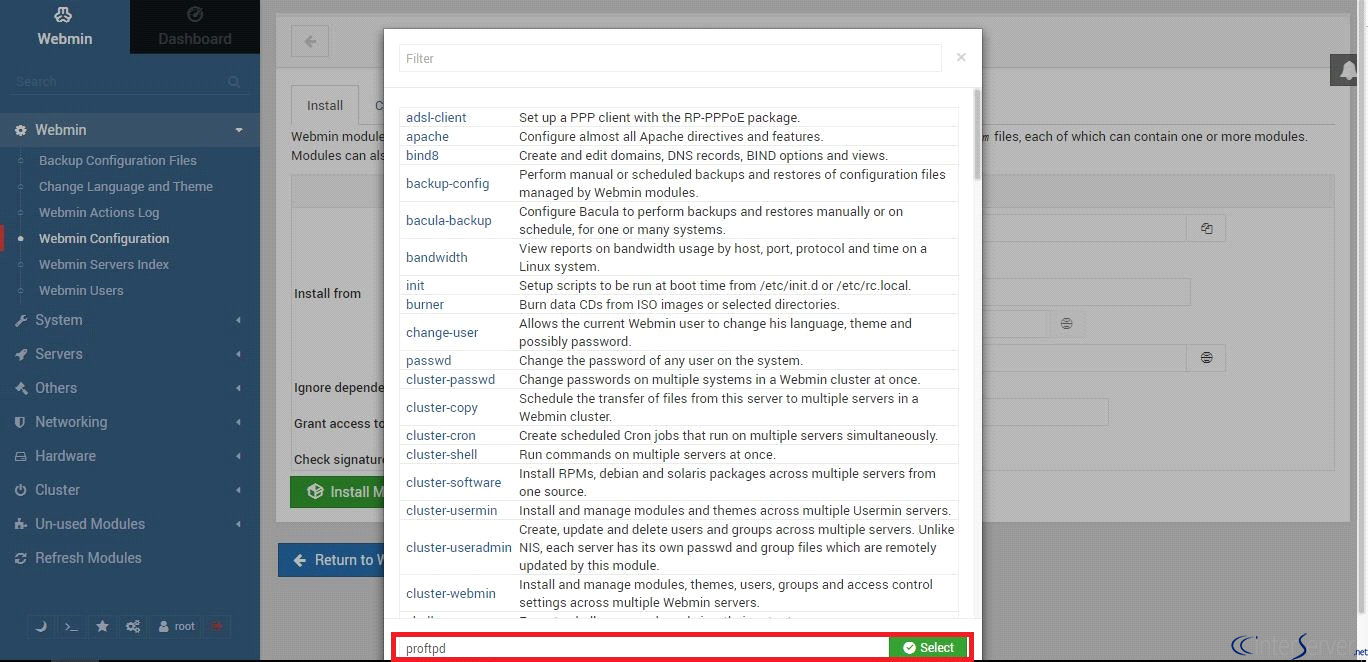
6) A screen will appear for selecting the modules, search and select the module ProFTPD.
7) Click on the option “Install Module”.
If you need any further assistance please contact our support department.
Related guides
LFTP How to
If you manage websites or backups on an GICTServer VPS or dedicated server, you will eventually need to move large batches of files between systems.
FTP6 Best SFTP Clients for Windows and Mac Users
SFTP is a secure file transfer protocol. You can use these SFTP clients to securely transfer files to and from your web hosting account.
FTPHow to Perform Site to Site File Transfer using FlashFXP FTP Client
FlashFXP is a Windows FTP client which is used to transfer files and data to remote location over file transfer protocol.
FTPReview Pure-FTPd Listing Limits Without Replacing Whole Configurations
Distinguish truncated FTP listings from missing data, use the supported cPanel local override and avoid arbitrary configuration downloads.