
GICT knowledge base
Install MagicSpam Through Plesk Panel
Published
In this tutorial let’s learn how to install MagicSpam via Plesk. MagicSpam is an anti-spam which is designed to target spam and junk mail, which will prevent the spam mail before reach the inbox. It is spam protection in the SMTP layer. There is a need for changing the DNS or MX records. MagicSpam can be used as an antispam solution for Plesk Panel Servers. Magic Spam for Plesk will coexist with other spam filters like Spam Assassin. It will block most of the spam even before it gets to Spam Assassin or any other Anti-Virus program.
Steps to Install MagicSpam
To install MagicSpam, follow the steps mentioned below.
1) Login to the Plesk control panel using your username and password.
2) Go to Plesk Home >> Extensions.
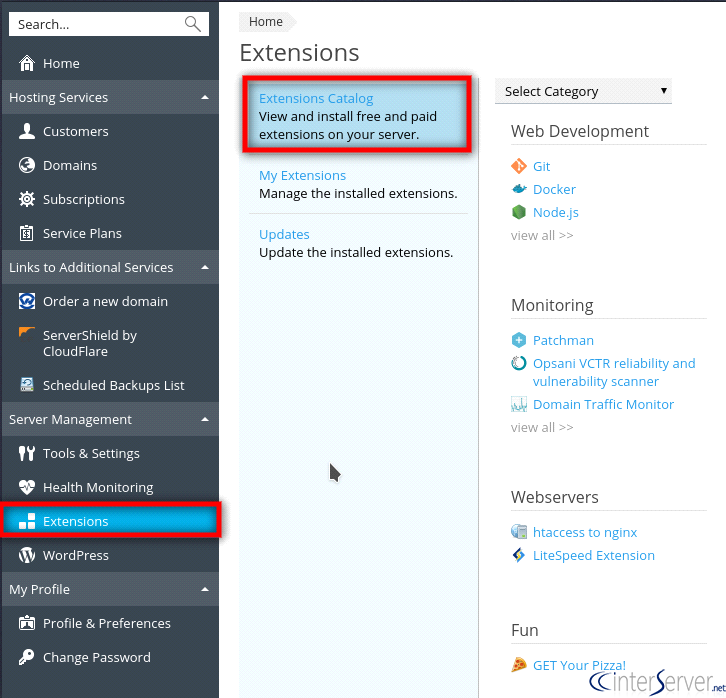
3) Search “MagicSpam Embedded Protection” and click the “Install” button.
4) After the installation of the MagicSpam, click on the “My Extensions”. You can see the installed MagicSpam Embedded Protection in your list.
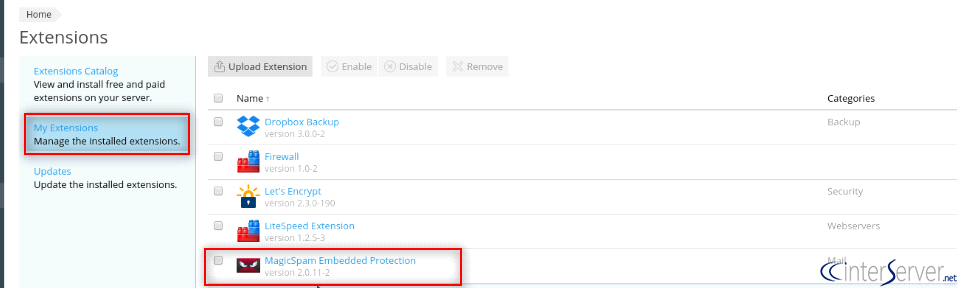
5) Click on the “Go to Extensions” at the right-hand side.
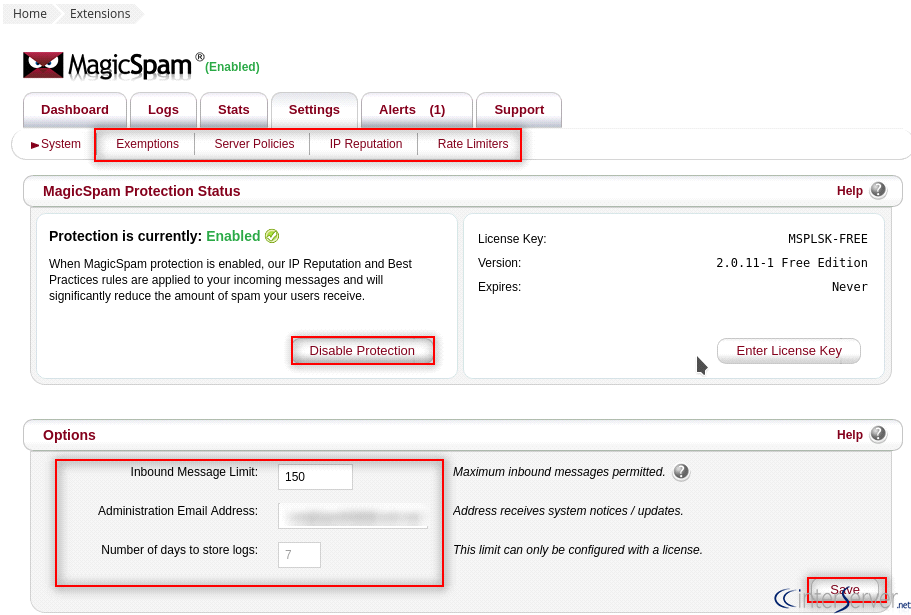
6) Click on the “Settings” tab. This window will show that MagicSpam Protection is enabled or not. Same time we can enable or disable MagicSpam protection from this window.
7) You can set inbound message limitation by using the “Options” field. We can put the administrator email id in this field.
8) The “Exemptions” tab allows blocking specific senders and IP’s.
9) “Server Policies” field is used for configuring rules of MagicSpam.
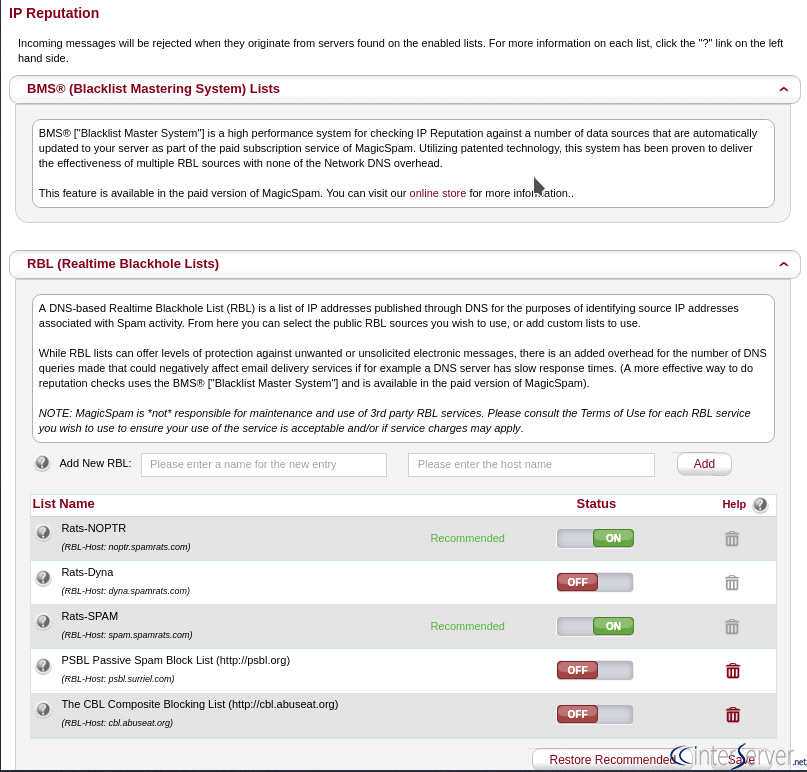
10) The “IP Reputation” settings is a very useful feature and we can check the sender email-id’s IP address reputation.
11) Click on the “Save” button to update the changes.
If you need any further help, please do reach our support department.
Related guides
cPanel and Plesk notice: Awstats,. Webalizer and Analog stats are being removed
Important Update: cPanel and Plesk Phasing Out Legacy Statistics Tools If you regularly check your website traffic through your hosting control panel, we have an...
PleskUnderstanding the db_owner Role in Plesk Windows Hosting
If you have ever managed a database on a Windows-based hosting plan using Plesk, you might have noticed that your database user doesn’t always start with "full"...
PleskUsing Nmcli to Set a Static IP (Replacing DHCP) on AlmaLinux (RHEL Based) – Recommended for control panel systems
If you have been managing servers for a while, you probably remember the days when control panels like cPanel and Plesk absolutely hated NetworkManager.
PleskEmail Management in Plesk
In this article we are going to discuss about Email management in Plesk control panel.