
GICT knowledge base
Steps to Install ClamAV (Virus Scanner) on Directadmin
Published
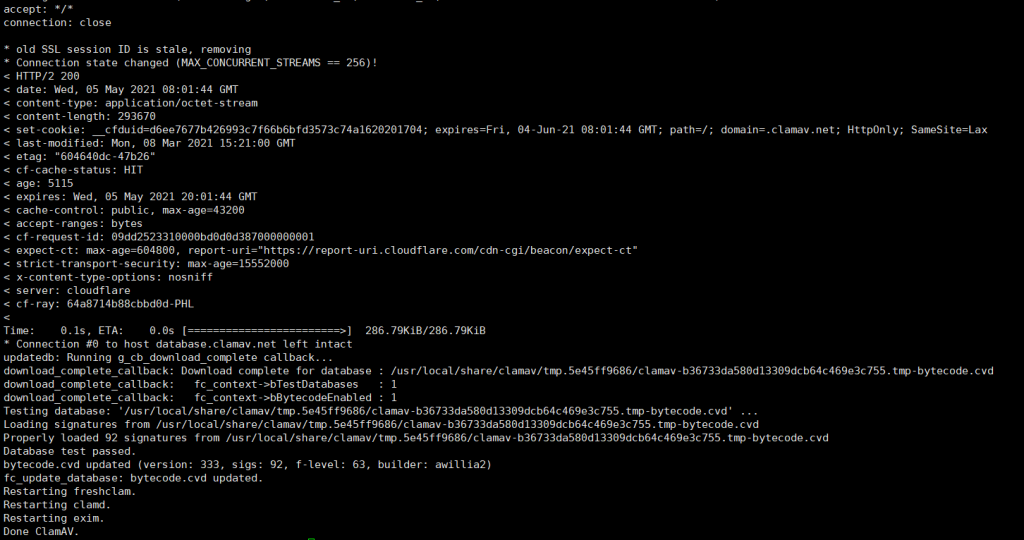
ClamAV is a free software, cross-platform and open-source antivirus software toolkit able to detect many types of malicious software, including viruses. It includes a number of utilities: a command-line scanner, automatic database updater and a scalable multi-threaded daemon, running on an anti-virus engine from a shared library.
Here we’re explaining steps to install ClamAV in the Directadmin (VPS/Dedicated):
1. Login as root (ssh root@ip_address) to server via Putty or Xshell
2. Change the current working directory to ‘custombuild’
# cd /usr/local/directadmin/custombuild
3. We need to compile ClamAV now. This process will take bit time.
./build update
./build set clamav yes
./build clamav
4. Once the installation is completed, run following commands to update the ClamAV virus database manually and to check whether the configuration is successfully set
# freshclam
5. We can now start the ‘clamd’ service
# service clamd start
That’s it!! Done. You will be able to scan the whole server or specific directory using below one’s:
# clamscan -r -i / (full scan)
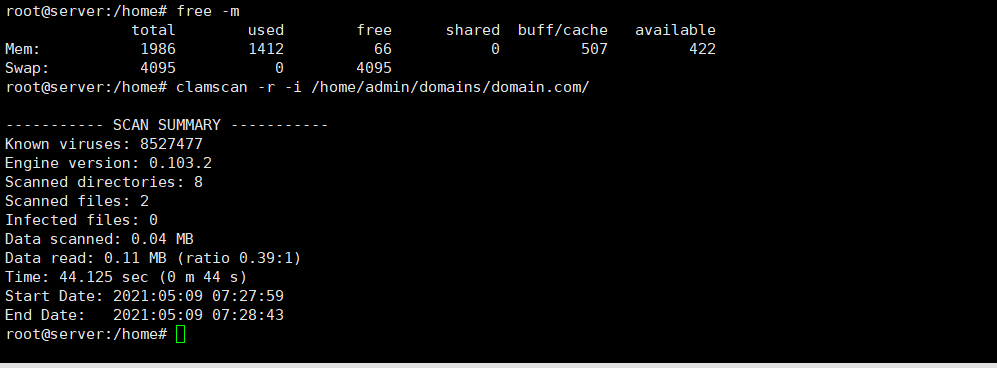
# clamscan -r -i /home/admin/domains/domain.com/ (to specific directory)
Kindly note that ClamAV (or any virus scanner) is a memory hog service. You need to make sure to have enough swap memory in your server, otherwise you will likely to see ‘Killed’ output while scanning. You can increase the swap file via:
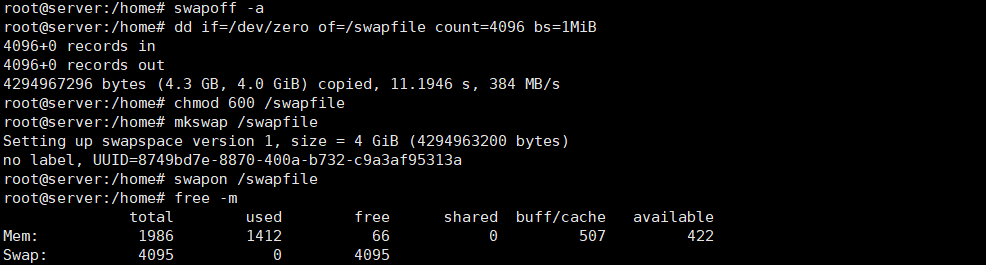
# swapoff -a
# dd if=/dev/zero of=/swapfile count=4096 bs=1MiB
# chmod 600 /swapfile
# mkswap /swapfile
# swapon /swapfile
You can confirm by running ‘free -m’. Sample output:
Feel free to contact our Live Chat support from https://www.GICTServer.net/. Our support team will be able to assist you with any service you have ordered through us.
Related guides
Host Additional Domains on an Eligible GICTServer Account
Check your hosting limits, choose a separate site or alias and use cPanel or DirectAdmin with deliberate DNS, content and certificate verification.
DirectAdminDirectadmin Legacy Downgrade errors
Understanding the DirectAdmin "Legacy Downgrade" Error If you are managing a server with DirectAdmin and suddenly find your control panel inaccessible, you may be facing...
DirectAdminDirectAdmin Storage Bandwidth Calculation
Understanding DirectAdmin Bandwidth and Storage Limits DirectAdmin storage manages specific bandwidth and disk space limits for your account.
DirectAdminDirectadmin Legacy Licenses
The State of DirectAdmin Licenses: Legacy vs. Unified In the past directadmin offered two code bases: Standard and Propack with additional features.