
GICT knowledge base
How to Setup PayPal in OpenCart?
Published
PayPal is the most popular payment gateway available in the market. It is very easy to integrate with online web applications. It means that you can use PayPal as a payment gateway for the services you provide or products you sell on the internet. PayPal has SDKs for almost all the programming languages. It is very popular with PHP applications.
OpenCart is a PHP based web application. So, it is very easy to integrate PayPal as a payment gateway in your OpenCart store. In this tutorial, I will show you How to setup PayPal payment gateway in the OpenCart store. To make the process easier to understand, We have attached screenshots after each and every step in this tutorial.
So, Let’s get started with the tutorial.
Setup PayPal in OpenCart
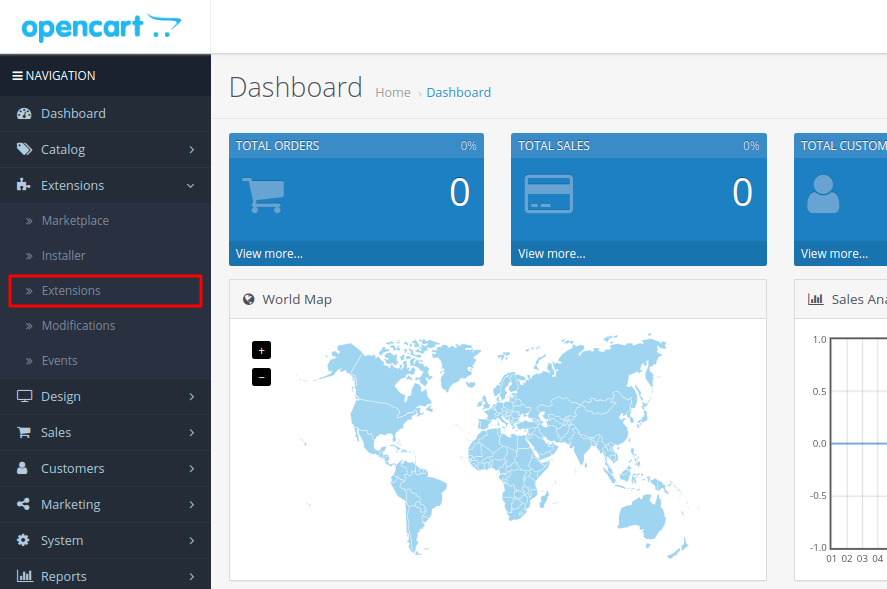
First of all, log in to the admin panel of your OpenCart store and click on the Extensions -> Extensions option from the left sidebar.
PayPal is not integrated into the OpenCart store by default. So, we have to install the PayPal Payment extension in our OpenCart store.
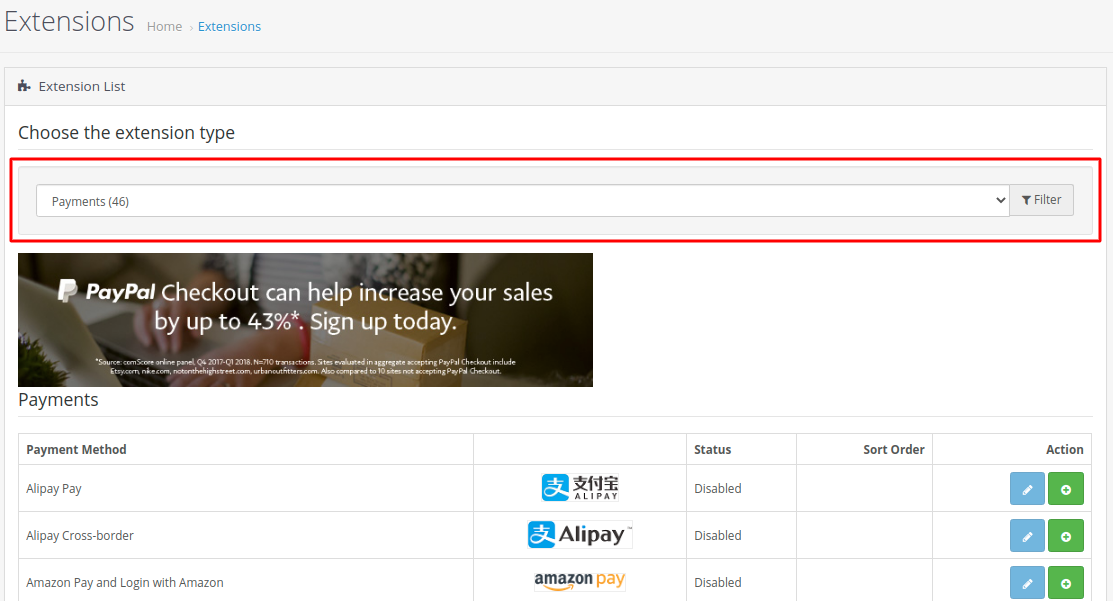
Now you will see the list of extensions based on categories. Select the Payments category from the drop-down menu to see different payment options you can integrate with your store.
Scroll down a bit and find the PayPal Commerce Platform and click on the “+” button corresponding to that extension. It will instantly install the PayPal payments extension in your OpenCart store. After the installation, It should look like the following.
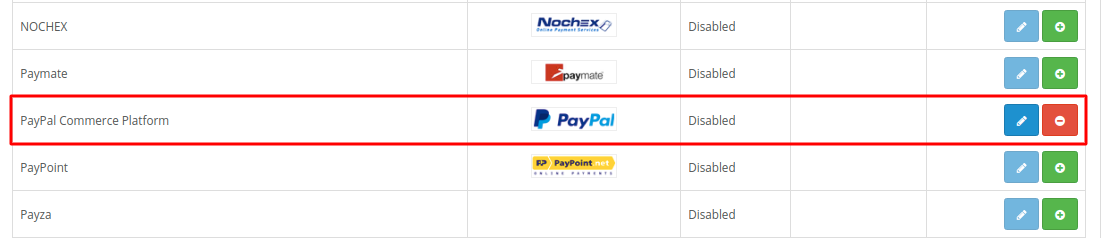
Now, Click on the Edit button represented in blue with the edit pen to configure your PayPal payment gateway. The Edit button will take you to a configuration form that contains a button to connect your PayPal account with the extension.
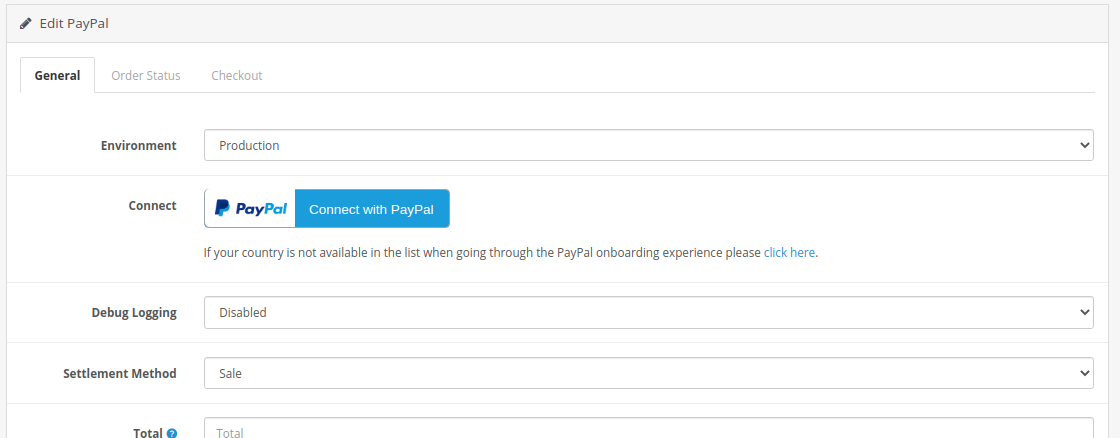
Once connected, click on the Save button given at the top-right corner of the page to apply changes.
You can also select the Sandbox environment if you are in the testing phase of the development. In the case of Production, you will have to make real payments that are not good while you are testing the functionality on the site. If your OpenCart store is in production, select the Production environment.
So, this is how you can set up PayPal with OpenCart. If you have any questions regarding this topic, please let us know in the comment section given below. We are happy to help!
Related guides
How to Install vQmod Manager in OpenCart
vQmod Manager is a graphical interface that helps you to see all the scripts, errors and all vQmod cache files. Many OpenCart modules are written by vQmod scripts.
OpenCartCreate Gift Vouchers in OpenCart
In this documentation, we can check how to create gift vouchers in OpenCart. 1) Login to OpenCart admin panel. 2) Go to the tab ‘Sales’. 3) Go to the option
OpenCartHow to Add an Affiliate in OpenCart?
Affiliate marketing is a win-win for Affiliate marketer as well as store owner. Follow this tutorial to learn how to add affiliate to opencart store.
OpenCartHow to Add Languages in OpenCart?
OpenCart is one of the most popular eCommerce management system. In this tutorial, I will show you how to add a new language to your OpenCart store.