
GICT knowledge base
How to Set Up Meilisearch with Docker
Published
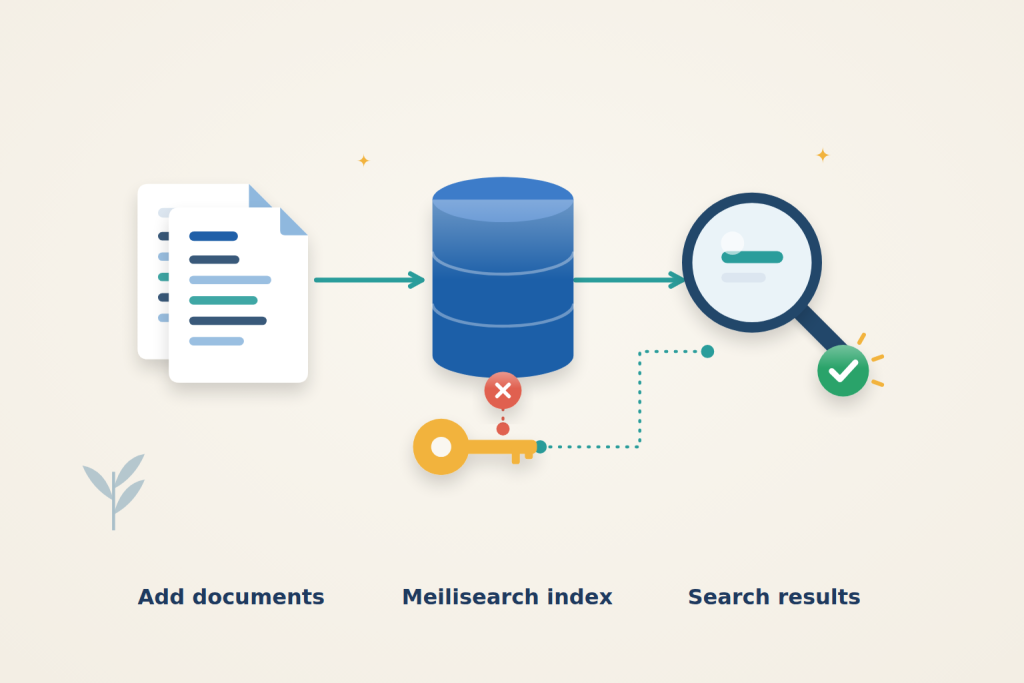
Meilisearch gives an application searchable indexes without requiring a separate database schema for every search feature. You send it JSON documents, wait for indexing to finish, then query the search API. Its typo tolerance helps users find results even when a word is misspelled.
Use an Ubuntu 24.04 server with sudo access. An GICTServer VPS is suitable for a small application; allow additional memory and disk space as your document collection grows. This setup exposes Meilisearch only on the server’s loopback address. Your server-side application can connect locally without publishing the API to the internet.
Private-port prerequisite: use Docker Engine 28 or newer for the loopback-published ports in this guide. Older releases have a documented localhost-port exposure limitation. Confirm from another machine that the public IP cannot reach those private service ports; a proxy login does not protect a direct bypass route.
1. Prepare Docker and the project
Install Docker, Compose and the command-line tools:
$ sudo apt-get update
$ sudo apt-get install -y docker.io docker-compose-v2 curl jq
$ sudo systemctl enable --now docker
$ sudo install -d -m 0700 -o "$USER" -g "$USER" /opt/meilisearch
$ cd /opt/meilisearch
Create /opt/meilisearch/.env with the following line, replacing the placeholder with a unique, randomly generated secret from your password manager. Use at least 32 alphanumeric characters; a 64-character random hexadecimal value is suitable. Keep a secure copy, because changing the master key also changes the derived API keys.
MEILI_MASTER_KEY=REPLACE_WITH_A_LONG_RANDOM_SECRETRestrict access to the file:
$ chmod 600 /opt/meilisearch/.envThe master key grants administrative access. Do not put it in browser code, commit it to Git or send it to users. Docker administrators can inspect container environment variables, so file permissions do not protect it from someone who already controls Docker.
2. Start Meilisearch
Create /opt/meilisearch/compose.yaml:
services:
  meilisearch:
    image: getmeili/meilisearch:v1.54.3
    restart: unless-stopped
    env_file:
      - .env
    environment:
      MEILI_ENV: production
      MEILI_NO_ANALYTICS: "true"
    ports:
      - "127.0.0.1:7700:7700"
    volumes:
      - meili_data:/meili_data

volumes:
  meili_data:
The version tag makes the installation reproducible. Production mode requires a master key, analytics are disabled, and the named volume keeps the database outside the container’s disposable filesystem. The port mapping deliberately starts with 127.0.0.1; do not change it to a public binding just to make a remote client connect.
$ sudo docker compose -f /opt/meilisearch/compose.yaml pull
$ sudo docker compose -f /opt/meilisearch/compose.yaml up -d
$ sudo docker compose -f /opt/meilisearch/compose.yaml logs --tail=20 meilisearch
$ curl -fsS http://127.0.0.1:7700/health
Once startup finishes, the health endpoint returns {"status":"available"}. This endpoint does not require a key; it confirms readiness, not authorization to read indexes. If the connection is refused, inspect the service logs and retry after initialization.
Run the following API commands in Bash on the server. Enter the same master key at the hidden prompt; this avoids placing its literal value in shell history:
$ read -rsp 'Master key: ' MEILI_MASTER_KEY; echoKeep this shell open for the remaining commands.
Plan the index and credential roles
The master key administers the server; use a narrower key for indexing and a search-only key for queries. Restrict indexes and actions deliberately. Search permission can still disclose indexed documents: it is not per-user tenant isolation. Never expose the master key in browser code.
3. Index a small collection
Create /opt/meilisearch/books.json with these sample documents:
[
  {"id": 1, "title": "Server Backups", "category": "operations"},
  {"id": 2, "title": "Nginx TLS Setup", "category": "web"},
  {"id": 3, "title": "PostgreSQL Indexes", "category": "database"}
]
Submit them to a new books index, explicitly choosing id as the primary key:
$ TASK_UID=$(curl -fsS -X POST 'http://127.0.0.1:7700/indexes/books/documents?primaryKey=id' -H "Authorization: Bearer $MEILI_MASTER_KEY" -H 'Content-Type: application/json' --data-binary @/opt/meilisearch/books.json | jq -er '.taskUid')
$ curl -fsS "http://127.0.0.1:7700/tasks/$TASK_UID" -H "Authorization: Bearer $MEILI_MASTER_KEY" | jq '{status, error}'
Document updates are asynchronous. Repeat the second command until status is succeeded; enqueued or processing means the operation is not finished. If it reports failed, read error before continuing. Receiving a task number alone does not prove that the documents were indexed.
4. Create a search-only key
Create /opt/meilisearch/search-key.json:
{
  "name": "Books search only",
  "actions": ["search"],
  "indexes": ["books"],
  "expiresAt": null
}
This key can search only the books index. It cannot add documents or manage indexes. null means it does not expire; choose an appropriate future expiry for a temporary integration. Anyone who holds this key can search the permitted index, so it is not a substitute for per-user authorization to private documents.
Create the key and retain its value in this shell without printing it:
$ SEARCH_KEY=$(curl -fsS -X POST http://127.0.0.1:7700/keys -H "Authorization: Bearer $MEILI_MASTER_KEY" -H 'Content-Type: application/json' --data-binary @/opt/meilisearch/search-key.json | jq -er '.key')
$ curl -fsS -X POST http://127.0.0.1:7700/indexes/books/search -H "Authorization: Bearer $SEARCH_KEY" -H 'Content-Type: application/json' --data '{"q":"backups"}' | jq '.hits'
The result should include Server Backups. Try bakcups as the query to check typo tolerance against this sample. Store the search key securely in your application’s server-side configuration; the shell variable disappears when the session ends.
Check that the same key cannot write:
$ curl -sS -o /dev/null -w '%{http_code}\n' -X POST http://127.0.0.1:7700/indexes/books/documents -H "Authorization: Bearer $SEARCH_KEY" -H 'Content-Type: application/json' --data-binary @/opt/meilisearch/books.jsonExpect HTTP 403. Use an appropriately scoped write key for application imports rather than giving the application the master key.
Distinguish an empty result from a failed import
Check the task status before adjusting search behavior. An accepted submission can remain queued, be processing, or eventually fail. Until it succeeds, an empty search result does not demonstrate a problem with ranking or typo tolerance. Read the task’s error rather than repeatedly submitting the same data without understanding the cause.
Once indexing succeeds, query a title you know is present, then try the deliberate misspelling. These are different acceptance checks: the first confirms basic retrieval, while the second exercises the sample’s typo-tolerant behavior. An unrelated query returning no hits is also useful; the API should not need to return a document for every possible search string.
Interpret the denied-write request alongside a working search using that same key. A 403 is the expected write restriction, not a reason to replace the search key with the master key in the application. If searching also fails, check the exact action and index scope before broadening permissions.
5. Verify persistence and finish
Recreate the container:
$ sudo docker compose -f /opt/meilisearch/compose.yaml up -d --force-recreate
$ curl -fsS http://127.0.0.1:7700/health
Wait for the health check to succeed, then repeat the search with the same search key. The saved documents and key should still work. Keep the meili_data volume: docker compose down -v deletes it and the database it contains. Persistence across container replacement is not a backup.
When finished, clear the temporary shell variables:
$ unset MEILI_MASTER_KEY SEARCH_KEY TASK_UIDIf protected requests fail, check that the correct key is supplied and that its actions and index scope match the request. For missing results, inspect the indexing task before changing search settings. If your application runs in another container, 127.0.0.1 refers to that container, not this service; connect it through a deliberately configured private Docker network rather than opening port 7700 publicly.
Reference: Meilisearch master and API keys. Check the documentation for your installed version before applying changes.
Related guides
Plan a Safe Redis-to-Valkey Migration
Plan a Redis-to-Valkey migration: check version compatibility, rehearse recovery, stop writers for cutover and protect against lost writes during rollback.
Web HostingHow to Self-Host Online Booking with EasyAppointments
Self-host EasyAppointments, protect initial setup and configure booking. Verify scheduling, customer notifications, rescheduling and cancellation.
Web HostingHow to Benchmark a VPS with fio and sysbench
Benchmark a VPS with fio and sysbench. Choose repeatable workloads and interpret storage latency, CPU scaling, memory caches and steal time carefully.
Web HostingHow to Collect Nginx Logs with Vector
Collect Nginx logs with Vector, parse structured fields and verify fresh events. Understand checkpoints, rotation and delivery limitations.