
GICT knowledge base
How to Protect a Web App with Authelia
Published
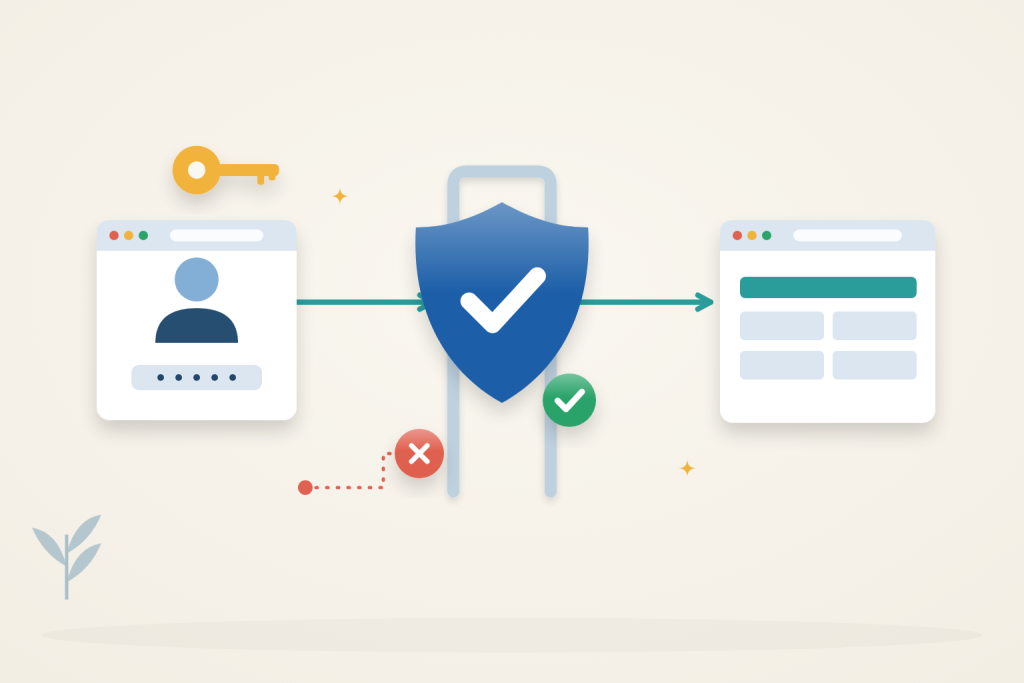
Authelia can put a login page in front of a private web app, even when the app has no built-in authentication. Nginx checks each request with Authelia before forwarding it. This setup uses passwords and an allowed-user group; it does not enable two-factor authentication.
Use Ubuntu 24.04 with sudo access, Docker Engine and the Compose plugin. Your app must already work at http://127.0.0.1:8080 on the same server. An GICTServer VPS can host both services; size it for the application’s workload.
Point auth.example.com and app.example.com to the server and have a trusted TLS certificate covering both names, with renewal arranged. Replace example.com throughout. Use a parent domain you control: Authelia’s session cookie covers its subdomains, so do not share it with untrusted sites. Adjust the certificate paths below to your existing files.
Private-port prerequisite: use Docker Engine 28 or newer for the loopback-published ports in this guide. Older releases have a documented localhost-port exposure limitation. Confirm from another machine that the public IP cannot reach those private service ports; a proxy login does not protect a direct bypass route.
Understand the access boundary
Authelia authenticates the user and evaluates access; Nginx must enforce that decision before proxying to the application. Keep every alternative backend route private. This example uses password authentication, not two-factor authentication, and verifies both an allowed user and a signed-in user outside the permitted group.
1. Keep the application private
Bind the app to loopback, not 0.0.0.0. For a Docker app, publish its port as 127.0.0.1:8080:APP_PORT. Remove any older public port mapping or unprotected proxy route; otherwise visitors can bypass Authelia.
Install Nginx and prepare the directories:
$ sudo apt-get update
$ sudo apt-get install -y nginx openssl
$ sudo install -d -m 0755 /opt/authelia
$ sudo install -d -o 1000 -g 1000 -m 0750 /opt/authelia/config /opt/authelia/secrets
$ cd /opt/authelia
The container will run as UID/GID 1000. Its configuration directory also holds the persistent database.
Generate separate session and storage secrets directly into files:
$ sudo openssl rand -hex -out /opt/authelia/secrets/session 32
$ sudo openssl rand -hex -out /opt/authelia/secrets/storage 32
$ sudo chown 1000:1000 /opt/authelia/secrets/session /opt/authelia/secrets/storage
$ sudo chmod 600 /opt/authelia/secrets/session /opt/authelia/secrets/storage
Keep these files; do not regenerate the storage encryption key for an existing database.
2. Configure Authelia and an allowed user
Create /opt/authelia/compose.yaml:
services:
  authelia:
    image: authelia/authelia:4.39.28
    restart: unless-stopped
    user: "1000:1000"
    ports:
      - "127.0.0.1:9091:9091"
    environment:
      AUTHELIA_SESSION_SECRET_FILE: /secrets/session
      AUTHELIA_STORAGE_ENCRYPTION_KEY_FILE: /secrets/storage
    volumes:
      - ./config:/config
      - ./secrets:/secrets:ro
Create /opt/authelia/config/configuration.yml:
server:
  address: tcp://:9091/
authentication_backend:
  password_reset:
    disable: true
  password_change:
    disable: true
  file:
    path: /config/users.yml
access_control:
  default_policy: deny
  rules:
    - domain: app.example.com
      subject: 'group:app_users'
      policy: one_factor
session:
  inactivity: 5m
  expiration: 1h
  remember_me: -1
  cookies:
    - domain: example.com
      authelia_url: https://auth.example.com
      default_redirection_url: https://app.example.com
storage:
  local:
    path: /config/db.sqlite3
notifier:
  filesystem:
    filename: /config/notifications.txt
totp:
  disable: true
webauthn:
  disable: true
The default policy denies access. Only members of app_users can reach the app. Password reset, password changes and second-factor enrollment are disabled for this password-only setup. The filesystem notifier writes locally; it does not send email. Do not use this notifier for user email recovery or two-factor enrollment.
Generate an Argon2 password hash using the hidden interactive prompt:
$ sudo docker run --rm -it authelia/authelia:4.39.28 authelia crypto hash generate argon2Create /opt/authelia/config/users.yml. Replace the placeholder with the complete generated hash, retaining the single quotes, and use your user’s name and email:
users:
  alice:
    displayname: Alice
    password: 'PASTE_ARGON2_HASH_HERE'
    email: alice@example.com
    groups:
      - app_users
Finish file permissions, validate the configuration and start Authelia:
$ sudo chown 1000:1000 /opt/authelia/config/configuration.yml /opt/authelia/config/users.yml
$ sudo chmod 600 /opt/authelia/config/configuration.yml /opt/authelia/config/users.yml
$ sudo docker compose run --rm authelia authelia validate-config --config /config/configuration.yml
$ sudo docker compose up -d
$ sudo docker compose ps
Resolve validation errors before continuing. Only Nginx needs access to port 9091; the Compose mapping keeps it on loopback.
3. Put Nginx in front of the app
Create /etc/nginx/sites-available/authelia.conf with the following contents. If either hostname already has an Nginx site, replace or merge its server block instead of adding a duplicate. Keep unrelated sites intact.
server {
    listen 80;
    server_name auth.example.com app.example.com;
    return 301 https://$host$request_uri;
}

server {
    listen 443 ssl;
    server_name auth.example.com;
    ssl_certificate /etc/nginx/tls/example.com/fullchain.pem;
    ssl_certificate_key /etc/nginx/tls/example.com/privkey.pem;

    location / {
        proxy_pass http://127.0.0.1:9091;
        proxy_set_header Host $host;
        proxy_set_header X-Forwarded-Proto $scheme;
        proxy_set_header X-Forwarded-Host $host;
        proxy_set_header X-Forwarded-For $remote_addr;
    }
}

server {
    listen 443 ssl;
    server_name app.example.com;
    ssl_certificate /etc/nginx/tls/example.com/fullchain.pem;
    ssl_certificate_key /etc/nginx/tls/example.com/privkey.pem;

    location = /internal/authelia/authz {
        internal;
        proxy_pass http://127.0.0.1:9091/api/authz/auth-request;
        proxy_pass_request_body off;
        proxy_set_header Content-Length "";
        proxy_set_header X-Original-Method $request_method;
        proxy_set_header X-Original-URL $scheme://$host$request_uri;
        proxy_set_header X-Forwarded-For $remote_addr;
    }

    location / {
        auth_request /internal/authelia/authz;
        auth_request_set $redirection_url $upstream_http_location;
        error_page 401 =302 $redirection_url;
        auth_request_set $auth_user $upstream_http_remote_user;
        auth_request_set $auth_groups $upstream_http_remote_groups;
        auth_request_set $auth_name $upstream_http_remote_name;
        auth_request_set $auth_email $upstream_http_remote_email;
        proxy_set_header Remote-User $auth_user;
        proxy_set_header Remote-Groups $auth_groups;
        proxy_set_header Remote-Name $auth_name;
        proxy_set_header Remote-Email $auth_email;
        proxy_set_header Host $host;
        proxy_set_header X-Forwarded-Proto $scheme;
        proxy_set_header X-Forwarded-For $remote_addr;
        proxy_pass http://127.0.0.1:8080;
    }
}
The authentication endpoint is internal to Nginx. It forwards the original request URL and method to Authelia without sending the application’s request body. A missing login produces a redirect; a logged-in user who fails the access policy receives a denial.
Nginx replaces identity headers with values returned by Authelia. This is not automatic single sign-on inside the app: keep any application login and permissions unless that application explicitly supports trusted-proxy authentication. Every additional application location must also enforce the authentication check.
Enable this new site, check syntax and reload:
$ sudo ln -s /etc/nginx/sites-available/authelia.conf /etc/nginx/sites-enabled/authelia.conf
$ sudo nginx -t
$ sudo systemctl reload nginx
Allow inbound HTTPS on port 443 and HTTP on port 80 for redirects. Keep your administrator SSH access. Do not open ports 8080 or 9091 publicly.
Why the proxy headers matter
The Remote-* values sent to the app come from the authentication subrequest, not from identity claims supplied by the browser. This prevents a client from choosing its own username merely by adding a header. The protection depends on the backend trusting only this controlled proxy path; exposing the app directly would undermine that assumption.
The internal authentication location sends the original method and URL, but not the app’s request body. The app still needs to receive its normal form submissions through the protected application location. For that reason, the final check should include a real permitted action, not just loading a login page or the app’s home screen.
4. Check login and denial
Open https://app.example.com in a private browser window. You should reach Authelia’s login page. An incorrect password must not grant access. Sign in as alice with the password used to generate the hash; the app should then load and its normal actions should work.
Open https://auth.example.com, sign out, and revisit the app. It should require login again. A separate private window without your session must also be blocked. Logging out of the app itself may not log you out of Authelia.
To verify the group restriction, add a second user with their own generated password hash and groups: [], restart Authelia, then sign in as that user. A valid password must not grant them access to the app. Remove the temporary user after checking.
The default session store is memory: restarting Authelia signs users out. The user file and SQLite database remain on disk. After editing the user file or access rules, apply the change with:
$ cd /opt/authelia
$ sudo docker compose restart authelia
After a restart, wait for Startup complete in the service log before testing access again.
Separate an authentication failure from an authorization failure when troubleshooting. An incorrect password should keep the browser at login. A valid user outside app_users should be denied access even though their credentials are correct. Changing the allowed group to make a password problem disappear, or allowing everyone to fix a group denial, would weaken a different control.
For redirect loops, check the shared cookie domain, HTTPS URLs and forwarded headers. For failures, inspect both services:
$ sudo docker compose logs --tail=50 authelia
$ sudo tail -n 50 /var/log/nginx/error.log
If Authelia is unavailable, the protected location must fail closed rather than serve the app. Fix the authentication service instead of removing auth_request to make the error disappear.
Reference: Authelia Nginx integration. Check the documentation for your installed version before applying changes.
Related guides
How to Resize Images with imgproxy
Resize images with imgproxy and signed URLs. Restrict source access, generate transformations and understand why a signature is not viewer authentication.
webhostingWhat Is Colocation Hosting? When It Makes Sense Over Cloud
Your server. Their datacenter. When colocation costs less than cloud and when cloud is the smarter call.
webhostingUnderstanding Network and Node-Level Security at GICTServer
When you are managing a website or a server, it is frustrating to run into a connection issue.
webhostingHow long does an expired VPS or webhosting account stay available for re-activation
If you have ever wondered what happens if you miss a payment or how long your data stays safe after your due date, this guide covers the lifecycle of an GICTServer VPS...