
GICT knowledge base
How to Install Drupal Modules?
Published
As we know Drupal is feasible and custom-make with the standard security. Drupal allows you to install modules in your website. What are these modules and why we need to install it? A module is a piece of code that provides a specific functionality to your website. Drupal builds itself as secured with the help of Data Encryption, it also allows the user to exchange their data in a manner. Drupal supports thousands of modules, just simply install it and use it. There are thousands of Drupal modules available for you.
But in Drupal, it’s not that mandatory to have technical-knowledge. That the reason behind its popularity. You can do everything which you can do on your website in a few steps. Drupal just gave you a platform where you can create a customisation website without any technical knowledge. Now, what do I mean by easy, let’s see how to install different modules on your website.
How to Install a module in Drupal
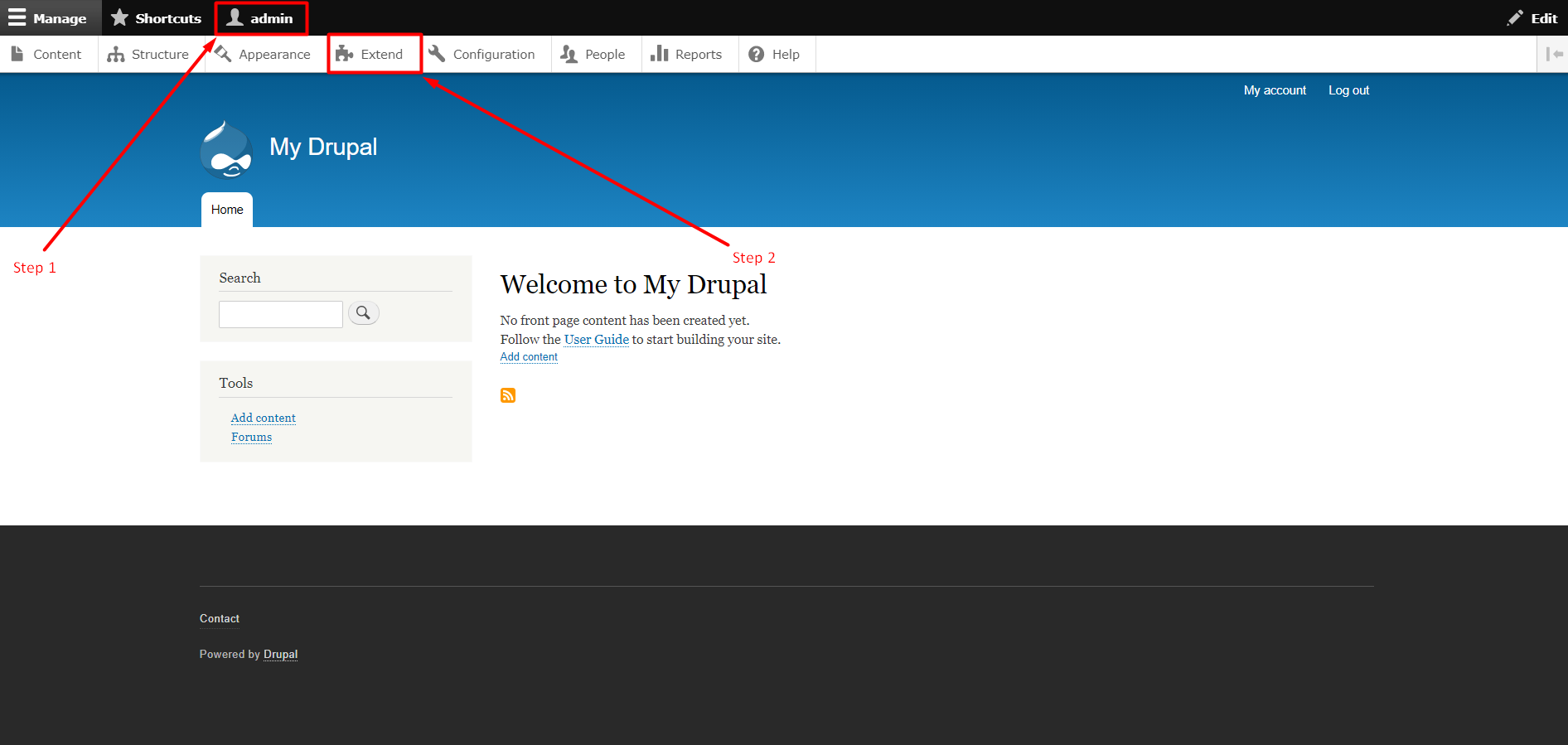
Step 1: Step 1: Log in to the Drupal Admin panel with your Username and Password.
Step 2: Click on Extend available in the tab section. This tab will take you next page then Scroll-Down and find the check box with Forum.
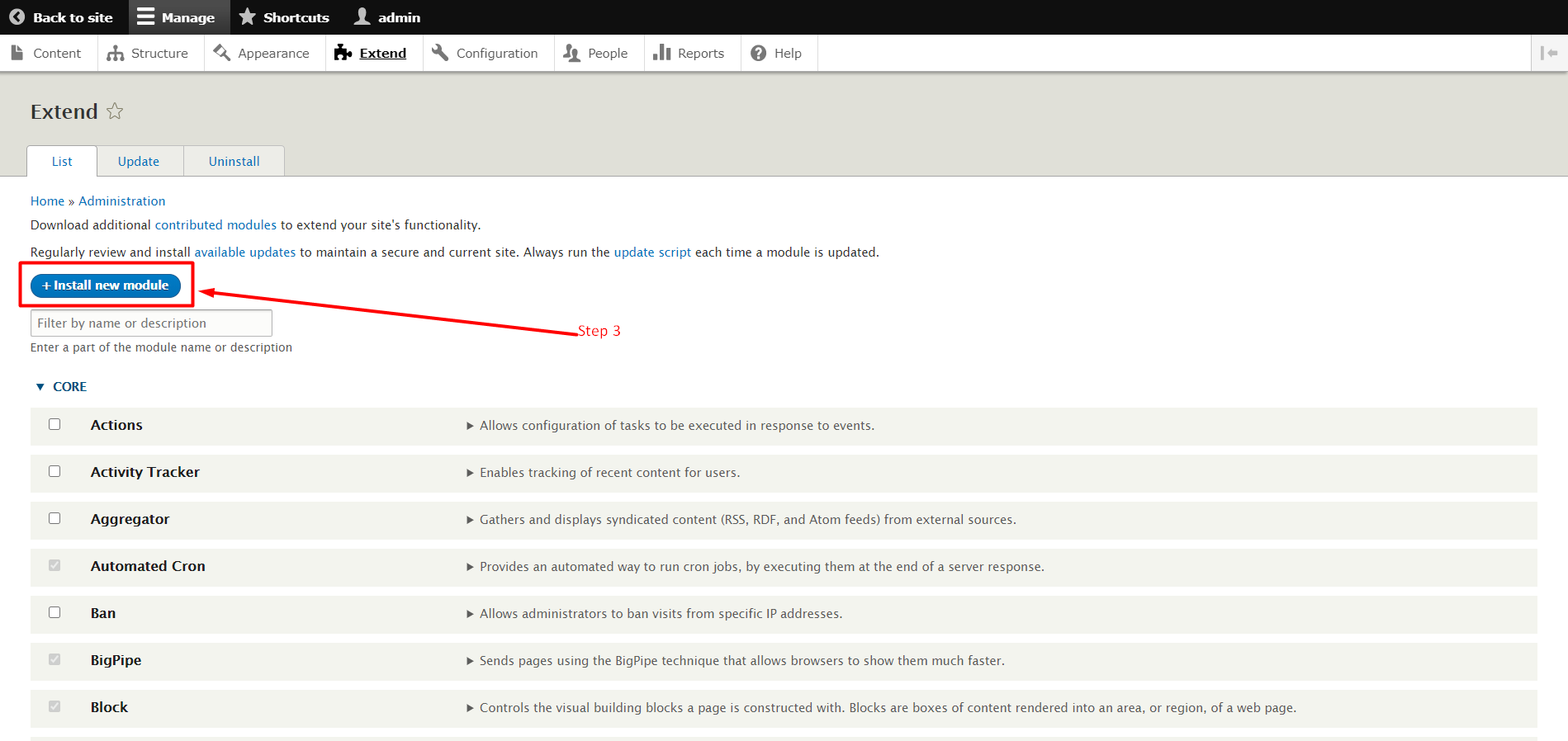
Step 3: Click On +Install new module Button.
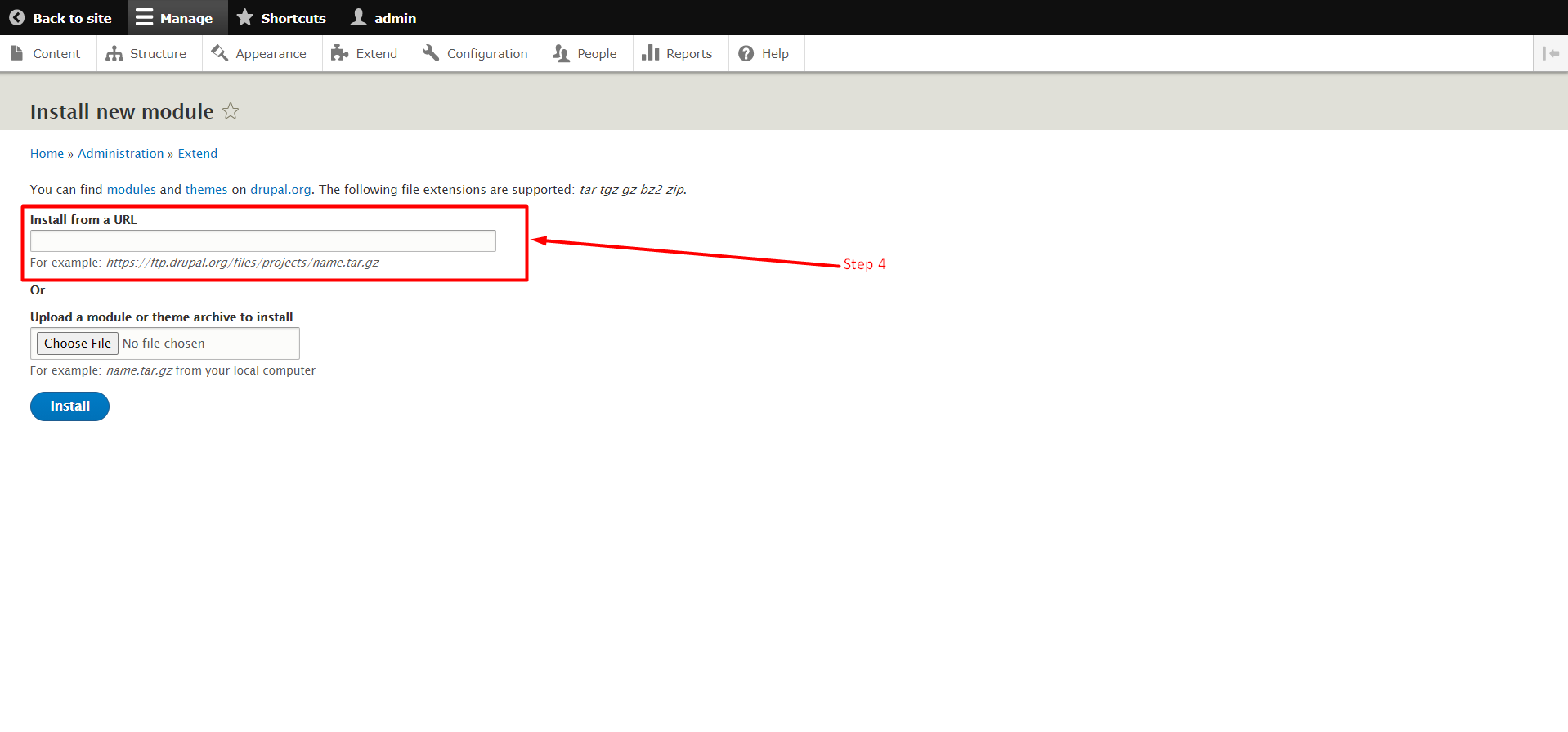
Step 4.1: Find the +Install new module button. It will take you to the page shown in the following image. There’s a Textbox to Install From URL, it allows you to install a theme with URL. To install a theme with this method, just paste the theme URL in the URL box.
Step 4.2: Now below of URL Textbox you can see another Add File Textbox and a button as Choose File.
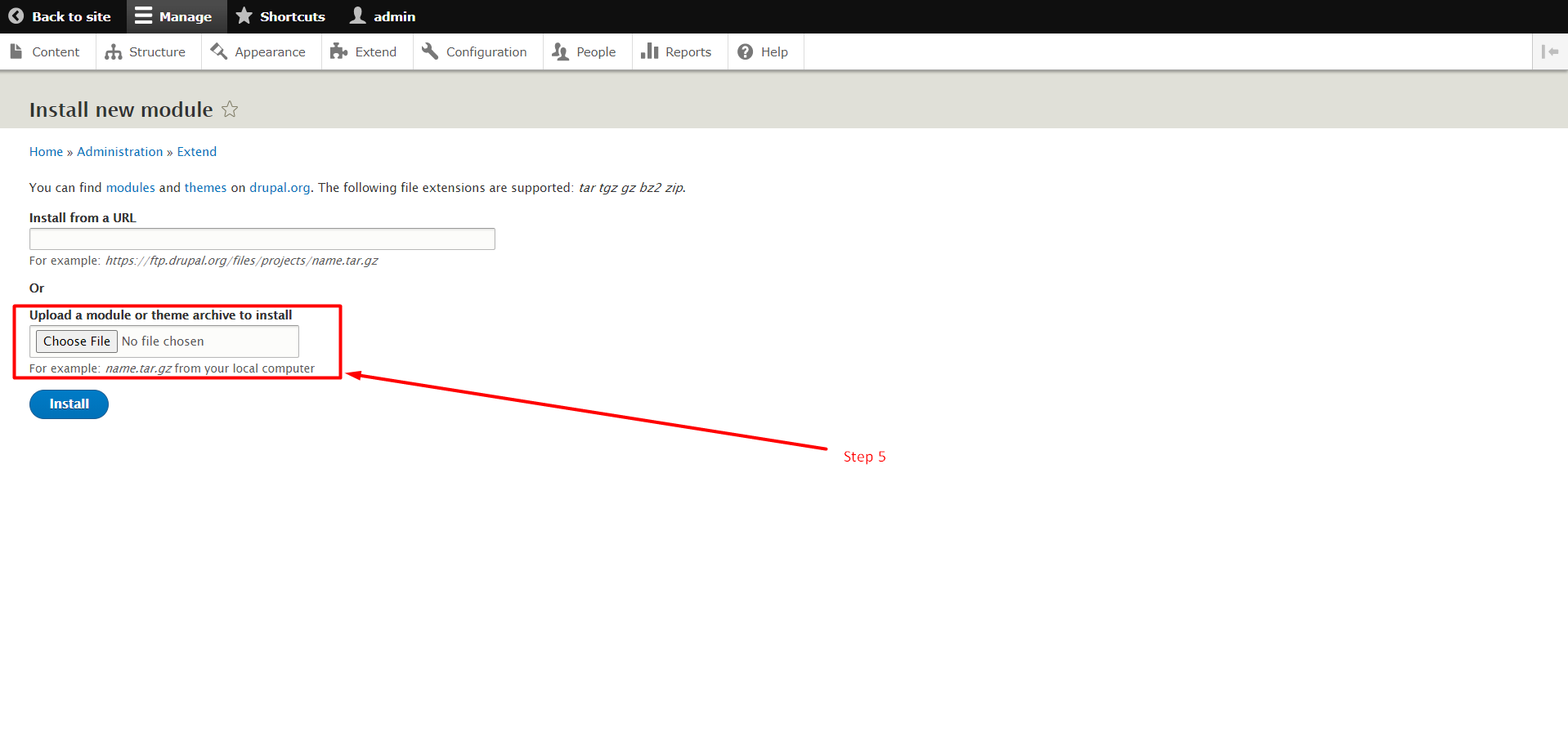
This is for those users Who want to install their module from their Device. If you have a Module file on your device then click on the Choose File button and select the File. Follow the instruction below.
Step 5: Now Click on the Install Button. After a few mins, the module will get installed.
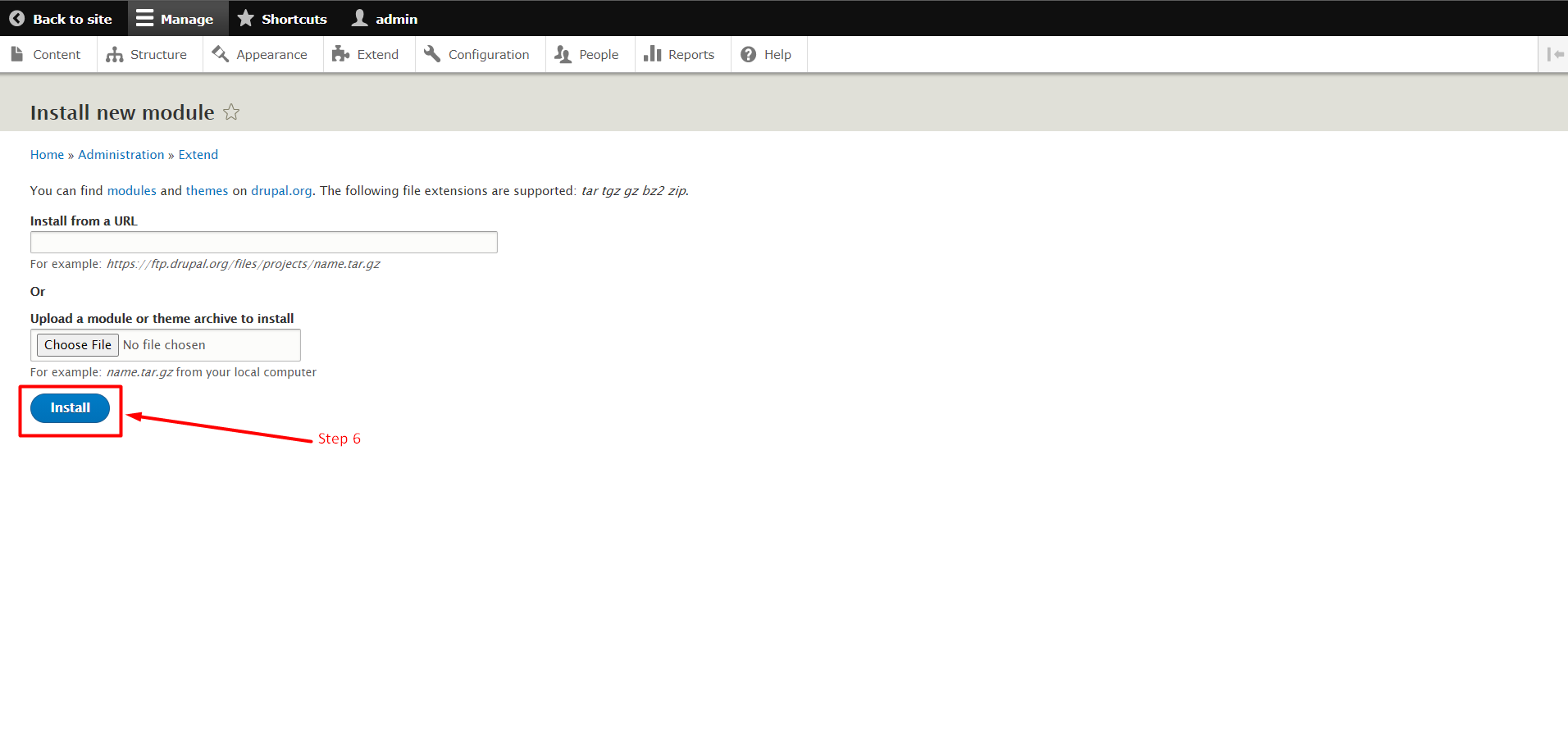
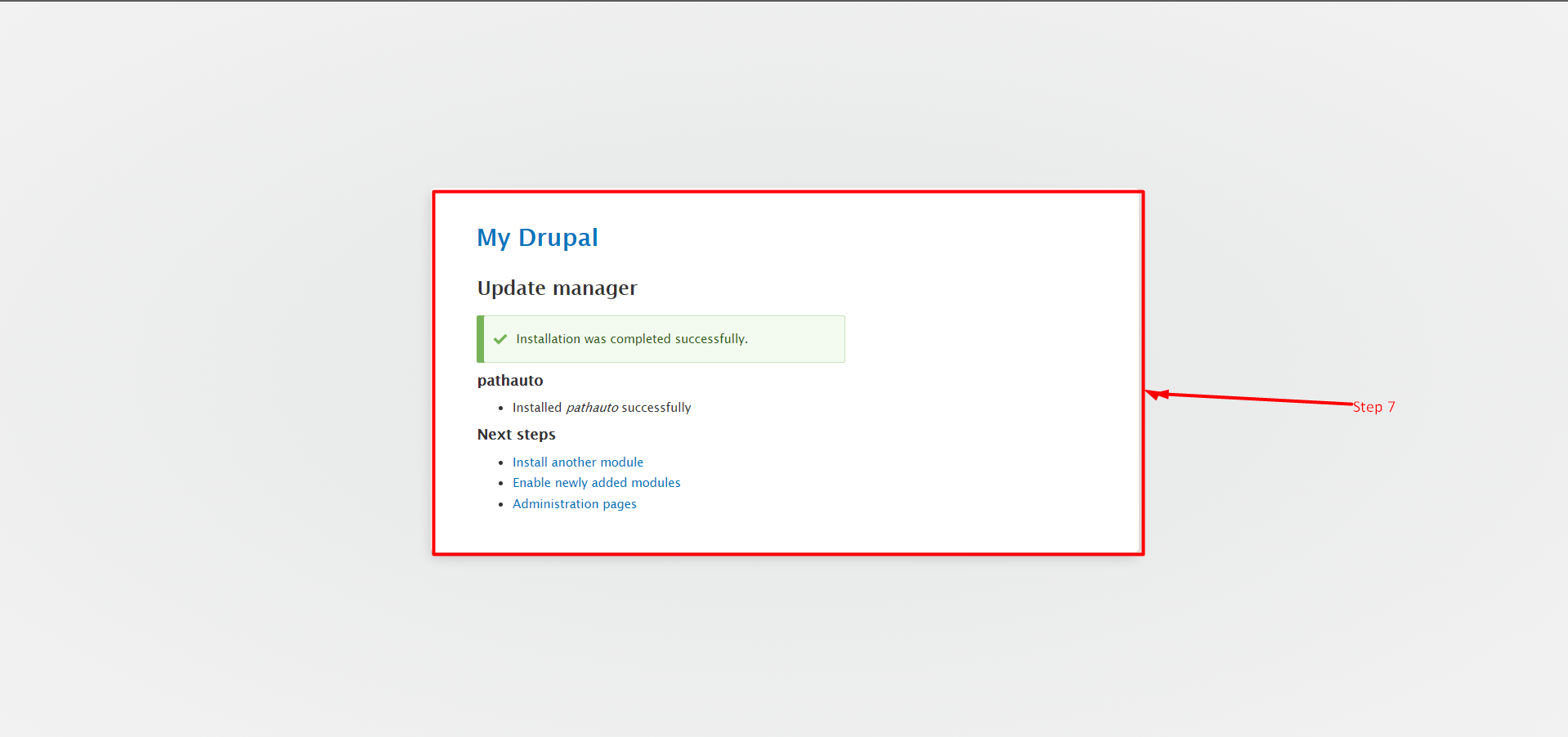
Step 6: After the successful Installation the Green dialog box appears in the image below.
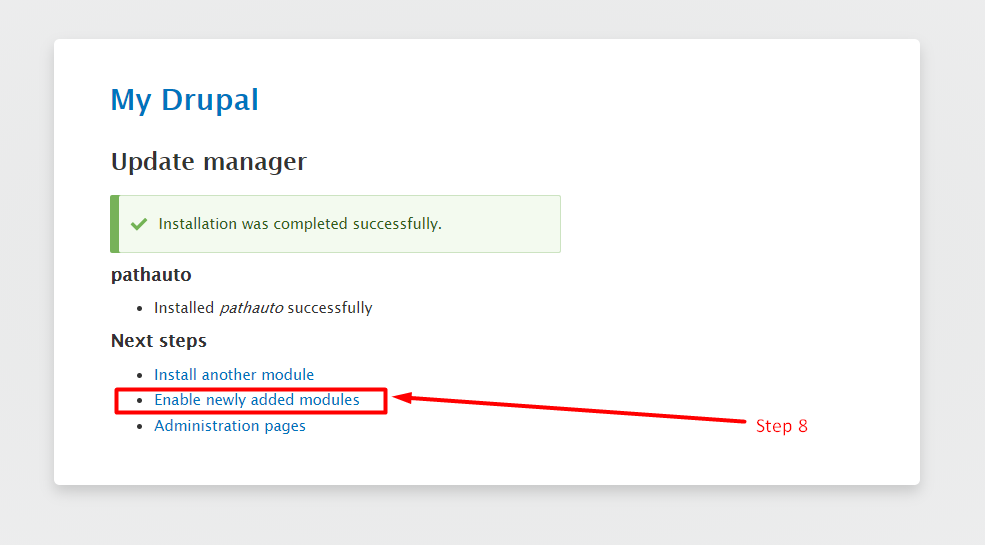
Step 7: Click on the link “Enable newly added modules” to enable the module functionalities on your website.
So, this is how you can add a new module to your Drupal site. If you are facing any issue, please let us know in the comment section given below. If you are an active GICTServer customer, feel free to contact our awesome support staff for quick help!
Related guides
Create a Contact Webform Using Drupal 8 Webform Module
In this knowledgebase, you learn the steps to create a contact form using the Drupal 8 Webform Modules. The Webform module in Drupal 8 is a flexible
DrupalHow to Block IP Address in Drupal
In this documentation, we can check how to block IP address in Drupal. 1) Login to Drupal admin panel. 2) Click on the tab ‘Configuration’. 3) Go to the sec
DrupalHow to Add Content Type in Drupal
In this documentation, we can check how to add content type in Drupal. 1) Login to Drupal admin panel. 2) Go to the tab ‘Structure’. 3) Click on the option
DrupalDate and Time Settings in Drupal
In this documentation, we can check how to set the date and time in Drupal. 1) Login to Drupal admin panel. 2) Click on the tab ‘Configuration’. 3) Go to th