
GICT knowledge base
How to Install BigTree in cPanel/WHM Server?
Published
How to Install BigTree in cPanel/WHM Server?
The BigTree is an open source Content Management System built in PHP and it uses MySQL for the database. BigTree is a lightweight core capable of multiple sites and it provides a friendly web interface. In this tutorial, I will show how to install BigTree CMS manually on the cPanel server.
System requirements are:
PHP 5.3 or high
gd extension
mysql or mysqli extension
MySQL 5 or MariaDB
Recommended Web server is Apache with mod_rewrite.
If you would like to install this to your main domain, you can install this to the public_html directory which is document root of the main domain. If you install this to a new domain, first you need to create a new addon domain in cPanel. Please follow the below-given steps.
1) Login to cPanel>> Domains>> Addon Domains.
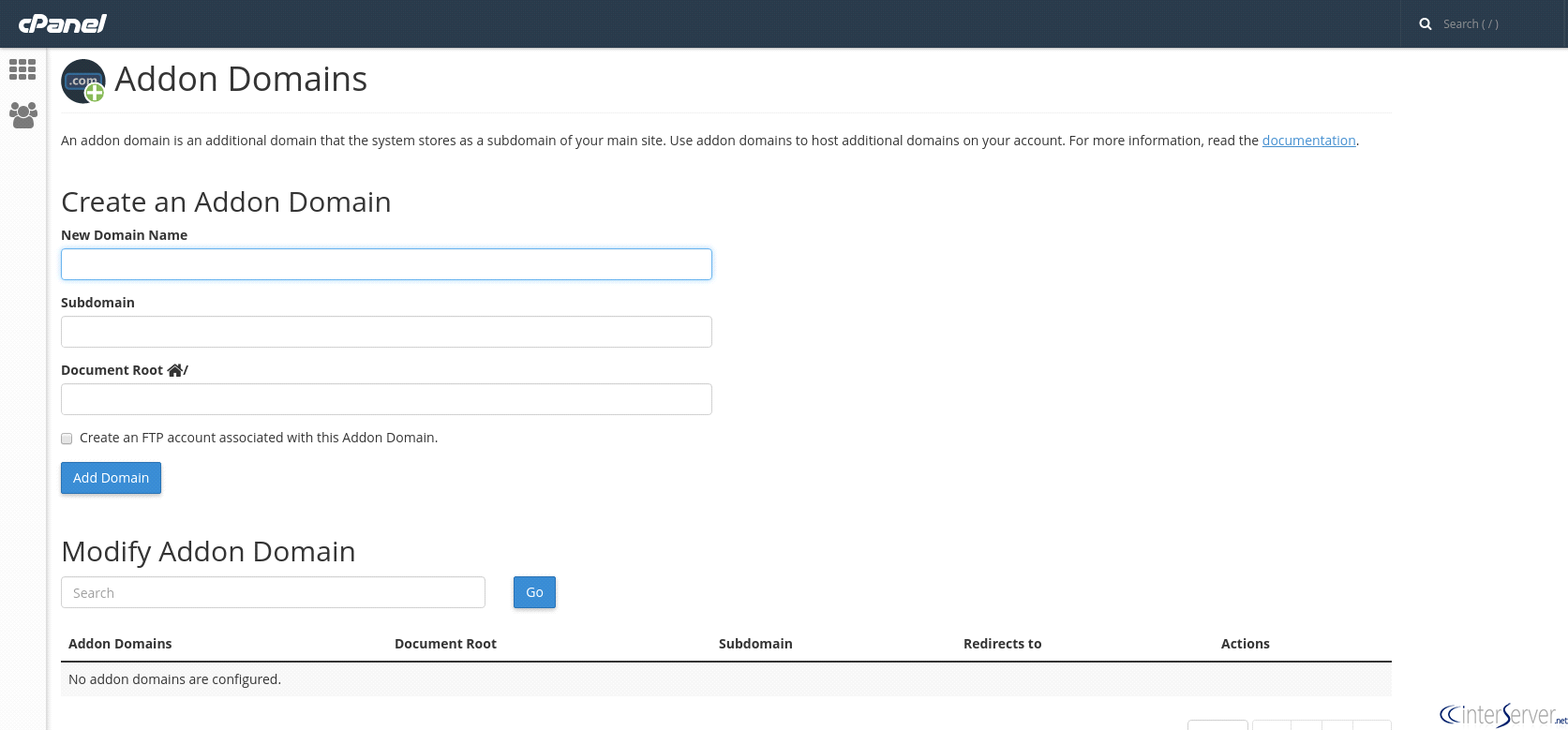
2) From there you can add new domain which you want to install BigTree CMS.
3) Then you need to create Database and database user for this domain.
Login to cPanel >> Databases>> MySQL Databases
4) From there you can create a new database and database user.
5) Add privileges database user to that database.
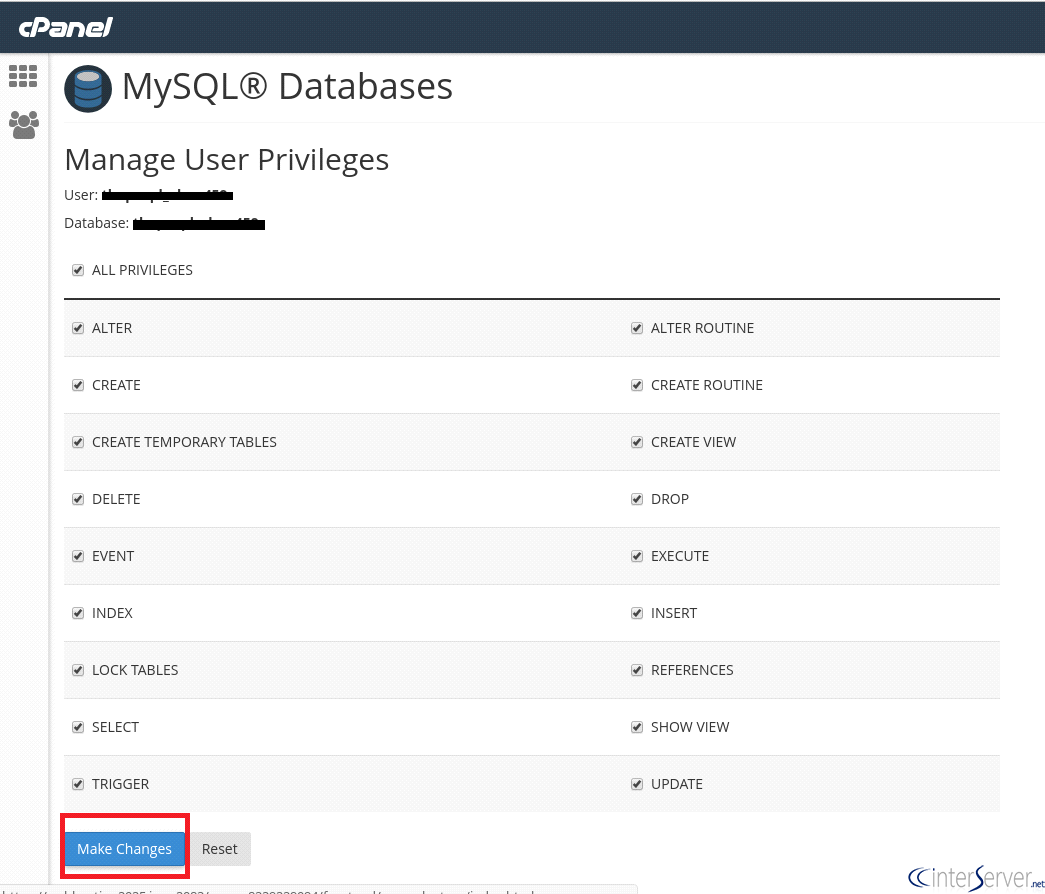
Then you need to connect to the server via SSH.
Go to your document root of the domain. In my case document root is /home/user/public_html/bigtree
cd /home/user/public_html/bigtree
Download latest BigTree core files from https://www.bigtreecms.org/download/core/
wget https://www.bigtreecms.org/files/installers/bigtree-4.1.18.zip
Extract downloaded file
unzip bigtree-4.1.18.zip
Move all core files to document root.
mv BigTree-CMS/* .
Change ownership to your user of the cPanel account. In my case my cPanel username is user
chown -R user:user *
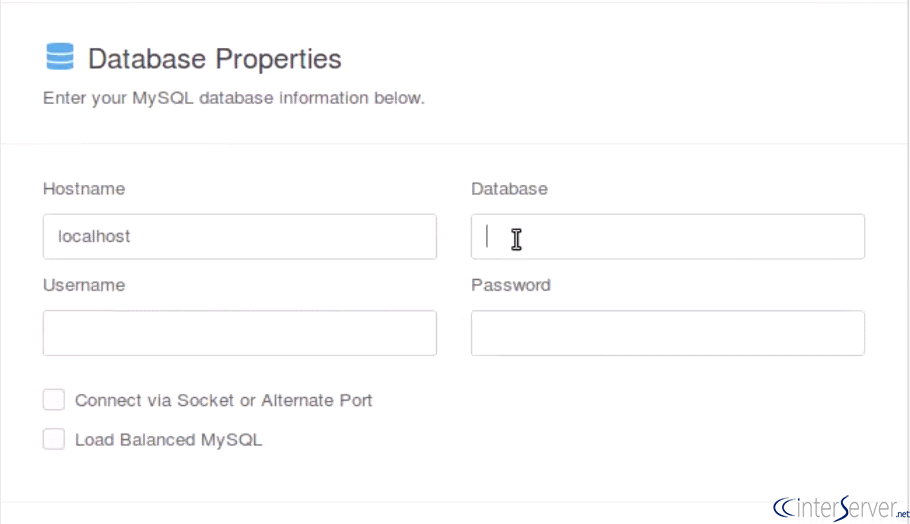
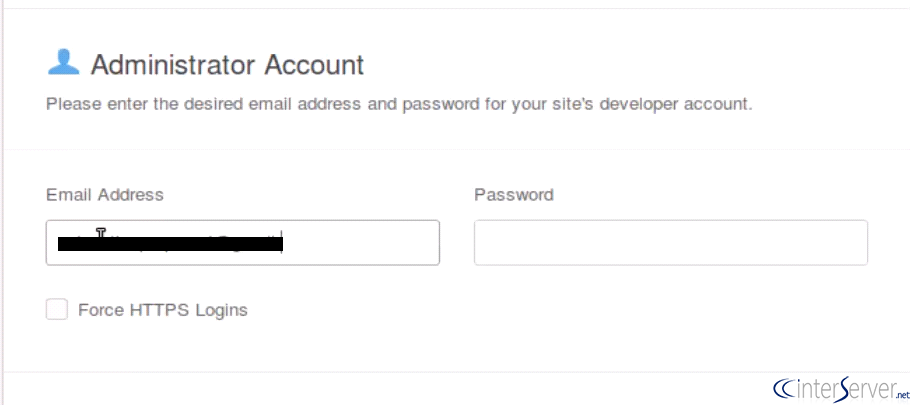
Then call your domain name in the web browser and you will get installation page. From there you can configure database details and site administrator.
Enter your database details which you have previously created.
Enter your email address and give new password to configure administrator account.
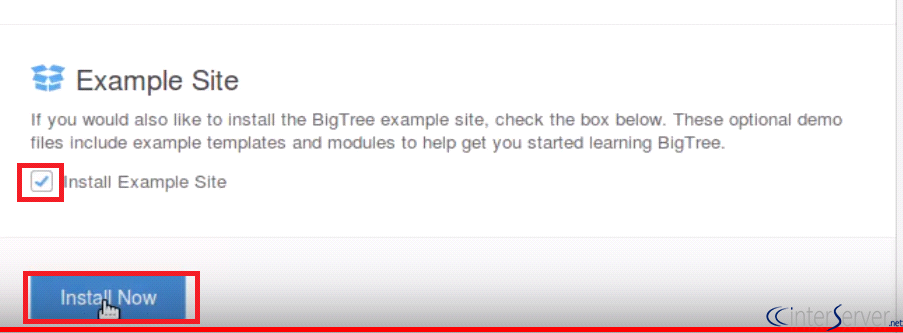
Then select “Install Example site” and click “Install Now”.
If you need any further assistance please contact our support department.
Related guides
Host Additional Domains on an Eligible GICTServer Account
Check your hosting limits, choose a separate site or alias and use cPanel or DirectAdmin with deliberate DNS, content and certificate verification.
cPanelHardening Your cPanel Server: Beyond the Basics After CVE-2026-41940
Security is a moving target. With the recent discovery of CVE-2026-41940, it has become clear that just having a firewall isn't enough anymore.
cPanelcPanel and Plesk notice: Awstats,. Webalizer and Analog stats are being removed
Important Update: cPanel and Plesk Phasing Out Legacy Statistics Tools If you regularly check your website traffic through your hosting control panel, we have an...
cPanelThe dangers of shared licenses (in other words unofficial/cracked licenses)
Why Cracked cPanel Licenses Aren’t Worth the Risk: A Guide for GICTServer Customers When you’re managing a server, every dollar counts.