
GICT knowledge base
How to Enable KeepAlive on Webuzo?
Published
The KeepAlive feature is mainly used for managing multiple HTTP requests at the same time. It maintains the connection between the client and the server. We can run our website faster by enabling the option Keep-Alive. There is no need to open and close connection repeatedly after enabling this option and it also reduces the loading time. Another advantage by enabling this option is that it allows the persistent connections to a client. So if a new connection is established, then it will not request each file, images etc. This will provide for more efficiency. In this documentation, we are going to discuss how to enable KeepAlive option on Webuzo control panel.
1) Log into Webuzo panel with username and password.
2) Go to “Edit Configurations”.
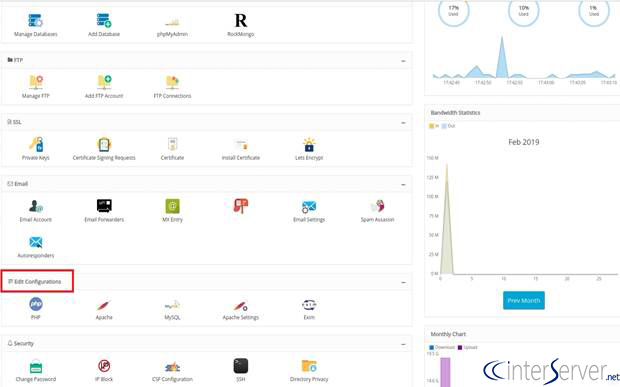
3) Select the option “Apache”.
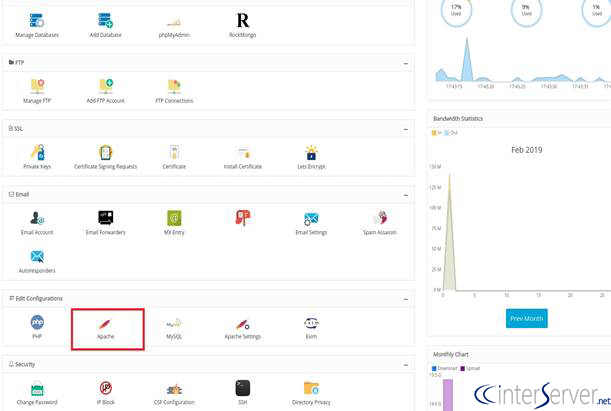
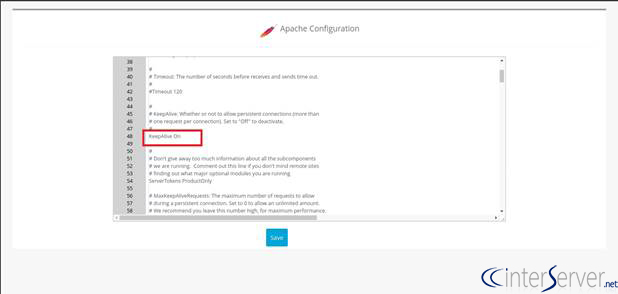
4) Here, you can enable or disable the “KeepAlive” option.
If you want to enable the KeepAlive option, then change the value KeepAlive Off to KeepAlive On.
If you wish to disable the option KeepAlive, then you need to edit the KeepAlive option to Off.
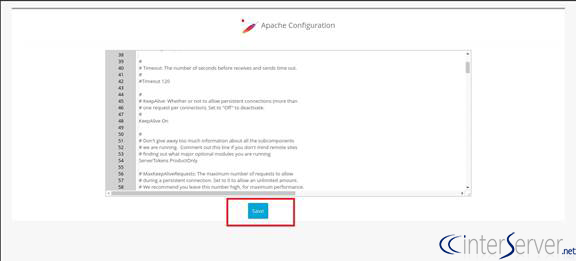
5) Click on “Save” button to save the changes.
If you need any further help, please do reach our support department.
Related guides
Webuzo on a VPS
How to Get Started with Webuzo: Free Single-User Licensing on Your VPS Managing your own Virtual Private Server (VPS) doesn't have to be a headache.
Webuzo/BreadbasketInstall Webuzo on Ubuntu
In this tutorial, we can check how to Install Webuzo on Ubuntu. Webuzo is a free, single-user control panel that helps to deploy web applications like
Webuzo/BreadbasketWebuzo fails with Account creation on ACMEv1 is disabled
The error Account creation on ACMEv1 is disabled will be fixed in the next release of webuzo. Until then the acme.sh script can be manually updated via github.
Webuzo/BreadbasketHow to Install WordPress on Webuzo?
WordPress is a free and open-source content management system (CMS) based on PHP & MySQL. Let's discuss how to install WordPress