
GICT knowledge base
How to Block the Traffic from a Particular Country in ISP Manager?
Published
Firewall in ISP Manager is a software system that is configured on the server to deny/allow services based on a specified rule. The rule defines which services will be allowed through the firewall and which one should be avoided. The firewall module is used to handle the network connections and also create Firewall rules to accept or deny connections. There is an option in ISP Manager firewall to filter the requests coming from a particular country. In this tutorial, we are going to discuss how we can block a countries request in the ISP Manager Control Panel.
1) Login into the ISP manager.
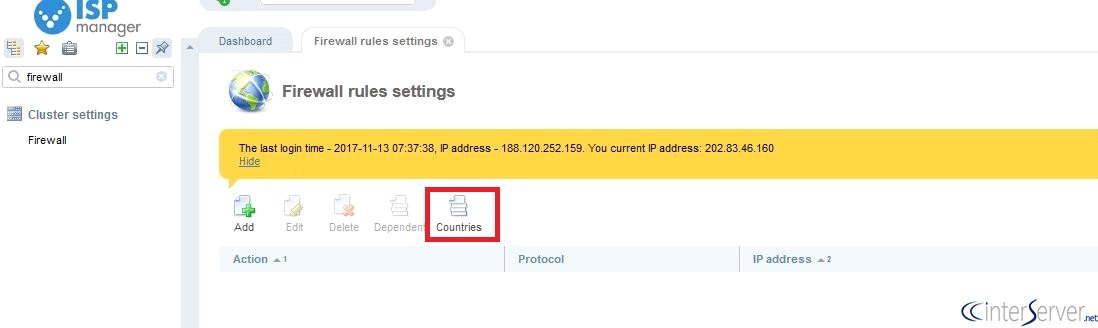
2) Click on “Firewall” under the “Cluster Settings”.
3) Click on “Countries” which will lead to another page in which it will list all the countries.
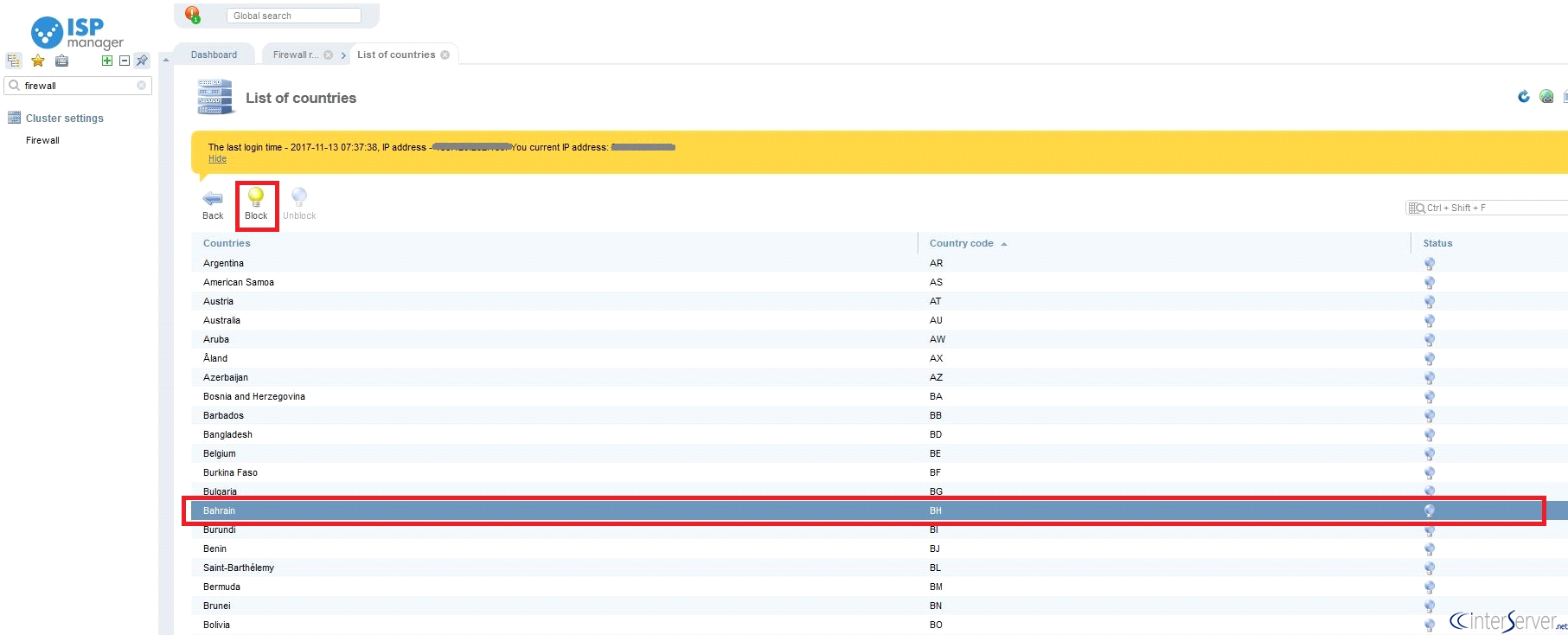
4) In this page, you can see all the countries listed with their country code. You can select any country you would like to block the traffic and then click on “Block” as shown in the screenshot.
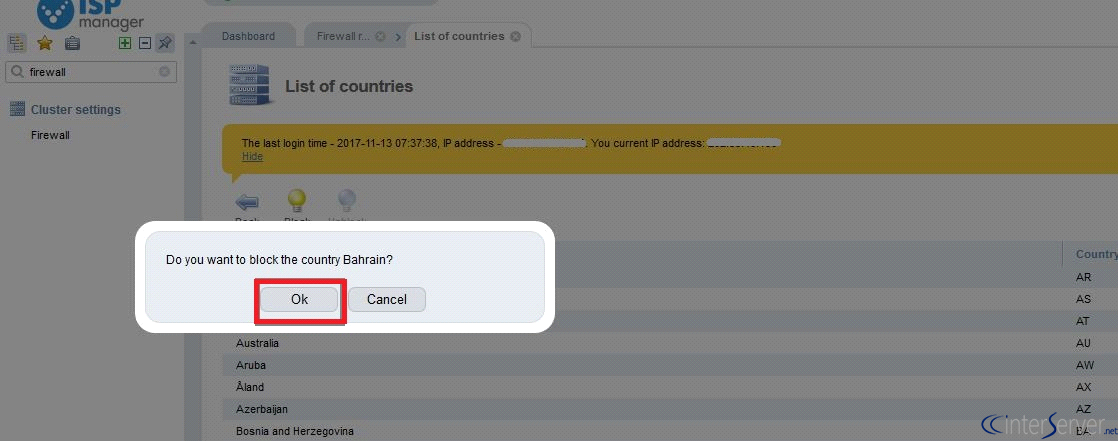
5)Click on “OK” to confirm your request
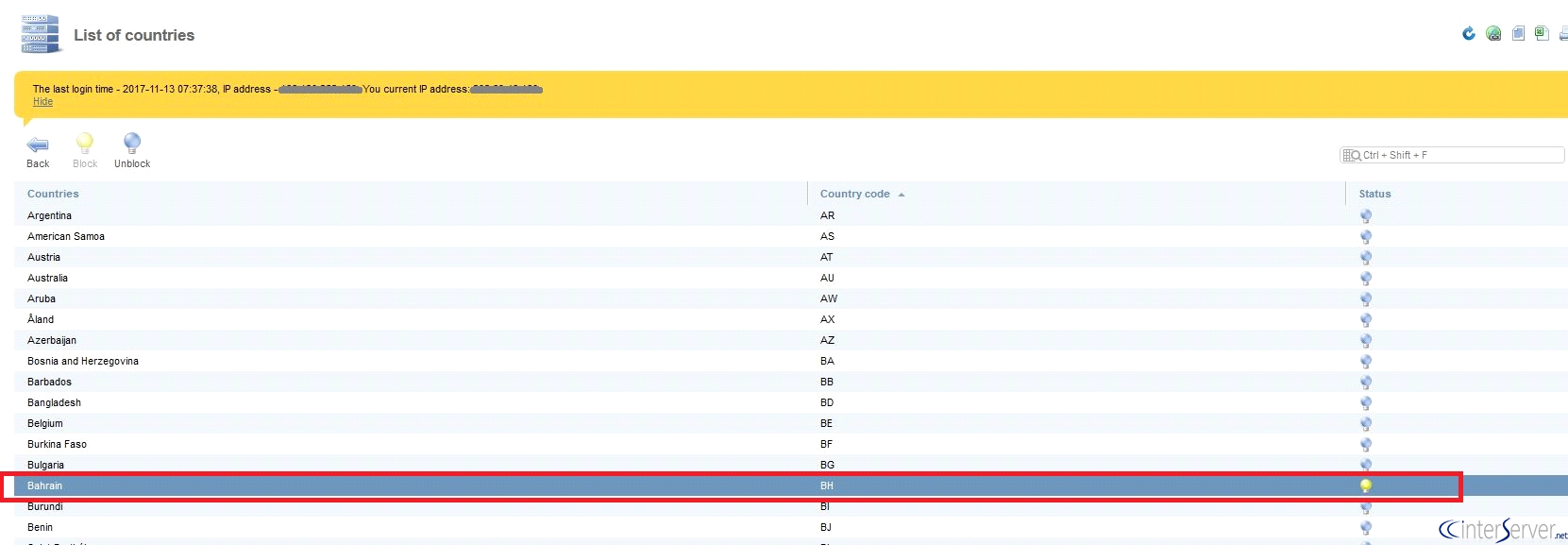
6) Now you have blocked the traffic from the particular country you have selected. The glowing bulb means the traffic is blocked and the off bulb means the traffic is unblocked. This page shows which all countries traffic is blocked on the ISP manager control panel by looking at the status of the bulb symbol.
If you need any further help please do reach our support department.
Related guides
How to Install SSL by Let’s Encrypt in ISPmanager?
How to Install SSL by Let's Encrypt in ISPmanager? Let’s Encrypt is a non-profit certification center and it generates SSL certificates for free. Also, SSL
ISPmanagerHow to Install WordPress in ISPmanager?
We can install WordPress on ISPmanager with only a couple of clicks. Please follow the below steps to install WordPress on ISPmanager.
ISPmanagerISPmanager Installation and Features
What is ISPmanager? ISPmanager Installation and Features. ISPmanager is a popular commercial Linux-based back-end dashboard. The panel developed since 1997
ISPmanagerHow to Add New User in ISPmanager
How to Add New User in ISPmanager. To add a new user to the ISPmanager panel, please follow the below steps. 1) Login to your ISPmanager account.