
GICT knowledge base
How to Install WordPress in ISPmanager?
Published
ISPmanager is a popular commercial Linux-based back-end dashboard. The panel developed since 1997 and the panel functionality similar to other panels like cPanel or Plesk. ISPmanager provides features for managing websites, creating users, handling domains, emails, databases etc like other control panels. ISPmanager also has lots of integrations such as Let’s Encrypt, website builder, anti-viruses, etc. Also, you can create plugins by yourself by using open and well-documented API.
We can install WordPress on ISPmanager with only a couple of clicks. Please follow the below steps to install WordPress on ISPmanager.
1) Login to your ISPmanager panel.
2) Select the account (On which the domain you wish to install WordPress is added) from the ‘Accounts’ section.
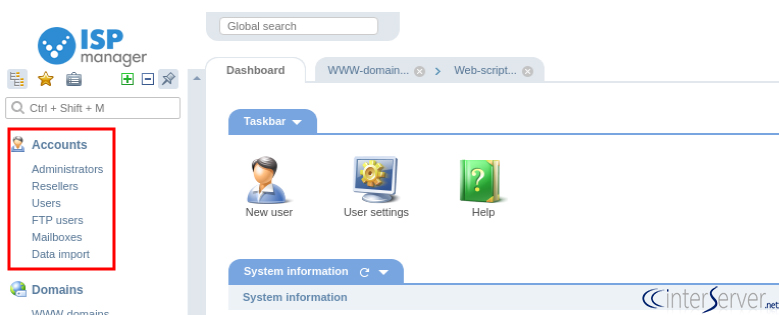
3) Log in to the selected account from the ‘Accounts’ section.
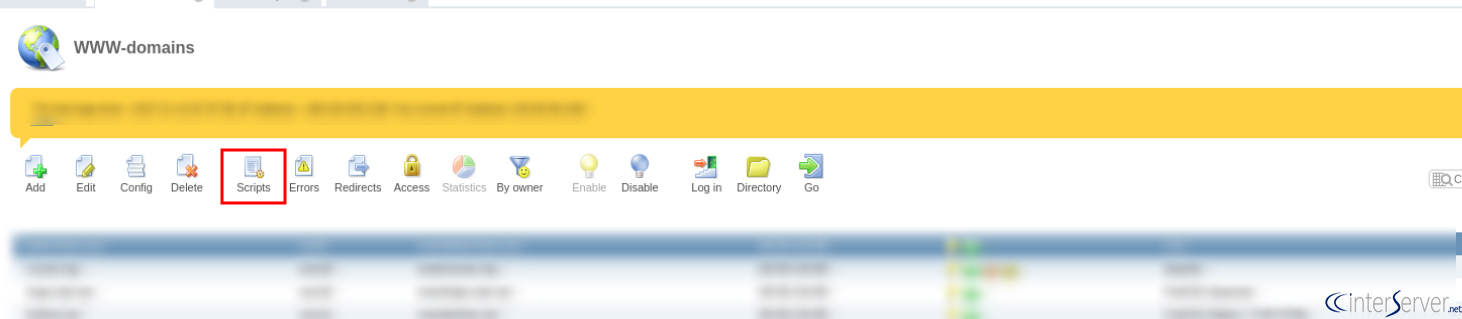
4) Select the domain from the ‘WWW-domains’ list under the ‘Domains’ section.

5) To install WordPress, click on the ‘Script’ button.
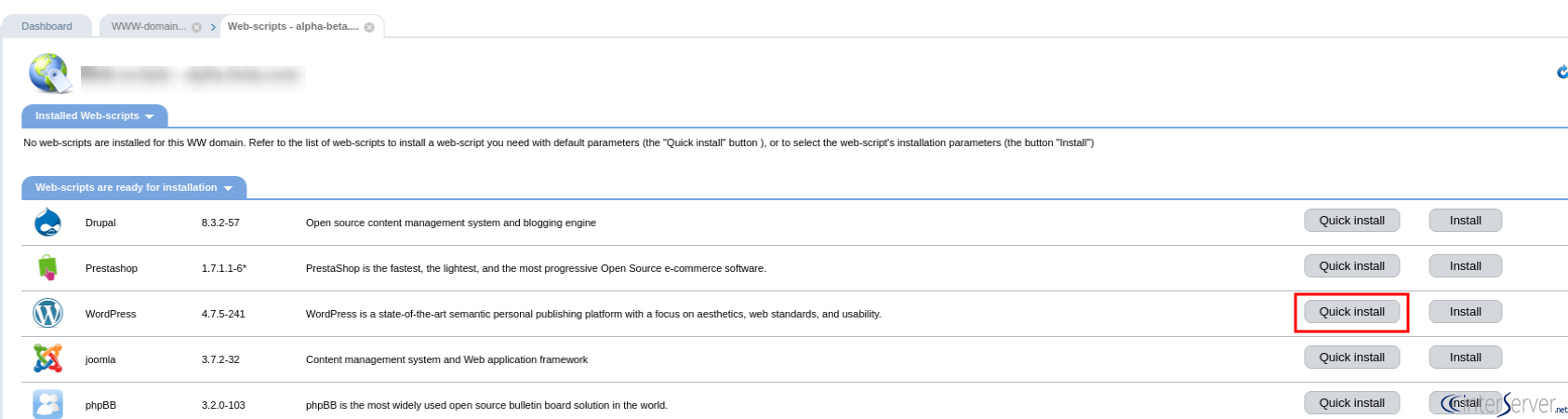
6) On the next page, click on the ‘Quick Install’ button on the right side of the WordPress icon.
7) On the next window, select ‘I accept the terms of the License agreement’ and click on the ‘Next’ button.
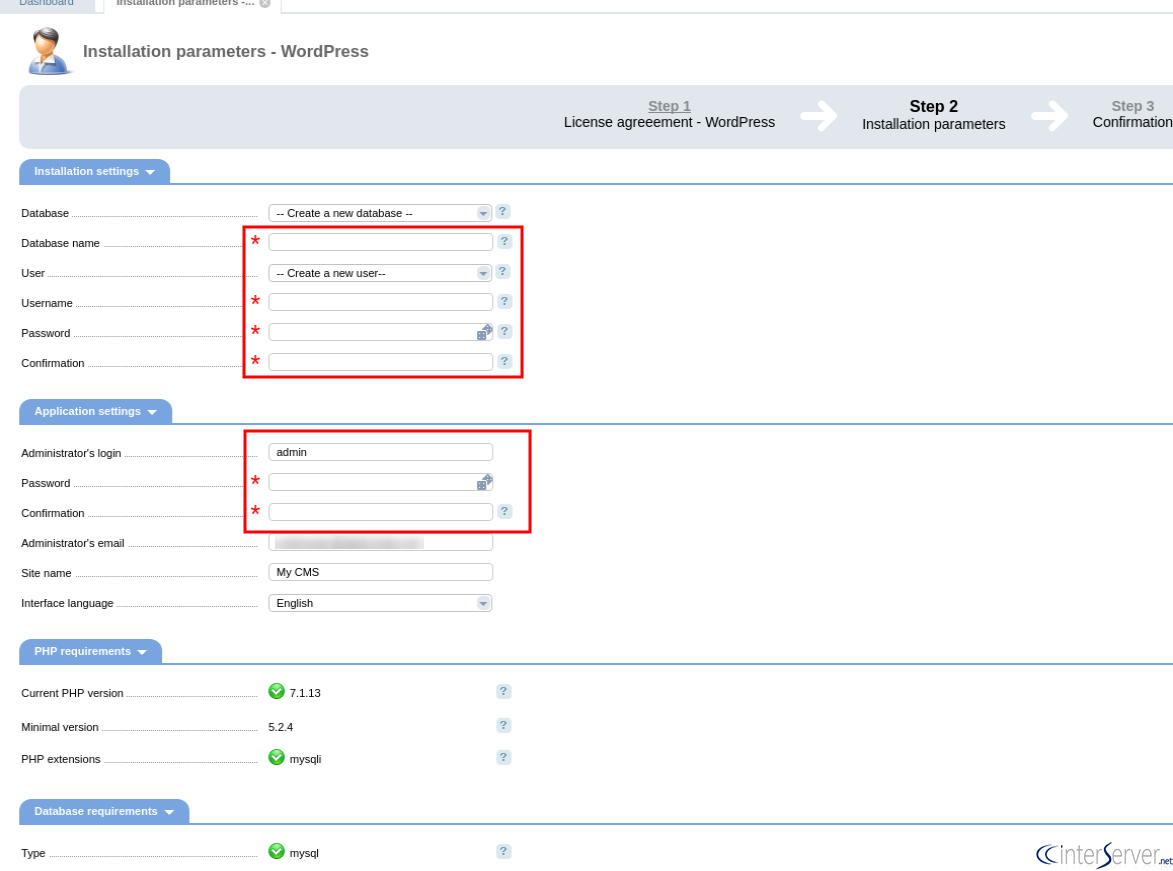
8) A new window will open and here you have to fill the marked fields with the database name, password and administrator password and click on the ‘Next’ button.
9) Click on the ‘Finish’ button to complete the WordPress installation.
If you need any further help, please do reach our support department.
Related guides
How to Install SSL by Let’s Encrypt in ISPmanager?
How to Install SSL by Let's Encrypt in ISPmanager? Let’s Encrypt is a non-profit certification center and it generates SSL certificates for free. Also, SSL
ISPmanagerISPmanager Installation and Features
What is ISPmanager? ISPmanager Installation and Features. ISPmanager is a popular commercial Linux-based back-end dashboard. The panel developed since 1997
ISPmanagerHow to Add New User in ISPmanager
How to Add New User in ISPmanager. To add a new user to the ISPmanager panel, please follow the below steps. 1) Login to your ISPmanager account.
ISPmanagerHow to Create Reseller in ISP Manager?
In ISP manager, you can create reseller user in which it resells its own resources and services of its hosting.