
GICT knowledge base
Hostname and the servername you have set in DirectAdmin, do not match
Published
Have you ever get an error like “Your hostname, and the servername you have set in DirectAdmin, server.host.com, do not match”?. If you have got this message, there is a solution to this.
This error is mainly occurring due to the incorrect setup /dev/null file.
First of all, makes sure the hostname isn’t simply blank. To check this,
1) Login to the server via ssh as the root user.
2) Then execute the command given below.
/bin/hostname –fqdn
3) Please be ensure that something is displayed. If you are able to see any output, then the solution is to set it correctly. Otherwise please execute the following commands.
rm /dev/null
mknod -m 0666 /dev/null c 1 3
4) We can also have one more confirmed solution for when you get the error message like as follows. “hostname: Name or service not known”. If you are getting this error message, then please login to the server as root user via ssh.
5) Run the following command.
vi /etc/hosts
6) You will get an output like follows.
1.2.3.4 abc.hostname.com
7) Change the hostname to as follows.
1.2.3.4 abc.hostname.com abc
After this, also you are getting the same error, then it means that you need to update the hostname.
8) Login to DirectAdmin as an admin user with the password.
9) Navigate to Admin Settings >> Servername.
10) Set the hostname as you desired and save it.
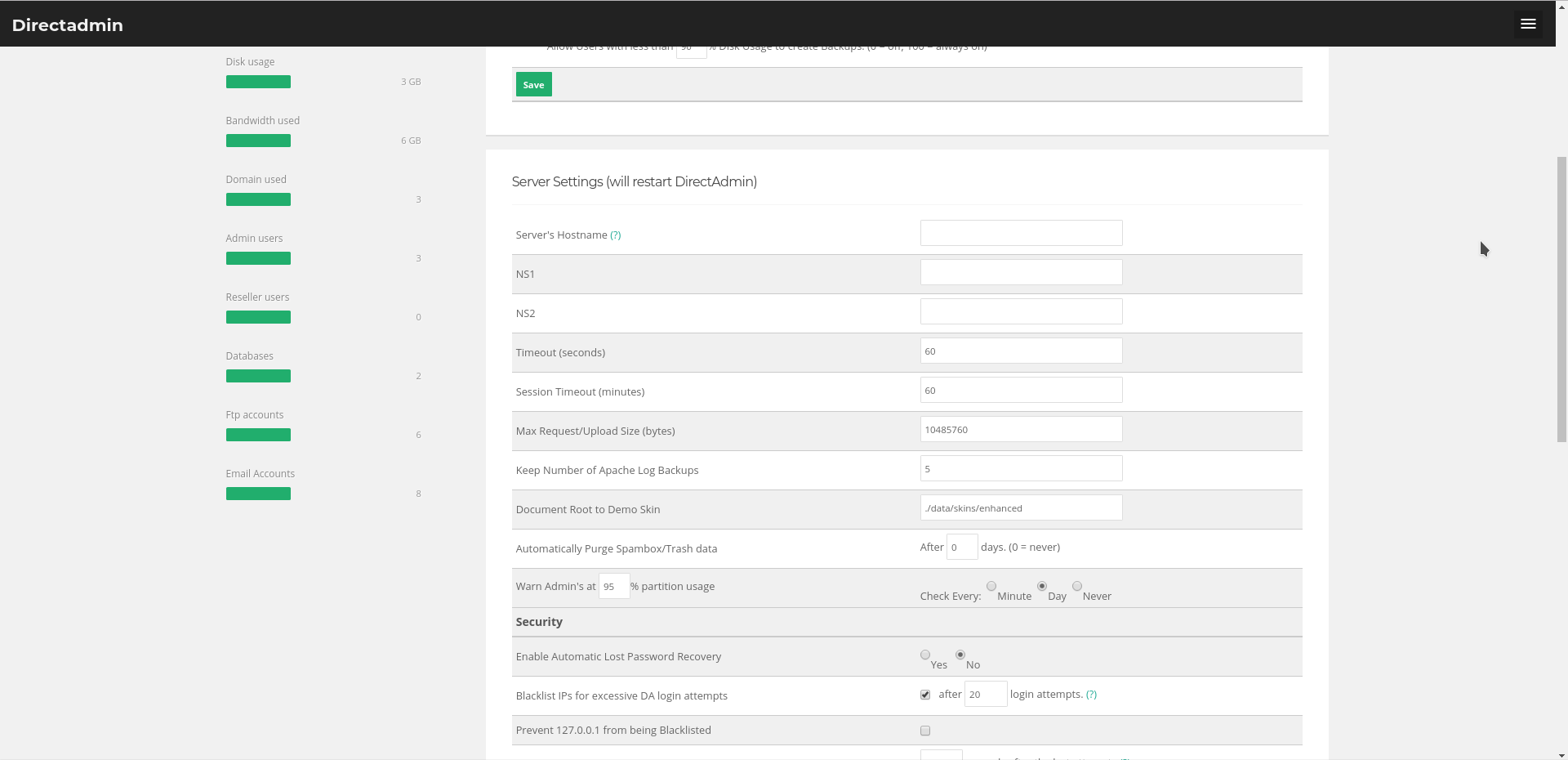
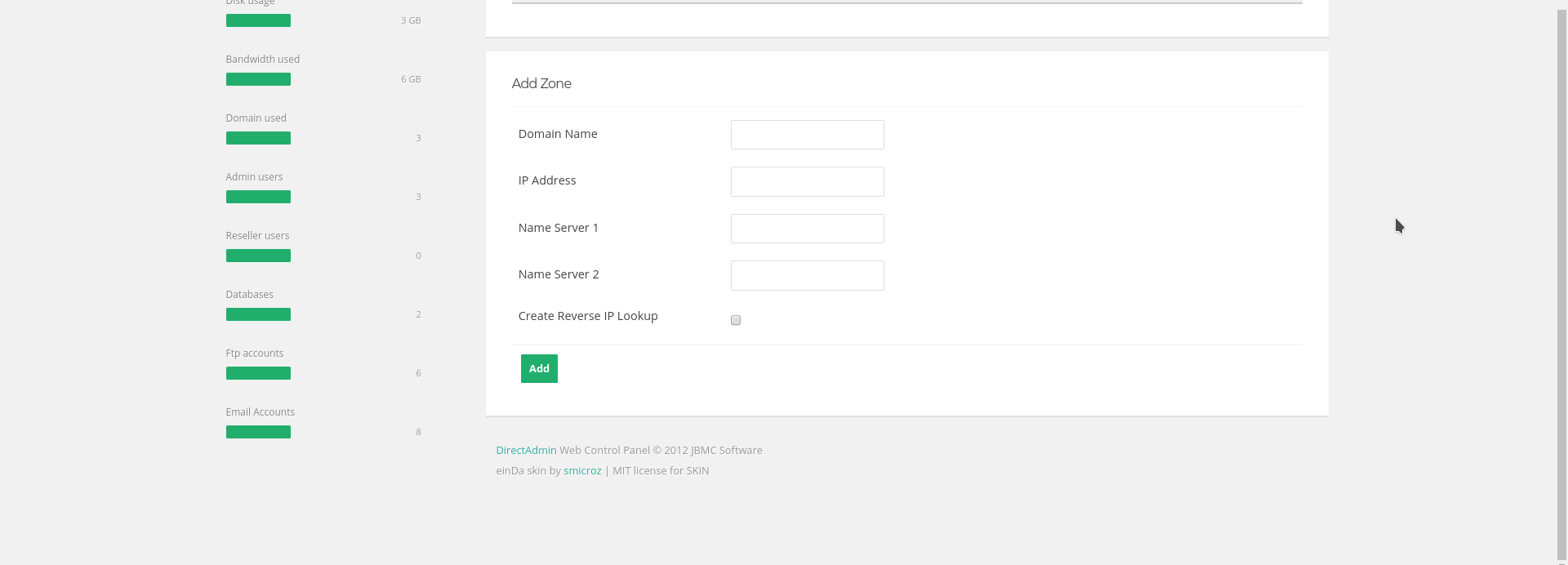
11) We need to change it to something else, then back again to re-sync it. And we have to ensure that we have a full zone for the hostname in our DNS. For this login to direct admin as an admin user.
12) Navigate to DNS administration.
13) Enter the domain details and save the file.
14) Now you can restart the services for the DirectAdmin.
service directadmin restart
If you need any further help, please do reach our support department.
Related guides
Host Additional Domains on an Eligible GICTServer Account
Check your hosting limits, choose a separate site or alias and use cPanel or DirectAdmin with deliberate DNS, content and certificate verification.
DirectAdminDirectadmin Legacy Downgrade errors
Understanding the DirectAdmin "Legacy Downgrade" Error If you are managing a server with DirectAdmin and suddenly find your control panel inaccessible, you may be facing...
DirectAdminDirectAdmin Storage Bandwidth Calculation
Understanding DirectAdmin Bandwidth and Storage Limits DirectAdmin storage manages specific bandwidth and disk space limits for your account.
DirectAdminDirectadmin Legacy Licenses
The State of DirectAdmin Licenses: Legacy vs. Unified In the past directadmin offered two code bases: Standard and Propack with additional features.