
GICT knowledge base
Enable Terminal Application for cPanel
Published
The cPanel was introduced in-browser terminal application in version 72 which provides direct command-line access. The access to the terminal is based on the users. As we are accessing the terminal from the cPanel we are logging to the command line as cPanel user. Which have limited access compared to root. The user can only perform activities inside the home directory of that user.
Use
It can be much faster to complete some tasks using a Terminal than with graphical applications and menus. Another benefit is allowing access to many more commands and scripts
A common terminal task of installing an application can be achieved within a single command, compared to navigating through the Software Centre or Synaptic Manager.
The terminal option will only appear on the cPanel if the user possesses the shell access and the service provider enables the SSH Access and terminal features.
First, you must enable shell access to the cPanel user. The SSH Access and terminal features will be enabled by default. If SSH Access and terminal features are not enabled, you can enable this feature in WHM’s Feature Manager interface WHM >> Home >> Packages >> Feature Manager.
Enable Shell Access
1) Login to WHM
2) Navigate to the “Account Functions”.
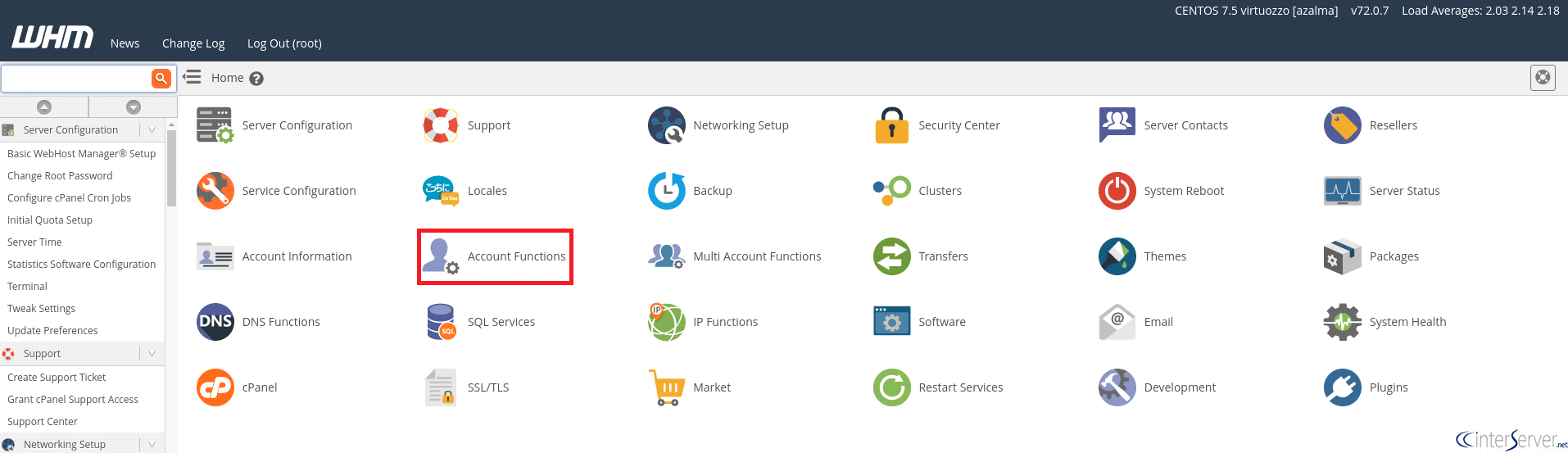
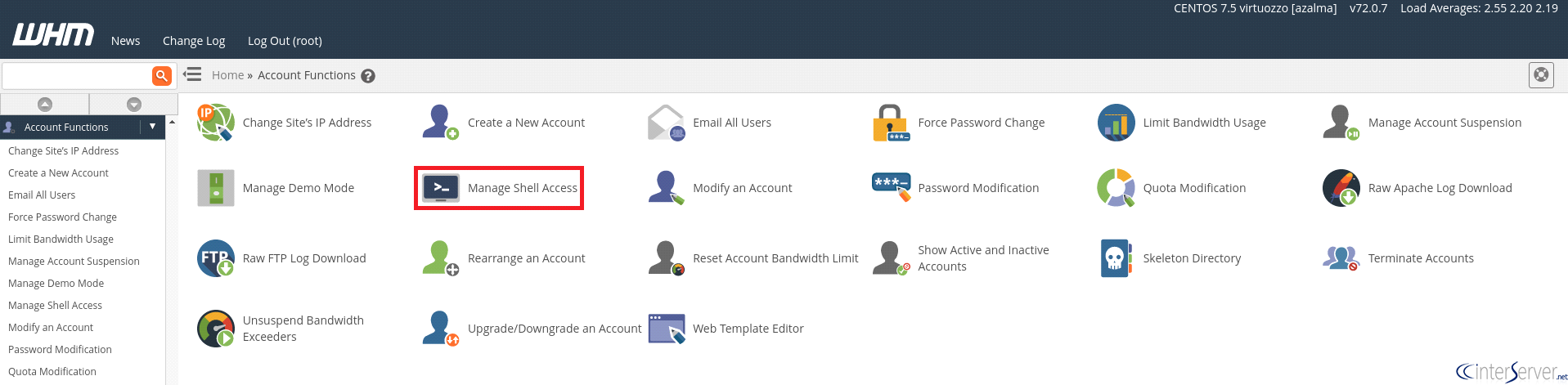
3) Click on the option “Manage Shell Access”. You can enable the same by modifying the account and select the option shell access
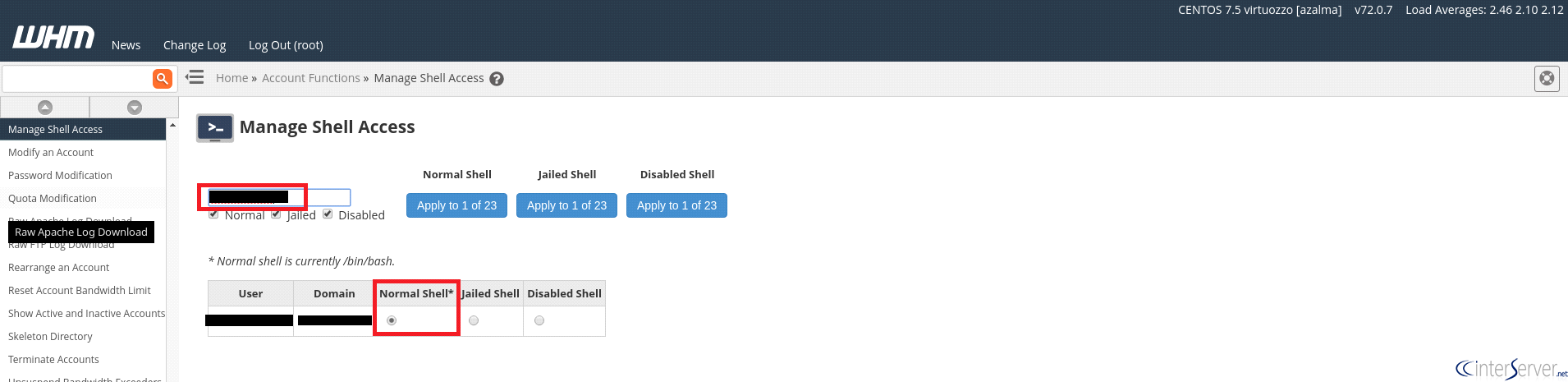
4) Search for the cPanel user in the search menu and by default, the option is selected as a disabled shell, change it to normal shell or jailed shell.
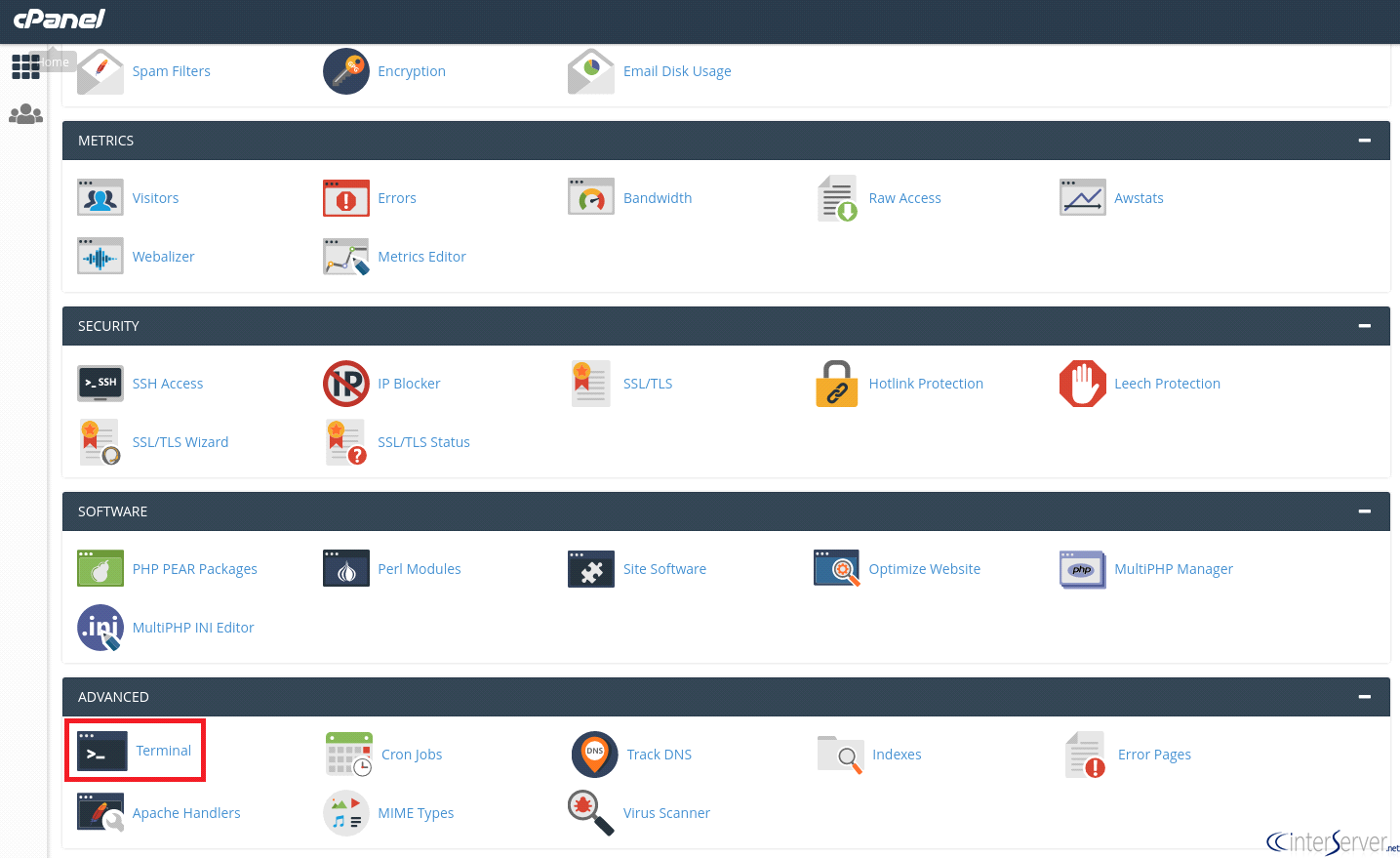
Now the Terminal option will be available on the cPanel account. You can navigate to it by login to the cPanel account. cPanel >> Home >> Advanced >> Terminal.
1) Login to cPanel.
2) You can see the option “Terminal” under the “ADVANCED” menu. Click the option to open the terminal.
3) If you are accessing the terminal for the first time, a screen will appear with a warning message. Please click on the button proceed.
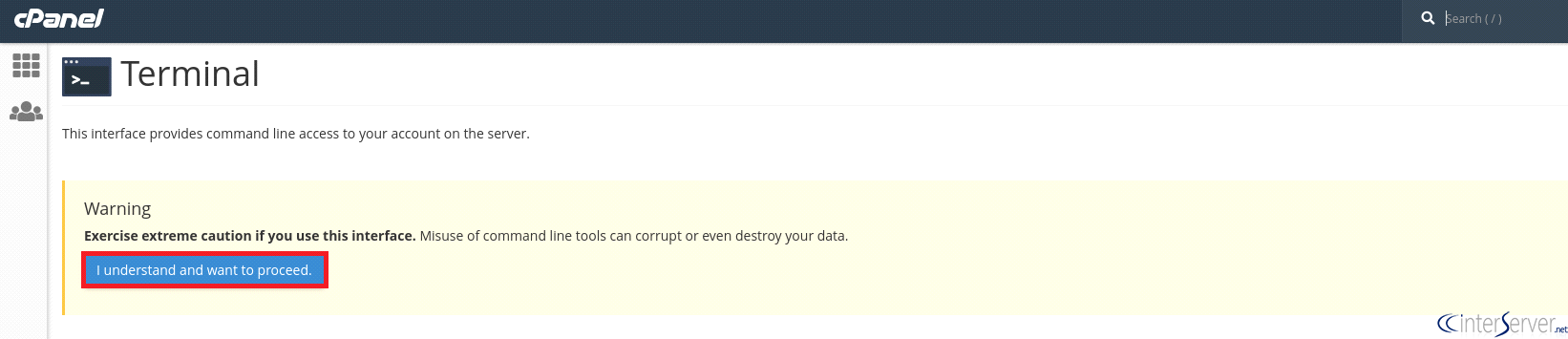
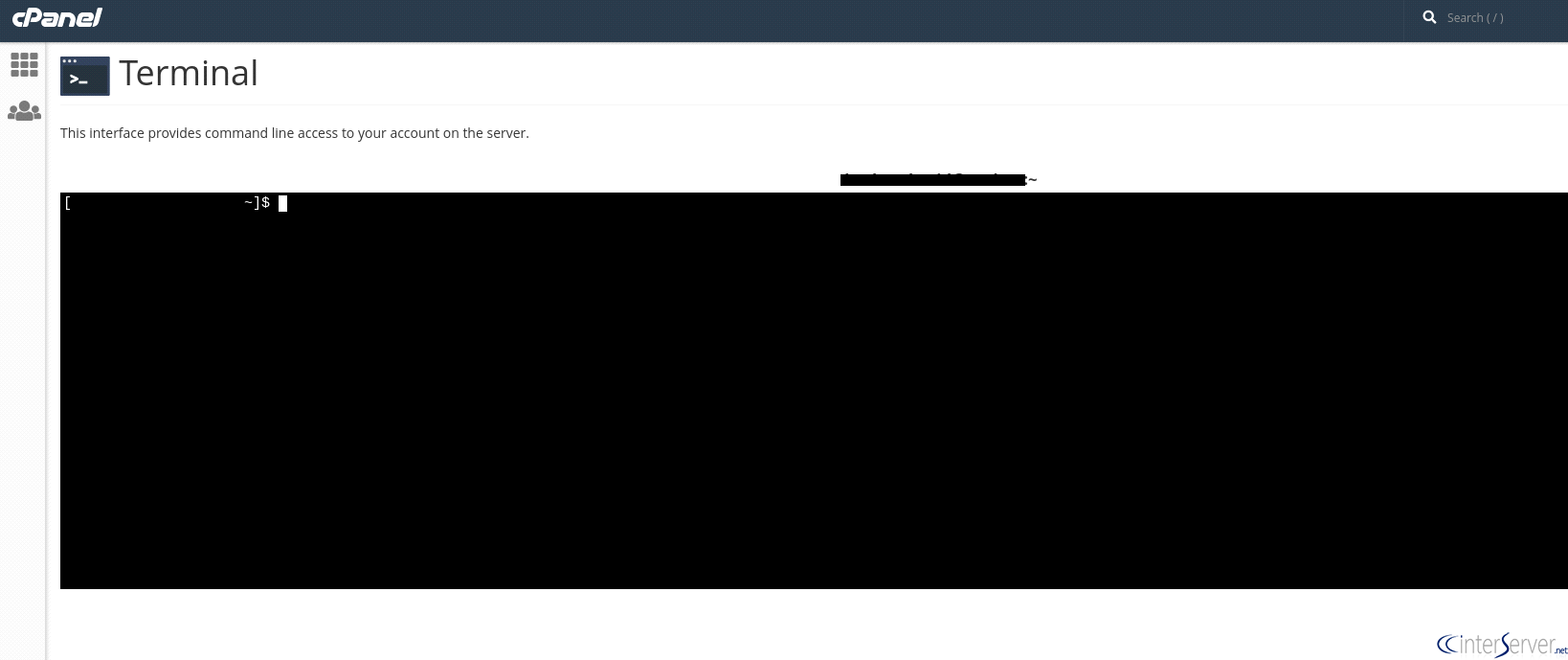
4) This interface provides command line access to your account on the server. You can now manage the account using CLI
If you need any further help, please do reach our support department.
Related guides
Host Additional Domains on an Eligible GICTServer Account
Check your hosting limits, choose a separate site or alias and use cPanel or DirectAdmin with deliberate DNS, content and certificate verification.
cPanelHardening Your cPanel Server: Beyond the Basics After CVE-2026-41940
Security is a moving target. With the recent discovery of CVE-2026-41940, it has become clear that just having a firewall isn't enough anymore.
cPanelcPanel and Plesk notice: Awstats,. Webalizer and Analog stats are being removed
Important Update: cPanel and Plesk Phasing Out Legacy Statistics Tools If you regularly check your website traffic through your hosting control panel, we have an...
cPanelThe dangers of shared licenses (in other words unofficial/cracked licenses)
Why Cracked cPanel Licenses Aren’t Worth the Risk: A Guide for GICTServer Customers When you’re managing a server, every dollar counts.