
GICT knowledge base
Edge Computing for Web Apps: Cloudflare Workers vs Traditional Hosting
Published
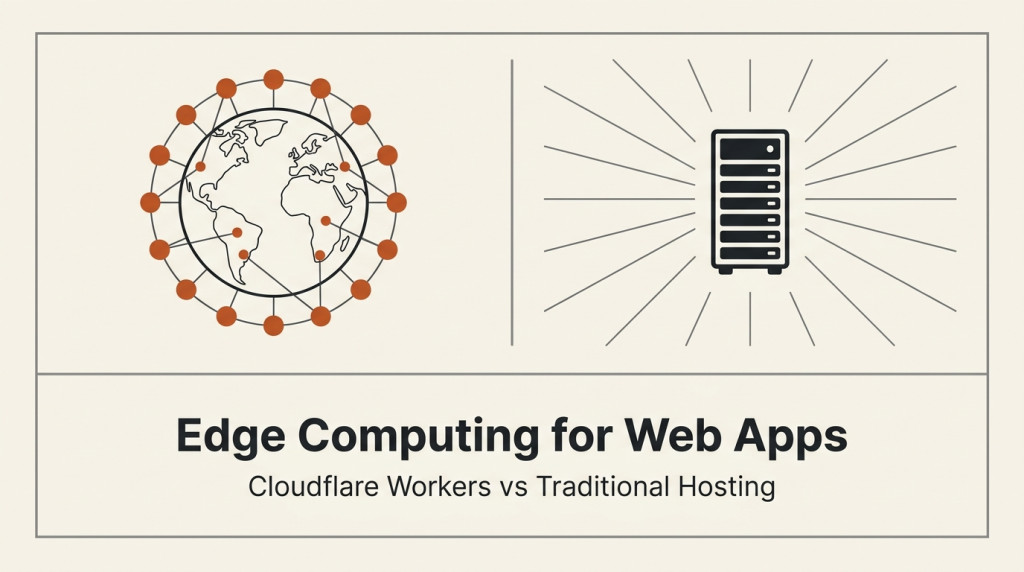
Your website loads in 50 ms for users near your server. For users across an ocean, it takes 400 ms. You cannot put servers in every country. Or can you?
You can. That is the entire pitch of edge computing. Code runs close to the user, not in one central data center. Latency drops. The user experience improves.
Cloudflare Workers is the most popular edge platform for web apps in 2026. Let us compare it honestly against traditional hosting so you can pick the right model.
What Edge Computing Actually Is
Edge computing means running your code in many data centers around the world, not one. The user makes a request, it gets routed to the nearest data center, and the code runs there. The round-trip from user to server shrinks from 200 ms to 20 ms.
Three things made this practical in the last decade:
1. CDN expansion. Content delivery networks like Cloudflare, Fastly, and Akamai already operate hundreds of points of presence. They had the infrastructure.
2. WebAssembly and V8 isolates. Running code at the edge used to require containers or VMs. Now it is JavaScript or Wasm in lightweight isolates. Cold start is measured in milliseconds.
3. Affordable pricing. Edge platforms priced per request, not per server. Small projects can run for free.
The result: any developer can deploy code that runs in 300+ cities worldwide. Ten years ago this required a multi-million-dollar infrastructure investment.
What Cloudflare Workers Does Well
Truly global. Code runs in 300+ cities. Your user in Tokyo and your user in São Paulo get the same 20 ms response time.
Scales to zero. No traffic means no cost. A million requests in one minute costs pennies.
Built-in integrations. KV storage, D1 SQL database, R2 object storage, Durable Objects for state. Most things you would build with separate services are pre-integrated.
Low cold-start. Isolates start in 5 ms or less. Compare to AWS Lambda at 100-500 ms cold start. For interactive apps, this matters.
Free tier is generous. 100,000 requests per day free. Enough for many small production apps.
No infrastructure to manage. No servers to patch, no operating system to update, no scaling rules to write. Write the code, deploy it, it works.
For most read-heavy web apps with global audiences, Workers is genuinely transformative.
What Traditional Hosting Does Well
Predictable cost. A $20 VPS is $20. Workers bill can vary month to month. CFOs prefer the former.
No execution time limits. Most Workers plans cap at 30 seconds for most use cases. Workers Paid has 5 minutes. A VPS can run a process for hours, days, weeks.
Full server control. Need a specific system library, a custom binary, kernel-level access? VPS or dedicated server. Workers cannot give you that.
Stateful apps. Long-lived connections, WebSockets to a specific server, in-memory caches that survive across requests. All easier on a VPS.
Database access. Direct connection to MySQL or Postgres is straightforward on a VPS. Edge functions usually need HTTP-based database proxies.
Mature tooling. SSH, cron, log files, monitoring agents – all of this works the way it has for 20 years on a VPS.
Anything compute-heavy. Image processing, video transcoding, ML inference. These fit a VPS or dedicated server better than a Workers isolate.
For a typical LAMP stack, WordPress site, or backend service, traditional hosting is still the right call.
When Edge Computing Wins
Read-heavy APIs with global users. If 90 percent of your traffic is reads, edge caching and edge compute collapse latency. A user in Australia making an API call to a US server waits 200 ms. The same call from a Worker edge runs in 20 ms.
Authentication and authorization. Checking JWTs, validating API keys, rate limiting. All stateless, all benefit from edge.
A/B testing and feature flags. Run the logic at the edge. No round-trip to origin for every variant decision.
Personalization. Showing different content to different users based on geo, language, or behavior. The decision logic runs close to the user, the heavy lifting still happens at origin.
Image optimization. Resize, format conversion, compression. Runs at the edge in 50 ms instead of round-tripping to origin.
Static site generation and serving. Build once, serve from every edge. Faster than any single-origin setup.
Webhook handling. Single-purpose functions that fire on external events. Perfect for Workers.
When Traditional Hosting Wins
Heavy database queries. Edge functions can talk to databases, but round-trip time to the database server is the bottleneck. If your database lives in one region, edge compute does not save you.
Long-running processes. Anything that needs to run for more than a few minutes. Workers has execution limits.
File uploads and downloads. Large files take time to move. Workers has request and response size limits (100 MB on the free plan).
Custom infrastructure. Need Redis, Memcached, Elasticsearch, Kafka? All run on a VPS or cloud instance. Workers has equivalents (KV, Durable Objects) but they are not drop-in replacements.
Predictable workloads. If your traffic is steady and concentrated in one region, a VPS is cheaper and simpler.
Anything requiring OS access. Custom system libraries, kernel modules, raw sockets. None of this works in a sandboxed Worker.
For most traditional web applications, a VPS or dedicated server remains the right answer. Edge computing is not a replacement. It is a complement.
Real Cost Comparison
A simple JSON API endpoint, 50 million requests per month, 100 ms average execution time:
- Workers Paid: $5 (10M requests included) + $0.30/M extra + ~$3 compute = ~$9.50
- Cloud Run (similar Google offering): scales to zero, similar cost curve
- VPS, 4 GB: $20-40/month, fixed
- AWS Lambda: $10 + compute = $15-20
For 500 million requests per month:
- Workers Paid: $5 + $144 extra + ~$30 compute = ~$180
- VPS, 8 GB: $40-80/month, fixed
- Lambda: $100 + compute = $150-200
The crossover is around 100-200 million requests per month. Below that, Workers is dramatically cheaper. Above that, traditional hosting catches up. Above 1 billion requests, dedicated infrastructure wins.
The other variable is latency. Workers delivers 20 ms globally. A single VPS delivers 50 ms to its region and 300+ ms elsewhere. For global products, Workers is the better user experience at any traffic level.
How to Decide for Your App
A few questions that cut through the hype.
Where are your users? If they are concentrated in one country, traditional hosting wins. If they are global, edge wins.
Is your workload stateless? Pure read API, image processing, A/B testing – all stateless. Stateful workflows with long-running connections – not stateless.
How spiky is your traffic? 100x traffic variation means Workers. 2x variation means either is fine.
What is your database situation? One central database makes edge compute less attractive. Database-per-region (CockroachDB, distributed SQL) makes it more attractive.
How much can you fit in one function? If your entire app is a few endpoints, Workers. If it is a 50-service backend, traditional infrastructure with proper architecture.
What is your team’s experience? Cloudflare Workers requires learning the edge model. Traditional hosting is what most ops teams already know.
There is no single right answer. Most production apps end up using both: traditional hosting for the heavy backend, edge for the latency-sensitive frontend pieces.
A Common Hybrid Architecture
The pattern most production teams land on:
Edge layer (Workers): authentication, rate limiting, A/B testing, geo-routing, cache decisions. Latency-sensitive, stateless.
Origin layer (VPS or cloud): main application, database, file storage, business logic. State-heavy, longer-running.
Storage: D1 or KV at the edge for small things. Postgres or MySQL at origin for the main data.
This architecture gives you the global latency benefit of edge without giving up the operational benefits of a central database and a long-running backend. You can migrate incrementally. Start with auth and rate limiting on Workers, keep the rest on traditional hosting. Move more over time as you learn the model.
If you are already hosting your origin with GICTServer, you can layer Workers in front for the edge logic without changing anything about your existing setup. Cloudflare Workers integrates cleanly with any origin server. The DNS just points at Workers, which then forwards to your origin for the heavy requests.
How to Get Started
The learning curve is real but manageable.
Step 1: Identify one stateless endpoint. Something that does not touch a database. Maybe a JSON-redirecting API, a server-side A/B test, or an image resize.
Step 2: Write the Worker. Use the Wrangler CLI. JavaScript or TypeScript. Deploy with wrangler deploy.
Step 3: Test it. The Workers playground lets you run code in the browser. Local development works with wrangler dev.
Step 4: Map a subdomain. Point api.yourdomain.com at the Worker. Keep your main site on traditional hosting.
Step 5: Measure. Compare response times before and after. Look at cache hit rates. Look at error rates.
For a small production endpoint, this whole setup takes a day. For a full migration, expect a few weeks of careful work.
What You Can Do Today
You do not need to commit to a wholesale migration. Start here.
Step 1: Identify your global latency hotspots. If you do not have users globally, you might not need Workers. If you do, find where the latency is worst.
Step 2: Move one stateless endpoint to Workers. Auth, rate limiting, redirects – pick the easiest one.
Step 3: Measure the difference. Same endpoint, two backends. Compare p50, p95, p99 latency from different geographies.
Step 4: Decide based on data. If Workers makes a meaningful difference for your use case, expand. If not, keep traditional hosting.
Step 5: Build a hybrid that makes sense. Edge for what benefits from edge. Origin for what benefits from origin.
If you host with GICTServer, the natural pattern is to put your main app and database on GICTServer infrastructure, then layer Cloudflare Workers in front for auth, rate limiting, A/B testing, and similar stateless logic. You get the global latency benefits of edge without losing control of your backend.
Conclusion
Edge computing is not a replacement for traditional hosting. It is a different tool. For global, stateless, latency-sensitive workloads, edge computing is meaningfully better. For most other workloads, traditional hosting is still the right answer.
The hype tries to tell you edge is the future and traditional is dying. That is wrong. The future is hybrid. Edge for the parts that benefit from it. Traditional for the parts that benefit from that. Most production apps will use both for the foreseeable future.
The barrier to trying edge is now low. Workers free tier covers 100,000 requests per day. You can deploy your first Worker in an hour. Run it next to your existing infrastructure for a month. Decide based on what you measure, not what the marketing says.
For now, the right question is not “edge or traditional” but “which parts of my app should run at the edge, and which should stay close to my data?” That question has a different answer for every application.
Related guides
How to Switch Hosting Providers With Zero Downtime
How to switch hosting providers with zero downtime in 2026: the migration plan, DNS cutover strategy, data sync strategies, rollback procedure, and a pre-migration...
Hosting GuidesDatabase Sharding Strategies for Growing Apps
Database sharding strategies for growing apps in 2026: when you actually need sharding, how to choose a shard key, the 5 main strategies, cross-shard query costs...
Hosting GuidesVector Databases Explained: pgvector for AI-Powered Apps
Vector databases explained for AI apps in 2026: what they are, why pgvector is the right default for most teams, how embeddings work, chunking strategies, production...
Hosting GuidesWhat Good Hosting Support Actually Looks Like
What good hosting support looks like in 2026: quick first response, real engineers, public status pages, transparent postmortems, and how to test support quality before...