
GICT knowledge base
Vector Databases Explained: pgvector for AI-Powered Apps
Published
Your chatbot is hallucinating. You fed it your company’s docs and asked a question. It gave a confident, plausible, completely wrong answer. The issue is not the LLM – it is that the model has no idea what your docs actually say. Retrieval is broken.
This is the problem vector databases solve. They let AI applications find relevant information from your own data, not just whatever the model was trained on. Without them, AI apps are stuck making things up. With them, they can answer questions grounded in your real content.
The most popular vector database in 2026 is not what you would expect. It is not Pinecone or Weaviate. It is Postgres. With an extension called pgvector that adds vector search to the database you already have.
This guide is what pgvector is, how it works, when to use it, and how to set it up without overcomplicating your stack.
What a Vector Database Actually Does
A traditional database stores text. You search by exact match or keyword. “Find articles containing the word ‘database'” returns articles that have the word “database.”
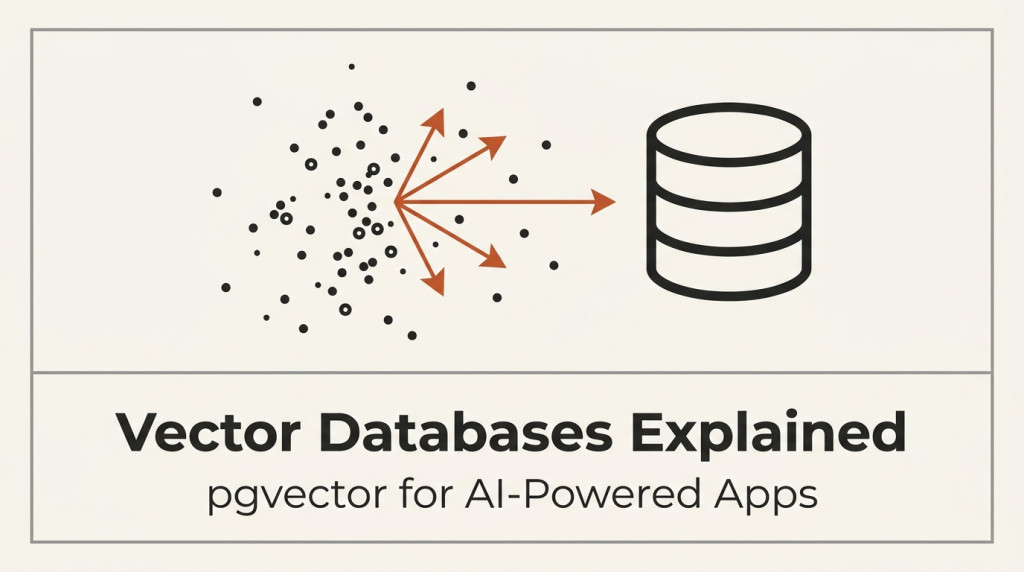
A vector database stores numbers. Specifically, it stores arrays of numbers (vectors) that represent meaning. The vector for “database” is close to the vector for “data store” is close to the vector for “information repository.” They live near each other in vector space.
You query with a vector (representing the user’s question), and the database returns the vectors that are closest in meaning. Not closest in keywords. Closest in semantic meaning.
This is why LLMs hallucinate without retrieval. The model has been trained on the public internet. It knows nothing about your specific docs, your products, your policies. Vector search lets you feed it relevant context from your data at query time.
The pattern is called RAG – Retrieval-Augmented Generation. The user’s question becomes a vector. The vector database finds relevant documents. The LLM answers using those documents as context. Hallucination drops dramatically because the model is working from real data, not just its training.
Why pgvector and Not Pinecone or Weaviate
Pinecone, Weaviate, Milvus, Qdrant, Chroma – there are many dedicated vector databases. They are fast, scalable, and feature-rich.
But pgvector has a different value proposition. It runs inside your existing Postgres database. No new infrastructure. No new connection. No new ops surface. The same backup that backs up your regular database backs up your vectors. The same replication that replicates your data replicates your vectors. The same access controls apply.
For most teams, this is the right tradeoff. You give up the absolute performance of a specialized vector database. You get massive operational simplicity.
Pinecone makes sense at massive scale – millions of vectors, hundreds of queries per second, strict latency requirements. Most apps never need that. The team that does not need that should run pgvector.
How Embeddings Work (Without the Math)
Every chunk of text becomes a vector. The vector is a list of numbers – typically 384, 768, 1024, 1536, or 3072 numbers depending on the embedding model. Each number represents some aspect of meaning.
“The cat sat on the mat” and “A kitten rested on the rug” become vectors that are very close to each other, because they mean similar things. “The cat sat on the mat” and “Stock prices fell 5% today” become vectors that are far apart, because they mean completely different things.
You create these vectors using an embedding model. OpenAI’s text-embedding-3-small (1536 dimensions, fast, cheap). Cohere’s embed-english-v3.0. The open-source all-MiniLM-L6-v2 (384 dimensions, runs locally, free). There are dozens of options.
You pick an embedding model, send it your text, get back a vector, store the vector in your database along with the original text. At query time, you embed the user’s question, search for the nearest stored vectors, retrieve the original text, send it to the LLM as context.
That is the whole pipeline. No magic. Just embeddings, vector search, and prompt assembly.
When You Actually Need a Vector Database
Not every AI feature needs one. Here is the honest test.
You need a vector database if:
- You have a corpus of documents (more than ~100) that an LLM should reference
- Users ask questions in natural language and you want answers grounded in your data
- You are building semantic search (search by meaning, not keywords)
- You are building a recommendation system based on content similarity
- You want to do “find similar documents” or “find duplicates”
You do NOT need a vector database if:
- You have fewer than ~100 documents (just put them in the prompt)
- You can answer questions with keyword search alone
- Your “AI feature” is just a chatbot with no custom knowledge
- You are using the LLM for tasks that do not need your data (writing, summarizing, coding)
Most AI apps that need vector search fall into one of these categories: customer support (answer questions using docs), internal search (find information across company docs), semantic product search (find products by description, not SKU), and content recommendations (find similar articles, videos, etc.).
If you have any of these, you need a vector database.
Setting Up pgvector: The Real Steps
The setup is straightforward. Three pieces: Postgres with pgvector installed, an embedding model to create vectors, and your application code to query.
Step 1: Install pgvector.
Most managed Postgres providers (AWS RDS, Supabase, Neon, DigitalOcean) now support pgvector as a one-click extension. Self-hosted: CREATE EXTENSION vector;. That is the entire installation.
Step 2: Create a table for your embeddings.
CREATE TABLE documents (
    id BIGSERIAL PRIMARY KEY,
    content TEXT NOT NULL,
    embedding vector(1536) NOT NULL,
    metadata JSONB,
    created_at TIMESTAMP DEFAULT NOW()
);
The 1536 dimension matches OpenAI’s text-embedding-3-small. Adjust if you use a different model.
Step 3: Create an index for fast search.
CREATE INDEX ON documents USING hnsw (embedding vector_cosine_ops);HNSW (Hierarchical Navigable Small World) is the default. IVFFlat is faster to build but slower to query. For most use cases, HNSW is right.
Step 4: Add data.
Embed your documents. Store them with their vectors:
INSERT INTO documents (content, embedding, metadata)
VALUES ($1, $2, $3);
The $2 is the vector – pass it as a JSON array or string like '[0.1, 0.2, ...]'.
Step 5: Query at search time.
SELECT content, embedding <=> $1 AS distance
FROM documents
ORDER BY embedding <=> $1
LIMIT 5;
The <=> operator is cosine distance. Lower distance means more similar. The LIMIT 5 returns the 5 most relevant chunks.
That is the entire setup. No external services. No new infrastructure. Just Postgres with one extension.
Chunking: The Hidden Complexity
The hard part is not the vector database. The hard part is splitting your documents into chunks that work well for retrieval.
If you embed an entire 50-page document as one vector, the vector represents the average meaning of all 50 pages. A specific question about page 23 will not find this vector as the most relevant. The vector is too coarse.
If you embed every sentence separately, each vector is too narrow. A question about a concept that spans 5 sentences will not find them as related.
The typical approach: chunks of 200-500 tokens with 10-20% overlap. This balances retrieval precision with retrieval coverage. Adjust based on your content.
Chunking strategies:
By token count. Split text into 500-token chunks. Simple. Works for most content.
By sentence. Use NLTK or similar to split into sentences, group 3-5 sentences together. Good for prose.
By section. Use document structure (headers, paragraphs) to define chunks. Good for structured content.
By semantic boundary. Use embeddings themselves to find natural break points. Sophisticated. Sometimes better, sometimes not.
Most teams start with token-count chunking. Move to semantic chunking only if retrieval quality is poor.
Production Considerations
A few things matter when you go beyond a prototype.
Embedding cost. OpenAI charges about $0.02 per million tokens for text-embedding-3-small. A 1M-token corpus costs 2 cents to embed. Re-embedding on changes costs proportionally.
Embedding latency. OpenAI embeddings take 200-500ms per call. Batching helps. For sub-100ms latency, use a local embedding model (sentence-transformers).
Re-embedding strategy. When content changes, re-embed. Most teams re-embed incrementally (only changed chunks). Some re-embed everything periodically.
Hybrid search. Combine vector search with traditional keyword search (BM25 or full-text). Vector search finds semantically similar content. Keyword search finds exact matches. Hybrid usually beats either alone.
Metadata filtering. Users want to filter by date, category, author. Store metadata in the same row. Filter before or after vector search depending on selectivity.
Monitoring. Track retrieval quality (are the top results actually relevant?), latency, and cost. Retrieval quality is the silent killer – if it degrades, your AI quality degrades with it.
Performance and Scale
pgvector performance is good but not infinite. Here is what to expect.
Up to 1M vectors. pgvector handles this comfortably on modest hardware. Queries return in single-digit milliseconds with the HNSW index.
1M to 10M vectors. Still works. May need more RAM, faster storage, query optimization. Some teams shard at this point.
10M to 100M vectors. This is where pgvector starts showing its limits. Dedicated vector databases (Pinecone, Weaviate) handle this more efficiently. Consider migrating.
Over 100M vectors. You probably need a dedicated vector database or a specialized search service. Most apps never reach this scale.
For most real applications (customer support KB, internal search, content recommendations), the corpus is well under 1M chunks. pgvector handles this without breaking a sweat.
Common Mistakes
A few patterns that hurt vector database implementations.
Embedding the wrong thing. If users ask questions about specific facts and you embedded summaries, retrieval will be bad. Match chunk size to question size.
Ignoring metadata. Filtering by date, category, source after vector search often improves results dramatically. Use it.
No re-ranking. Vector search returns approximate nearest neighbors. A re-ranker model (Cohere Rerank, cross-encoder) refines the top results. Often doubles precision.
Too many dimensions. Higher-dimensional embeddings are not always better. They are slower, more expensive, and harder to index. 384 or 768 dimensions is usually plenty.
No evaluation. You cannot improve what you do not measure. Have a set of test queries with known-good results. Run them periodically to track quality.
Treating it as a magic box. Vector databases find similar things. They do not understand them. The LLM still has to do the actual reasoning. Garbage retrieval plus a great LLM is still garbage.
Avoid these patterns and your implementation will outperform most.
When NOT to Use pgvector
A few situations where pgvector is the wrong tool.
Massive scale. Over 10M vectors with strict latency requirements – go with Pinecone or Weaviate.
Multi-modal vectors. Image, audio, video embeddings – pgvector handles them but specialized tools (CLIP-based search engines) do it better.
No existing Postgres. If you do not already run Postgres, adopting it just for vector search is a lot. Pinecone or Chroma might be simpler.
Need for advanced vector features. If you need things like custom distance metrics, pre-filtering with complex predicates, or sparse-dense hybrid search with weighted scoring, specialized databases offer more.
For most teams, these are not real constraints. pgvector is the right default. The exceptions are real but uncommon.
A Real Implementation Pattern
Here is how a production implementation typically looks.
1. Content pipeline. When content is created or updated, chunk it, embed each chunk, store in Postgres. Triggered by your CMS, your docs platform, or a scheduled job.
2. Query pipeline. When user asks a question, embed the question, query Postgres for top-K chunks, send chunks + question to LLM as context, return LLM response. Latency budget: embedding (300ms) + vector search (50ms) + LLM (2-5s) = total 3-6s.
3. Feedback loop. Track which responses are good, which are bad, which led to follow-up questions. Use this to improve chunking, embedding choice, retrieval parameters.
4. Monitoring. Track retrieval latency, LLM latency, total latency, retrieval quality scores. Alert on degradation.
This pattern runs at companies from small startups to large enterprises. The basics do not change with scale.
What You Can Do Today
You do not need a massive AI app to start. Try this.
Step 1: Spin up Postgres with pgvector. Use Supabase, Neon, or a self-hosted Postgres. Enable the pgvector extension. Takes 5 minutes.
Step 2: Embed 100 of your docs. Pick the 100 most important pages, articles, or product descriptions. Chunk them into 500-token pieces. Embed with OpenAI. Store in Postgres.
Step 3: Build a simple search. Take a user question, embed it, query Postgres for the top 5 chunks. Display the chunks. Test it. See what works and what does not.
Step 4: Connect to an LLM. Send the top 5 chunks plus the question to GPT-4 or Claude. Get an answer grounded in your docs. Compare to what the LLM says without context.
Step 5: Iterate. Adjust chunk size, embedding model, top-K value, prompt template. Measure quality each time.
If you are running GICTServer infrastructure, you can deploy pgvector on their VPS or dedicated servers without any external dependencies. The database, the embedding pipeline, the LLM calls – all on infrastructure you control. This is one of the cases where owning the stack makes sense: AI apps benefit from data locality, predictable costs, and full control over the embedding and retrieval pipeline.
Conclusion
Vector databases are not magic. They are a specific kind of search – semantic search, where meaning matters more than keywords. They are the foundation of any AI app that needs to work with your data, not just generic internet text.
pgvector is the right default for most teams. It runs on infrastructure you already have. It uses tools you already understand. It does not add a new ops surface area. The performance is good enough for 90% of use cases.
If you outgrow pgvector, you will know. The team running pgvector for 10M+ vectors at single-digit-millisecond latency is rare. The team running pgvector for 100K customer support documents is the common case. That is who pgvector is for.
Start with pgvector. Add a dedicated vector database only if you have specific, measured reasons. Most teams never need to.
The era of LLMs hallucinating without your data is ending. Vector databases made retrieval-augmented generation practical. pgvector made it accessible to anyone running Postgres. That is most teams. It is probably you.
Related guides
How to Switch Hosting Providers With Zero Downtime
How to switch hosting providers with zero downtime in 2026: the migration plan, DNS cutover strategy, data sync strategies, rollback procedure, and a pre-migration...
Hosting GuidesDatabase Sharding Strategies for Growing Apps
Database sharding strategies for growing apps in 2026: when you actually need sharding, how to choose a shard key, the 5 main strategies, cross-shard query costs...
Hosting GuidesWhat Good Hosting Support Actually Looks Like
What good hosting support looks like in 2026: quick first response, real engineers, public status pages, transparent postmortems, and how to test support quality before...
Hosting Guides7 Signs You’ve Outgrown Shared Hosting: What’s Next?
7 signs you have outgrown shared hosting in 2026: slow performance despite optimization, resource warnings, software limitations, security needs, and the cost of...