
GICT knowledge base
Why WordPress? The Top Advantages for Small Business Websites
Published
WordPress is a powerful and versatile content management system (CMS) that is ideal for small businesses looking to establish a robust online presence. With its extensive range of features, user-friendly interface, and strong community support, WordPress offers immense benefits that can help businesses grow and succeed. In this article, we will explore ten compelling reasons why WordPress is the perfect choice for your small business website, from low development costs to full ownership, user-friendliness, and excellent SEO capabilities.
Simple and Quick Setup
The process of installing and setting up WordPress is fairly simple and quick. Many hosting providers like GICTServer offer an auto-installer feature that allows you to install WordPress with just a few clicks.
All you need to do is enter some basic information, like a username and password for the WordPress admin panel. You can also adjust a few technical settings, such as the CMS version or update preferences.
However, the default settings are usually sufficient to get your WordPress website up and running. If your hosting service doesn’t have a one-click WordPress installation feature, it’s easy to find online guides to help you through the setup process.
Low Development Costs
Using WordPress for your small business website can help reduce development costs. Since WordPress is free and open-source, users only need to pay for hosting and a domain name.
Because the source code is available to everyone, you don’t need to hire a specialized developer to create your business site. You can learn how WordPress works by spending some time exploring the platform.
Small business owners can also pick from many free themes and plugins created by the community. While free tools may have some limitations, most are sufficient to launch a professional-looking small business website.
Website Ownership
Having complete ownership of your website is essential for running an online business. Unlike some website builders that limit your access to the source code and may control your site’s content, you fully own and manage your WordPress site.
Since WordPress is self-hosted, you can choose any hosting provider and plan for your site and upgrade as needed. This makes it ideal for small businesses that want to start with budget-friendly options.
You can publish, manage, and moderate any content on your WordPress site without restrictions from services or algorithms. Everything you post—whether it’s a blog, video, or product listing—remains yours, even if you switch platforms or hosting providers.
WordPress also provides access to its source code, allowing you to modify and customize your site freely. Because of this, WordPress is a great choice for growing your business website as your company expands.
User-Friendliness
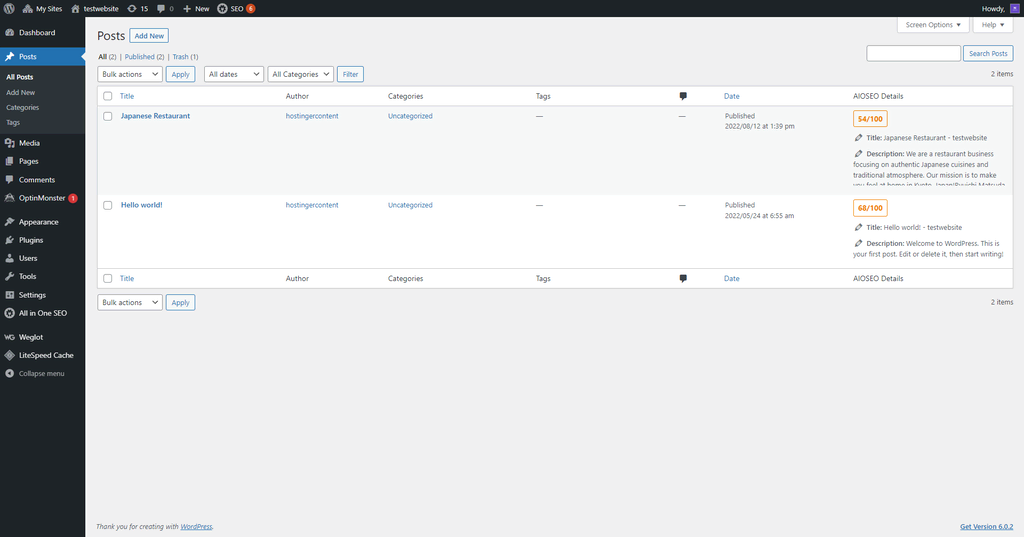
Building and managing a WordPress site is straightforward thanks to its user-friendly interface. While there might be a bit of a learning curve, WordPress is still easier to use than many other open-source CMS options.
The WordPress dashboard provides all the tools you need to manage your website. The menus are on the sidebar, allowing you to create new blog posts or manage and install plugins with just a few clicks.
For instance, the Gutenberg block editor makes it easy to create and edit blog posts. Anyone who is familiar with common word processing programs can use it without any trouble.
Users can also customize their WordPress site without needing to code. If you prefer a drag-and-drop page builder for changing your site’s look, you can use plugins like Divi.
Easy Access and Permission Management
As your business website grows and attracts more users, you’ll need to manage permissions and access for different types of users. WordPress simplifies this with its user roles feature, allowing the site owner to decide what each user can do on the site.
By default, WordPress has six user roles: Super Admin, Administrator, Editor, Author, Contributor, and Subscriber. Each role has its own set of abilities.
For instance, a Super Admin can access all files and perform any task on the site, while Subscribers can only read content and edit their own account details.
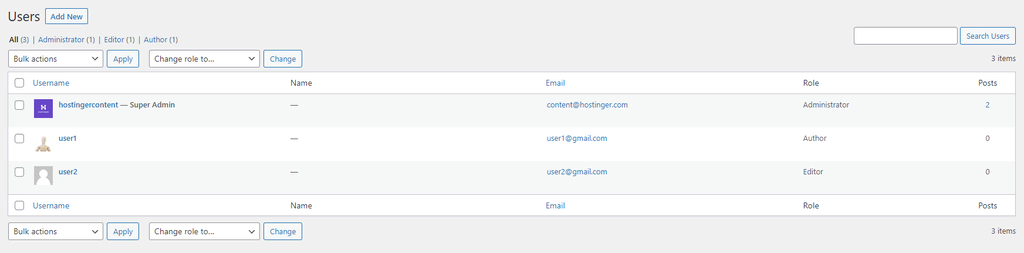
Managing user roles in WordPress is simple. Just go to the WordPress admin dashboard and click on the Users menu.
You can also use a plugin like PublishPress Capabilities to modify the roles and abilities of default users.
Many Business Themes and Plugins
There are many WordPress plugins and themes made by individual developers and third-party companies for different purposes, including small business websites. These options range from free tools to premium themes and plugins with advanced features.
These extra tools make WordPress a flexible and adaptable CMS. With the right theme and plugins, you can create almost any type of website.
Depending on the type of business, users can choose different themes and plugins. For example, plugins like WooCommerce are popular for setting up online stores, while WPForms is great for making a contact page.
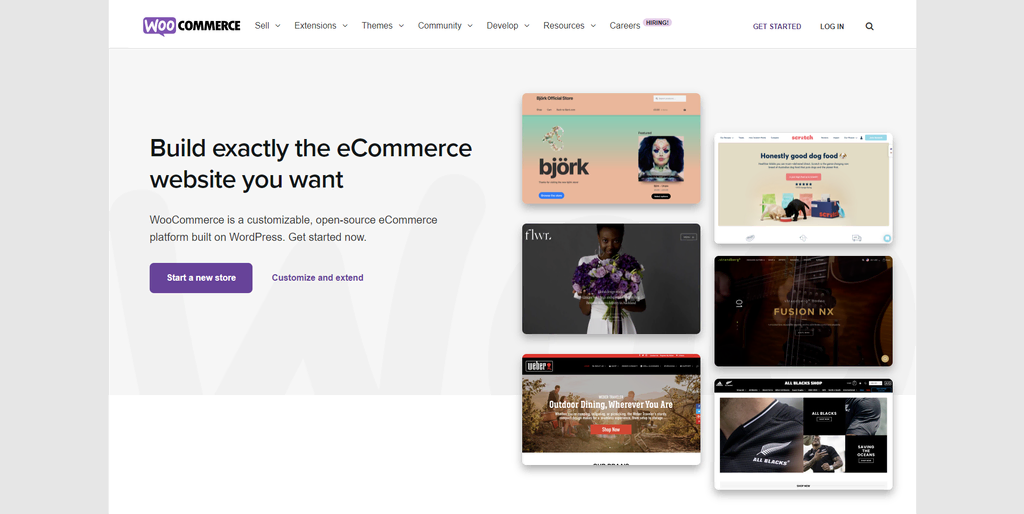
Certain plugins provide important features that can benefit most WordPress sites. We recommend adding a security plugin like Sucuri, an SEO plugin like Yoast SEO, and a Google Analytics plugin.
Simple Maintenance
Having a website up and running is crucial for any business, especially small ones, to maintain their credibility. The best way to keep your site functioning well is through regular maintenance.
WordPress simplifies important maintenance tasks with a variety of plugins. Some managed hosting options, such as WordPress hosting from GICTServer, offer useful features like staging tools, automatic updates, and backups.
WordPress also has a maintenance mode that lets users know when you’re making major changes to the site. This helps prevent negative impressions from a non-functional site and reduces security risks if you discover a harmful link.
Huge Community
WordPress has a large and active community where users can talk about different topics related to the CMS and share their experiences. Online forums are excellent for beginners to learn more about WordPress.
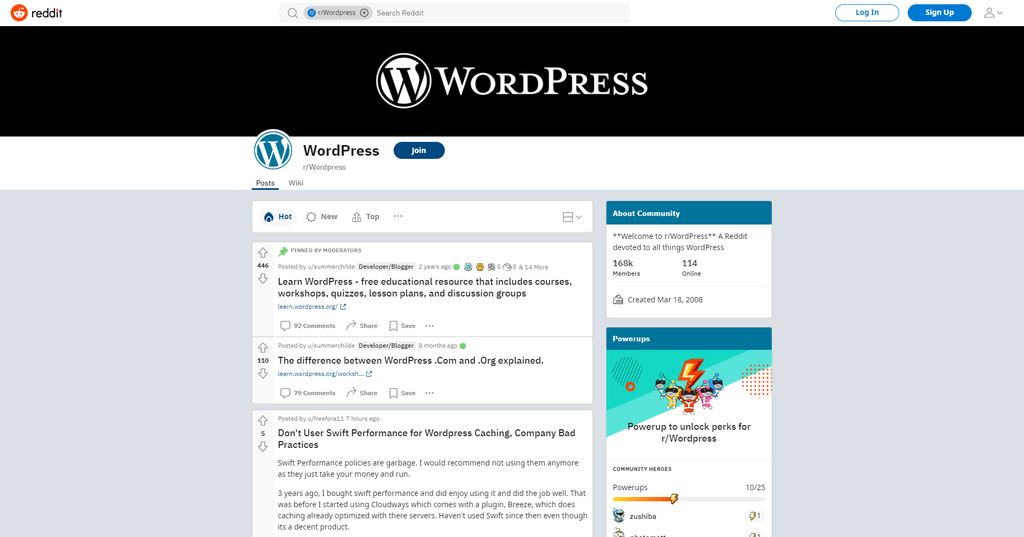
You can also join these forums to get advice from more experienced users. Many entrepreneurs use WordPress and are happy to share tips and tricks for making the most of the CMS for online businesses.
The big WordPress community also helps the CMS grow rapidly without relying on just one development team.
SEO-Friendly
Search Engine Optimization (SEO) is a popular way to attract organic traffic to a website. It’s a great online marketing strategy for small business websites since it can be done with little to no cost.
As a fantastic blogging platform, WordPress is built with SEO in mind. Using WordPress gives you access to features like taxonomies and custom post types, which can help improve your site’s visibility.
Site owners can also boost their chances of ranking higher in search results by using the right SEO tools and plugins.
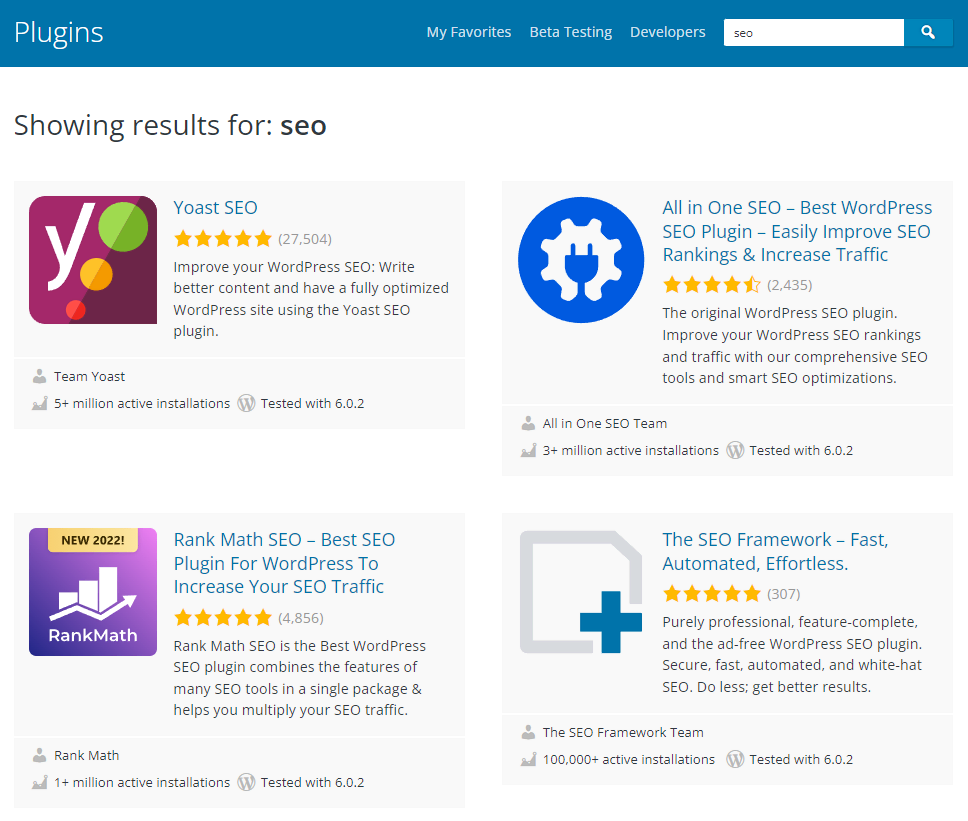
Keep in mind that SEO takes time to yield results and needs ongoing effort. Nevertheless, it’s an excellent method for small businesses to increase website traffic and enhance conversions.
If you’d like to learn more, take a look at this WordPress SEO tutorial. It explains how to improve your site using the best practices for on-page, technical, and off-page SEO.
Fast and Responsive
Having fast-loading and responsive web pages is crucial for a positive user experience. If potential customers find that your online store takes too long to load or doesn’t function well on their devices, they may leave right away.
With the right strategies, WordPress can help you achieve good page load speeds. You can speed up your WordPress site by selecting a suitable hosting service and using tools like a caching plugin.
Having a responsive design is crucial for a successful business website. Luckily, most WordPress themes are designed to work well on mobile devices, ensuring a good experience for users on different platforms.
Conclusion
Selecting the right platform for your small business website is essential for your online success. WordPress is a well-known and adaptable CMS that helps small businesses create their online presence with ease.
Here are ten key reasons to consider WordPress for your small business website:
- Quick and easy setup.
- Low costs for development.
- Full ownership of your site.
- User-friendly design.
- Simple management of user access and permissions.
- A wide selection of business themes and plugins.
- Easy maintenance.
- A large community of active users.
- Good for SEO.
- Fast page loading times.
We hope this article has given you a clearer idea of the advantages of using WordPress for your small business website. If you have any questions, don’t hesitate to leave a comment below.
Related guides
7 Common Hosting Mistakes Beginners Make (And How to Avoid Them)
7 common hosting mistakes beginners make in 2026: no backups, ignored updates, bad host choice, weak passwords, single point of failure, no staging. With fixes for each.
WordPressWebsite Migration Backup Checklist: What to Save and How to Test
Prepare a website migration backup: inventory files, databases, email and DNS, check archive integrity, test recovery and plan a safe final synchronization.
WordPressCore Web Vitals in 2026: A Practical Fix Guide for Site Owners
Core Web Vitals 2026: practical fixes for LCP, INP, and CLS. Real root causes, what to measure, common misconceptions, and a priority order of fixes for site owners.
WordPressFixing the WordPress “Death Loop”: When Missing Files slow down your site
You’ve just launched your new WordPress site or pushed a big update. In your staging environment, everything ran perfectly.