
GICT knowledge base
How to View Service Status from WHM?
Published
In cPanel&WHM there is a feature called “Service Status” which displays a list of the server’s monitored services. In the Service Status interface, statuses are categorized by three subfields. They are Service Information, System Information, Disk Information. The Service Information option under the Server Status in WHM permits us to see the status of server’s monitored services that are currently running on the server. It also provides you the name of the service, their current version, and their status. The System Information option includes all the details and status for the Server Load, Memory Used, and Swap used. And the third option Disk information will display the disk devices, their mount points, usage of the server storage and their status. This information is useful for looking at disk usage, cpu usage, and other server performance data. In this tutorial, we will show you how to check the server status of various services from the WHM interface.
1) Log in to your WHM.
2) Go to the section “Server Status” from the page.
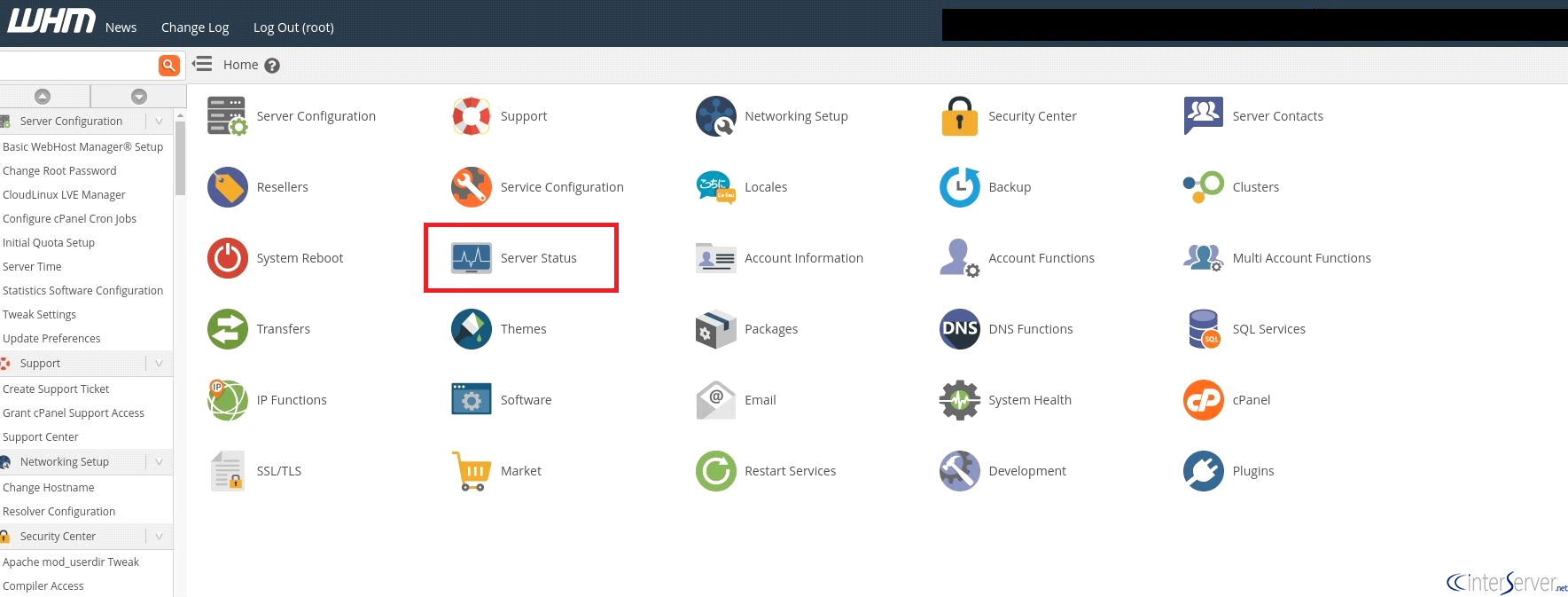
3) Select the option “Service Status”.

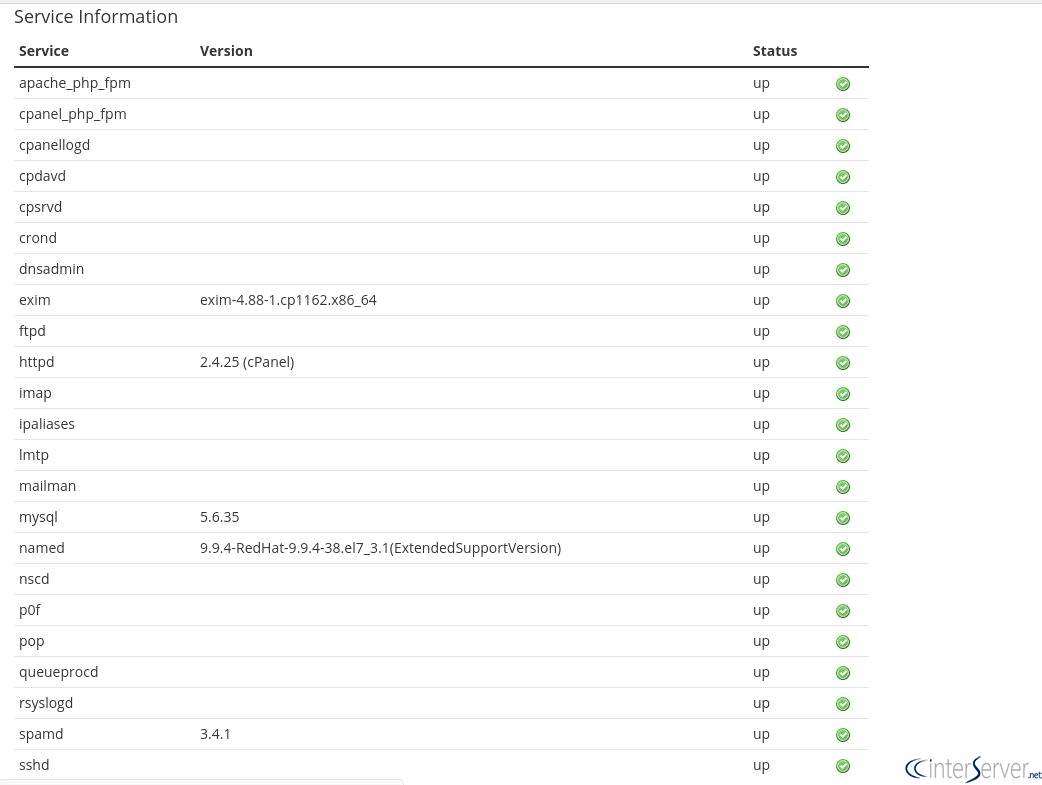
4) The Server Status section will display all the server’s monitored services, their current version, and their status. Also the System information and Disk information.
a) By default, cPanel & WHM servers monitor the following services.
cpanellogd, cpdavd, cpsrvd, crond, exim, httpd, ipaliases, mysql, pop, queueprocd, rsyslogd, spamd, sshd.
The services cpsrvd, crond, mysql, named, queueprocd, sshd are monitored by the cPanel DNSONLY server by default.
b) System Information.
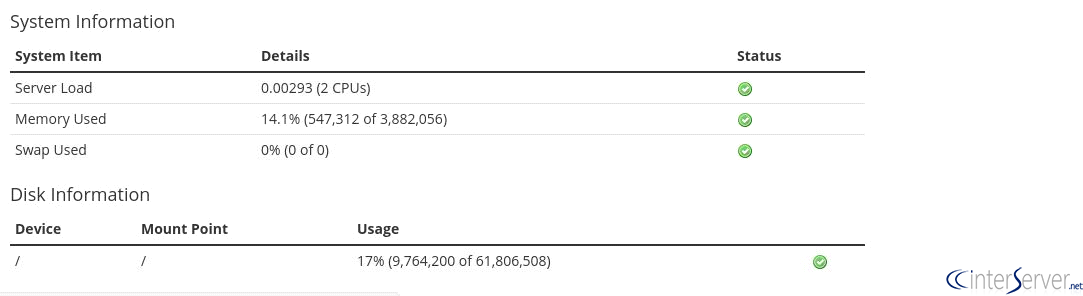
System Information section will always display the server’s load, the current memory which is used, and the current swap space used by the server, and the status for these items.
c) Disk Information
Disk Information section will display the disk devices, their mount points, their current usage, and their status.
If you need any further help, please do reach our support department.
Related guides
How to Install and Uninstall JetBackup for cPanel
How to Install JetBackup for cPanel. JetBackup is one of the leading backup solutions for cPanel & WHM that offers a user-friendly GUI. It provides
WHMSetup SendGrid on your cPanel VPS/Server
Setup SendGrid on your cPanel VPS/Server. SendGrid provides a cloud-based service for reliable transactional and marketing email.
WHMChange cPanel Nameserver Software to PowerDNS Carefully
Review WHM nameserver selection, resolver dependencies, cluster compatibility and DNSSEC requirements before a planned PowerDNS service change.
WHMTroubleshooting Jailed Shell on OpenVZ
cPanel/WHM providing Jailed shell environment for users, this feature giving high-level security for users when doing ssh access to their server.