
GICT knowledge base
Different ways to Restart PHP-FPM
Published
We all are familiar with PHP-FPM (FastCGI Process Manager). It is an alternative PHP FastCGI implementation with some additional features. It helps to reduce CPU usage by increasing the server’s available RAM in order to cache PHP scripts in the memory. This method is used instead of starting up a separate PHP process for each and every PHP request. It is mainly used for busier sites with any sizes.
Features of PHP-FPM
1) Advanced process management with graceful stop/start.
2) Ability to start workers with different uid/gid/chroot/environment, listening on different ports and using different php.ini (replaces safe_mode).
3) Stdout and stderr logging.
4) Emergency restart in case of accidental opcode cache destruction.
5) Accelerated upload support.
6) “slowlog” – logging scripts (not just their names, but their PHP backtraces too, using ptrace and similar things to read remote process’ execute_data) that are executed unusually slow.
7) Fastcgi_finish_request() – special function to finish request and flush all data while continuing to do something time-consuming (video converting, stats processing etc.).
8) Dynamic/static child spawning.
9) Basic SAPI status info (similar to Apache mod_status).
10) Php.ini-based config file.
In certain cases, we need to restart the PHP-FPM service, we can perform a Php-fpm restart using the following two possible methods.
1) We can restart the PHP-FPM from WHM
2) Restart the PHP_FPM in command line from the server backend (SSH to the server as a root user)
Restart PHP-FPM from WHM
1) Login to your WHM interface.
2) Click on the option ‘Restart Services’.
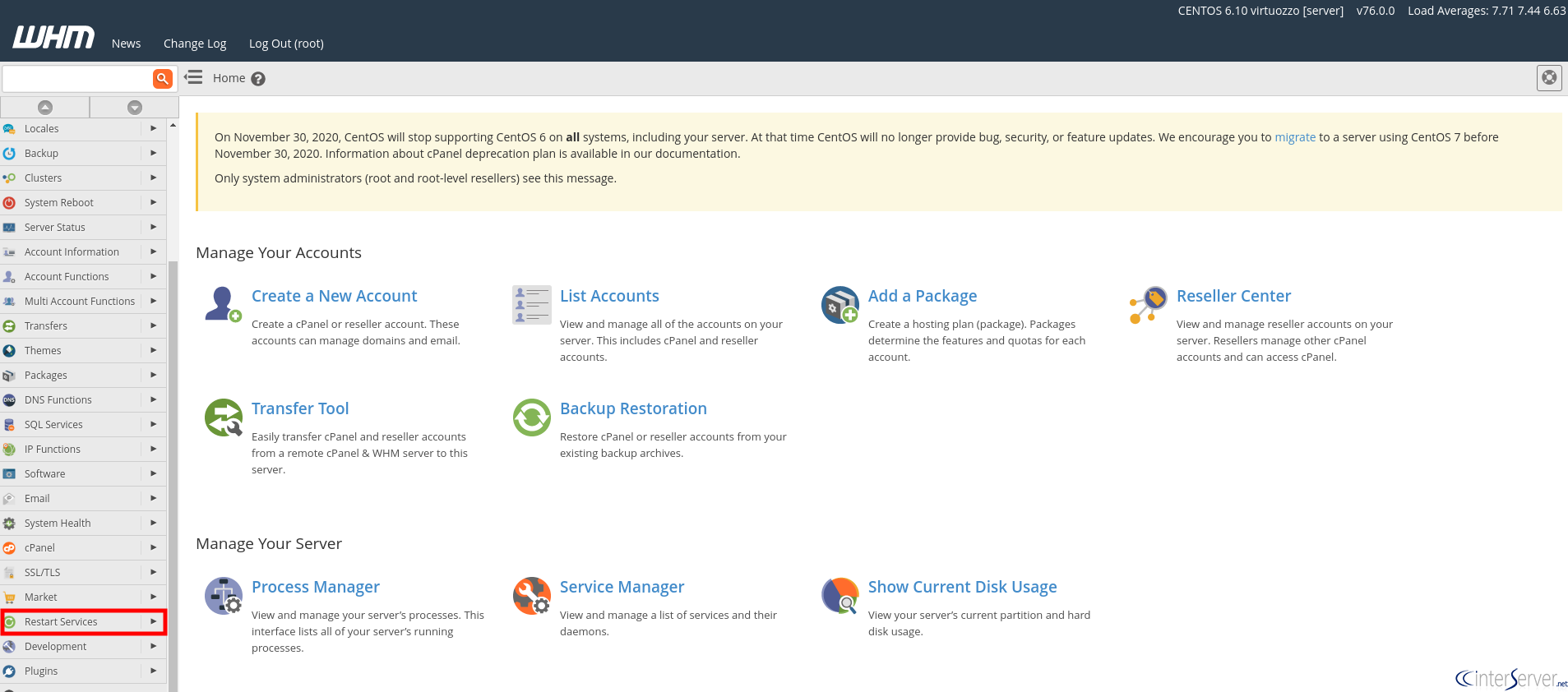
3) Navigate to the option ‘PHP-FPM service for Apache’.

4) You will navigate to a screen which asks for confirmation to restart PHP-FPM, click on the button ‘Yes’ to restart PHP-FPM.

Restart PHP-FPM via SSH
1) SSH into your server as root user.
2) Use the following command to restart the PHP-FPM service.
$ /scripts/restartsrv_apache_php_fpm
If you need any further help, please do reach our support department.
Related guides
How to Restrict an SSH Key to One Command
Restrict an SSH key to one command with authorized_keys options. Protect the command and check that unwanted shell and forwarding access are denied.
Linux and CommandsSelf-Hosted Video Processing With FFmpeg: A Practical Guide
Learn how to self-host video processing on a VPS using FFmpeg, with practical commands for conversion, compression, thumbnails, and automated workflows.
Linux and CommandsHow to use nohup: Commands in Linux That Survive Terminal Closes
Keep commands running after you close the terminal. nohup examples with wget, Python, rsync, and Docker on any VPS.
Linux and CommandsHow to Fix “Too Many Open Files” Error on Linux Servers
Learn how to fix the "Too Many Open Files" error on Linux servers by understanding file descriptors, adjusting limits, and diagnosing leaks effectively.