
GICT knowledge base
New cPanel feature – Backup User Selection
Published
cPanel & WHM is the Duo that you can use to set up your own hosting business in no time. And this duo is compelling as you can create and manage user accounts on your server, Manage to bill and limit usage as per the user’s requirement. In cPanel & WHM version 74, some new features are useful to system administrators. One of the highlights is “Backup user selection” that you can use to manage backups for your customers.
In cPanel & WHM version 74, the feature backup user selection has updated with a new look and feel. Backup user selection has a new separate section with new toggles and a new Account Actions menu button where you can enable or disable all the accounts by one click.
Backup User Selection Interface
So the main advantage of the interface is that it allows you to exclude or include user accounts from your scheduled backups. In this documentation, we are going to discuss the backup user selection feature.
1) Log in to the WHM.
2) Go to the “Backup” session.
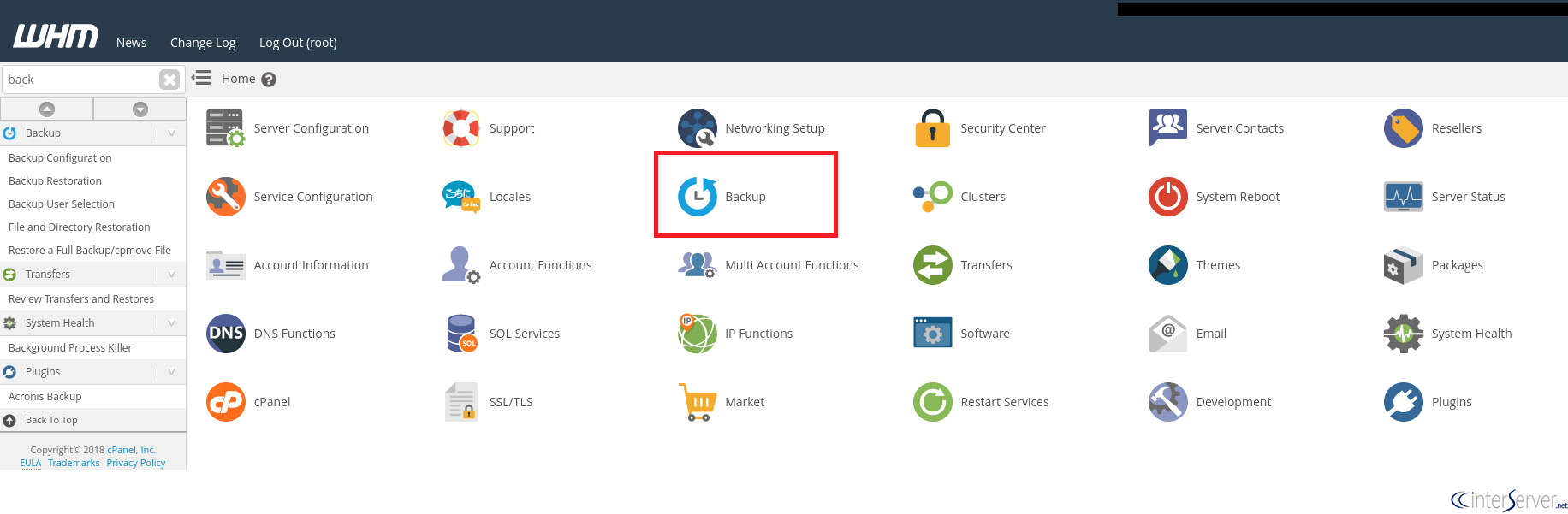
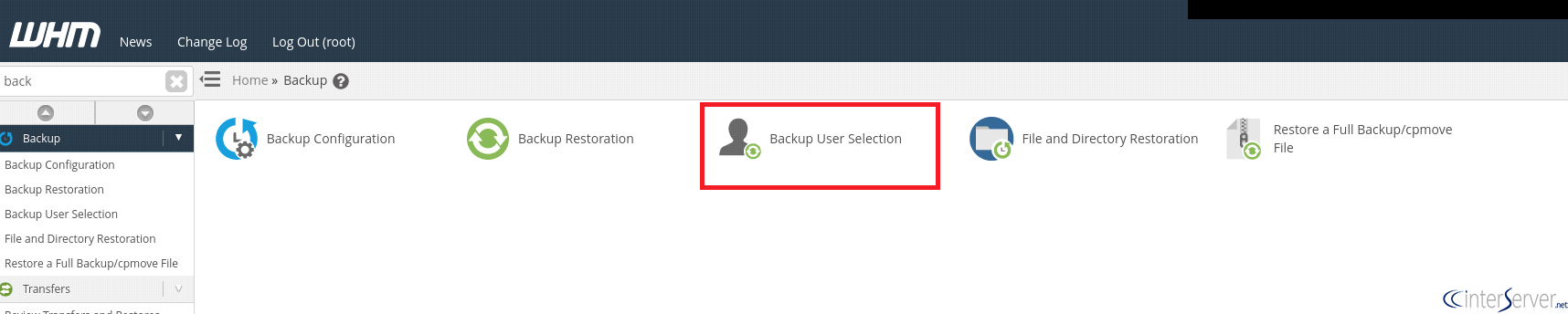
3) Select the Option “Backup User Selection”.
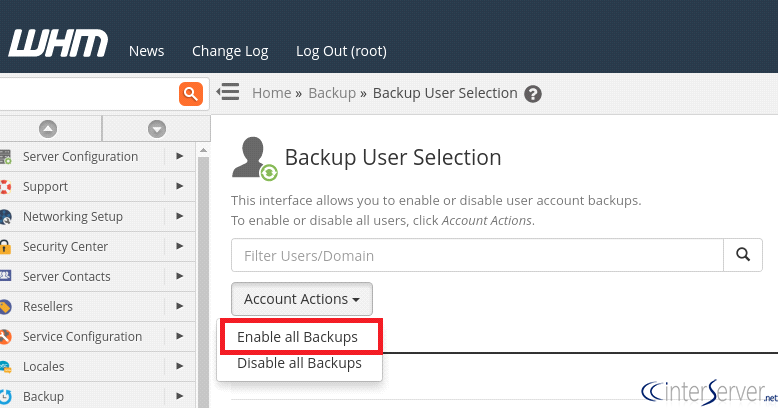
4) From the page, go to the “Account Actions” section where you can enable or disable the backups for all the cPanel users in one click. If you want to enable the backup option for all the accounts on the cPanel, choose the option “Enable all backups”.
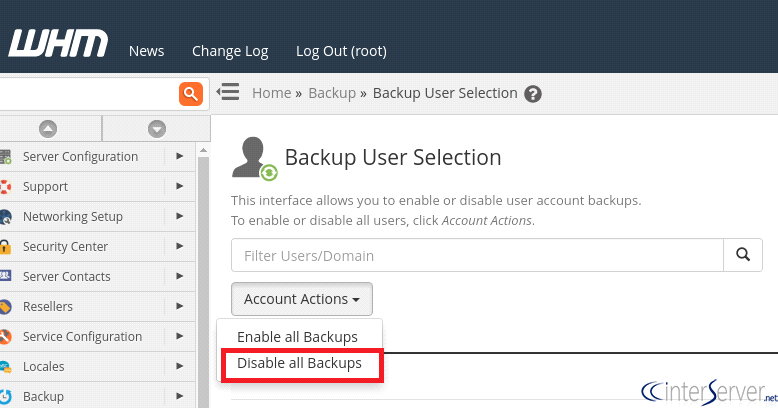
5) Or If you want to disable the backup option for all the accounts on the cPanel, choose the option “Disable all Backups”.
6) You can also choose to enable/disable backups for specific users. Please see the screenshot given below to get more idea on how to perform this task.
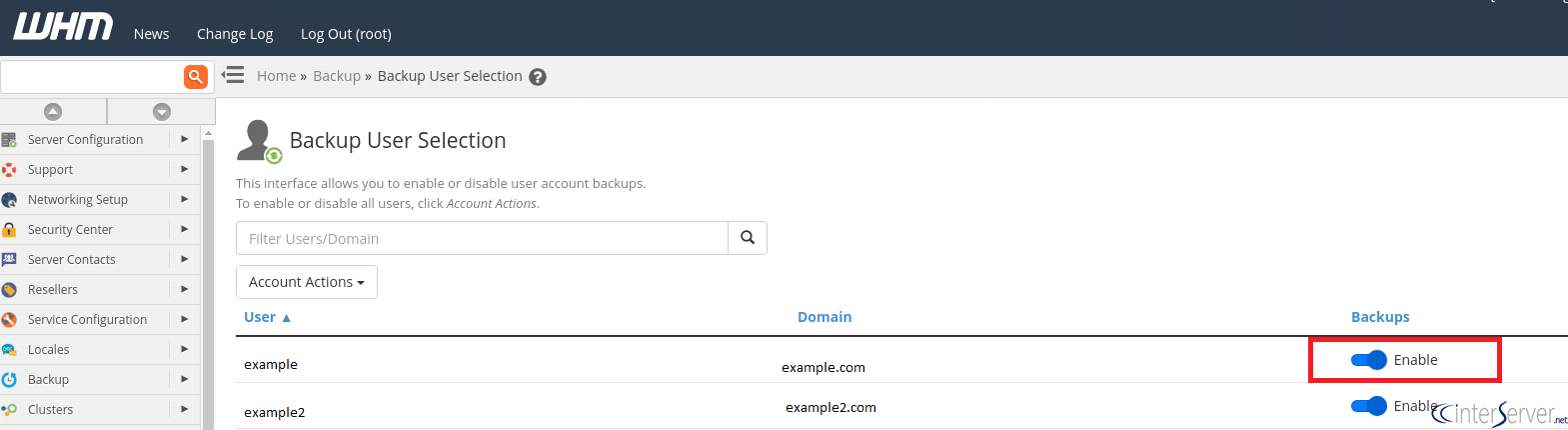
When you configure a backup in the “Backup Configuration” on WHM, your backups include user account information by default. You can change this option by using this new feature.
Let us know if you are facing any issue following this guide. We are happy to help!
Related guides
Host Additional Domains on an Eligible GICTServer Account
Check your hosting limits, choose a separate site or alias and use cPanel or DirectAdmin with deliberate DNS, content and certificate verification.
cPanelHardening Your cPanel Server: Beyond the Basics After CVE-2026-41940
Security is a moving target. With the recent discovery of CVE-2026-41940, it has become clear that just having a firewall isn't enough anymore.
cPanelcPanel and Plesk notice: Awstats,. Webalizer and Analog stats are being removed
Important Update: cPanel and Plesk Phasing Out Legacy Statistics Tools If you regularly check your website traffic through your hosting control panel, we have an...
cPanelThe dangers of shared licenses (in other words unofficial/cracked licenses)
Why Cracked cPanel Licenses Aren’t Worth the Risk: A Guide for GICTServer Customers When you’re managing a server, every dollar counts.