
GICT knowledge base
Managing Themes from WHM
Published
Managing Themes from WHM
We can change the appearance of cPanel, WHM, and Webmail from WHM. We can switch among the themes used for these interfaces. In this documentation, we are going to see how can we switch themes using WHM. Please follow the below steps for that and a few screenshots are added for reference.
1) Login to WHM.
You could log in to the WHM using a web browser. You need to enter the IP address or hostname of the server followed by a colon and port number such as http://hostname:2086. If you need to access the WHM secured URL, you need to enter the below in the address bar of the web browser. https://hostname:2087. The difference here is the port number. Please note, you need to access the WHM, cPanel or Webmail accounts via SSL connection (Secured connection) to enable external authentication.
2) Go to Home >> Themes.
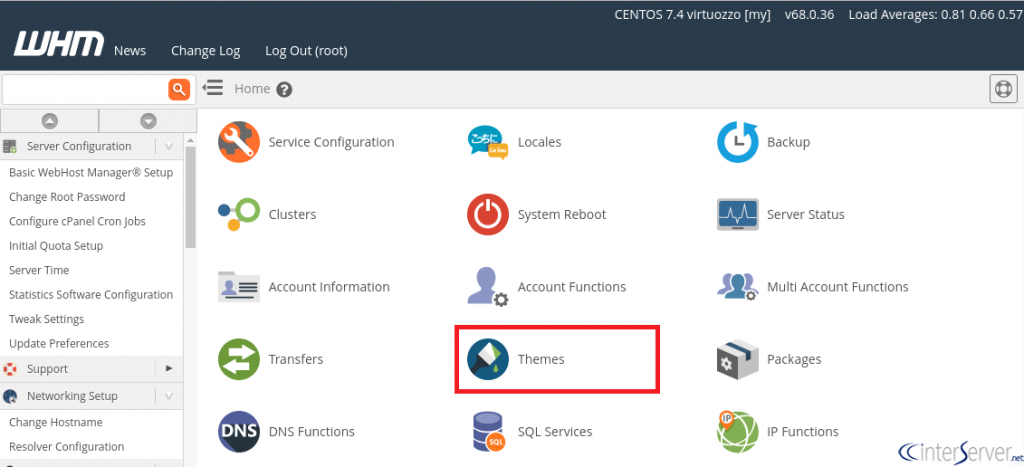
3) Change WHM Theme.
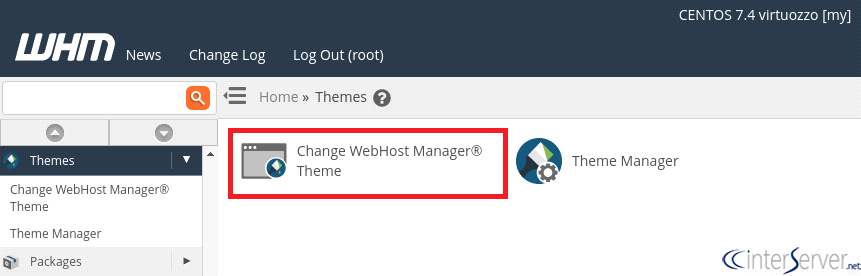
Now, you will be redirected to the next page. There you could find two buttons and they are used to change the theme for WHM and another button for theme manager. To change the theme used for WHM, you need to click on the first button as shown in the screenshot.
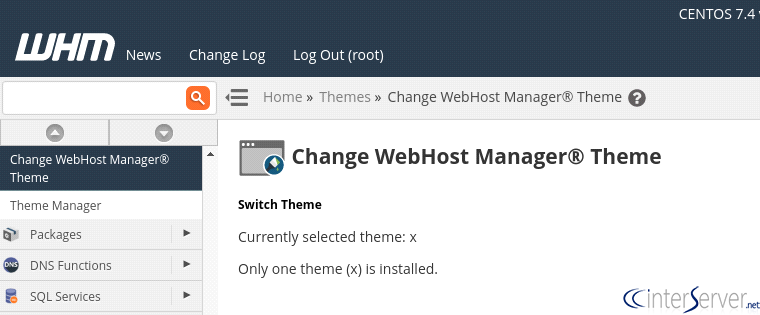
When clicking on this icon, you could see the current them used and the installed themes. If there are multiple themes, you could switch between the themes.
4) Go to Theme Manager.
To access the themes, you should go to Theme Manager from the step 3.
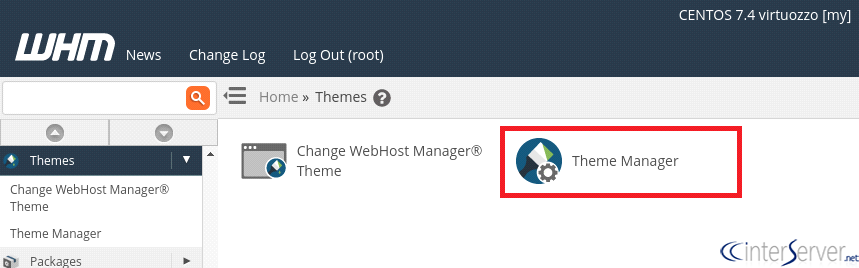
You could see the below screen and you could switch among the available themes.
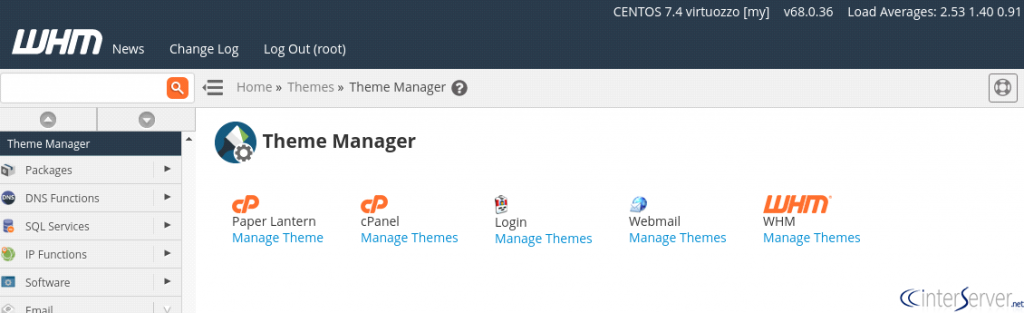
This is how we can switch among the themes for cPanel, WHM, and Webmail using WHM.
If you need any further help please do reach our support department.
Related guides
How to Install and Uninstall JetBackup for cPanel
How to Install JetBackup for cPanel. JetBackup is one of the leading backup solutions for cPanel & WHM that offers a user-friendly GUI. It provides
WHMSetup SendGrid on your cPanel VPS/Server
Setup SendGrid on your cPanel VPS/Server. SendGrid provides a cloud-based service for reliable transactional and marketing email.
WHMChange cPanel Nameserver Software to PowerDNS Carefully
Review WHM nameserver selection, resolver dependencies, cluster compatibility and DNSSEC requirements before a planned PowerDNS service change.
WHMTroubleshooting Jailed Shell on OpenVZ
cPanel/WHM providing Jailed shell environment for users, this feature giving high-level security for users when doing ssh access to their server.