
GICT knowledge base
Manage Shell Access from WHM
Published
The Shell access which is commonly referred to as SSH, we can manage remote server via command line interface if the shell access is enabled. We can enable shell access for every users on the time of creation. If it is disabled we can enable it from the WHM itself, there are two options currently available for doing the same. Also we can only use the SCP( secure copy command ) if the SSH access is enabled. There are three shell available.
1) Normal Shell
2) Jailed Shell
3) Disabled shell
Normal shell will give user full access to the account via command line. There will be no limitations. jailed shell have some limitation, it will prevents the execution of harmful commands. The disabled shell is used to deny the access to the cPanel users.
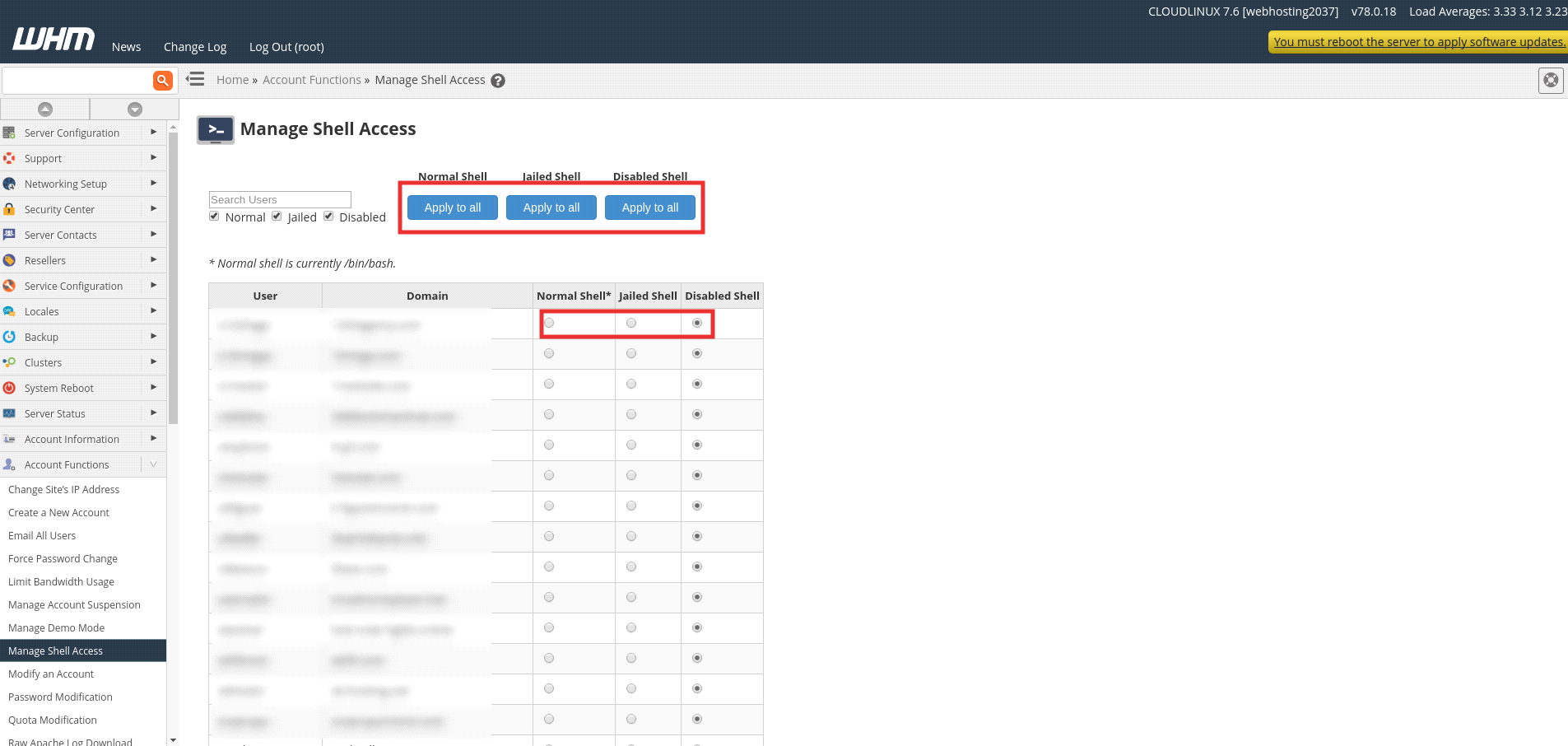
We can enable shell access for all user using option apply for all under the type of shell access which you want to enable. For this, we need to use the option Manage Shell Access. If you only wish to enable shell access to an account only you can use the option modify an account.
Steps to enable/disable shell access using Manage shell Access.
Please refer the below screen shot for better awareness.
1) Login to WHM.
2) Navigate to the menu “Account Functions”.
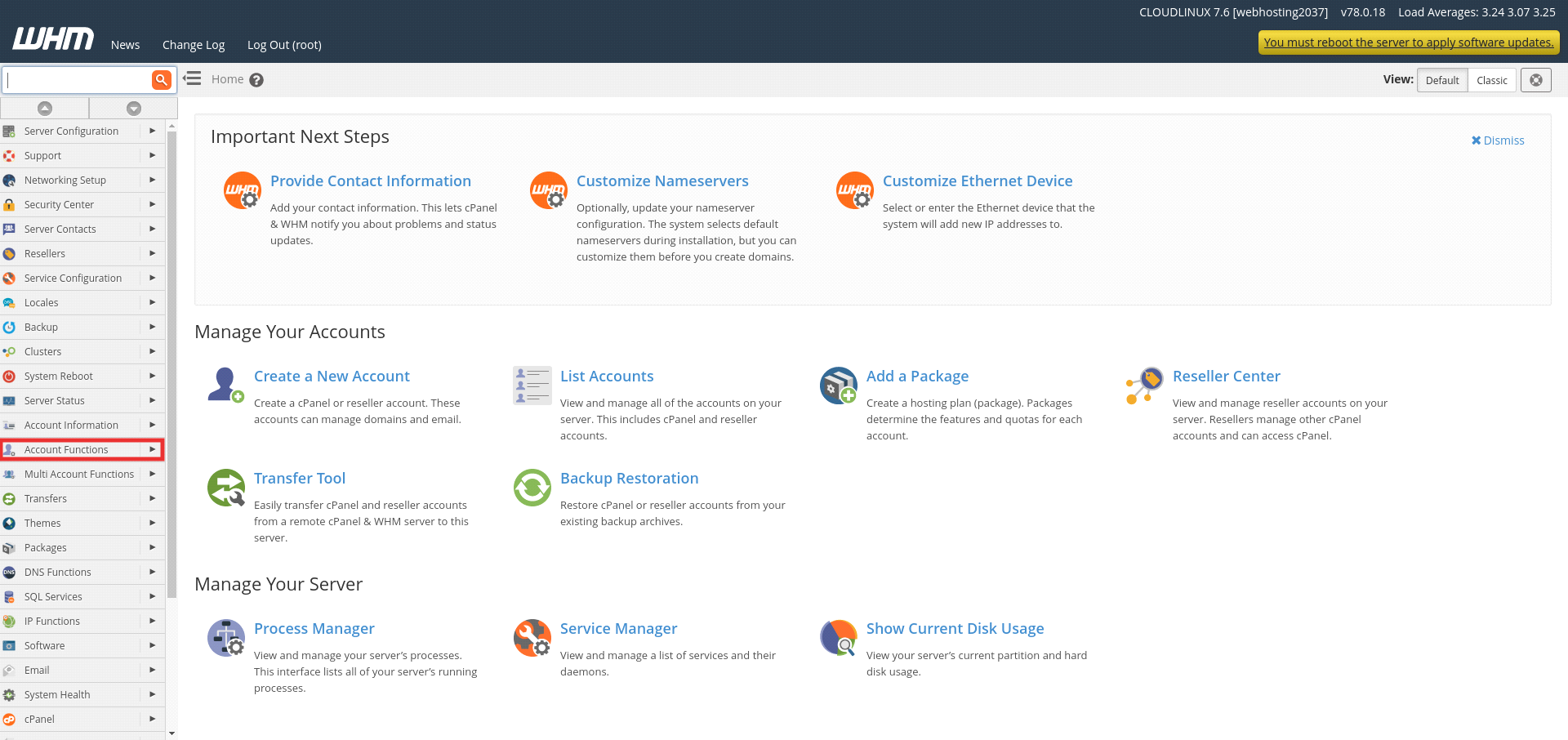
3) Click on the option “Manage Shell Access”.
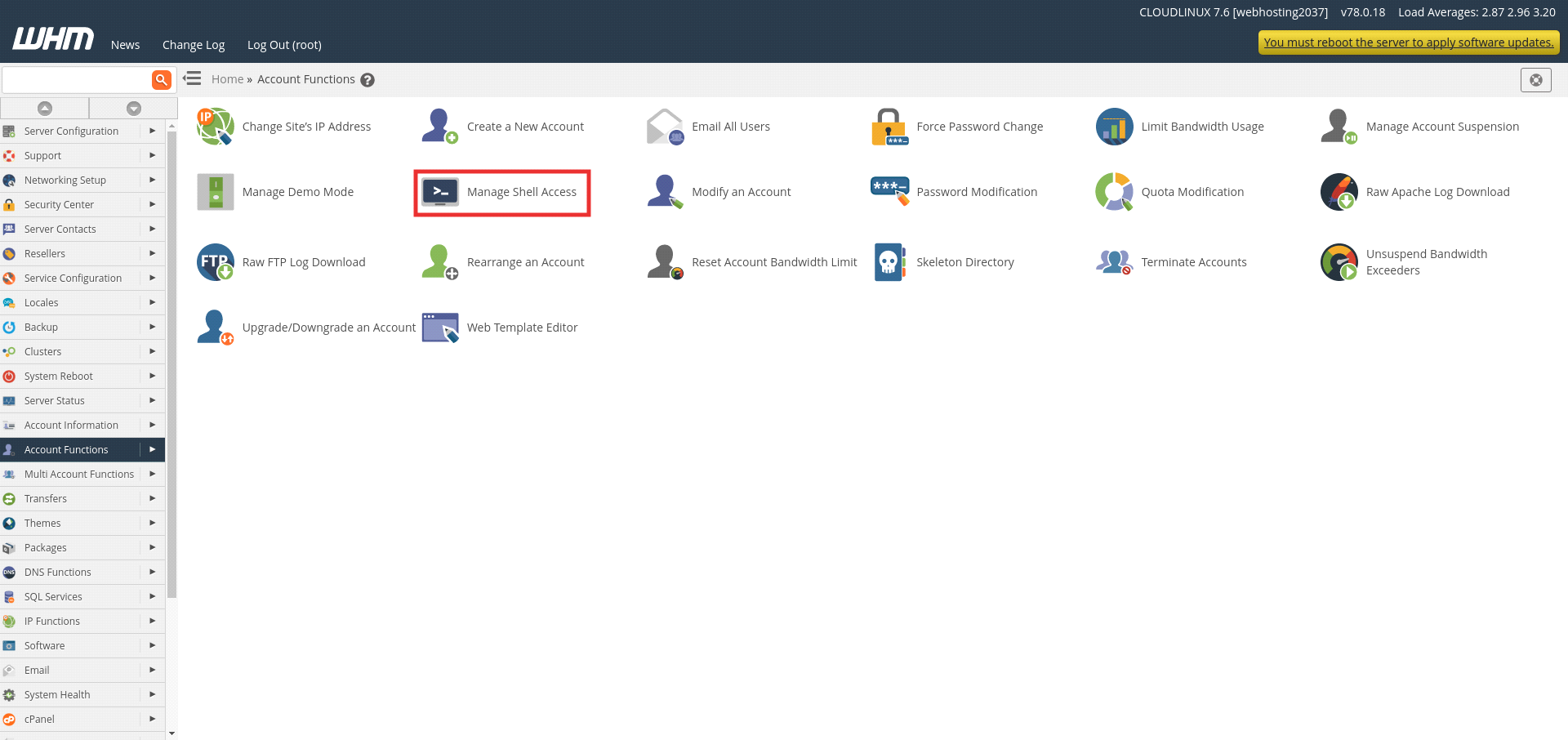
4) You will navigate to the below page where you can enable or disable shell access to all the accounts or you can select the particular users if you wish to enable only for few. Also you can choose the type of shell which you wish to enable.
Manage Shell Access through “Modify an account”
1) Navigate to Home >> Account Functions >>Modify an Account.
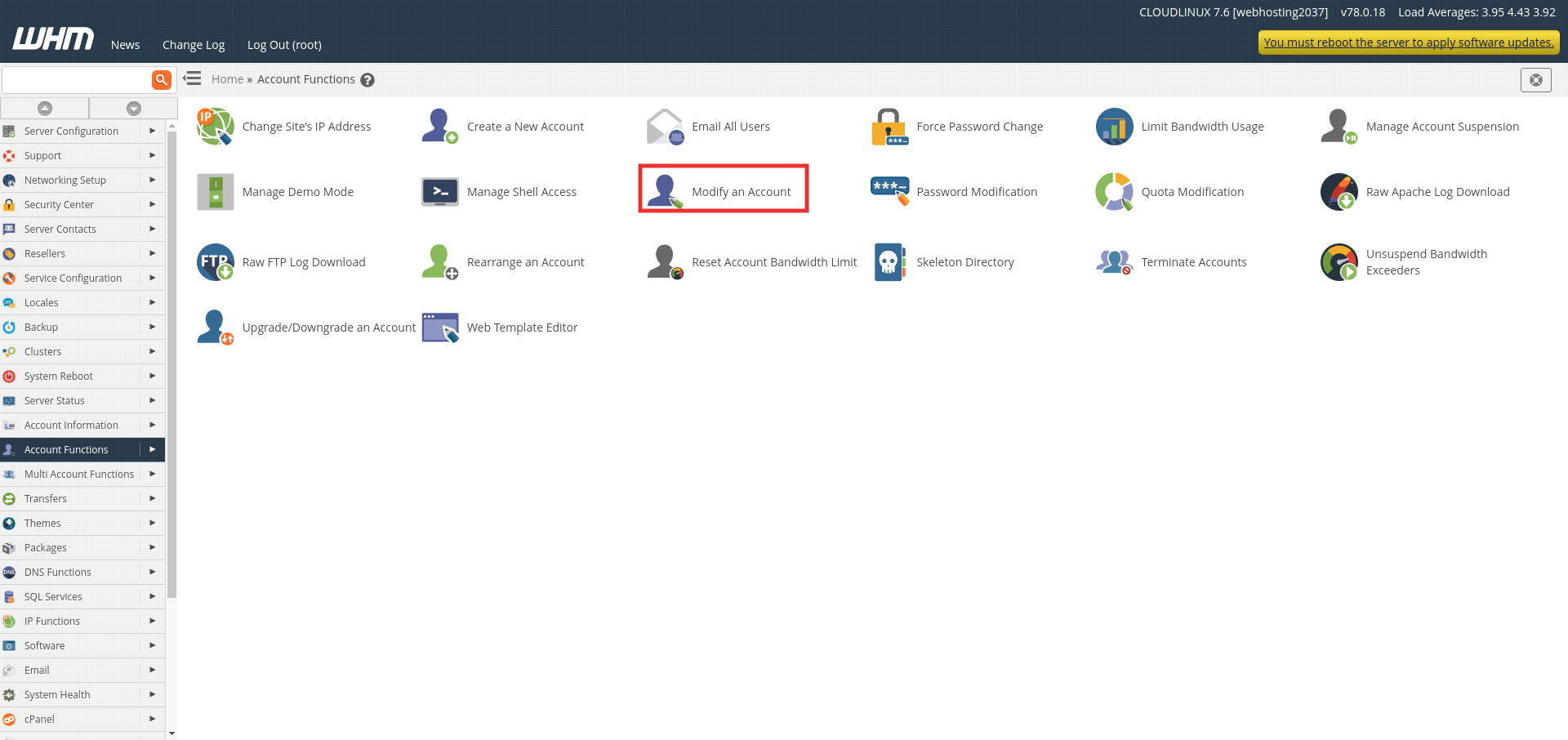
2) You will be redirected to the page which list all the cPanel accounts. Select the user you wish to enable shell access and click on the option “Modify”.
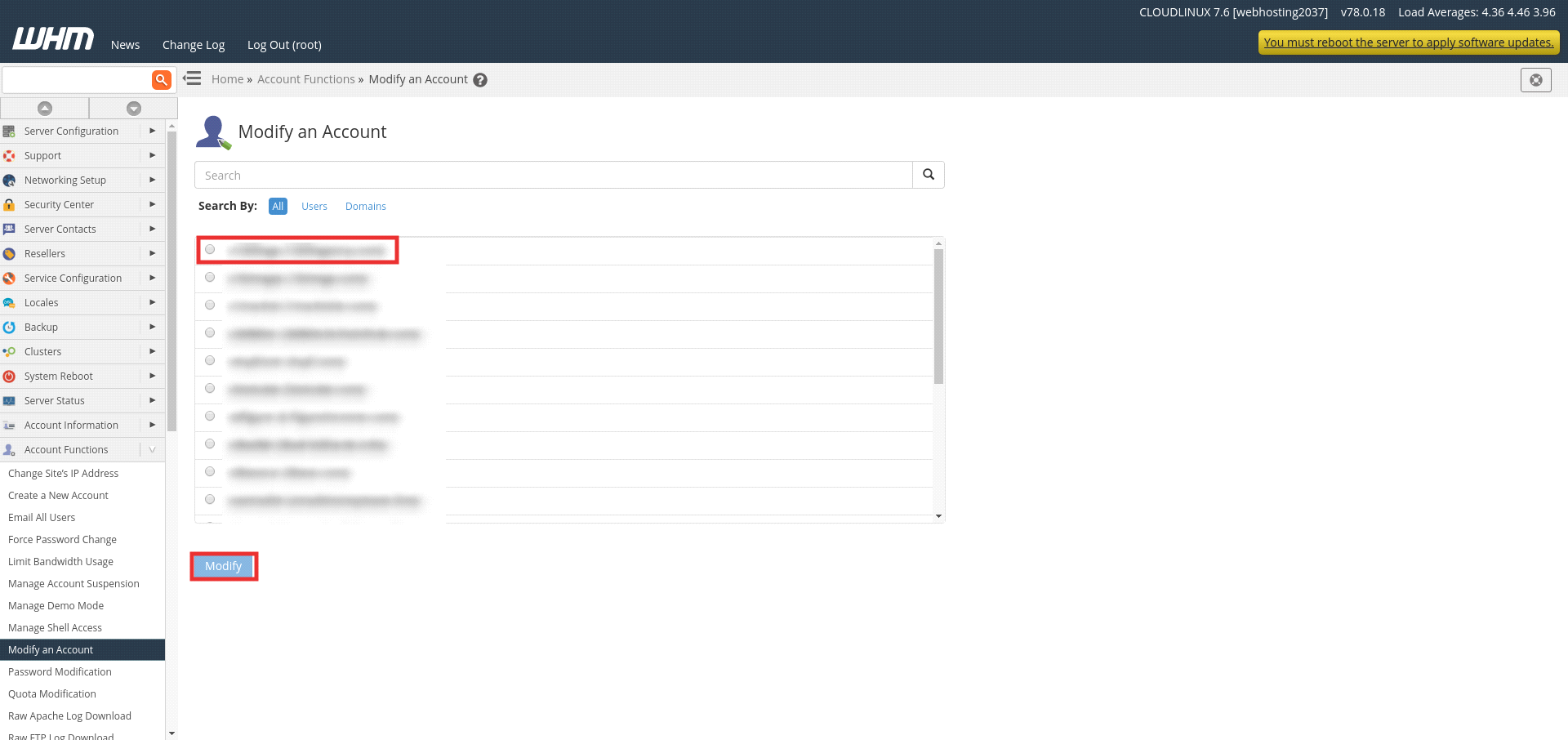
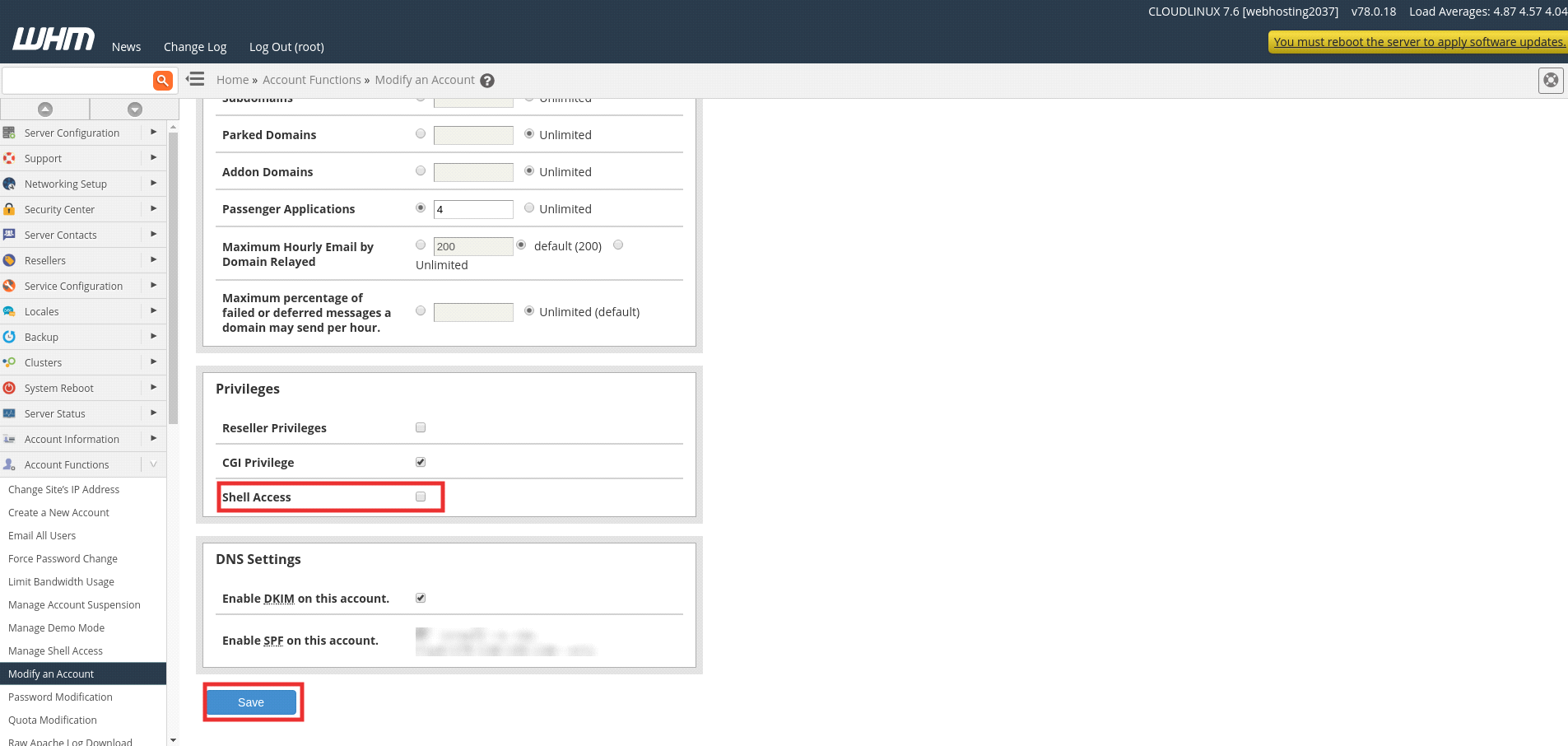
3) You will list the menu with all the details, limits and privileges of the accounts. Under the privileges section, you need to select the check box near to the option shell access then click the “Save” button.
If you need any further help, please do reach our support department.
Related guides
How to Install and Uninstall JetBackup for cPanel
How to Install JetBackup for cPanel. JetBackup is one of the leading backup solutions for cPanel & WHM that offers a user-friendly GUI. It provides
WHMSetup SendGrid on your cPanel VPS/Server
Setup SendGrid on your cPanel VPS/Server. SendGrid provides a cloud-based service for reliable transactional and marketing email.
WHMChange cPanel Nameserver Software to PowerDNS Carefully
Review WHM nameserver selection, resolver dependencies, cluster compatibility and DNSSEC requirements before a planned PowerDNS service change.
WHMTroubleshooting Jailed Shell on OpenVZ
cPanel/WHM providing Jailed shell environment for users, this feature giving high-level security for users when doing ssh access to their server.