
GICT knowledge base
Mailman bounces emails with Unroutable Domain
Published
Mailman is software that lets you manage electronic mailing lists. It supports a wide range of mailing list types, such as general discussion lists and announce-only lists. Mailman is integrated with the web, making it easy for users to manage their accounts and for list owners to administer their lists. Mailman supports built-in archiving, automatic bounce processing, content filtering, digest delivery, spam filters, and more. If you have large mailman lists, you may receive bounced messages. Exim seems to have problems with sending more than 500 emails at a time. Mailman by default will attempt to send this many. To avoid this type of issue, please follow the below given steps:
1) Login to your server as a root user. You can use the following command to ssh your server:
$ ssh root@ipaddress
Note: Please change the ipaddress with your server IP address.
2) Open the file: /usr/local/cpanel/3rdparty/mailman/Mailman/mm_cfg.py using your favorite text editor. Here I am using ‘vi’ text editor.
$ vi /usr/local/cpanel/3rdparty/mailman/Mailman/mm_cfg.py
3) Make the following changes to the mentioned file.
# Max recipients for each message
SMTP_MAX_RCPTS = 20
# Max messages sent in each SMTP connection
SMTP_MAX_SESSIONS_PER_CONNECTION = 15
4) Save it and exit from the file.
Please first make sure that a high enough hourly limit for sending email was set in the WHM Server Settings. To set a high email hourly limit from your WHM interface, please follow the below given steps:
1) Login to the WHM.
2) Once logged into the WHM, please go to ‘Tweak Settings’ under the section ‘Server Configuration’.
3) Locate and go to the tab “Mail”.
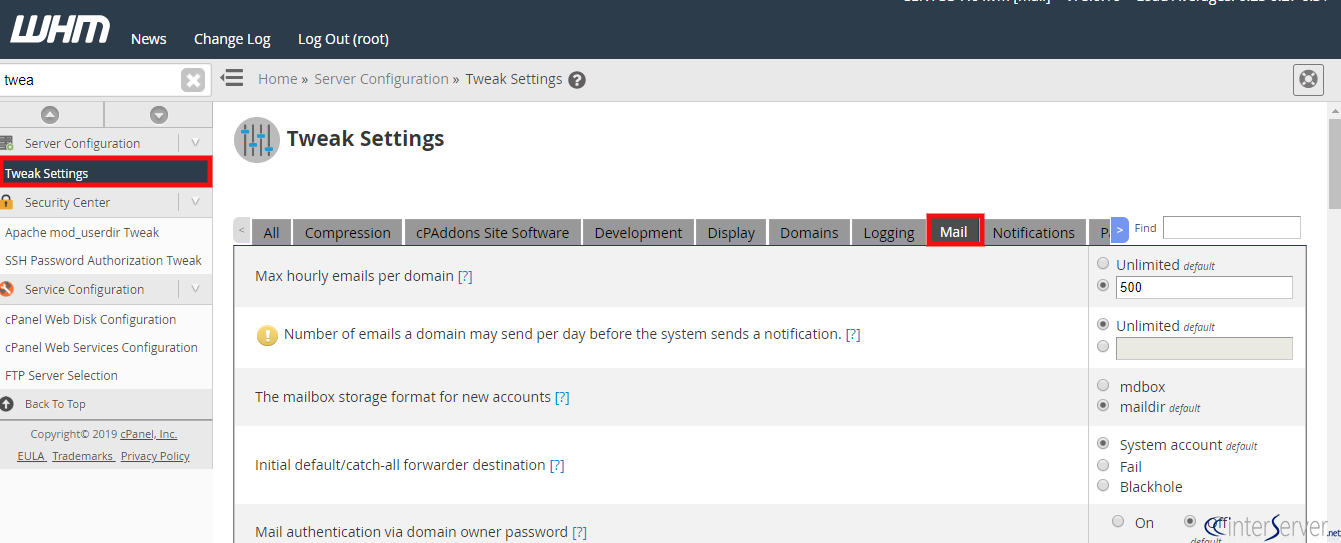
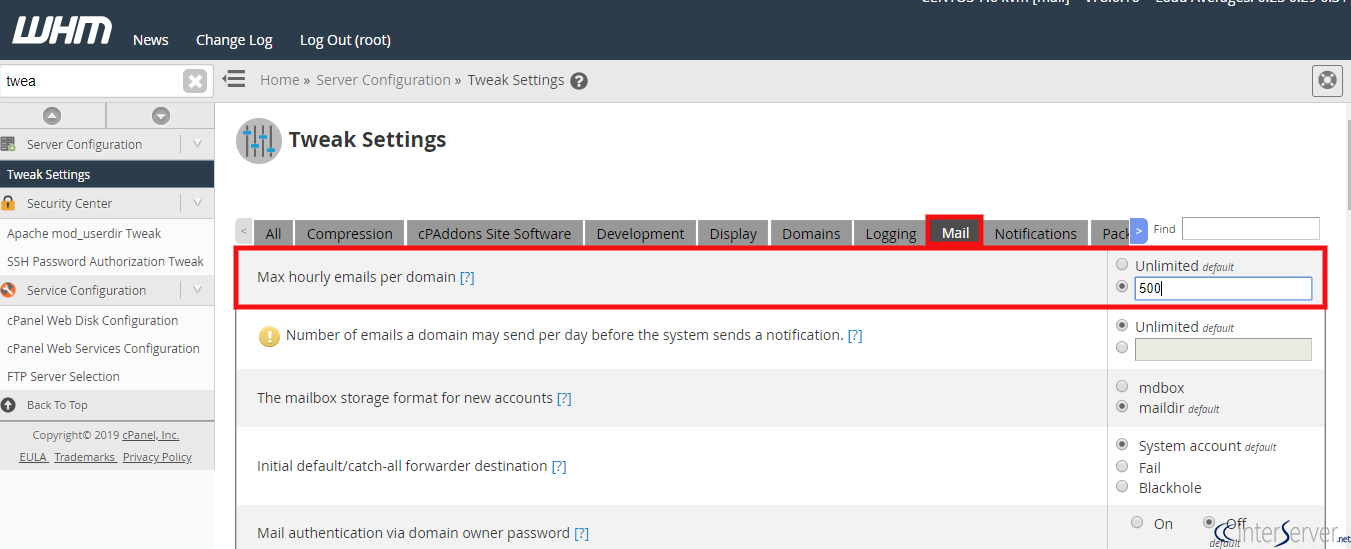
4) You can set the desired value in the text box next to the “max hourly emails per domain”. Please remember to select the radio button near the text box, so that you can write into the box. To disable the limit and allow the accounts to send unlimited emails, please select the radio button “Unlimited”
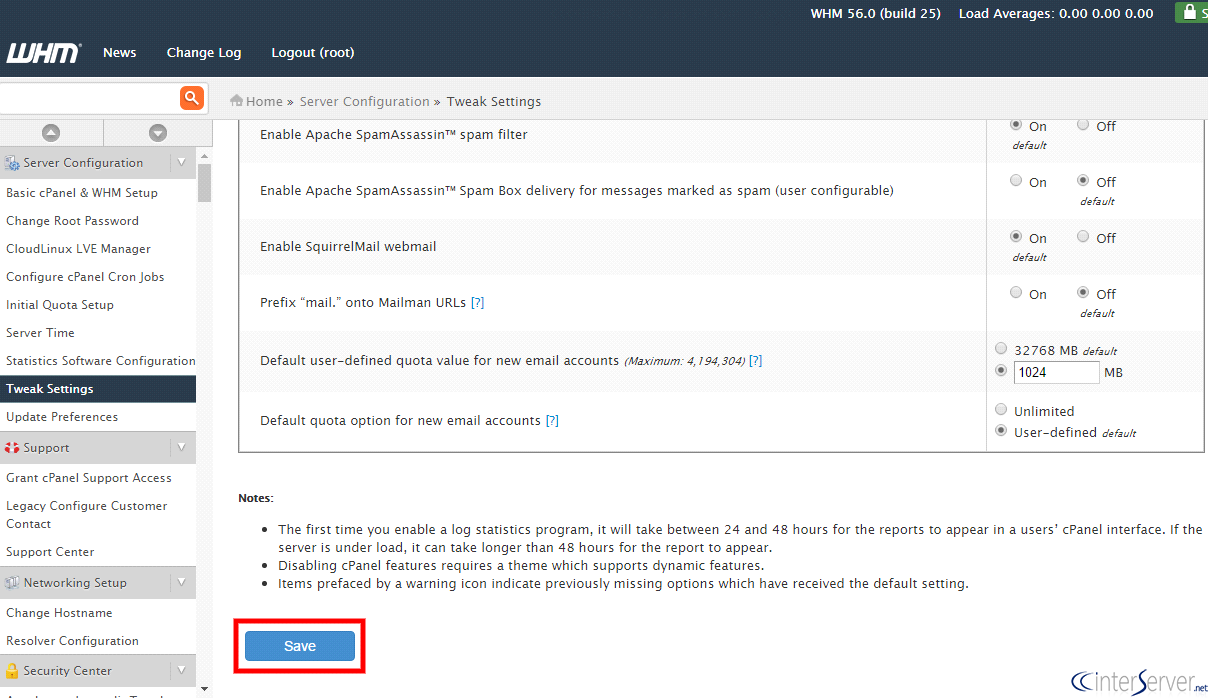
5) When the desired value is entered, please click on the button ‘Save’ in the bottom.
If you need any further help, please do reach our support department.
Related guides
Host Additional Domains on an Eligible GICTServer Account
Check your hosting limits, choose a separate site or alias and use cPanel or DirectAdmin with deliberate DNS, content and certificate verification.
cPanelHardening Your cPanel Server: Beyond the Basics After CVE-2026-41940
Security is a moving target. With the recent discovery of CVE-2026-41940, it has become clear that just having a firewall isn't enough anymore.
cPanelcPanel and Plesk notice: Awstats,. Webalizer and Analog stats are being removed
Important Update: cPanel and Plesk Phasing Out Legacy Statistics Tools If you regularly check your website traffic through your hosting control panel, we have an...
cPanelThe dangers of shared licenses (in other words unofficial/cracked licenses)
Why Cracked cPanel Licenses Aren’t Worth the Risk: A Guide for GICTServer Customers When you’re managing a server, every dollar counts.