
GICT knowledge base
How to Install TinyCP in Ubuntu
Published
TinyCP is a control panel for managing Linux systems and which is now only available for Debian/Ubuntu based systems. And for all those who use CentOS, TinyCP is supposed to come for CentOS in the near future. The main attraction of TinyCP is that it is extremely lightweight for hardware. TinyCP provides a wide range of features includes
Domains
Mailboxes
Databases
FTP
Samba
Firewall
OpenVPN
PPTP
GIT
SVN
PHP
Follow the below steps to install TinyCP in your Ubuntu system.
1) SSH to your server.
2) Download the TinyCP package to the source file.
3) To give the executable permission to the downloaded file run the below command.
chmod +x tinycp-install.sh
4) To install the downloaded package, run the below command.
./tinycp-install.sh
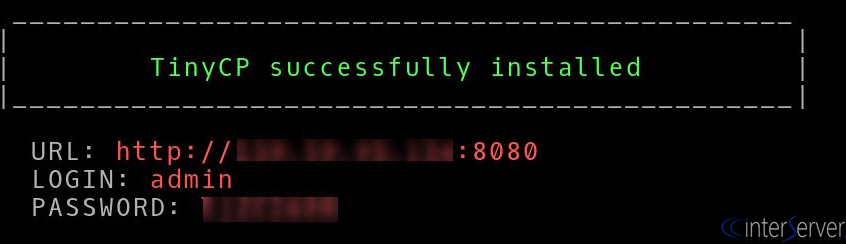
The installation will take only 5 minutes and after the successful installation, the screen shows a URL, username, and password to access your new control panel like below screenshot.
5) Start TinyCP by running below command before accessing the control panel.
/etc/init.d/tinycp start
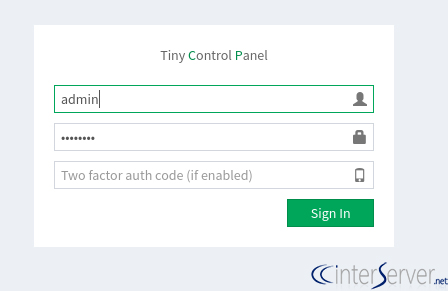
6) To access TinyCP control panel, browse the URL http://<server_ip>:8080 and enter the username and password and then click on the “Sign in” button.
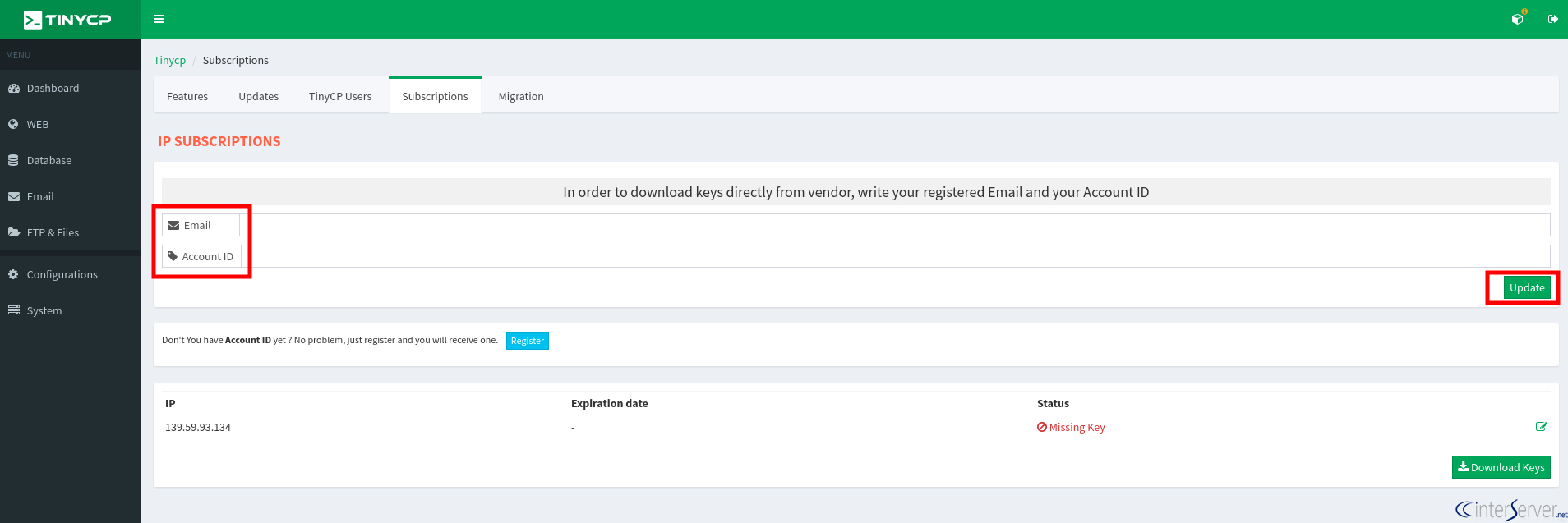
7) After sign in your account, enter the email address and account ID and then click on the button “Update”, so your license key will be updated.
NB: Before you start with the installation, the TinyCP team requires you to register with an email address in order to get the download instructions and account ID.
If you do not register before installation, you can register after login to the control panel by clicking on the Register button on the right side.
If you need any further help, please do reach our support department.
Related guides
How to Find Services That Need a Restart After Updates with needrestart
Find services using outdated libraries with needrestart on Ubuntu. Read restart reports, review automatic restart policy and plan maintenance safely.
UbuntuHow to Enable Brotli Compression in Nginx on Ubuntu 24.04
Enable Brotli in Ubuntu Nginx, preserve gzip fallback, verify response headers and avoid stale precompressed assets. Measure savings on your own files.
UbuntuHow to Prevent Overlapping Cron Jobs with flock
Prevent overlapping cron jobs with flock. Use a shared lock, understand skipped runs and verify that every entry point follows the locking policy.
UbuntuSecuring Ubuntu 24 SSH and other best practices
How to Lock Down Your Ubuntu 24 Server: A Beginner's Guide So, you just spun up a brand new Ubuntu 24 server. You may find a lot of SSH brute force logins failures.