
GICT knowledge base
How to View Archived Emails via Webmail?
Published
How to View Archived Emails via Webmail?
The email archiving feature helps a cPanel user to save incoming, outgoing or mailing list messages for a particular domain for a specific amount of time. You can find this compressed file under the mail directory in cPanel file manager. Every day, a new directory will be created in the format “YYYY-MM-DD” that contains all the archive type’s messages.
By default, the email archiving feature is enabled, with a retention period set to last 7 days.
When you archiving mailing lists, the messages that get sent out to remote users on the list when a message is received are retained in the archive and the disk space usage is only recalculated once every day. You can view the archived email via a webmail program like Horde, Squirrelmail, and RoundCube. In this knowledge-base article, we are going through how to view Archived mails via webmail.
1) Login to cPanel.
2) Click on “Email Archive” under “Email” heading.
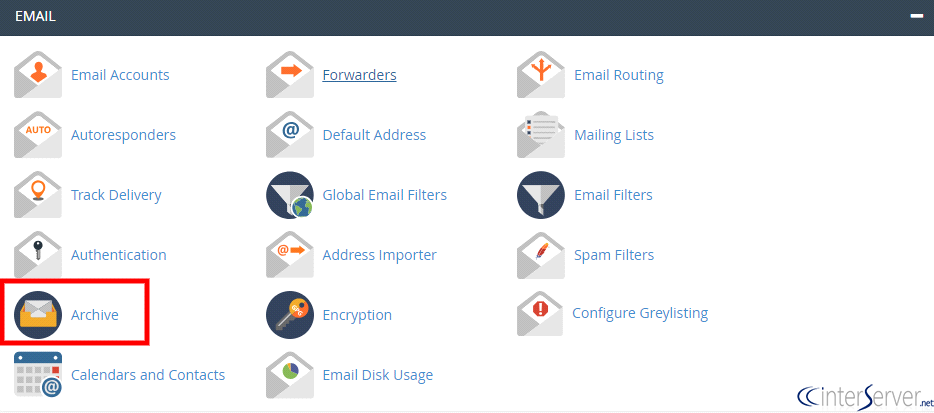
3) Click on the “Access Webmail” link to view the messages via webmail.

4) Select the webmail programs you wish to view your archived emails.
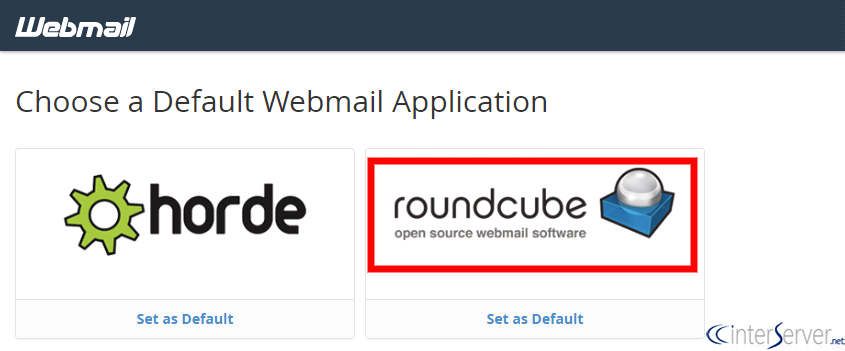
5) Each day a subfolder will be created with “YYYY-MM-DD” format under Archive folder. If it is not shown there, please follow the below steps.
Using RoundCube
Click on “Settings” on the top of the webmail and then click on “Folders” and check the subfolder and refresh the page.
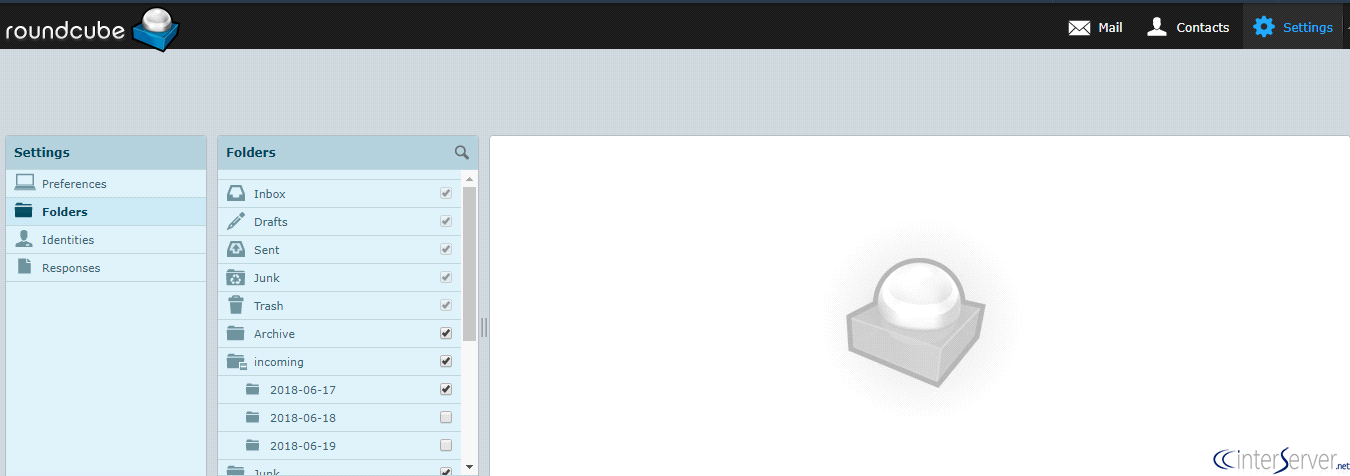
Now the archive will be on the Archive folder.
If you need any further assistance please contact our support department.
Related guides
Host Additional Domains on an Eligible GICTServer Account
Check your hosting limits, choose a separate site or alias and use cPanel or DirectAdmin with deliberate DNS, content and certificate verification.
cPanelHardening Your cPanel Server: Beyond the Basics After CVE-2026-41940
Security is a moving target. With the recent discovery of CVE-2026-41940, it has become clear that just having a firewall isn't enough anymore.
cPanelcPanel and Plesk notice: Awstats,. Webalizer and Analog stats are being removed
Important Update: cPanel and Plesk Phasing Out Legacy Statistics Tools If you regularly check your website traffic through your hosting control panel, we have an...
cPanelThe dangers of shared licenses (in other words unofficial/cracked licenses)
Why Cracked cPanel Licenses Aren’t Worth the Risk: A Guide for GICTServer Customers When you’re managing a server, every dollar counts.