
GICT knowledge base
How to Revoke an API Token in WHM?
Published
How to Revoke an API Token in WHM?
In cPanel & WHM, Manage API token is the feature which allows us to log in to the server without the need for a password. We can use an API token to authenticate with WHM’s remote API. If you want to allow a reseller or third-party developer to run API function calls with your account’s data, this API token feature is very much helpful in this case. But we cannot create an API token for a suspended account. One of the main advantages of this feature is that if you change at any cPanel account’s username in WHM, any API tokens associated with that account will continue to function. However, we can also revoke the settings whenever we wish to revoke the API token. In this documentation, we have discussed about how to revoke an API token.
1) Login to WHM panel with username and password.
2) Go to “Development” option.
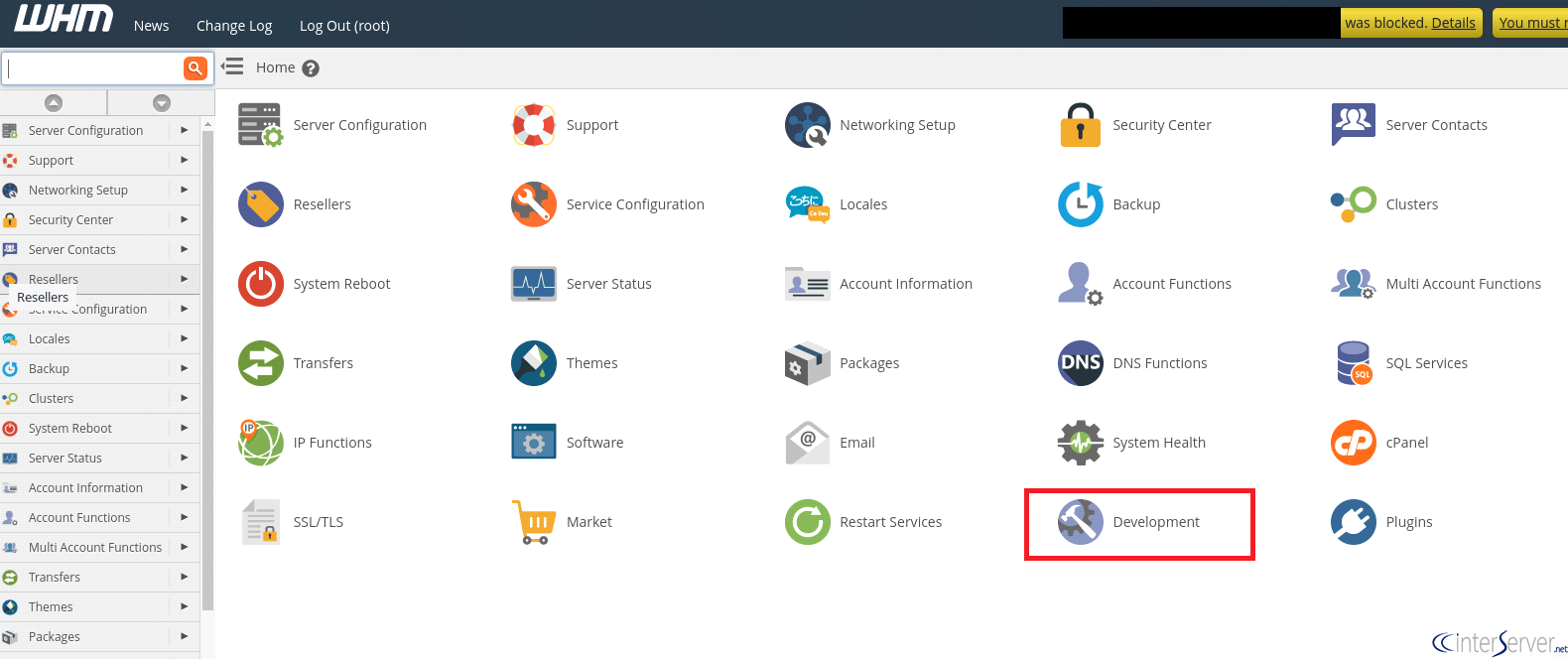
3) Select the option “Manage API” Tokens.
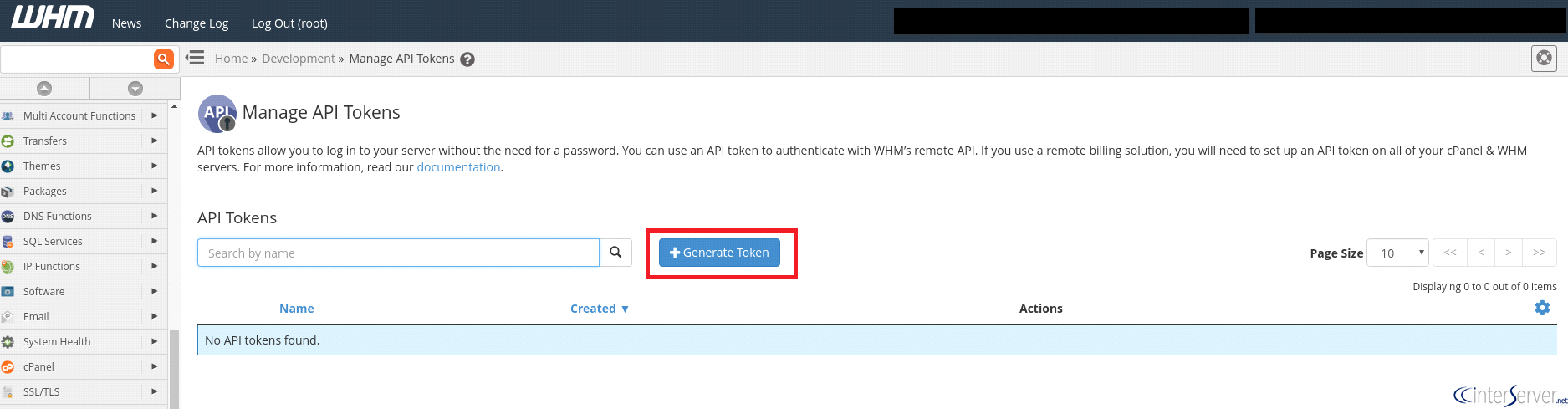
4) In order to revoke an API token, first, you would need to locate the API token that you want to revoke in the API Tokens list. To search for an API token, enter a name in the Search text box. This will automatically filter the API token names.
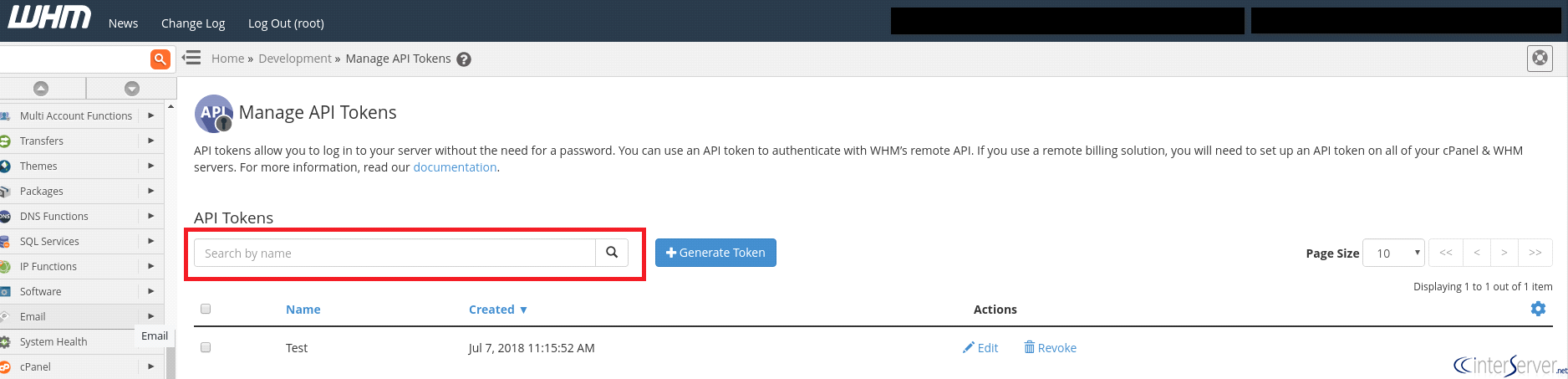
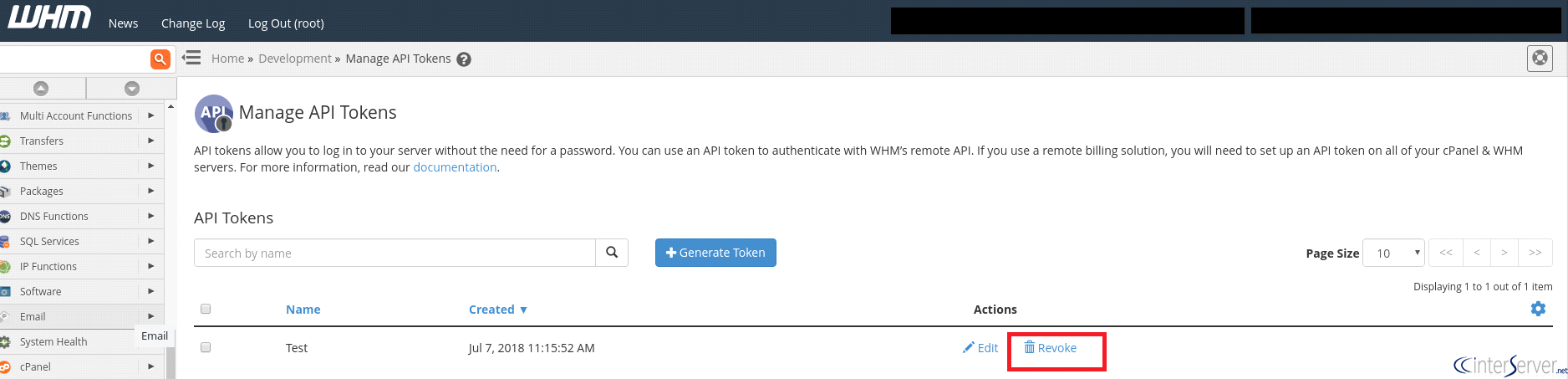
5) You can revoke the API token from the list by selecting the “Revoke” option near the API you wish to revoke. Revoke option is always under the Actions column.
6) After choosing the revoke option, a confirmation message will appear to confirm that you really want to revoke that API. Click Continue to revoke the token.
Once the API has revoked, a message of success will appear in the upper-right corner of the interface.
If you need any further assistance please contact our support department.
Related guides
How to Install and Uninstall JetBackup for cPanel
How to Install JetBackup for cPanel. JetBackup is one of the leading backup solutions for cPanel & WHM that offers a user-friendly GUI. It provides
WHMSetup SendGrid on your cPanel VPS/Server
Setup SendGrid on your cPanel VPS/Server. SendGrid provides a cloud-based service for reliable transactional and marketing email.
WHMChange cPanel Nameserver Software to PowerDNS Carefully
Review WHM nameserver selection, resolver dependencies, cluster compatibility and DNSSEC requirements before a planned PowerDNS service change.
WHMTroubleshooting Jailed Shell on OpenVZ
cPanel/WHM providing Jailed shell environment for users, this feature giving high-level security for users when doing ssh access to their server.