
GICT knowledge base
How to Restrict Redis Access with ACLs
Published
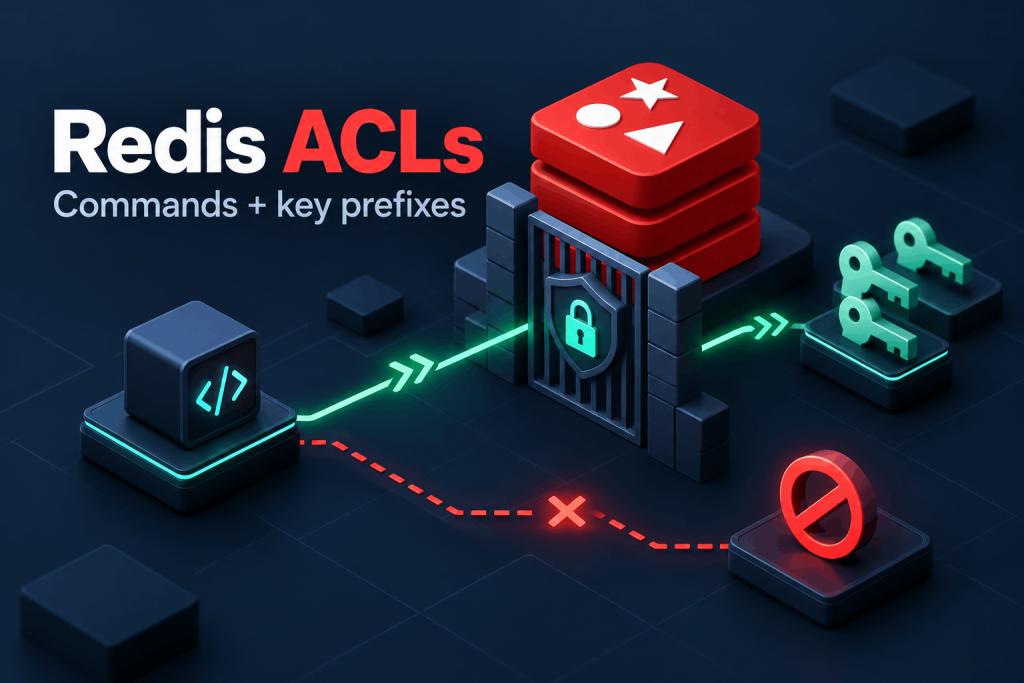
A Redis password does not decide what an application can do after it connects. A client using an unrestricted account can read other applications’ keys or delete an entire database. Redis access control lists (ACLs) let you give each application its own username, command permissions, and key patterns.
This guide configures a private Redis instance with an administrator and an application user. The application can use six commands on app:* keys, but cannot read another prefix or run administrative commands.
Start with a private instance
Use an Ubuntu 24.04 VPS, a sudo-capable account, and an application on the same machine. This procedure targets a new, dedicated Redis instance, not an in-place migration of shared credentials. On an existing server, inventory users, clients, inline user rules, and requirepass first; do not replace its ACL file or disable its default user blindly.
Install Ubuntu’s Redis packages and Python for the password-entry helper:
$ sudo apt-get update
$ sudo apt-get install -y redis-server redis-tools python3
$ redis-server --version
$ sudo ss -ltnp 'sport = :6379'
$ redis-cli -h 127.0.0.1 PING
The initial PING should return PONG. Before adding users, inspect /etc/redis/redis.conf with sudoedit. Keep its existing settings and ensure these directives remain active:
bind 127.0.0.1 -::1
protected-mode yes
The listener must be on loopback, not 0.0.0.0 or a public address. Do not open port 6379 in the firewall. ACLs control authorization; they do not encrypt traffic. Remote clients need a separately designed private/TLS connection, outside this local-only example.
Create the ACL file without exposing passwords
The default Redis user normally allows unauthenticated local clients. We will disable that user and create two named accounts: acladmin for administration and app for the application. Keep their passwords separate in a password manager. The application must never receive the administrator password.
Create /usr/local/sbin/create-redis-acl.py with the following contents, using sudoedit. This helper asks for passwords without echoing them, writes SHA-256 hashes, and refuses to overwrite an existing ACL file. Choose long, randomly generated passwords; Redis’s fast password hash is not a substitute for password strength.
import getpass
import grp
import hashlib
import os

path = "/etc/redis/users.acl"
if os.path.exists(path):
    raise SystemExit("ACL file already exists; inspect it instead.")

rules = []
for user, permissions in (
    ("acladmin", "~* &* +@all"),
    ("app", "~app:* resetchannels -@all +ping +get +set +del +expire +ttl"),
):
    password = getpass.getpass(f"Password for {user}: ")
    confirm = getpass.getpass("Confirm password: ")
    if len(password) < 20 or password != confirm:
        raise SystemExit("Use matching passwords of at least 20 characters.")
    digest = hashlib.sha256(password.encode()).hexdigest()
    rules.append(f"user {user} reset on #{digest} {permissions}")

fd = os.open(path, os.O_WRONLY | os.O_CREAT | os.O_EXCL, 0o640)
with os.fdopen(fd, "w") as output:
    os.fchown(output.fileno(), 0, grp.getgrnam("redis").gr_gid)
    os.fchmod(output.fileno(), 0o640)
    output.write("user default reset off\n" + "\n".join(rules) + "\n")
print("ACL file created; passwords were not printed.")
Run it as root, then confirm the file permissions:
$ sudo chown root:root /usr/local/sbin/create-redis-acl.py
$ sudo chmod 0700 /usr/local/sbin/create-redis-acl.py
$ sudo python3 /usr/local/sbin/create-redis-acl.py
$ sudo stat -c '%U:%G %a' /etc/redis/users.acl
Expected ownership and mode:
root:redis 640The file mode gives root read/write access and the Redis group read access. Treat its hashes as sensitive, too. Do not paste ACL LIST output into tickets or public logs.
Activate and understand the policy
In /etc/redis/redis.conf, add this directive, or replace its commented example:
aclfile /etc/redis/users.aclUse one active aclfile directive. Do not combine an external ACL file with active inline user definitions. On this new instance, leave requirepass unset: the named users in the ACL file provide authentication.
Restart Redis once to load the new configuration. This disconnects existing clients:
$ sudo systemctl restart redis-server
$ sudo systemctl is-active redis-server
$ redis-cli -h 127.0.0.1 --user acladmin --askpass PING
$ redis-cli -h 127.0.0.1 PING
The authenticated administrator request should return PONG. The final, unauthenticated request should return:
NOAUTH Authentication required.--askpass uses a hidden password prompt instead of placing the password in a command argument or shell history.
The application’s rule starts with reset, which clears inherited permissions and passwords before rebuilding the account. -@all denies commands by default; the six +command entries add only the operations needed here. ~app:* restricts their key arguments. resetchannels grants no Pub/Sub channels, and no Pub/Sub command is allowed.
Do not replace the command list with +@all. A key prefix does not constrain keyless commands such as FLUSHALL, which affects the entire server. Prefix isolation and command isolation work together.
Test permitted and forbidden requests
Connect using the application password:
$ redis-cli -h 127.0.0.1 --user app --askpassAt the Redis prompt, enter these commands without $:
PING
SET app:acl-check ready
GET app:acl-check
EXPIRE app:acl-check 600
TTL app:acl-check
Expect PONG, OK, "ready", integer 1, and a positive TTL no greater than 600. The TTL decreases while you type. These are real operations, not merely a policy inspection.
Now check the denied cases in the same connection:
GET other:acl-check
SET other:acl-check blocked
CONFIG GET port
ACL USERS
DEL app:acl-check other:acl-check
GET app:acl-check
DEL app:acl-check
The first two requests should report a key-related NOPERM; the next two should report a command-related NOPERM. The mixed-prefix DEL must also fail. The final GET should still return "ready": Redis checks all the keys before allowing that deletion. The single-key DEL then removes the permitted test key and returns integer 1. Use Ctrl-D to leave the client.
For dangerous commands, inspect the policy without executing them:
$ redis-cli -h 127.0.0.1 --user acladmin --askpass ACL DRYRUN app FLUSHALLA permission-denied response is the expected result. Do not run FLUSHALL directly to check permissions on valuable data. ACL DRYRUN, available in Redis 7, evaluates authorization without performing the command.
Repeat the application login with an intentionally incorrect password. Authentication should report WRONGPASS, not grant access. Configure the real application with host 127.0.0.1, port 6379, username app, its password, and database 0. Some libraries require additional handshake commands. Add only commands you have established are necessary; do not solve a client error by granting every command.
Keep the file authoritative
The ACL file, not the test keys, is what preserves this policy. Restart Redis and repeat a permitted and forbidden request through fresh connections:
$ sudo systemctl restart redis-server
$ redis-cli -h 127.0.0.1 --user app --askpass SET app:after-restart ready
$ redis-cli -h 127.0.0.1 --user app --askpass GET other:after-restart
$ redis-cli -h 127.0.0.1 PING
Expect OK, a key-related NOPERM, and NOAUTH. This checks policy persistence without depending on whether Redis saved the earlier data to disk.
For later policy edits, update the existing ACL file as root, preserve both accounts, and load it using the administrator:
$ redis-cli -h 127.0.0.1 --user acladmin --askpass ACL LOADAn OK means the file loaded; repeat the application tests afterward. Invalid files are rejected without applying their changes. Runtime ACL SETUSER changes are not automatically written to this file. This guide keeps the file root-managed, so do not use ACL SAVE as the persistence workflow or loosen its permissions to accommodate it.
If access does not match the rule
NOAUTHandWRONGPASSare authentication failures. Check the named user and password. A password-only client authenticates asdefault, which is disabled here.NOPERMis an authorization failure. Distinguish the command from its keys. Every key in a multi-key command must be permitted.- Repeated
ACL SETUSERcalls are additive. They do not erase old grants unless you explicitly reset them. The file entries above start withresetto avoid retaining an earlier broad rule. - Disabling a user is not the same as disconnecting it.
offblocks new authentication; existing authenticated clients need separate handling. This guide’s initial restart removes old sessions. - A failed restart needs the actual error. Inspect
sudo journalctl -u redis-server -n 40 --no-pager. Check ACL syntax, file readability, and conflicting inline users before changing permissions or network bindings.
When ACLs are not enough
An application allowed to SET and DEL can still damage its own keys. ACLs do not provide per-user memory quotas, separate processes, or complete tenant isolation. Separate Redis instances are a better boundary when unrelated customers need independent resources or stronger isolation. This six-command example also does not suit an application that needs streams, scripts, transactions, or Pub/Sub without a reviewed policy change.
The result is a private Redis service with two named accounts: an administrator and a restricted application. Allowed commands work on app:*; other prefixes and administrative commands are refused, including after a restart.
Related guides
How to Find Services That Need a Restart After Updates with needrestart
Find services using outdated libraries with needrestart on Ubuntu. Read restart reports, review automatic restart policy and plan maintenance safely.
Firewall and SecurityHow to Connect Two Servers Privately with WireGuard
Connect two servers with WireGuard and keep PostgreSQL on the tunnel. Verify peer traffic, private database access and denied public connections.
Firewall and SecurityGICTServer HIPAA Hosting: BAA and Shared Responsibilities
Review GICTServer HIPAA hosting responsibilities and download the BAA and provisioning checklist. Request service-specific coverage through a support ticket.
Firewall and SecurityHow to Sign and Verify Files with Minisign
Sign release files with Minisign, share an authenticated public key, verify downloads, and stop processing when signatures fail.