
GICT knowledge base
How to manage API Tokens in cPanel
Published
Nowadays, we have the luxury to use API for programmatically using any system that provides API access. The good news is, cPanel now provides us API too! It means that a reseller or innovator can use the API to create a system based on cPanel that can automate many tasks. Let’s see how we can manage API tokens in cPanel.
Manage API Tokens in cPanel
cPanel is one of the famous and widely used web hosting control panels in Linux based servers. From the cPanel version 80 onwards, a new feature has been added which is known as Manage API Token. This interface is used to create and revoke list of API tokens. The need for API token is that a user will be able to login into the server without the need of a password. An API token can be used to authenticate with the WHM remote API. This feature allows the cPanel users to issue API tokens so that Resellers and third-party developers can use these API tokens to run API functions.
In this tutorial, we are going to discuss on how to create and revoke API token in cPanel. Please note, this feature is available only from the cPanel version 80 onwards.
1) Login to cPanel server.
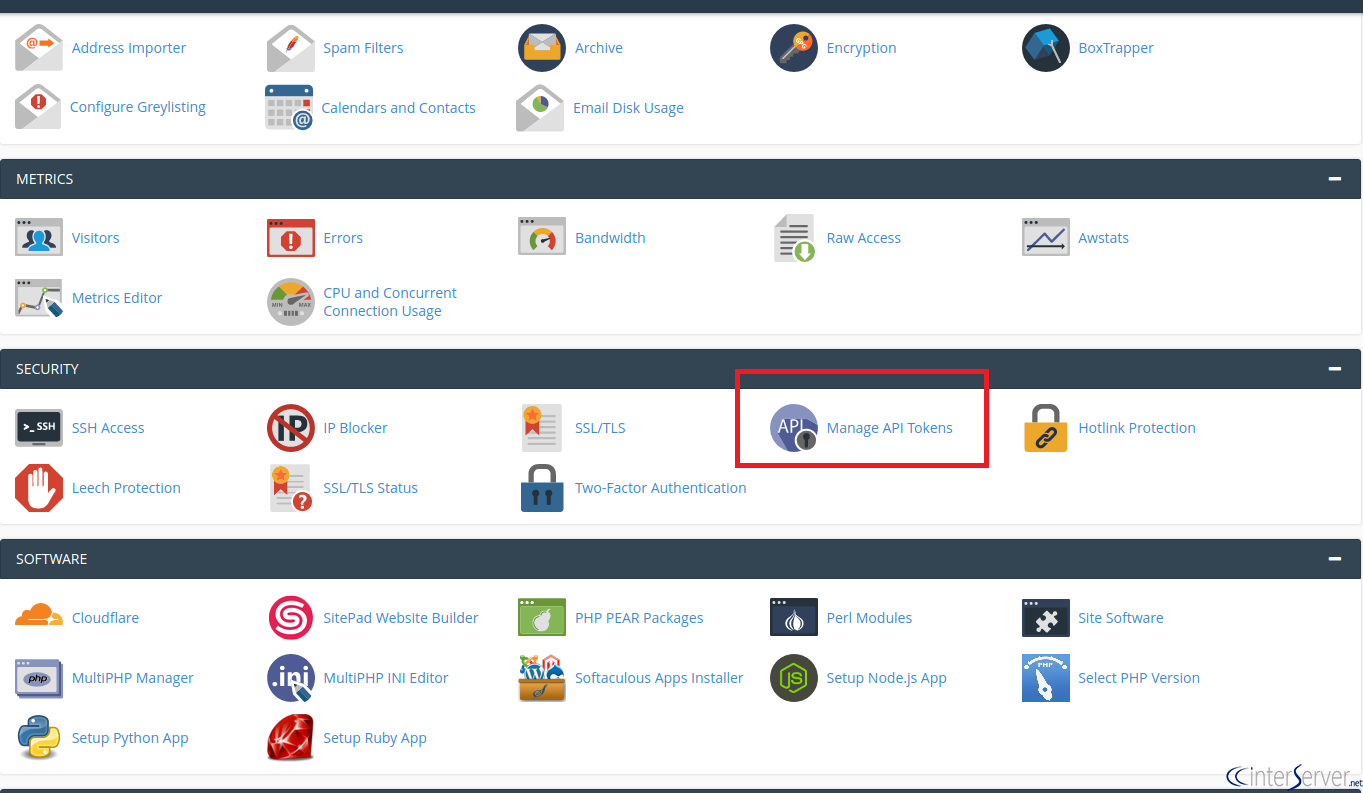
2) Go to Security >> Manage API Tokens.
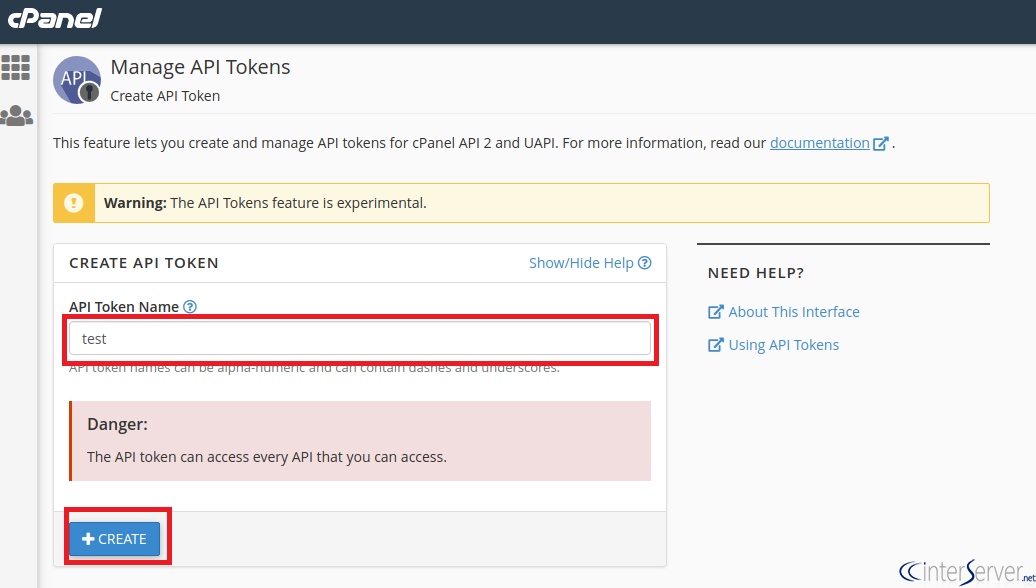
3) You can enter the API Token name, then click on “Create”. I have used “test” as the token name but you can name it whatever you want, It’s just for identification.
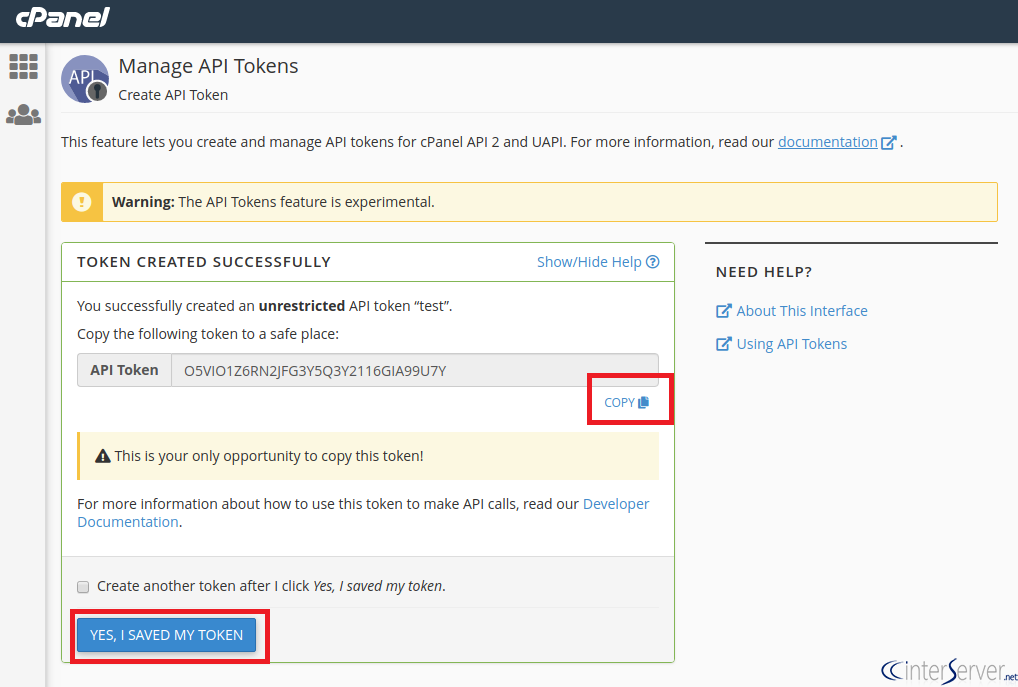
4) Now you have created an unrestricted API token. It will redirect you to the following page where you can see and copy the API token. Copy the API token by clicking on “COPY” as shown in the following image and then click on “YES, I SAVED MY TOKEN”.
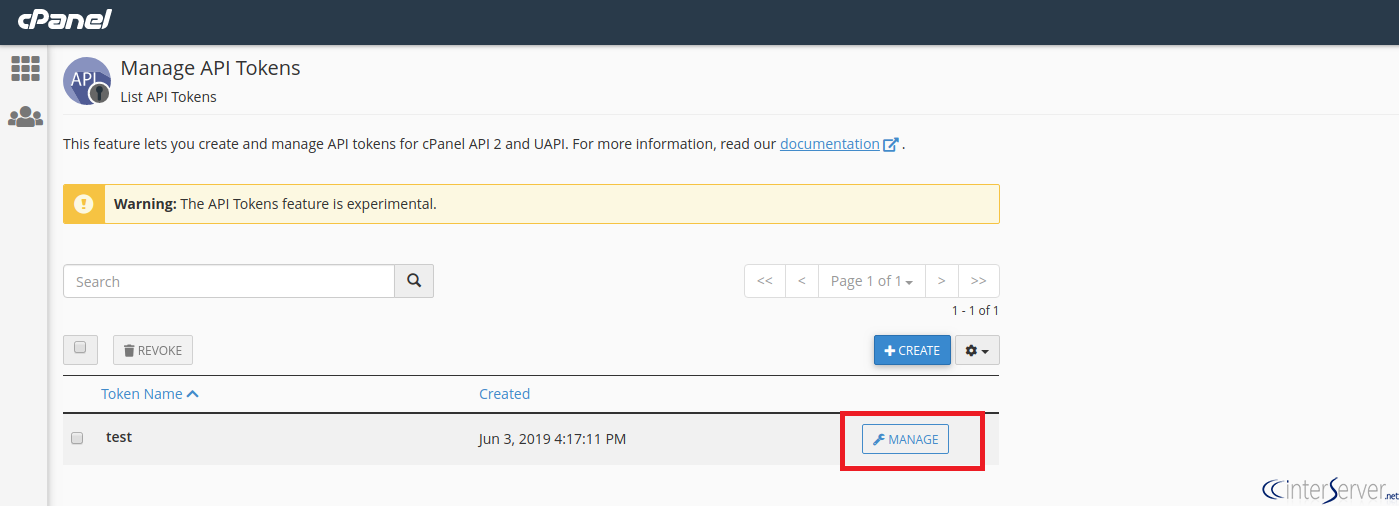
5) Now you have successfully created the API token. If you want to revoke or rename an API token, click on the “MANAGE” button corresponding to the API token.
6) Here you can rename API token and then click on the “UPDATE” update button to update the token.
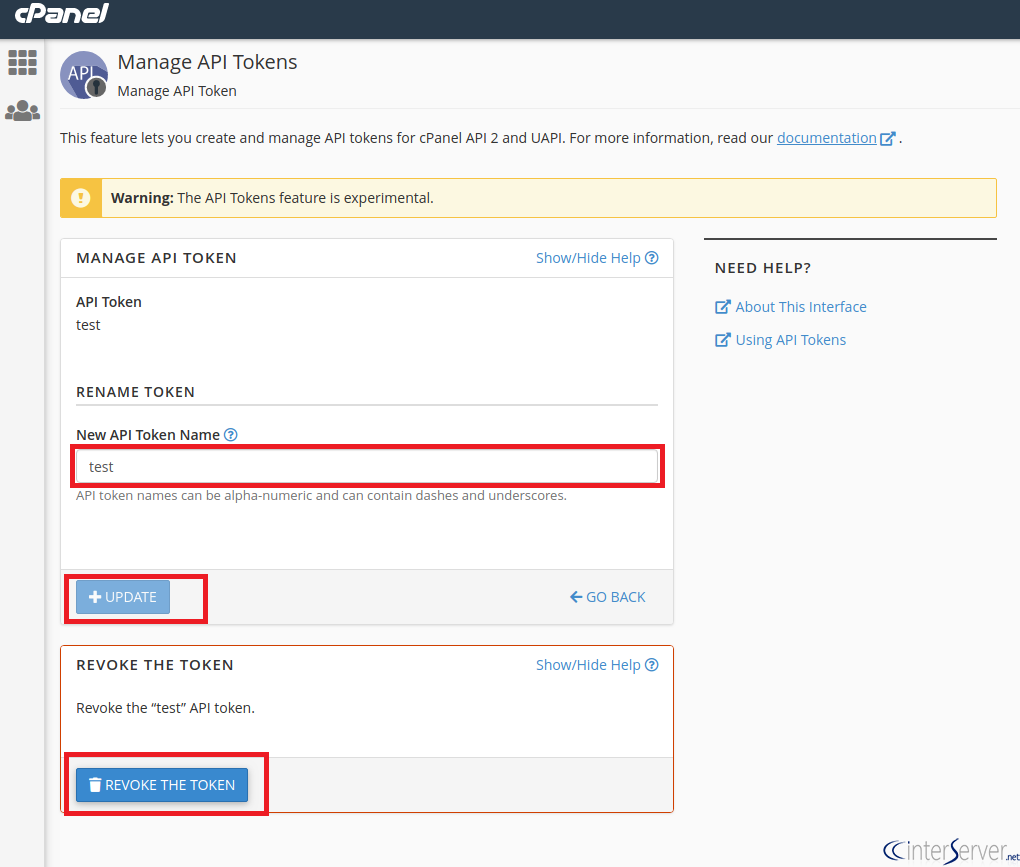
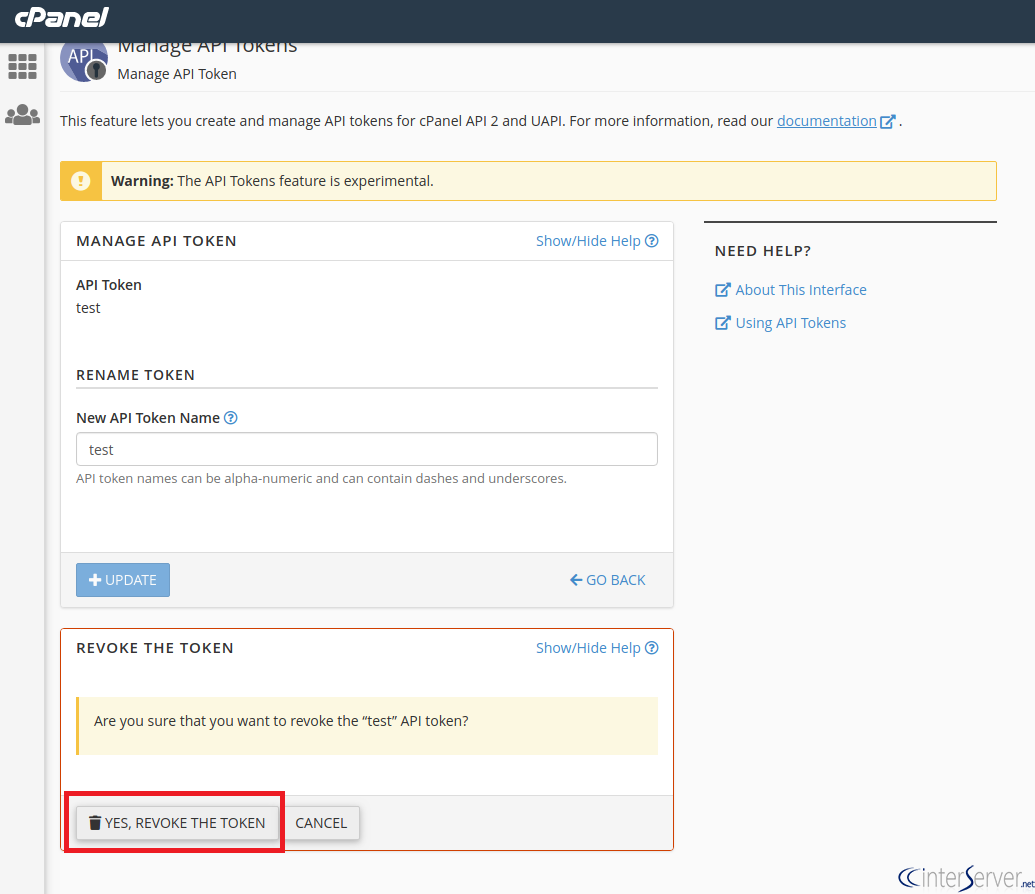
7) If you want to revoke the API token click on “YES REVOKE THE TOKEN”. Now you have successfully revoked the API token. Revoking a token renders it useless. It means that if you are using that token in any of your applications, it will not function anymore.
If you need any further help with managing API tokens in cPanel, please do reach our support department. You can also comment down your queries in the comment section and we will respond as soon as possible.
Related guides
Host Additional Domains on an Eligible GICTServer Account
Check your hosting limits, choose a separate site or alias and use cPanel or DirectAdmin with deliberate DNS, content and certificate verification.
cPanelHardening Your cPanel Server: Beyond the Basics After CVE-2026-41940
Security is a moving target. With the recent discovery of CVE-2026-41940, it has become clear that just having a firewall isn't enough anymore.
cPanelcPanel and Plesk notice: Awstats,. Webalizer and Analog stats are being removed
Important Update: cPanel and Plesk Phasing Out Legacy Statistics Tools If you regularly check your website traffic through your hosting control panel, we have an...
cPanelThe dangers of shared licenses (in other words unofficial/cracked licenses)
Why Cracked cPanel Licenses Aren’t Worth the Risk: A Guide for GICTServer Customers When you’re managing a server, every dollar counts.