
GICT knowledge base
How to Install ImageMagick Extension on EasyApache4?
Published
The Imagick is a php extension which covers all the methods of the Imagick class which how to modify pixel based images. The Imagick PHP extension does not exist in easy apache4 by default. To know more about ImageMagick and the components you can refer the following.
https://www.GICTServer.net/tips/kb/what-is-imagemagick-and-the-components/
In this tutorial, we are going to install ImageMagick on centos 7 servers with cPanel as a control panel. ImageMagick can be installed on any PHP version individually.
1) Log in to your server via SSH.
2) Now you have logged into your server first we need to check to ensure ImageMagick and ImageMagick-devel packages are installed on the system. You can run the following command to install the same.
yum install ImageMagick ImageMagick-devel pcre-devel
3) First, you should make sure which php version that your website is using, for that please create a php.info page in the document root of the website and call the site along with php.info (eq: http://domain.com/info.php)
Steps to create php.info file is mentioned below
Go to the document root of the website. Then create a file using the following command
Vim info.php
Add this line to this file
<? phpinfo(); ?>
Press esc key on the keyboard and type the following command then enter so that the file will be saved:
wq!
Change the ownership of info.php to the corresponding username of the cPanel account
chown (username):(username) info.php
Now check the php version of your website by calling the domain along with info.php as mentioned in the following screen shot.
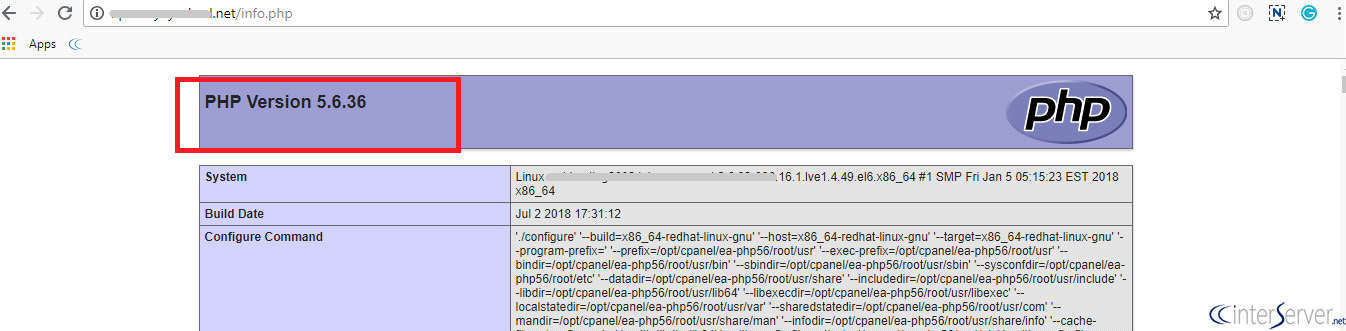
4) Now you can run any one of the following PECL command to install ImageMagick on the server based on the PHP version which your website is using.
/opt/cpanel/ea-php55/root/usr/bin/pecl install imagick For ea-php55
/opt/cpanel/ea-php56/root/usr/bin/pecl install imagick For ea-php56
/opt/cpanel/ea-php70/root/usr/bin/pecl install imagick For ea-php70
/opt/cpanel/ea-php71/root/usr/bin/pecl install imagick For ea-php71
/opt/cpanel/ea-php72/root/usr/bin/pecl install imagick For ea-php72
5) You can press the enter key to continue.
6) Now you have successfully installed Imagick. You can also verify the same from the php info page.
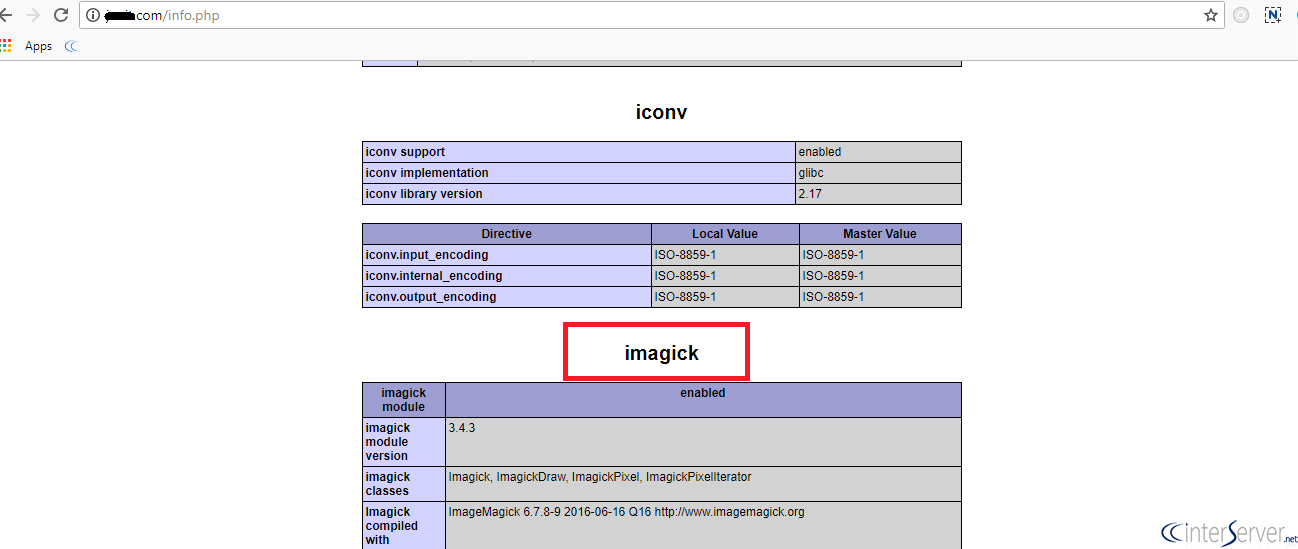
If you need any further help please do reach our support department.
Related guides
How to Install and Uninstall JetBackup for cPanel
How to Install JetBackup for cPanel. JetBackup is one of the leading backup solutions for cPanel & WHM that offers a user-friendly GUI. It provides
WHMSetup SendGrid on your cPanel VPS/Server
Setup SendGrid on your cPanel VPS/Server. SendGrid provides a cloud-based service for reliable transactional and marketing email.
WHMChange cPanel Nameserver Software to PowerDNS Carefully
Review WHM nameserver selection, resolver dependencies, cluster compatibility and DNSSEC requirements before a planned PowerDNS service change.
WHMTroubleshooting Jailed Shell on OpenVZ
cPanel/WHM providing Jailed shell environment for users, this feature giving high-level security for users when doing ssh access to their server.