
GICT knowledge base
How to Fix SMTP ERROR: Failed to connect to server: Connection refused (111) error on WordPress
Published
How to Fix SMTP ERROR: Failed to connect to server: Connection refused (111) error on WordPress
Most of the WordPress customers are facing the issue while sending mails from WordPress using any plugins. Some of them are getting the error ‘SMTP ERROR: Failed to connect to server: Connection refused (111) error’.
To fix this error you would need to disable SMTP Restrictions, from your server.
1) Login to WHM.
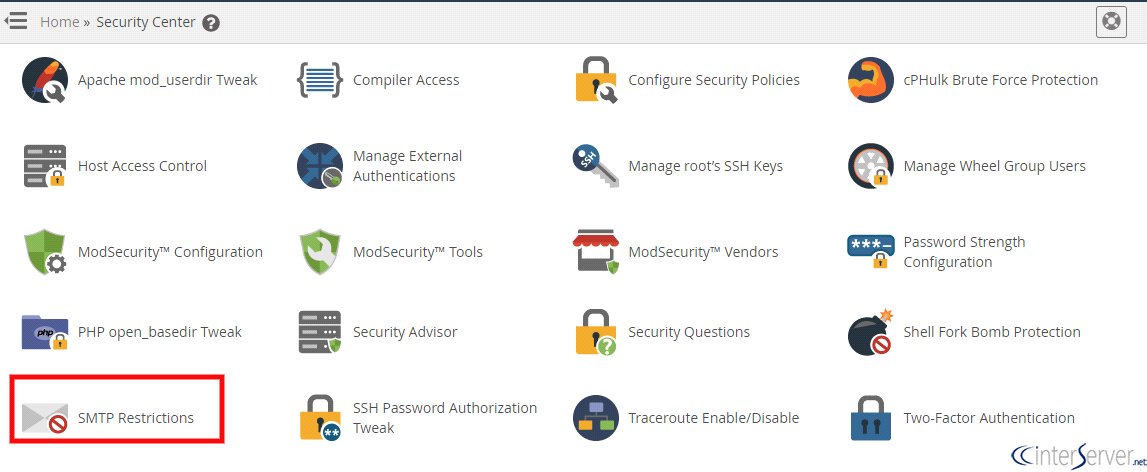
2) Navigate to “SMTP Restrictions” under “Security Center”. The security center section of WHM allows you to improve the security on your server.
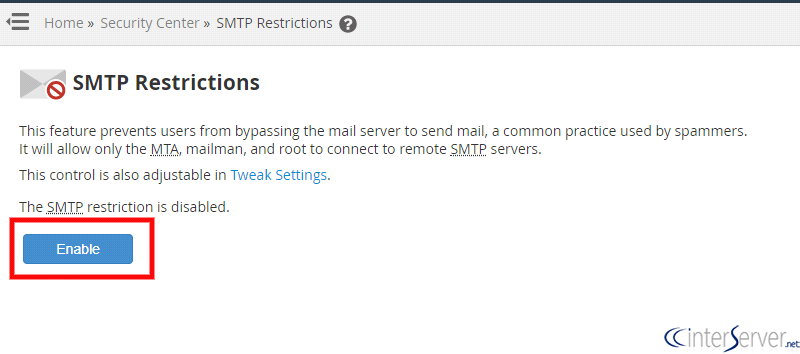
3) To disable, SMTP restrictions you would need to click on the “Disable” button. This feature prevents users from bypassing the mail server to send mail, a common practice used by spammers. It will allow only the MTA, mailman, and root to connect to remote SMTP servers.
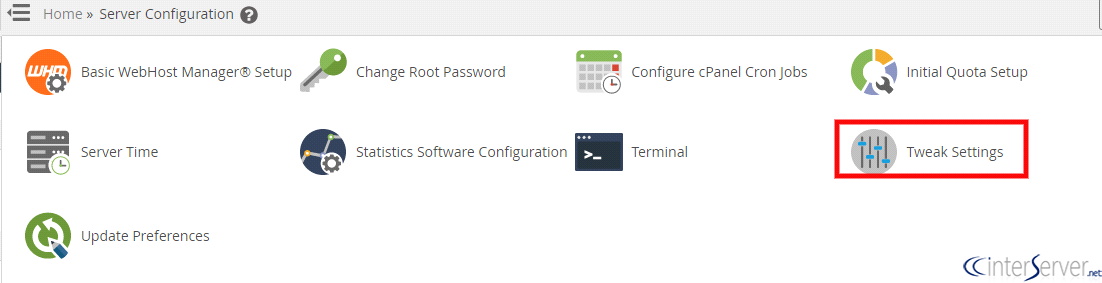
4) Then you would need to navigate to “Tweak Settings” under “Server Configuration”. Tweak settings, allows you to configure many cPanel & WHM settings. Tabs at the top of the interface categorize the settings, and the all tab displays all of the settings.
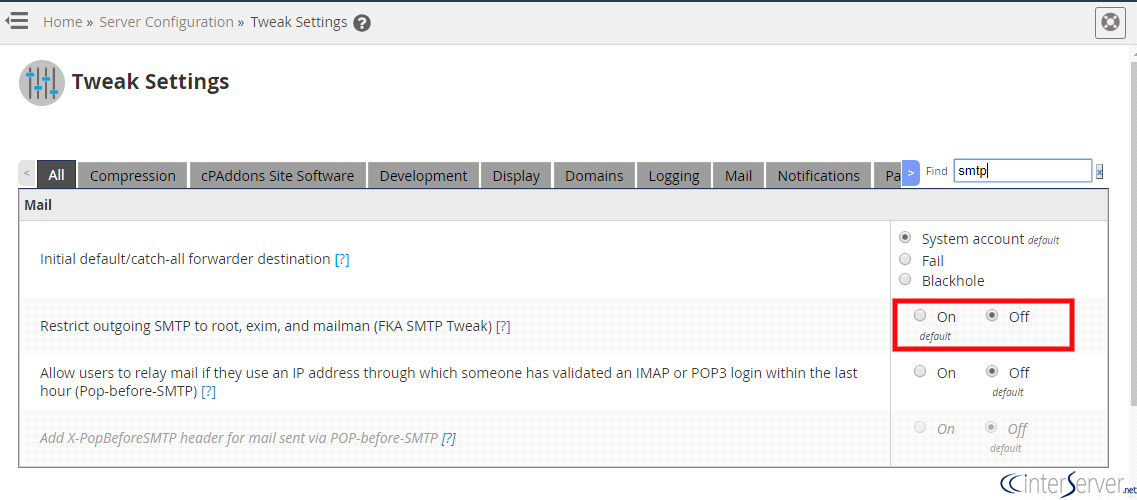
5) Disable “Restrict outgoing SMTP to root, exim, and mailman (FKA SMTP Tweak)” on mail section. Enabling this feature will redirect outgoing SMTP connections to the local mail server. root, exim, and mailman are still allowed to make direct connections.
That’s it. The issue should be resolved now.
If you need any further assistance please contact our support department.
Related guides
7 Common Hosting Mistakes Beginners Make (And How to Avoid Them)
7 common hosting mistakes beginners make in 2026: no backups, ignored updates, bad host choice, weak passwords, single point of failure, no staging. With fixes for each.
WordPressWebsite Migration Backup Checklist: What to Save and How to Test
Prepare a website migration backup: inventory files, databases, email and DNS, check archive integrity, test recovery and plan a safe final synchronization.
WordPressCore Web Vitals in 2026: A Practical Fix Guide for Site Owners
Core Web Vitals 2026: practical fixes for LCP, INP, and CLS. Real root causes, what to measure, common misconceptions, and a priority order of fixes for site owners.
WordPressFixing the WordPress “Death Loop”: When Missing Files slow down your site
You’ve just launched your new WordPress site or pushed a big update. In your staging environment, everything ran perfectly.