
GICT knowledge base
How to Enable Xcache via cPanel-CloudLinux
Published
You can manage the PHP directives on a CloudLinux server using the PHP Selector. You can manage this via cPanel >> Software/services >> Select PHP version. In this tutorial, we are going to discuss the steps to enable Xcache via cPanel for a particular account.
1) You need to check in cPanel if Xcache is enabled or not. Login to cPanel >> Software/Services >> Select PHP Version.
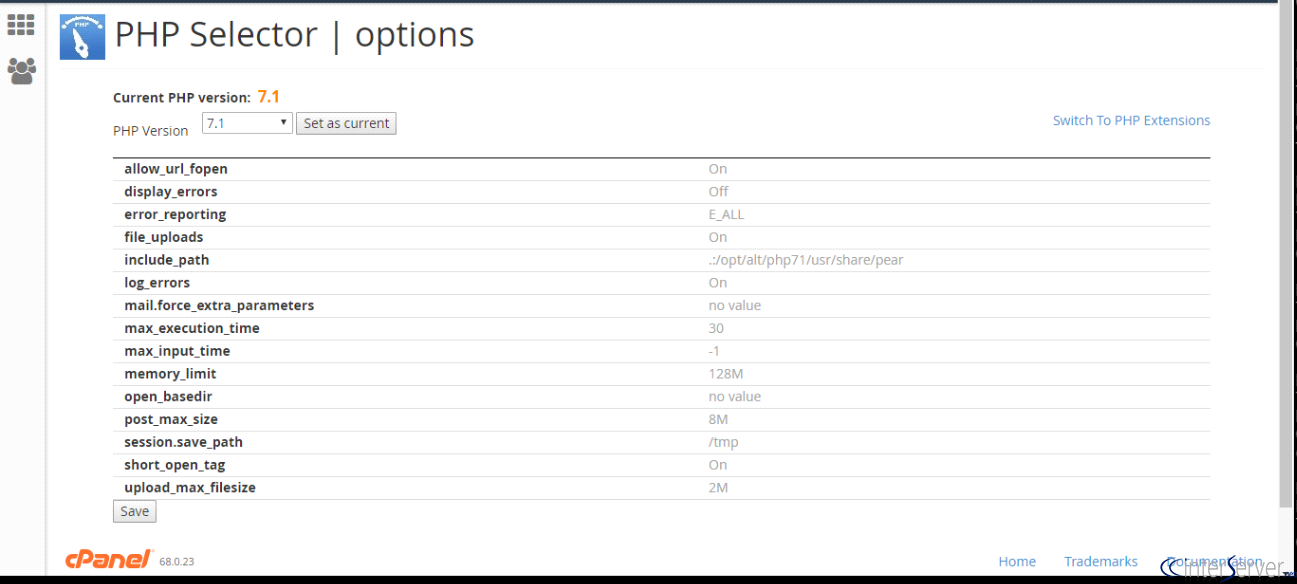
Also check the following directives are existing on the file “/etc/cl.selector/php.conf”
xcache.cacher on/Off
xcache.size –value–
xcache.stat on/Off
2) If the directives are not existing on the file, add the following directives in the file“/etc/cl.selector/php.conf.”
Directive = xcache.cacher
Default = On
Type = bool
Comment = Enable or disable opcode cache. Not available if xcache.size is 0.
Directive = xcache.size
Default = 50M
Type = value
Range = 0 50M 100M
Comment = Total amount of memory used for opcode (*.php) caching. If set to 0 – opcode caching is disabled.
Directive = xcache.stat
Default = On
Type = bool
Comment = Do stat() to check if xcache setting updated.
3) No need to restart any services, go to cPanel >> Software/Services >> Select PHP Version. You will get the following result.
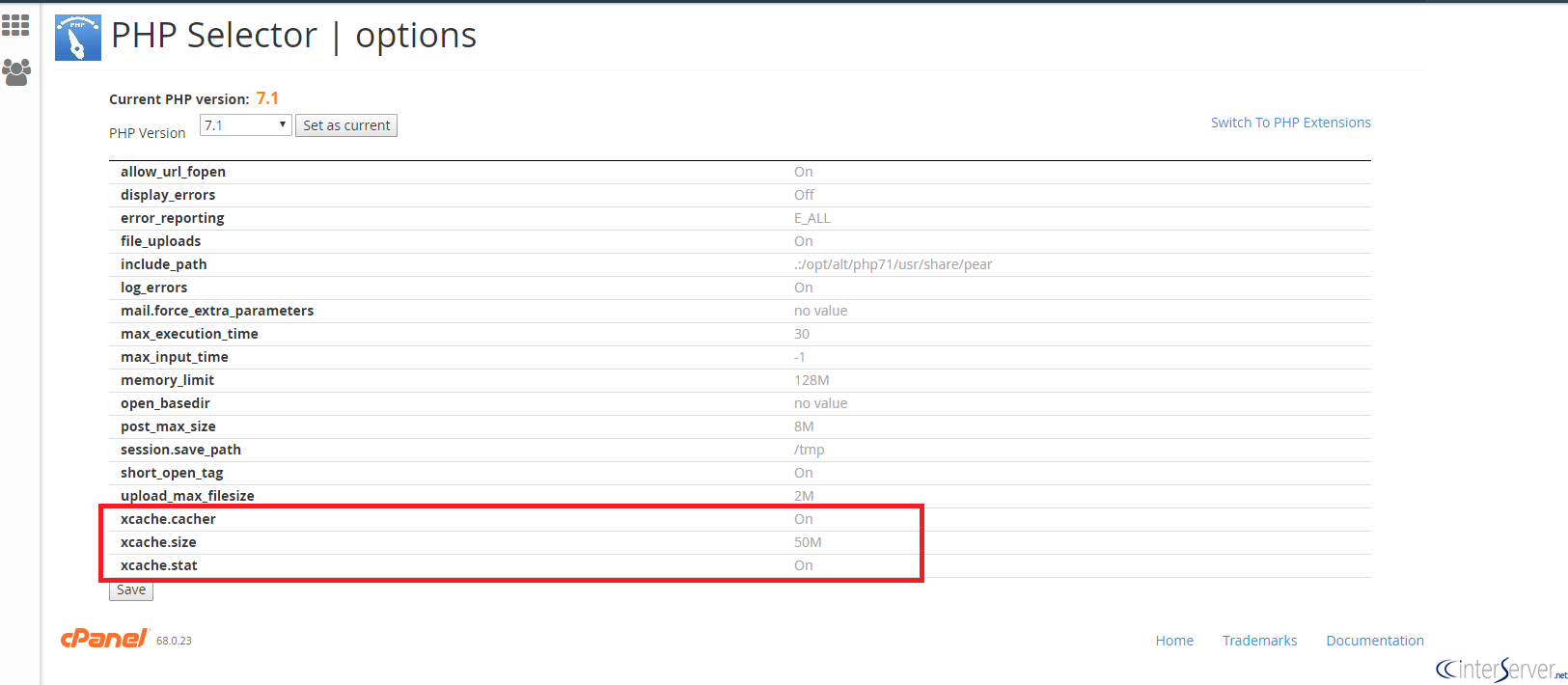
4) Then click the ‘Save’ button to update the changes.
If you need any further help please do reach our support department.
Related guides
What Happens When Your CloudLinux License Expires?
What Happens When Your CloudLinux License Expires? If you are running a web server—especially one with a control panel like cPanel—CloudLinux is an essential tool for...
CloudLinux6 Best Linux Distros for Gaming and Playing Windows Games
Discover the 6 best Linux distros for gaming, learn their pros and cons, and optimize your gaming experience on Linux.
CloudLinuxCloudLinux NodeJS Support for cPanel
CloudLinux NodeJS Support for cPanelNode.js is an open-source, cross-stage JavaScript runtime environment for building up a different assortment of
CloudLinuxUpgrade MariaDB or MySQL Version in Linux
Upgrade MariaDB or MySQL Version in Linux. In this tutorial, you are going to upgrade your MariaDB version from 5.5 to 10.0/10.1/10.2 or MySQL from