
GICT knowledge base
How to Enable Extended Logging in Exim
Published
The extended Exim logs in cPanel server will help you to troubleshoot the Exim issues on the server. It helps you to add more valuable logging information to your exim_mainlog (/var/log/exim_mainlog) file. It should be very helpful to find from where the messages are coming, who is sending the message etc.
To enable the extended logging in WHM
1) Login to WHM and click on “Service Configuration”.
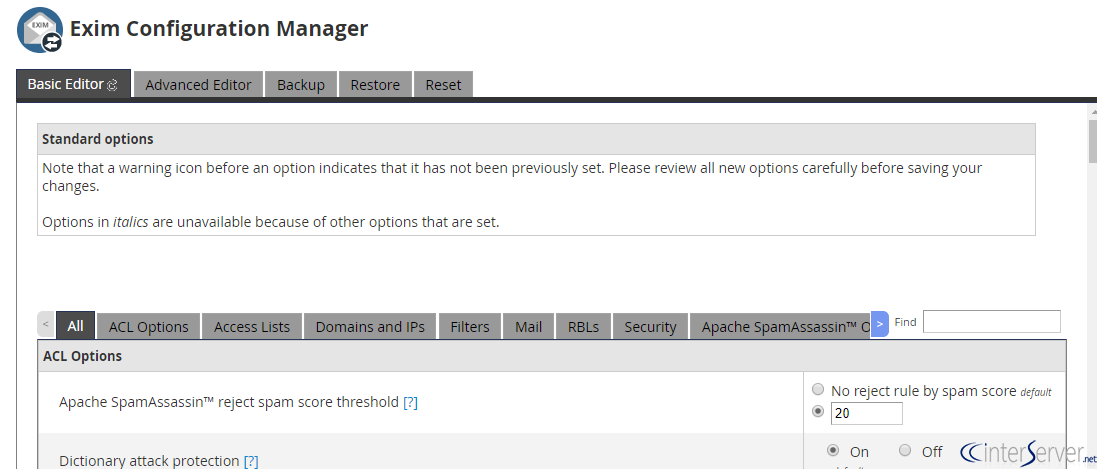
2) Navigate to “Exim Configuration Manager”, there you will see the options including ACL options, Access Lists, Domains, and IPs, etc.
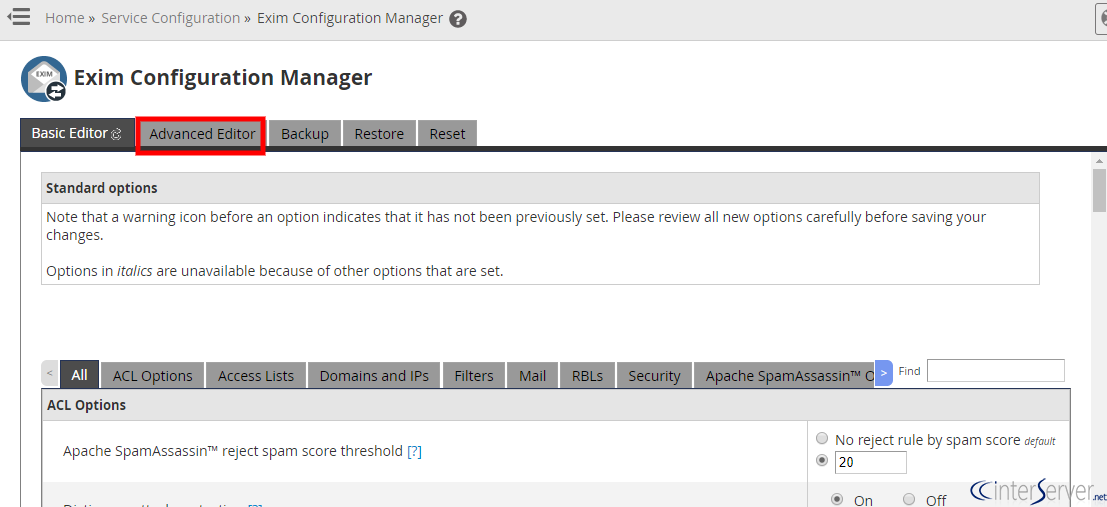
3) From there you need to click on “Advanced Editor” on the top of the screen.
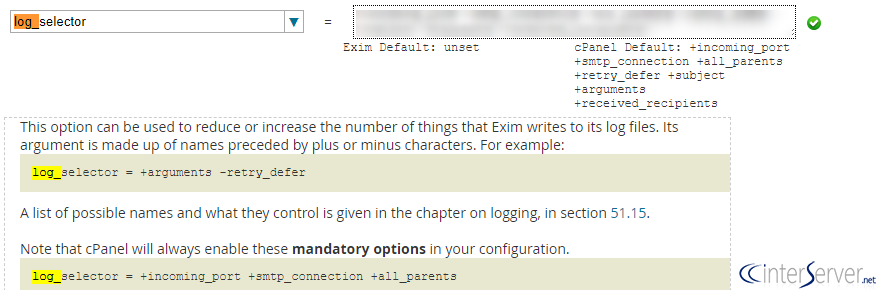
4) This is just like editing the Exim configuration file exim.conf, from there you would need to edit the log from the option: log_selector. This option can be used to reduce or increase the number of things that Exim writes to its log files. Its argument is made up of names preceded by plus or minus characters. There are more options that can be used, including +all, however, these are the ones we have found to be the most useful:
log_selector = +addressrewrite +all_parents +arguments +subject
5) Scroll down to the bottom of the page and then click on “Save” button. you’re all set! You can now watch the Exim log at /var/log/exim_mainlog for additional info!
To enable the extended logging in CLI
1) Login to the server via SSH using the root user.
2) Open the Exim Configuration File /etc/exim.conf using your favorite text editor.
3) Locate the entry “auth_relay_hosts” on your Exim configuration file and add the below line after that entry.
log_selector = +addressrewrite +all_parents +arguments +subject
You can either enable all the options or just the required ones.
4) Save the file and restart Exim service.
If you need any further help, please do reach our support department.
Related guides
How to Install and Uninstall JetBackup for cPanel
How to Install JetBackup for cPanel. JetBackup is one of the leading backup solutions for cPanel & WHM that offers a user-friendly GUI. It provides
WHMSetup SendGrid on your cPanel VPS/Server
Setup SendGrid on your cPanel VPS/Server. SendGrid provides a cloud-based service for reliable transactional and marketing email.
WHMChange cPanel Nameserver Software to PowerDNS Carefully
Review WHM nameserver selection, resolver dependencies, cluster compatibility and DNSSEC requirements before a planned PowerDNS service change.
WHMTroubleshooting Jailed Shell on OpenVZ
cPanel/WHM providing Jailed shell environment for users, this feature giving high-level security for users when doing ssh access to their server.