
GICT knowledge base
How to Edit Locales in cPanel & WHM?
Published
In cPanel&WHM, there is a feature known as Edit a Locale interface which provides the tools to help you edit the locales on your server. This locale editor tool will give you the privilege to edit a locale’s collection of translated phrases with the cPanel interface. In this documentation, we are going to discuss about how to edit a locale from the WHM interface.
1) Log into your WHM.
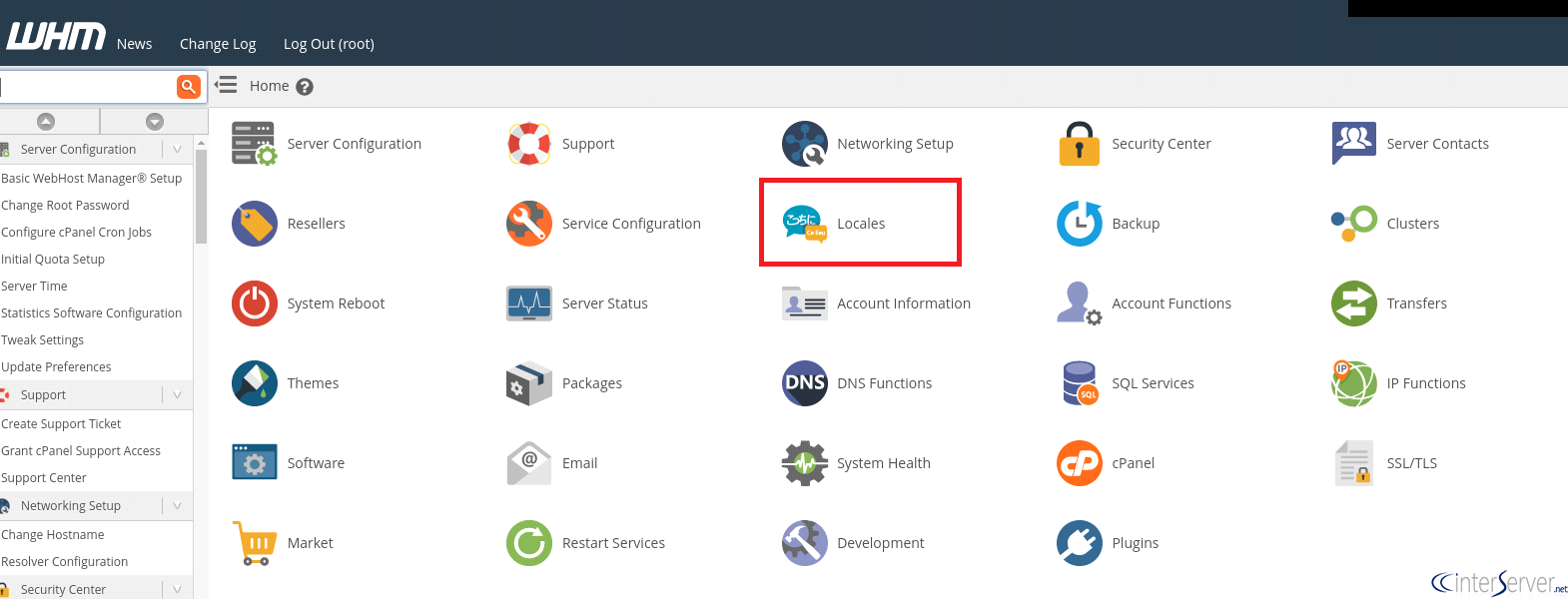
2) Select the option “Locales”.
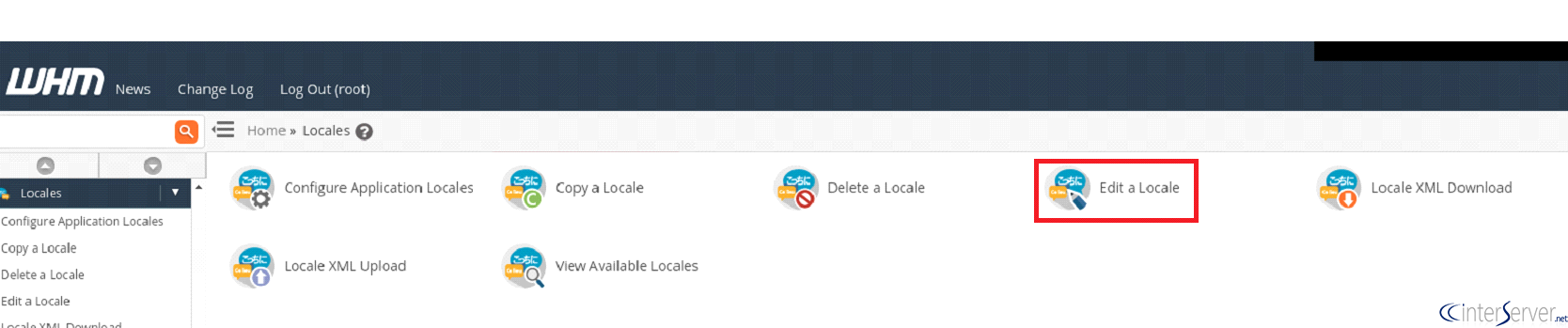
3) Choose the option “Edit a Locale” under Locales section.
4) Select a theme from the “Theme” menu.
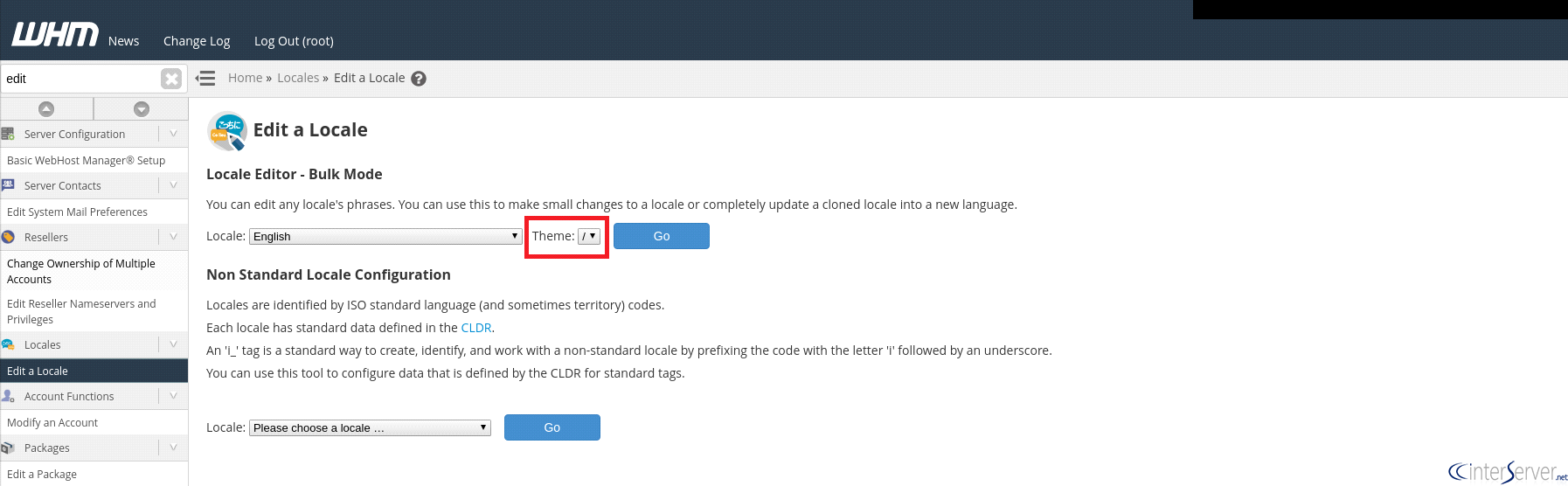
5) Click the “Go” button. It will display a new interface.
6) Click on the “Edit” button under the phrase which you want to edit.
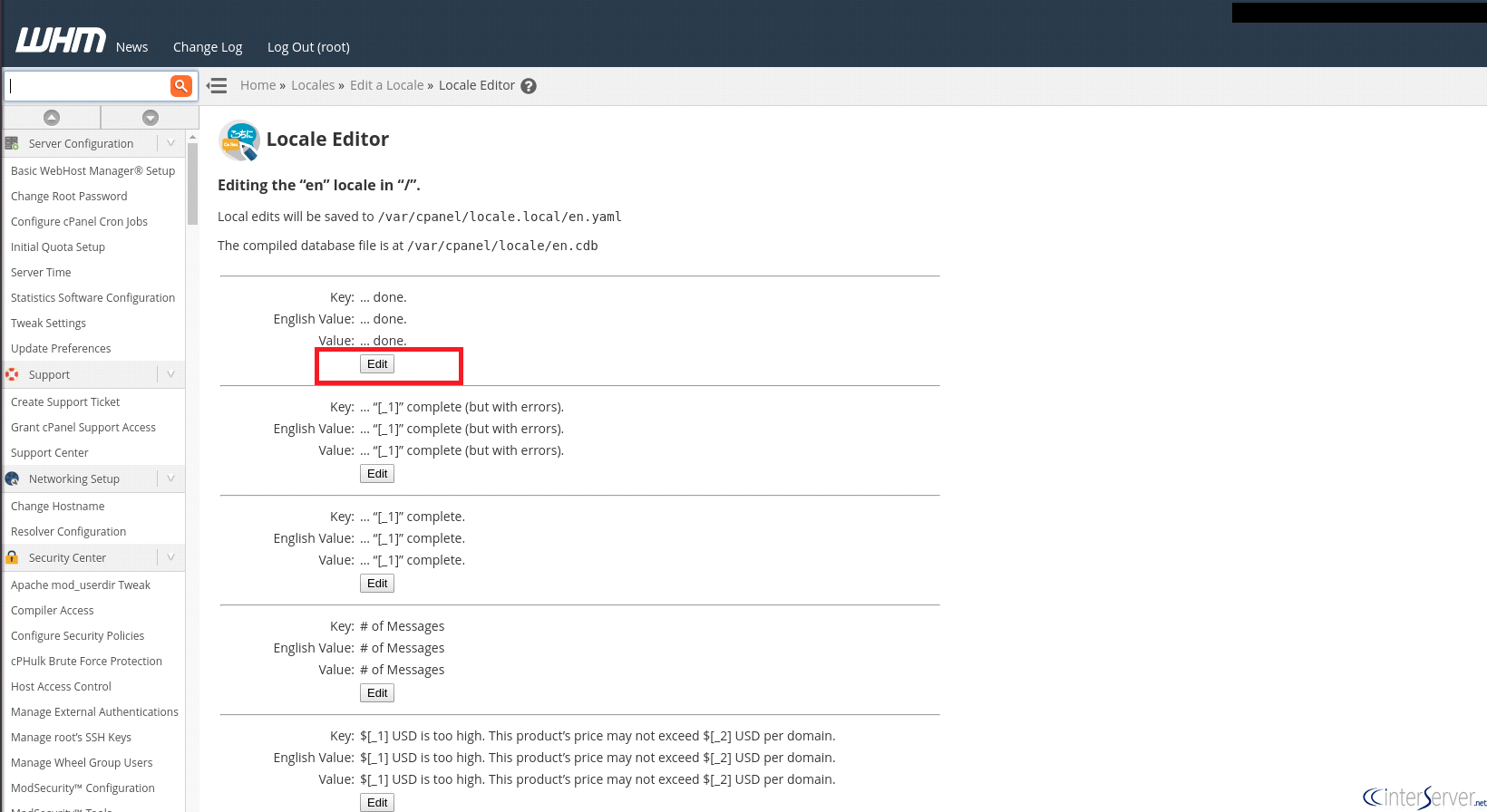
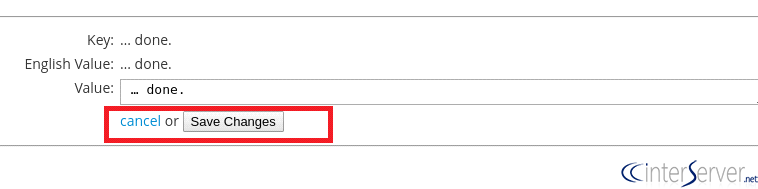
7) Click on “Save Changes” button to save your changes or click the “Cancel” option to cancel the changes.
Non-Standard Locale Configuration
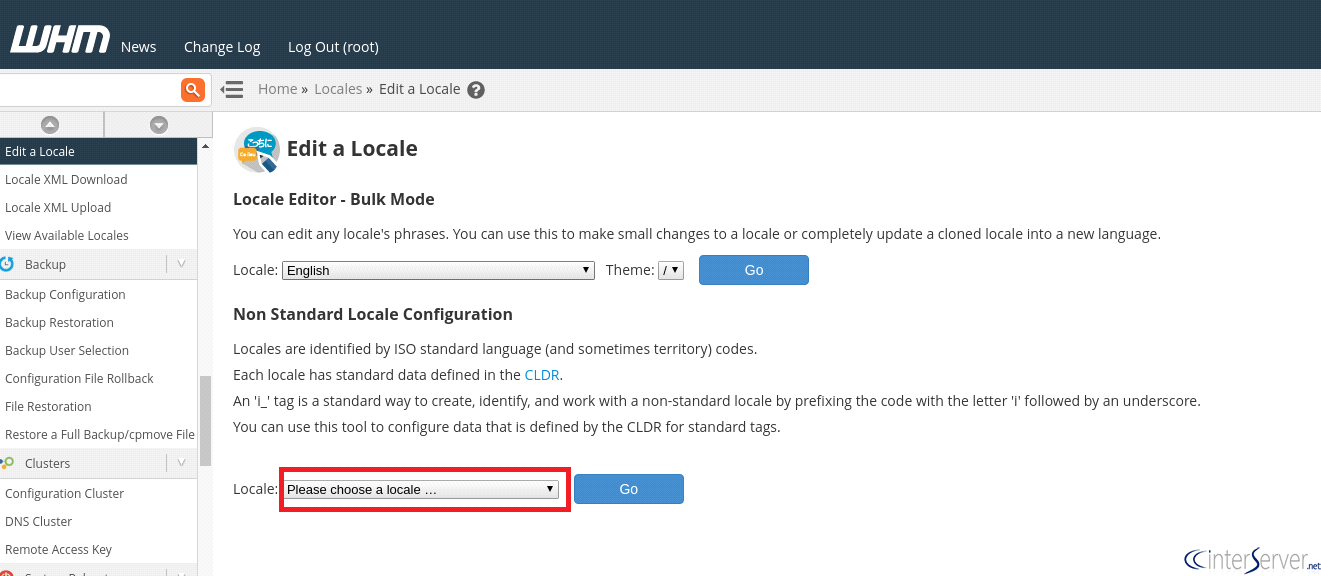
If you want to configure the data for a non-standard locale, you can use this tool to perform the same. Here, the system automatically adds the prefix i_ to the names of these locales because these tagged names are the standard ways to create, identify, and work with non-standard locales. Please follow the below steps, if you want to configure the data for a non-standard locale:
1) Choose a locale from the drop-down box of the “Locale” menu and click on to the “Go” Button.
2) You should enter a display name in the “Display Name” text box.
3) You can choose the fallback locale, number formatting, and character orientation from the corresponding menus.
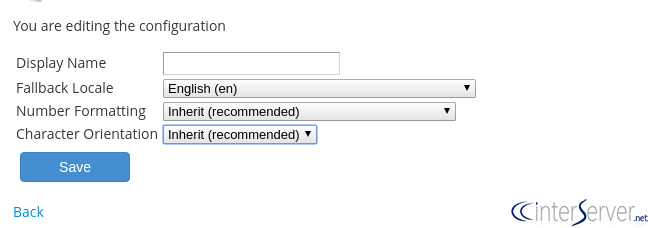
4) Click the “Save” button to update the changes.
Please note that after using this edit a locale interface, you must run the following script from the command line.
# /usr/local/cpanel/bin/build_locale_databases
If you do not run this script, your changes will not appear in the cPanel interface until the next time that the upcp script runs.
If you need any further help, please do reach our support department.
Related guides
How to Install and Uninstall JetBackup for cPanel
How to Install JetBackup for cPanel. JetBackup is one of the leading backup solutions for cPanel & WHM that offers a user-friendly GUI. It provides
WHMSetup SendGrid on your cPanel VPS/Server
Setup SendGrid on your cPanel VPS/Server. SendGrid provides a cloud-based service for reliable transactional and marketing email.
WHMChange cPanel Nameserver Software to PowerDNS Carefully
Review WHM nameserver selection, resolver dependencies, cluster compatibility and DNSSEC requirements before a planned PowerDNS service change.
WHMTroubleshooting Jailed Shell on OpenVZ
cPanel/WHM providing Jailed shell environment for users, this feature giving high-level security for users when doing ssh access to their server.