
GICT knowledge base
How to Disable a Triggered ModSecurity Rule in WHM Server?
Published
ModSecurity is an Apache module which will protect your website from attacks, which includes a set of rules that blocks some regular expressions to prevent your websites from hackers. Almost 70% of server attacks are now carried out over the web application level. Mod_security always filters the data on your website and prevent your website from hackers and it will help you to secure your server.
In order to disable the mod security rule on your cPanel server, you would need to install a plugin called “ConfigServer ModSecurity Control”. For more information on how to install that plugin, please refer our Knowledgebase article: Install ConfigServer ModSecurity Control in cPanel
Once you have installed that plugin, please see this tutorial to know how to disable a particular Mod Security rule in the server.
Initially, you would need to find the exact rule which is triggered on the server. In order to find that rule, you will need to follow the below steps:
1) Login to your server via SSH.
2) Run the following command to determine what ModSecurity rules are being triggered:
grep ModSecurity /usr/local/apache/logs/error_log | sed -e ‘s#^.*\[id “\([0-9]*\).*hostname “\([a-z0-9\-\_\.]*\)”\].*uri “#\1 \2 #’ | cut -d\” -f1 | sort -n | uniq -c | sort -n
The above command will help you to find which rule is being triggered on the server.
After finding the rule, then you would need to follow the steps mentioned below, in order to disable those rules on the server.
1) Login to WHM.
2) Navigate to the “Plugins” section.
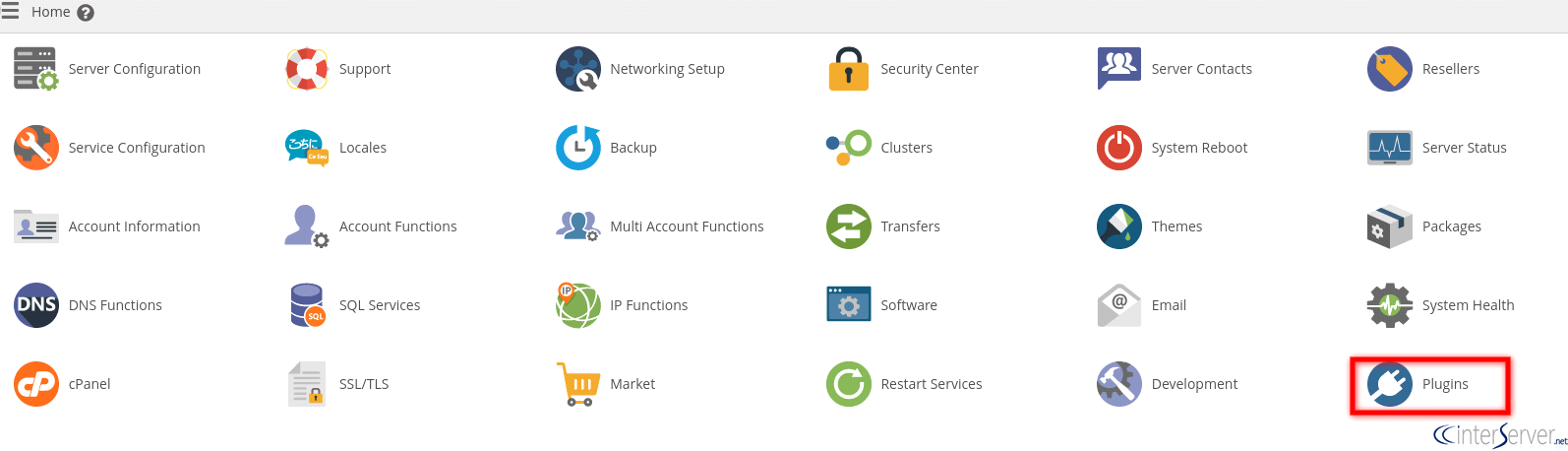
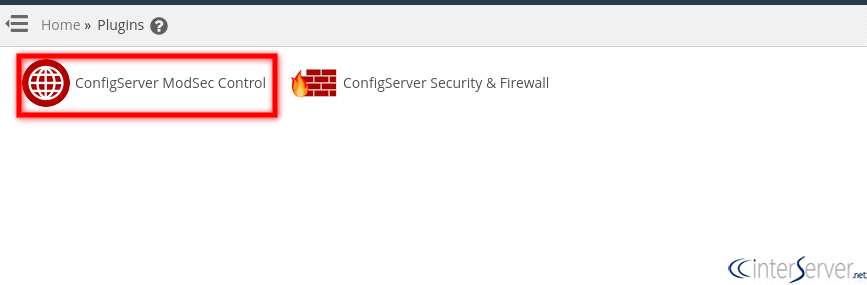
3) Click on “ConfigServer ModSec Control” plugin for whitelisting the rule.
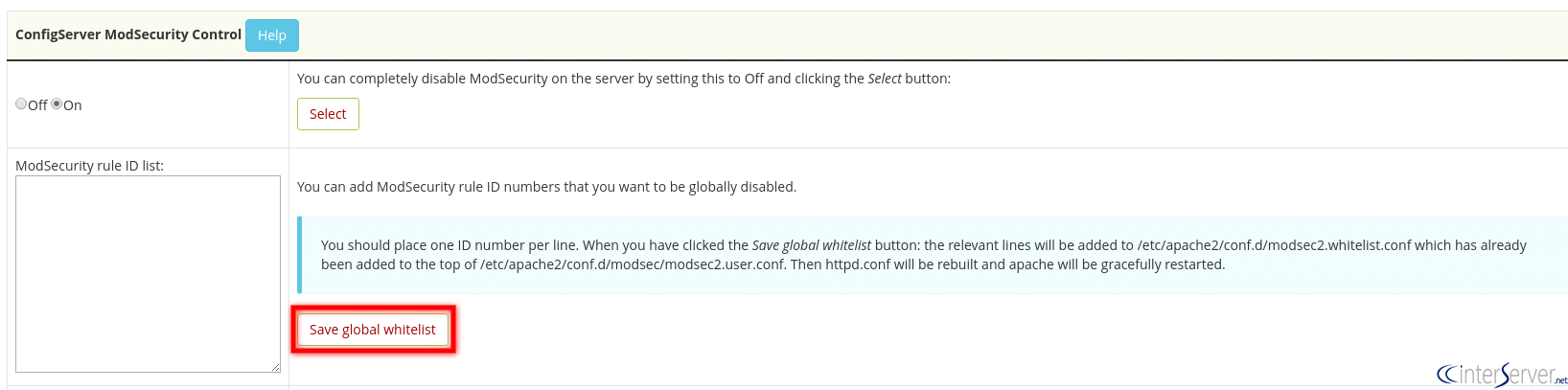
4) Then add the rule which you wish to whitelist on the box “ModSecurity rule ID list:” and you could click on the “Save global whitelist” button to save the changes.
5) After you save the changes it will redirect to a page like “ModSecurity global whitelist saved”. Apache service will automatically restart to enable those changes on the server.
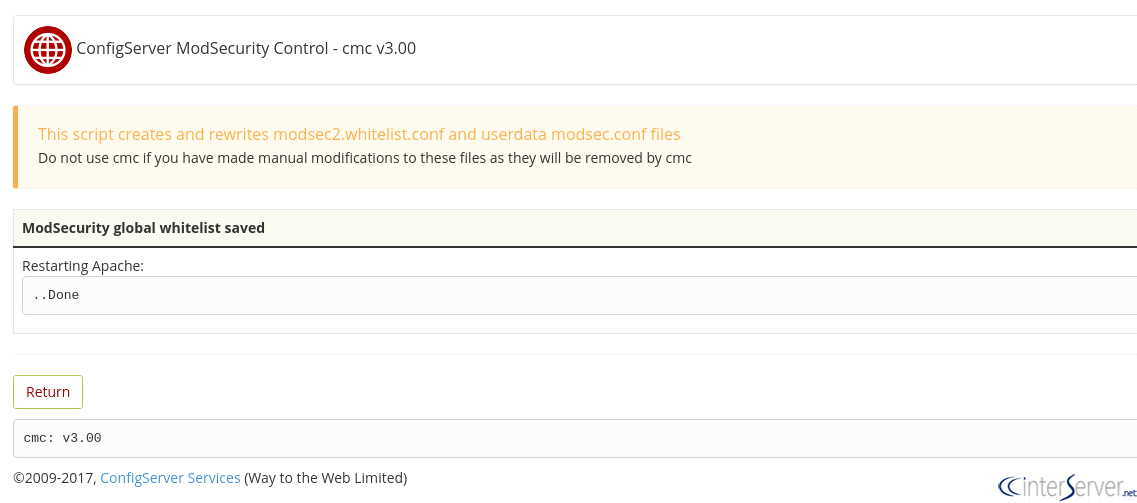
Finally, you can click on the “Return” button to return to the “ConfigServer ModSecurity Control ” dashboard.
If you need any further assistance please contact our support department.
Related guides
How to Install and Uninstall JetBackup for cPanel
How to Install JetBackup for cPanel. JetBackup is one of the leading backup solutions for cPanel & WHM that offers a user-friendly GUI. It provides
WHMSetup SendGrid on your cPanel VPS/Server
Setup SendGrid on your cPanel VPS/Server. SendGrid provides a cloud-based service for reliable transactional and marketing email.
WHMChange cPanel Nameserver Software to PowerDNS Carefully
Review WHM nameserver selection, resolver dependencies, cluster compatibility and DNSSEC requirements before a planned PowerDNS service change.
WHMTroubleshooting Jailed Shell on OpenVZ
cPanel/WHM providing Jailed shell environment for users, this feature giving high-level security for users when doing ssh access to their server.